Practical guides for office managers building better hybrid workplaces. Learn how to optimize space utilization, automate operations, and support distributed teams.
Oops! Something went wrong while submitting the form.
Visitor Management
Visitor Management System: What It Is and How It Works
A visitor management system replaces the paper sign-in sheet with a digital process that screens, logs, and tracks every guest who enters your office. It captures who's on-site, notifies the host, and creates a searchable record for security and compliance reviews. For growing offices, this single change closes a security gap most reception desks still carry today.
A visitor management system digitizes guest check-in, replacing paper logs with pre-registration, badge printing, host notifications, and a searchable visitor record.
✓
Visitor management software reduces front-desk workload while creating the audit trail organizations need for security screening and regulatory compliance.
✓
A standalone visitor tracking system solves check-in but leaves desk booking, room booking, and office data in separate tools, creating gaps in a company's overall presence picture.
✓
PULT combines visitor management with real-time presence, desk and room booking, and emergency response in one platform, so security teams see who's on-site, employees and visitors alike, from a single source of data.
What Is a Visitor Management System?
A visitor management system is software that replaces the manual guest sign-in process with a digital, trackable one. It records a visitor's details, their arrival and departure, and notifies the employee they're there to see, all without a paper logbook at the front desk.
Companies adopt one for three reasons: security, compliance with regulations like GDPR, and a faster, more professional check-in experience for guests.
Standalone check-in tools handle the front desk in isolation. Platform-based visitor management, like PULT's, feeds that same data into a company's broader presence and office management system, so security teams see visitors and employees in one place.
What Does a Visitor Management System Do?
A visitor management system replaces manual sign-in with a digital workflow that handles the entire guest experience, from pre-registration to check-out. It records a visitor's details, notifies the right host, can issue a badge, and stores visits in a searchable log. Visitor management software runs this process on a tablet, kiosk, or mobile phone instead of a clipboard.
Core Features of a Modern Visitor Management System
✓
Pre-registration and invites: hosts send a visitor a link before arrival, with the visit details and parking or building information included.
✓
Self-service check-in: guests confirm their name, host, and purpose at a kiosk or tablet in under a minute.
✓
Optional ID and watchlist screening: depending on the platform, the system can check visitor IDs or flag names against a security or denied-entry list before a badge is issued.
✓
Badge printing and QR codes: guests can receive a visible, time-stamped credential that identifies them for that day's visit.
✓
Host notifications: the employee being visited gets an instant alert by email, Slack, or Teams, with the guest's details and, if enabled, a photo.
✓
NDA and agreement signing: legal documents are signed digitally during check-in, with a copy stored automatically for compliance records.
✓
Visitor logs and reporting: every visit is timestamped, searchable, and exportable, so front-desk trends are easy to review monthly.
✓
Emergency roll-call export: the current visitor list can be pulled during an evacuation, showing who is recorded as still in the building.
Visitor Management Software vs. a Paper Logbook
Criterion
Paper Logbook
Visitor Management Software
Data accuracy
Illegible entries, missing fields
Structured, mandatory fields
Security screening
None
Watchlist and ID checks
Emergency roll call
Manual count from paper
Instant, exportable list
Compliance records
Hard to search or retire
Searchable, with retention rules
How Does the Visitor Journey Work, From Invite to Check-Out?
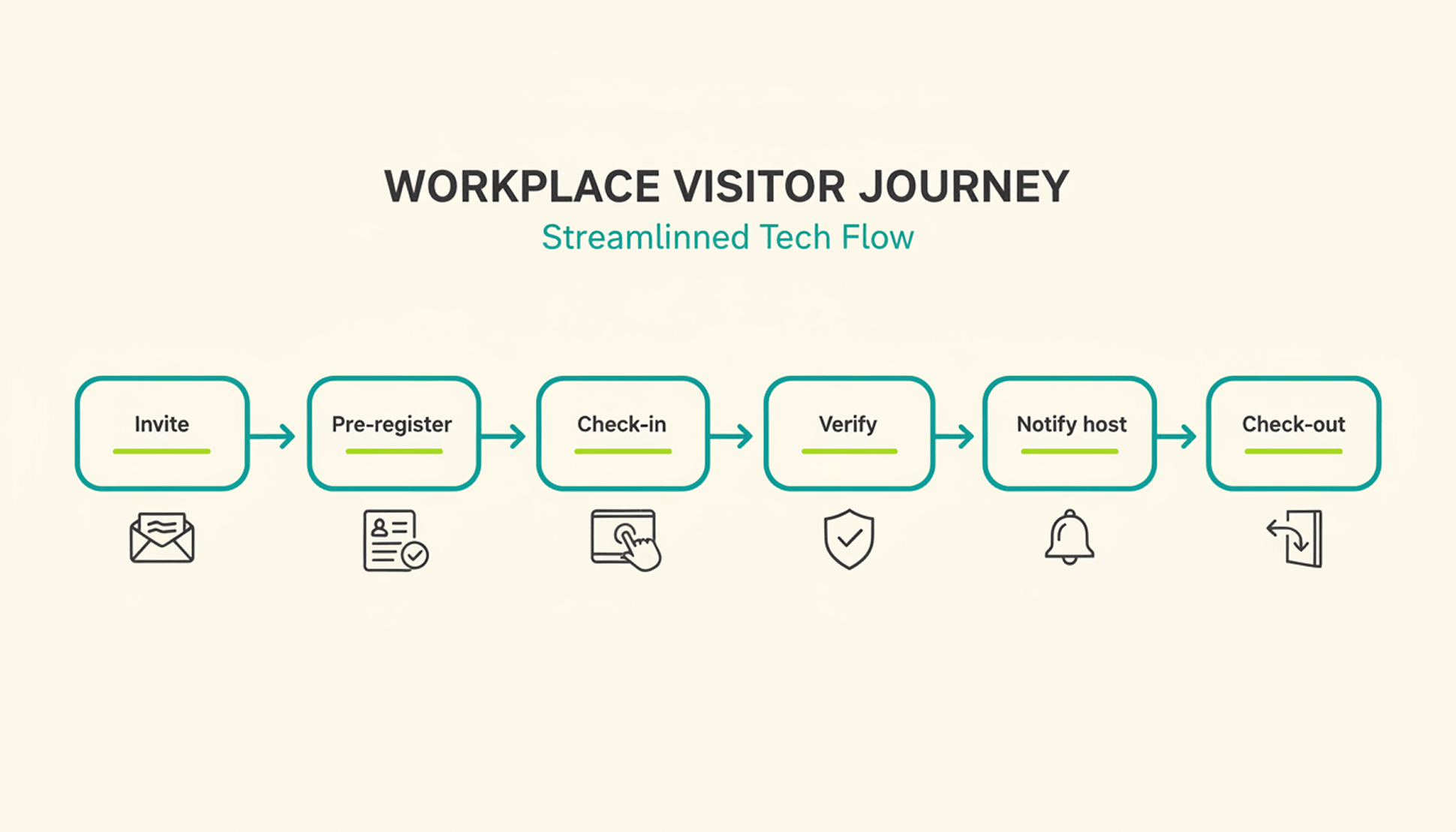
A typical visit runs through six steps. The host sends an invite, the visitor pre-registers, the visitor confirms their details on arrival, a badge can be issued, the host gets notified, and the system records check-out when the visitor leaves or at a configured time.
1
Pre-registration: the host schedules the visit and sends a link with arrival details, parking instructions, and building access notes.
2
Arrival and check-in: the visitor confirms their details at a kiosk or on a tablet or their own phone, usually in under a minute.
3
Optional identity and watchlist verification: depending on the platform and configuration, additional ID or security-list checks can be performed before building access is granted.
4
Badge issuance: a printed or digital badge identifies the visitor for the building and can be limited to that day's visit.
5
Host notification: the employee being visited receives an instant alert to come to reception, with the visitor's name and, if enabled, photo.
6
Check-out and logging: the visitor checks out on departure, or the system can close the visit automatically at a configured time, keeping the record administratively up to date.
What Are the Benefits of a Visitor Management System for the Office?
The clearest benefit is a complete, searchable record of who was on-site and when, something a paper log or verbal check-in can't provide.
Security and Compliance Benefits
A visitor management system can screen guests against a watchlist before they reach the office floor, depending on the platform and configuration. It can keep a timestamped log of visits for security and compliance reviews. Under GDPR, visitor data counts as personal data, so it needs a lawful basis for collection, an appropriate retention period or criteria for determining it, and safeguards against unauthorized access. A digital system can support these controls directly in the check-in process, reducing reliance on manual steps.
Visitor accountability also matters during an emergency. OSHA guidance notes that visitors need to be accounted for after an evacuation, and many employers use the sign-in list to run that headcount. A missing name on that list can delay an all-clear by several minutes, minutes that matter during a real evacuation.
Because PULT Presence tracks employees and visitors in one live view, a facilities team can pull an accurate roll call the moment an alarm sounds, not after searching through a paper binder.
Front-Desk Efficiency and Visitor Experience Benefits
Automated check-in cuts the time your team spends on manual sign-in, badge writing, and phone calls to announce a guest. A receptionist freed from clipboard duty can focus on greeting visitors and other front-desk work. Visitors move through reception faster, often in under a minute, and the first impression of your office improves the moment someone walks in the door. For client meetings or investor visits, that faster, more polished check-in becomes part of how your company presents itself.
How Do You Choose the Right Visitor Management Solution?
The right visitor management solution depends less on feature count and more on how well it fits your existing security setup, office size, and tool stack. A system built for a five-person startup office looks very different from one built for a 500-person campus with multiple buildings and a dedicated security team.
Calendar, HR, and communication tools your team already uses
Security and compliance
Data retention controls, audit logs, GDPR-aligned handling
Scalability
Pricing and setup across multiple locations
Price
Per-location vs. per-user pricing models
Ease of use
Kiosk setup time and how quickly staff can learn the system
Is a Standalone Visitor Management Platform Enough for a Modern Office?
A standalone visitor management platform solves the front-desk problem, but most offices also run desk booking, room booking, and parking through separate tools. Connecting these systems into one platform gives security and facilities teams a single, live view of who is on-site, employees and visitors together.
That connection matters most during a security incident or an office move, when facilities teams need one current view of occupancy rather than four separate logins to check. PULT pairs visitor management with desk booking software, room booking, and presence data, so a single dashboard shows recorded on-site employees and visitors. Office managers evaluating a broader workplace management software setup typically start here, since visitor data becomes far more useful once it's connected to the rest of the office.
{{onpage-cta}}
Turn Visitor Check-In Into a Security Advantage
A visitor management system turns a vulnerable front desk into a controlled entry point, giving you a searchable record of who checked in and when. The real payoff comes when it connects to the rest of your office, from desk booking to real-time presence data, giving you one live picture of recorded on-site users. For growing offices, that visibility is worth seeing in action.
✓
Visitor check-in, desk booking, room booking, and presence data live in one platform, so you manage all of it from a single login.
✓
A real-time view shows who is on-site, employees and visitors together, for faster emergency roll calls.
✓
Every visit is recorded in a searchable log, with records available for security and compliance reviews.
✓
Microsoft Teams and Slack support visitor notifications, while Personio and HiBob connect employee data through built-in integrations.
{{onpage-cta-2}}
News & Updates
Guide: How Desk Sharing Works in Public Administration
In this article, you will learn what legal considerations need to be taken into account, how other authorities have handled this issue, and what specific steps will lead to success. No theory, just tried-and-tested experience.
A recent IAG study with almost 2,000 participants shows that 60% of employees are satisfied with desk sharing. Almost half of those surveyed came from the public sector.
But desk sharing in public administration has its own rules. Data protection, co-determination, accessibility: the legal hurdles are higher than in the private sector.
In this article, you will learn what legal considerations need to be taken into account, how other authorities have done it and what concrete steps lead to success. No theory, just tried-and-tested experience.
{{hint-box}}
What is desk sharing in public administration?
Desk sharing means that several employees share the same workspaces. Instead of everyone having a fixed desk, they book a free space as needed. This is particularly relevant in public administration, as many colleagues now work from home and many workspaces are empty.
Employees use software to book their workspace for the desired day. In the morning, they sit down at their reserved space, work as usual and tidy up in the evening. Nothing is left behind; lockers are typically provided. The space is available to others the next day.
Particularly interesting for public authorities: Due to home office regulations and flexible working hours, many administrations have an office utilisation rate of only 60 to 70%. Desk sharing makes optimal use of this free capacity and saves rental costs. At the same time, new opportunities for interaction arise between departments that otherwise have little contact.
The difference to fixed workspaces: Instead of 100 employees with 100 workspaces, you work with 70 to 85 workspaces. The space saved can be used for other purposes, such as attractive break areas or collaboration zones, which increases the overall appeal of the workplace. Another option is to reduce the amount of space rented and thus save costs.
The legal basis for desk sharing in public administration
Desk sharing in public administration is generally permitted. This has also been confirmed by the latest ruling of the Baden-Württemberg Regional Labour Court. However, you must observe staff council representation rights, data protection and GDPR, accessibility and occupational health and safety regulations.
Staff representation rights: According to Section 80 (1) No. 4 BPersVG, the staff council has a say in workplace design. This means that you need to involve them from the outset. No. 21 of the same section also covers technical equipment such as booking systems.
The practical consequence: involve the staff council in the planning phase. Subsequent co-determination procedures are complicated and time-consuming.
Data protection: The GDPR applies particularly strictly to public authorities. Although Art. 6 (1) (e) GDPR legitimises data processing for public tasks, you must observe the principle of data minimisation in accordance with Art. 5 (1) (c) GDPR. Only record the name/personnel number, booking time and workplace ID. Recording the content of activities or performance evaluations is not permitted.
Accessibility:Section 12a BGG requires you to use WCAG 2.1 AA-compliant booking systems. This means screen reader compatibility, sufficient colour contrast and keyboard operability.
Occupational health and safety: Section 5 of the German Occupational Safety and Health Act (ArbSchG) requires a specific risk assessment for changing workplaces. Mental stress caused by changing workplaces must be explicitly taken into account.
Create a structured service agreement that regulates all aspects, from workplace equipment and the booking procedure to data protection and accessibility.
Examples of desk sharing in public administration
Metzingen municipal administration: 400 employees, three locations, one software. The city in Baden-Württemberg introduced desk sharing in August 2022. IT manager Jörg Stritzelberger reports rapid acceptance after a short familiarisation period. Features that mark the presence of other colleagues on the office plan and filter workstations according to their characteristics are particularly appreciated.
Heidelberg University Hospital: This is an example of how the gradual expansion of desk sharing works in an institution. The hospital started with pilot areas and continuously expanded desk sharing based on the optimised experiences from areas that had already been implemented.
University of Hamburg: A legally binding pilot project with a clear service agreement has been running here since March 2024. The concept integrates mobile working with standardised workplace equipment and clear rules for personal belongings.
The documented added value: better employee exchange, time and resource savings, optimal workplace utilisation. Measurable cost savings through a 20 to 40% reduction in space, with typical rents of £50 to £150 per m²/month, means significant budget relief.
Sharing rates range from 0.67 to 0.83 workstations per employee, with safety buffers planned for peak times.
{{cta}}
Preparing public administration employees for desk sharing
Younger colleagues (Generation Z, Millennials) generally show a high level of acceptance for flexible working models. You will encounter more resistance from older colleagues (Baby Boomers, Generation X), not out of stubbornness, but because of legitimate security needs and a preference for tried-and-tested structures.
Main resistance factors: Data protection concerns (21% according to a Bitkom/DStGB study), traditional administrative culture with hierarchical decision-making processes, practical concerns such as the time required to find a workplace and legal uncertainties.
Proven strategies: Hold informative workshops to raise awareness. Communicate concrete improvements in work-life balance, rather than abstract efficiency gains. Offer systematic training for all age groups, but with different focuses.
Cultural characteristics of the administration: Hierarchical decision-making processes prolong implementation, but they also offer stability. Legal frameworks create higher compliance requirements, but ensure legal certainty. Greater intrinsic motivation through social benefits and lower staff turnover enable sustainable planning.
Communication: Use multiple channels (intranet, newsletters, personal conversations). Be transparent and openly highlight advantages and disadvantages. Plan interactive elements such as Q&A sessions and feedback loops. You can win over sceptics with concrete benefits and security guarantees. You can get supporters on board by giving them opportunities to shape the process. Don't ignore the ‘silent majority,’ because they often decide whether something succeeds or fails.
Technical implementation of desk sharing in public administration
Desk sharing software is an important part of the technical implementation, along with GDPR compliance, accessibility, and IT security in accordance with BSI standards.
IT security: Multi-factor authentication, role-based permissions and TLS 1.3 encryption.
Clean desk policy: Workstation reset after each use, secure storage of confidential documents in lockable rolling containers, automatic screen lock when not in use.
Minimum hardware requirements: Standardised docking stations for laptops, dual monitor sets, height-adjustable desks and ergonomic input devices.
Your path to successful desk sharing
The 60% satisfaction rate for implemented solutions demonstrates the potential, while the 47.6% preference for fixed workstations illustrates the change management at the heart of the transformation.
The success factors: early involvement of employee representatives in accordance with Section 66 of the German Federal Personnel Representation Act (BPersVG), GDPR-compliant technology and software with German server locations, generation-specific communication and step-by-step pilot project implementation.
The figures speak for themselves: Cost savings of 20 to 40% in office space justify investments of €180,000 to €250,000 for 100 employees with a payback period of 2-3 years.
Your next steps:
Conduct a systematic analysis of the current situation with an employee survey
Involve the staff council from the outset
Choose GDPR-certified software with German servers
Develop a multi-stage training concept for all age groups
Start with a pilot area and evaluate continuously
Desk sharing software for public administration
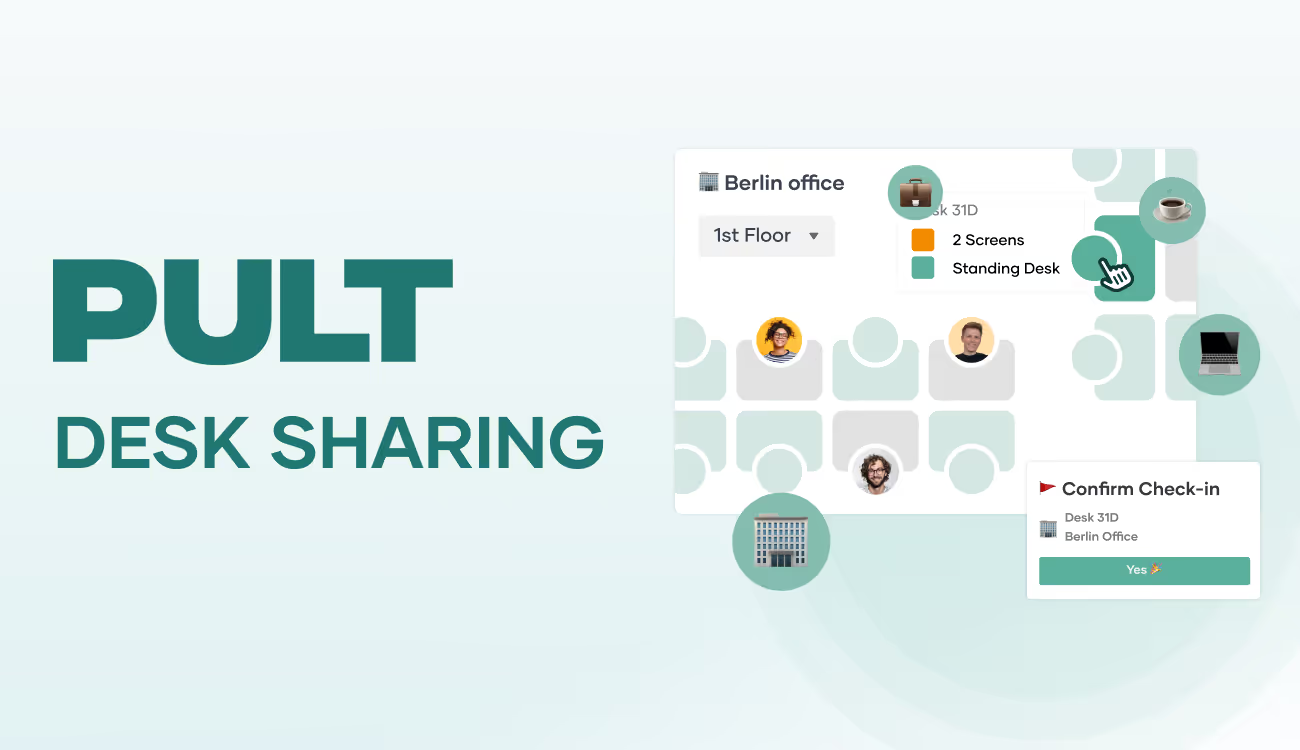
PULT is booking software for your desk sharing concept. It is browser-based and therefore works on any device, including smartphones, laptops and PCs. The interactive office plan accurately maps your office, shows available workstations and can be filtered by equipment.
Automation with PULT Presence: As soon as employees connect to the office Wi-Fi, they are automatically checked in without having to use an app or make any manual entries. This makes the solution attractive even for sceptical colleagues, as it does not create any extra work for them.
Suitable for public authorities: PULT is GDPR-compliant and meets the strict compliance requirements of public institutions. German servers, ISO27001 certification and role-based access control provide the necessary legal security. The existing Wi-Fi infrastructure can also be retained.
Practical features: Interactive floor plans not only show available spaces, but also where colleagues are sitting. This simplifies collaboration and removes the anonymity from desk sharing. Comprehensive analytics help to optimise office space based on data and document the ROI.
Hybrid Work
Desk Sharing: Definition, Explanation, Advantages
Desk sharing done right: fewer empty desks, better use of space. More and more offices are underutilized due to home offices and remote work, and desk sharing offers a smart solution. But what is behind the concept? How can the transition to flexible workplace use be designed sensibly without risking chaos? In this article, you will learn how desk sharing works, what models are available, what advantages and disadvantages are associated with it, and how companies can successfully master the transition.
The strong trend toward remote work and home office days means that many desks in offices remain empty. This raises questions for companies: How can we reduce the number of unused desks? How many do we need to keep available so that everyone still has a place when they come into the office? And how can we plan for this? In this article, you will learn what desk sharing means, what issues are associated with it, and what advantages the concept offers.
What is desk sharing?
Desk sharing, also known as shared desks or flex desks, means that employees no longer have fixed desks. Instead, they have flexible workspaces at their disposal. Either they sit down anywhere, or there is a booking system.
Thanks to the possibilities offered by home offices and other remote working methods, more and more desks are remaining empty in companies. The concept of the traditional office with desks that are sometimes assigned for years is being called into question. Studies and experience reports also show that not all employees are in the office every day. Vacation, sick days, field work, and working from home result in an average attendance rate that is often well below 70%, which means that the number of desks in the company could be significantly reduced.
An important and useful control variable in planning is the so-called desk sharing ratio. It describes the ratio of available desks to the number of employees. A ratio of 0.7, for example, means that 10 employees share 7 desks. The lower the ratio, the more employees share a workstation.
To avoid bottlenecks at workstations, desk sharing should not focus solely on sheer efficiency. The concept is accompanied by changes in corporate culture, fair cooperation, redesigned office equipment, and new tools such as software for booking workspaces.
How does desk sharing work?
Essentially, there are two basic approaches to desk sharing:
First come, first served: Employees who arrive at the office early have free choice of the available workstations. This model works particularly well in small teams where coordination can be done personally and informally.
Seat allocation using software: Especially in larger companies, seat allocation is organized using apps or platforms. The tools allow you to view and reserve available workstations, taking into account the seating preferences of team members. Some systems also offer room plans, notifications, and integration with calendar tools.
Both approaches offer different advantages depending on the size of the company and the work culture. The choice of the right system depends on how desk sharing is to be implemented in the respective organization.
Successful desk sharing depends heavily on how well the organizational processes, technology, and corporate culture work together. Without clear rules, appropriate communication, and supporting tools, the newly gained flexibility can quickly turn into chaos.
The 4 types of desk sharing
In addition to the two approaches mentioned above, there are various forms of desk sharing that companies can implement:
Hot desking
Easy to implement, but rather problematic in everyday life: employees spontaneously choose a free seat every day. Without a booking system, this can lead to a constant battle for the best seats. This model is based on the “first come, first served” principle and is therefore not really fair. Hot desking is suitable for co-working spaces, for example.
Desk sharing combined with home office
Desk sharing offers many advantages, especially in hybrid working models. If employees regularly work from home, the need for permanent workstations is significantly reduced, as described above. The company's hardware requirements and costs are reduced, and the space that becomes available can be used for other purposes – including for the benefit of employees. The space gained can be used for quiet zones, collaboration areas, etc. The binding nature of seat reservations ensures fair cooperation.
Zone-based desk sharing
A modern approach: the office is divided into functional zones, for example for concentrated work, creative collaboration, phone calls, or relaxation. Employees choose the seat that suits their daily tasks. This model promotes personal responsibility and adapts to different working styles.
Hoteling including desk booking
Particularly suitable for mobile employees or those who are rarely in the office: a workstation is booked in advance using a tool, similar to a hotel reservation. This is especially useful for field staff or colleagues who usually work at other locations.
These variants are sometimes difficult to distinguish from one another and are not absolutely defined. Every company should combine all options that benefit the way its team works.
The advantages and disadvantages of the desk sharing concept
Desk sharing offers many opportunities to bring the workplace up to a modern standard. At the same time, however, it also creates difficulties.
{{cta}}
Advantages of desk sharing
Promotes creativity and collaboration: Changing seats every day encourages interaction between teams, enables spontaneous conversations, and opens up new perspectives.
Efficient use of space: Office space can be dynamically adapted to actual usage, enabling a rethinking of how space is used.
More autonomy: Employees have more control over where, when, and in what environment they work without permanently occupying a space.
Equal opportunities: Every employee has the same options when it comes to choosing a workspace, regardless of their working style, position, or role.
Greater adaptability: The company retains freedom in terms of space design and can more easily adapt to growth, restructuring, or newly determined home office quotas.
More open working atmosphere: Managers and employees sit close to each other, which promotes trust and strengthens cooperation on an equal footing.
Productivity: The ability to switch between quiet and communicative zones depending on the task at hand benefits the way people work.
Disadvantages of desk sharing
If desk sharing is not well established, lacks clear rules, or is not sufficiently supported by managers and software, disadvantages can arise:
Different needs are not always met: Employees who need a quiet and secluded workplace may find it difficult to find a suitable environment due to frequent changes of seats.
Loss of familiarity: The loss of a personally furnished workplace can affect the sense of belonging.
Competition for space: Popular desks or quiet areas are limited, and conflicts are possible.
Technical effort: Every workplace should be fully and equally equipped.
Organizational hurdles: The daily search for a free desk can lead to stress if structures are poor.
Less team cohesion: If colleagues do not sit next to each other regularly, personal interaction can suffer.
Data protection risks: Without a clean desk policy, there is a risk of unwanted access to sensitive information.
Lack of space for personal belongings: Personal work materials and items cannot be left at the desk permanently.
None of the disadvantages mentioned are an integral part of desk sharing. Instead, all issues can be resolved with good structures. You can find more information on this in the chapter on tips for successful desk sharing.
7 tips and guidelines for successful desk sharing
Involve employees: Participation increases acceptance and reduces silent resistance.
Transparent communication: Disclose goals and rules to avoid misunderstandings.
Clear rules: Clearly define clean desk, booking, and behavior in zones.
Accessible booking systems: Tools must be intuitive to use and work on all devices.
Ensure cleanliness: Regular cleaning, clear responsibilities, no personal items left at the desk.
Provide storage space: Lockers or rolling containers allow personal work equipment to be stored securely.
Integrate feedback: Desk sharing is not a rigid system. Regular evaluation and adjustment maintain and increase its effectiveness.
In addition to complying with technical standards, the social component should not be neglected: Companies should strive to create an appreciative workplace culture in which mutual consideration and team responsibility are a matter of course.
The right desk sharing equipment
A functioning desk sharing model stands or falls with the right equipment. If workstations are not only shared but also used differently every day, they must be designed so that every employee can start working productively right away, without having to search for things, reconnect cables, or improvise.
To achieve this, you need:
Uniform workstations: Height-adjustable desks, ergonomic chairs, monitors, docking stations, easily accessible power and network connections.
Personal peripherals: Each person uses their own mouse, keyboard, and headset, ideally stored in a lockable box or locker.
Cleanliness and hygiene: Stations with disinfectants and cleaning wipes, clear rules for leaving desks clean.
Personal storage space: Lockers or mobile rolling containers for bags, jackets, helmets, change of shoes, documents, personal items.
Ergonomic standards: Monitor at eye level, glare-free lighting, training on ergonomic workplace setup
Retreat and break areas: Zones for quiet, concentrated work away from shared desks
Coffee kitchens: Well-equipped kitchens for preparing drinks, heating up food brought from home, etc.
It is important that the equipment covers what was previously available at desks or in smaller offices. Figuratively speaking, employees will not complain about the loss of a kettle if a fully equipped kitchenette is available instead.
{{hint-box}}
Perspective: Desk sharing in the long term
Desk sharing works best and equally well for everyone when certain conditions are met.
Organizational requirements:
Consciously shape cultural change and lead by example
Launch pilot projects before rolling out across the board
Hold introductory training or information events
Feedback loops for continuous improvement
Technical and spatial requirements:
Design zones (focus, team, communication, break)
Standardized technical equipment for workstations
Stable Wi-Fi and location-independent access to all work equipment
Software for workplace and room booking
The use of suitable desk sharing software replaces reservation lists on meeting room doors and ensures that workstations can be booked fairly and reliably. With PULT, every employee can be sure that they will actually find the desired space free after their commute to work. The most important functions at a glance:
Desk booking with floor plan, from smartphone, laptop, PC
Filter by equipment and booking next to your favorite colleague
Room reservations for meetings, workshops, or focused work
Visitor management including check-in and attendance overview
Team find function to see who is in the office and when
Data-supported evaluations of space and workstation usage
Integration into existing tools such as Microsoft Teams or Slack
Visitor Management
Getting Visitor Management Right
Waiting times, paper lists, a colleague's phone being busy when they should know the answer. Professional visitor management solves problems like these. In this article, you will learn what matters—from security requirements and GDPR to digital check-ins—and how these processes can be made suitable for everyday use with little effort.
Approach visitor management correctly and keep costs low
Monday morning, standing in front of the reception desk are a tradesman with a toolbox and a job applicant nervously glancing at his watch. Behind the desk, a substitute employee is leafing through a paper list and trying to figure out what to do on the phone. This is still what visitor management looks like in many places today. In this article, you will learn how visitor management works, what the challenges are, and how the right software can make everything easier.
What is visitor management?
Visitor management refers to all measures associated with receiving, controlling, and tracking guests. This includes customers, applicants, partners, service providers, and sometimes temporary staff or temporary workers.
The requirements for visitor management are diverse:
Security: Who is in the building? Who is allowed where? Who is responsible in an emergency? These questions can only be answered if visitor data is complete, up-to-date, and available across all locations.
Internal processes: How does registration work, manually or digitally? Who informs the respective host?
Data protection: How is personal data collected, stored, and deleted? This is not just a matter of legal requirements, but also of visitor trust.
User experience: How does the guest feel when they arrive? Are they treated courteously and in an organized manner, or does it seem improvised? The reception is often the first real contact with an organization and shapes the impression.
Well-thought-out visitor management creates structure and contributes positively to the external image. Especially in larger companies, hotels, or government agencies, it becomes a task that can no longer be done on the side. Instead, it requires a great deal of organization.
Typical problems in visitor management
Visitor management is still sometimes carried out with a great deal of manual work. Guests sign in on paper lists, receive a badge from a drawer, and are directed from reception to the meeting room. However, this and similar processes have a number of disadvantages:
Poor overview: It is often impossible to determine conclusively who is in the building or who has already left. An incorrect visitor list is a problem during audits, fire safety inspections, or evacuations if, in an emergency, no one can say who is currently in the building.
Prone to errors in visitor registration: Handwritten entries are sometimes made under time pressure and are difficult to read, incomplete, or forgotten. This leads to queries, searching, and information gaps.
Unprofessional impression: Not only, but especially during first visits, an improvised reception can make a negative impression, for example, if no contact person has been informed or a name tag is missing.
High effort: Reception teams have to take care of registration, ID cards, directions, and notifying the host, often simultaneously and under time pressure. With higher visitor numbers, this is sometimes almost impossible to manage. And even when it is, it is not error-free.
The traditional reception desk comes under pressure when visitor numbers increase or new locations, new working models, or external service providers are added. The limitations of manual processes become apparent at this point at the latest and become a noticeable burden in everyday work.
Security and data protection in visitor management
Security, data protection, and user-friendliness are often difficult to reconcile. This is particularly due to the high demands placed on them. The entire process should be as convenient as possible for visitors, while at the same time fully protecting their data. For the company, the effort involved in visitor management should be minimal, but the level of professionalism displayed should be as high as possible.
User experience (UX): The reception area is the first point of contact with the company. A digital check-in, clear signage, and a prepared host ensure a smooth process and avoid unnecessary waiting times or confusion.
Access control: Guests should only be granted access where they are authorized, such as the meeting room, not the server room. In many companies, this means temporary authorizations, digital door systems, or approvals via the visitor system. Without such a system, it is often unclear who is where at any given time.
General data protection: Visitors can see each other's data; data is not deleted properly. This can always have consequences, not only in particularly sensitive institutions such as research or administration.
GDPR compliance: Companies must be able to prove what data they collect, for what purpose, how long it is stored, and who has access to it. A digital system can help here by automatically enforcing deletion deadlines and fulfilling information obligations in a structured manner.
In everyday work, it is often precisely this balancing act that poses a challenge: a process that is secure, legally compliant, and pleasant for visitors without overburdening the reception team.
{{cta}}
What types of visitor management systems are available?
a) Old-school visitor management
Traditional, but very outdated, visitor management relies on pen and paper. In principle, this can be used to gather information and get an overview, but only on one condition: the visitor has provided their correct name and has reasonably legible handwriting. Apart from that, filling out a paper form takes time and leads to waiting times at reception.
b) On-site software
A software solution installed on the PCs at reception makes work easier than visitor management with pen and paper. However, typical problems include a lack of synchronization of data, appointments, and other entries, as well as the isolation of the software. The team calendar and internal attendance overviews are not linked to it. From a technical standpoint, manual updates of the local software are an additional task.
c) Cloud-based management system
Cloud software is always up to date and data is synchronized across the company. This means that colleagues at reception can be confident that they are working with the right information. Another major advantage of a cloud-based visitor management system is the ability to integrate it with other platforms. This allows calendars and room bookings to be linked.
Examples of visitor management and best practices
The most important requirements for visitor management sometimes vary between different companies, institutions, and organizations.
Companies with high visitor traffic
Multiple guests at the same time, meetings in different buildings, external service providers on site: Digital check-in systems have proven their worth here, enabling quick visitor registration, often in multiple languages and without direct assistance from employees. The host is automatically informed and the visitor receives access to predefined areas via a badge or QR code. This reduces waiting times at reception.
Public institutions and authorities
Here, data protection and traceability are paramount. Visiting times, contact persons, and rooms must be precisely documented. Digital visitor lists help to reliably implement these requirements.
Shared offices and coworking spaces
Changing users, different companies, a high degree of flexibility: Centralized visitor management creates transparency about who is receiving which guests and when, and enables easy integration with room and access management. This is crucial for security and clarity, especially with teams that change daily.
Visitor management for desk sharing and flexible working
Hybrid working models, changing occupancy, shared desks: the way we work is changing, and with it the requirements for visitor management. As soon as the office concept no longer functions in the traditional way, structures are needed that:
work even without a permanent reception staff,
can handle spontaneous visits,
are linked to room and workstation booking,
manage visitor data centrally – across locations and in real time.
Structures created in-house can rarely meet these requirements. Tailored software is more reliable and significantly easier to use.
{{hint-box}}
Software for visitor management
There are many individual software solutions that only address one aspect of the overall problem. If you try to combine software of this kind into a functioning system on your own, you will usually quickly reach its limits. When making your selection, therefore, make sure that the software covers all your requirements as far as possible. Examples of important software functions in visitor management:
Advance registration and sending invitations: Visitors can be registered in advance and automatically receive an invitation with all relevant information, including a QR code or link for check-in. This reduces the workload at reception and ensures that guests are well prepared.
Self check-in on site: Visitors can register themselves using a tablet or terminal. Depending on your requirements, information such as name, company, reason for visit or safety instructions can be recorded.
Automatic ID printing: After check-in, a visitor badge with name, company or photo can be generated immediately. This ensures clear identification in the building and visually supports security concepts.
Notification to the host: As soon as a guest arrives, the responsible contact person is automatically informed: by email, messaging system, or in the calendar.
Overview of all guests: Reception, security, or facility management can see at any time who is in the building, where they are, and for what purpose. This is not only relevant for evacuations, but also for data protection and compliance.
GDPR-compliant data handling: Visitor data can be deleted or archived on a time-controlled basis, access can be logged, and inquiries can be answered.
Integration with existing systems: It makes sense to link visitor management with other elements of everyday work, such as room or workstation booking, access systems, or calendar services.
PULT provides all visitor management functions in one system: from pre-registration with a QR code and self-check-in at reception to automatic ID printing. The right employee is notified immediately, visitor data is documented in accordance with GDPR, and security officers can see who is in the building at any time.
What makes PULT special: Visitor management is directly linked to the work and parking space booking functions. This means your team has everything in one place and doesn't have to switch between different software. The same applies to the calendars used: bookings can be made directly from Outlook or Google Calendar. A new feature is 0-click check-in via Wi-Fi, which means your employees no longer have to actively log in and you can still see who is registered.
Desk Booking
Understanding and Successfully Implementing Desk Booking
Desk booking is more than just a digital reservation tool: it's changing how offices are used. This article shows how companies can successfully make the transition from fixed to flexible workspaces: What are the requirements? What mistakes should be avoided? And how can you get employees on board with the new model?
Understanding and successfully implementing desk booking
Three teams in the office, a project day in the meeting room, plus a few spontaneous returnees from working from home – and suddenly there aren't enough desks. Poorly distributed? Badly planned? Not agreed upon? Find out how to do it better in this article on desk booking. You'll get an overview of how the system works, what it needs to function in everyday life, and what you should keep in mind if you want to introduce or improve it.
What is desk booking?
Desk booking refers to the digital reservation of a workspace in the office. Employees select an available desk for a specific period of time, usually via an app or web tool. The booked space is reserved for that person for the selected time. The aim is to create transparency and predictability in the use of flexible workspaces.
Desk booking should be distinguished from two related concepts:
Desk sharing is the overarching principle. It means that there are no longer any permanently assigned and furnished workstations. Instead, employees look for an available space each time they visit the office. Whether this has been booked in advance or not is still open.
Hot desking is the most spontaneous form of this: there are neither fixed places nor bookings. Whoever arrives takes a free seat. This only works as long as the utilization remains manageable.
In this logic, desk booking is a concrete method within the desk sharing model. It brings structure and reliability to the use of shared workstations, especially where spontaneous solutions such as hot desking reach their limits.
Technical and organizational basics
Three things are needed for desk booking to work smoothly:
A digital booking system that allows workstations to be reserved and managed transparently for all employees.
A clear structure in the office, with appropriately equipped workstations and clearly assigned zones.
Simple, comprehensible rules, e.g. for booking duration, cancellation, or seat allocation.
It is important that the concept fits your company. If you don't provide enough guidelines, you risk misunderstandings between employees, for example because several people claim the same seat. On the other hand, if you plan too rigidly, you may block the flexibility that desk booking is actually supposed to create. A good implementation strikes a balance between the two: clear guidelines that still leave plenty of room for everyday life.
Typical use cases
Desk booking is used in various contexts, especially where office utilization is not constant. Examples:
Hybrid working models, where employees are only in the office on certain days
Space optimization, for example in smaller offices or shared workspaces
Project work, where teams regularly need to be reorganized and organized flexibly
Desk booking is also increasingly being used in public administration – not because it is trendy, but because the pressure to use space effectively is particularly high in this sector.
How does desk booking work?
Desk booking is usually quick to implement from a technical standpoint. The real challenge lies in making it work in everyday life – for you, your team, and the organization. If you make it too complicated, you will quickly lose acceptance among your employees. If, on the other hand, you structure it in a clear, accessible, and sensible way, it will become a real relief.
Workplace reservation via app or web
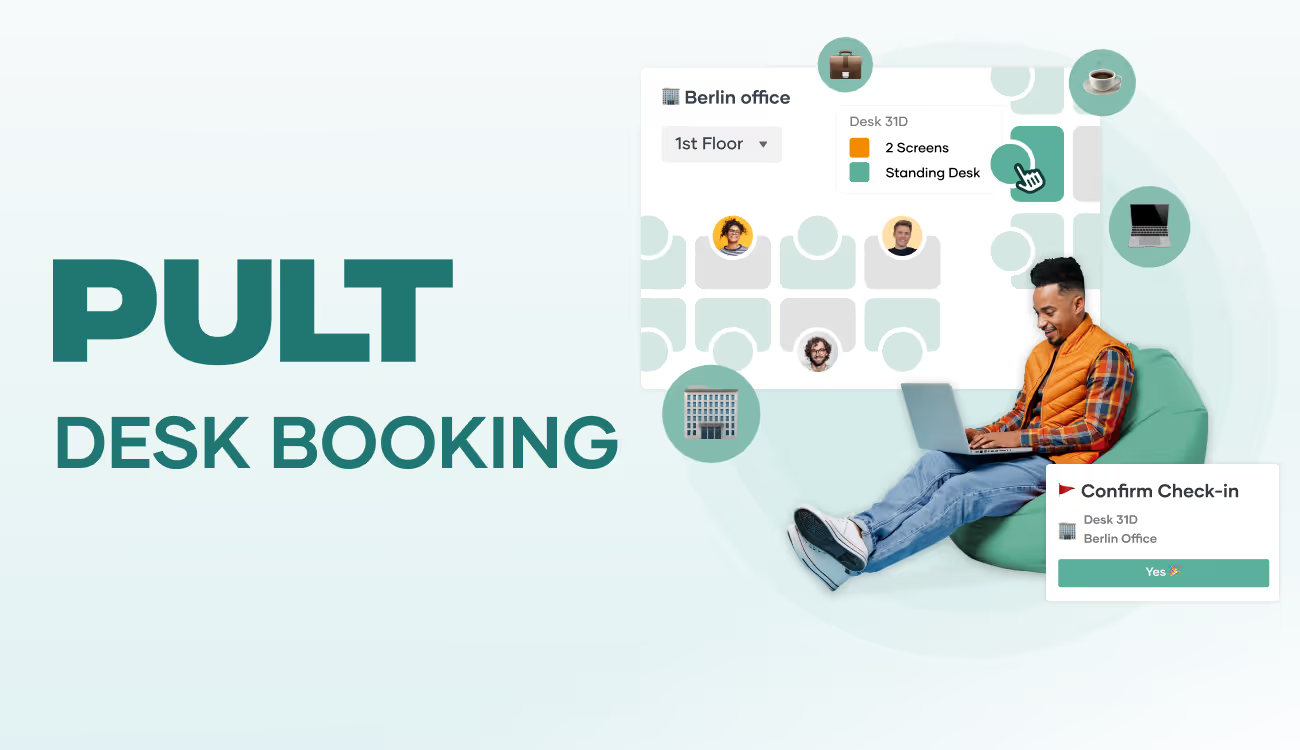
The most important component is a digital system for reserving workspaces: often as an app, sometimes via a web portal. There you can see which spaces are still available on which days, often in combination with a map of the office. This means that you or your team can book not just any desk, but one that is specifically suited to that day: perhaps a quiet one, perhaps in the middle of the team or by the window.
In the best case, booking takes just a few seconds. Individual days, half days, specific time slots, and recurring appointments can usually be mapped. Canceling is just as easy. And that's exactly what's important: no one should need instructions to secure or release a desk.
Live occupancy and availability display
What you also need: a quick overview of how the office is currently being used. Good desk booking systems show you live which spaces are free, occupied, or blocked. You can see at a glance where you can sit down or where your team is sitting. Some tools also show you who is sitting where, which is helpful for coordination or spontaneous collaboration.
Insert image: Show office plan in PULT. If necessary, include several as a sideways scrollable/swipeable gallery if the plans vary greatly and therefore cover several different situations.
Integration with calendar and collaboration tools
Desk Booking is particularly useful when it can be connected to software you already use. The best solutions can be linked to Outlook, Google Calendar, Microsoft Teams, or Slack. This means that when you book a space, you automatically see the selected time slot in your calendar. Some desk booking systems go even further and help you coordinate office days within your team or plan project rooms together.
User roles, rights management, and data protection
If you work with multiple departments, you need some control options: Who is allowed to book where? Are there reserved zones for certain people? Good systems offer role and rights models that make it easy to map such requirements.
Data protection also plays a role. Who sees what? How long are bookings stored? What is anonymized? Good desk booking software comes with clear default settings so that you don't have to start a new project for IT and data protection, but can simply get started.
Advantages of desk booking for companies and employees
Desk booking is more than just digital space allocation. When done well, it changes everyday office life both structurally and culturally. For companies, it creates more overview and controllability. For employees, going to the office becomes more predictable and often more relaxed. The newly gained space can also be used sensibly and for the benefit of the working atmosphere. Here are the most important advantages from both perspectives.
More clarity and predictability in everyday life
With a booking system, everyone knows where they stand. No one comes into the office in the morning on the off chance that there will be a decent space available. Everyone in the team books in advance and their space is secured for the day. This is a real stress factor, especially when space is (intentionally) limited or there is a high turnover of staff.
Teams can also coordinate better: Who is coming when, who is sitting where? Joint office days can be planned more efficiently without endless Slack messages or calendar comparisons.
More efficient use of office space
Not everyone needs a fixed place every day. If you work systematically with bookings, you can estimate much better how many places are actually needed in the office. You can also see more clearly whether there are areas that are rarely booked or even permanently empty. Improvements can then be made in these areas to make them more attractive or use them for other purposes.
Many companies now also use booking data to develop new space concepts: more quiet zones, fewer unused desks, better utilization of meeting rooms.
Insert image: Show an area in an office that is not furnished in the traditional way. e.g., quiet zone, attractive break area, open space with movable furniture for collaboration, etc.
Fewer conflicts, less chaos
Without a system, misunderstandings quickly arise: two colleagues in the same place, empty rooms despite overcrowding elsewhere, arguments over “favorite spots.” Desk Booking prevents this because it is clear who is working where and when. This not only reduces the coordination effort, but also creates more fairness in overall usage.
Data you can really work with
As soon as you start using desk booking software, you get real usage data. How is the office being used? Which days are busy, which are quiet? Which areas are popular and which are not? This information helps you make decisions about space planning or hybrid models. Not based on gut feeling, but on facts and figures.
How can you successfully introduce desk booking?
A desk booking system can be set up quickly from a technical standpoint. But whether it works in everyday life depends on how you introduce it. The really decisive factor is whether the system is accepted by employees and actually used. And that requires an introduction.
Preparing the team for desk booking
Before you talk about tools, booking rules, or floor plans, you should clarify another question: How does your team feel about no longer having a fixed desk? Because what sounds efficient on paper can initially trigger skepticism and resistance among employees.
What employees might think and fear
Losing your own desk is more than just an organizational change. For many, it is part of their personal work environment, including the familiar view, their own coffee cup, notepads, plants, kettle, etc. When this place is taken away, it can be perceived as a loss: of familiarity, routine, belonging.
Typical questions that pop up in people's minds, often without being asked out loud:
Where should I go when everything is taken?
Will I have to look for a place every morning now?
Will I still be sitting together with my team?
Will I still have a place that is “mine”?
Will this make the office even more impersonal?
Where can I retreat to?
Where can I find peace and quiet to work?
Where can I store my personal belongings safely?
Such concerns are not irrational. They are understandable and can be addressed if you identify them early on and take them seriously.
What is needed to ensure that desk booking is not perceived as a loss
The key lies in communication and attitude: if desk booking is presented as a “cost-cutting measure” or a top-down decision, you will struggle with it. If, on the other hand, you explain why you are introducing it, how it can benefit everyone, and what specific improvements it will bring, acceptance will be much higher.
The following are helpful:
Early involvement: Get feedback before the system is in place, e.g., in workshops or anonymous surveys.
Openness: Communicate openly about what changes are planned and where there is room for flexibility.
Space to retreat: Create places that don't change every day, such as focus rooms or quiet areas. Not everything has to be flexible.
Reliability: Make sure the booking system works, because nothing undermines trust as quickly as a system that doesn't work properly.
Get opinions on what else is needed besides workplace equipment. After all, your employees are not machines; they spend a considerable part of their day at work. Discuss the desired equipment together: coffee kitchen, break area equipment, quiet zones, lockers, hygiene stations, telephone booths—there are many possibilities.
Get feedback and adapt processes
No system is perfect from day one. Collect feedback: structured, regular, and anonymous if necessary. Where are the sticking points? What is well received and what isn't? Use the feedback to adjust rules, processes, or tool configuration.
Typical mistakes in desk booking
Desk booking sounds simple at first: introduce a booking tool, release workstations, and you're good to go. But in practice, it quickly becomes apparent that small mistakes can have a big impact and that acceptance is not a given. Here are the most common pitfalls and how to avoid them.
Unclear framework conditions: If it is not clear which seats can be booked, how far in advance reservations can be made, or who is allowed to sit where, uncertainty and confusion arise. Therefore, define all rules before the rollout. Lack of communication: If you simply “introduce” desk booking without explaining why, what for, and how, you risk rejection. Involve the team, explain the benefits, and allow room for questions.
Booking system too complicated: Long loading times, confusing interfaces, or missing cancellation functions are off-putting. Choose a system that is intuitive to use, preferably on all devices.
Data protection overlooked or overregulated: Either data protection is ignored or the system is blocked by excessive rules. Clarify which data may be collected and choose a tool that complies with data protection regulations.
Choosing the right desk booking software
There are now numerous tools that enable desk booking: from simple calendar solutions to comprehensive platforms for entire office management. The challenge lies less in the selection than in the classification of the offerings: Which solution fits your company, your setup, and your team?
Important features of desk booking software
A good desk booking tool must first and foremost work reliably, but it must also be intuitive to use. Look out for the following features:
Easy booking via app or browser
Visual floor plan for selecting seats, zones, or floors
Live status display (free, occupied, blocked)
Option to book rooms, zones, or project spaces
Parking space booking also available if required
Integration with calendars and tools such as Outlook, Teams, or Slack
Rights and role system, e.g., for specific teams, departments, or special spaces
Visitor management, if necessary
Statistics on utilization and usage analysis
Data protection-compliant storage and management
If you work with changing teams or highly hybrid working models, the tool should also be able to handle short-term changes or cancellations without additional administrative effort.
Comparison of desk booking software providers
The most common providers differ mainly in the number of features, scalability, and depth of integration. Scalability refers to whether a software can map additional floors, buildings, and objects after a small start. Integration refers to the connection with calendars, HR software, communication tools, etc.
Some solutions offer desk booking only, while others combine it with room planning, visitor management, access control, or IoT features such as sensors for occupancy detection. Important comparison criteria are:
How easy is the solution to use in everyday life?
How many steps are required to make a booking? Is there a zero-click function?
How well does it integrate into existing IT structures and how high is the initial effort?
How quickly can it be deployed and how scalable is it?
Is there support available if something goes wrong?
Cloud solution vs. on-premises
Most modern providers rely on cloud-based software. This has advantages: less maintenance, no local IT infrastructure required, regular updates, and always the same version on all devices. On-premises (locally installed) can be useful if you have very specific data protection requirements or are not allowed to allow external data processing.
Scalability, support, and expandability
The larger the company, the more important interfaces, rights management, and support become. Check whether the software can keep pace with your growth. Issues such as multi-client capability (e.g., for multiple locations) or multilingualism also play a role.
Ultimately, it all comes down to one thing: desk booking works well when it is not perceived as a technical system, but as part of normal everyday office life. It must be understandable, function reliably, and integrate as smoothly as possible into the team's processes.
It is important not to burden the team with an isolated solution or to start half-baked transitions. The desk booking software PULT follows exactly this approach: PULT does not think of desk booking as a single function, but as part of an organized work environment.
The advantages of PULT:
Clear desk and room planning with floor plan
Intuitive booking, also mobile, even at short notice
Live occupancy status, visibility within the team
Integration into existing calendar and communication tools
Usage data for space planning and further development
Role and rights management for different teams or locations
This means that desk booking does not become another system that needs to be maintained, but rather a matter of course in the hybrid working day.

.png)
.png)


.avif)