
Your meeting room
in one click
Find and book the perfect meeting room with automatic calendar sync. No double-bookings, no wasted spaces, no separate tools.

















Helping scale better workplaces for growing organizations




Everything you need for seamless meeting coordination
Every office is unique. Your AI assistant adapts to your setup and handles the daily ops you shouldn't have to think about.

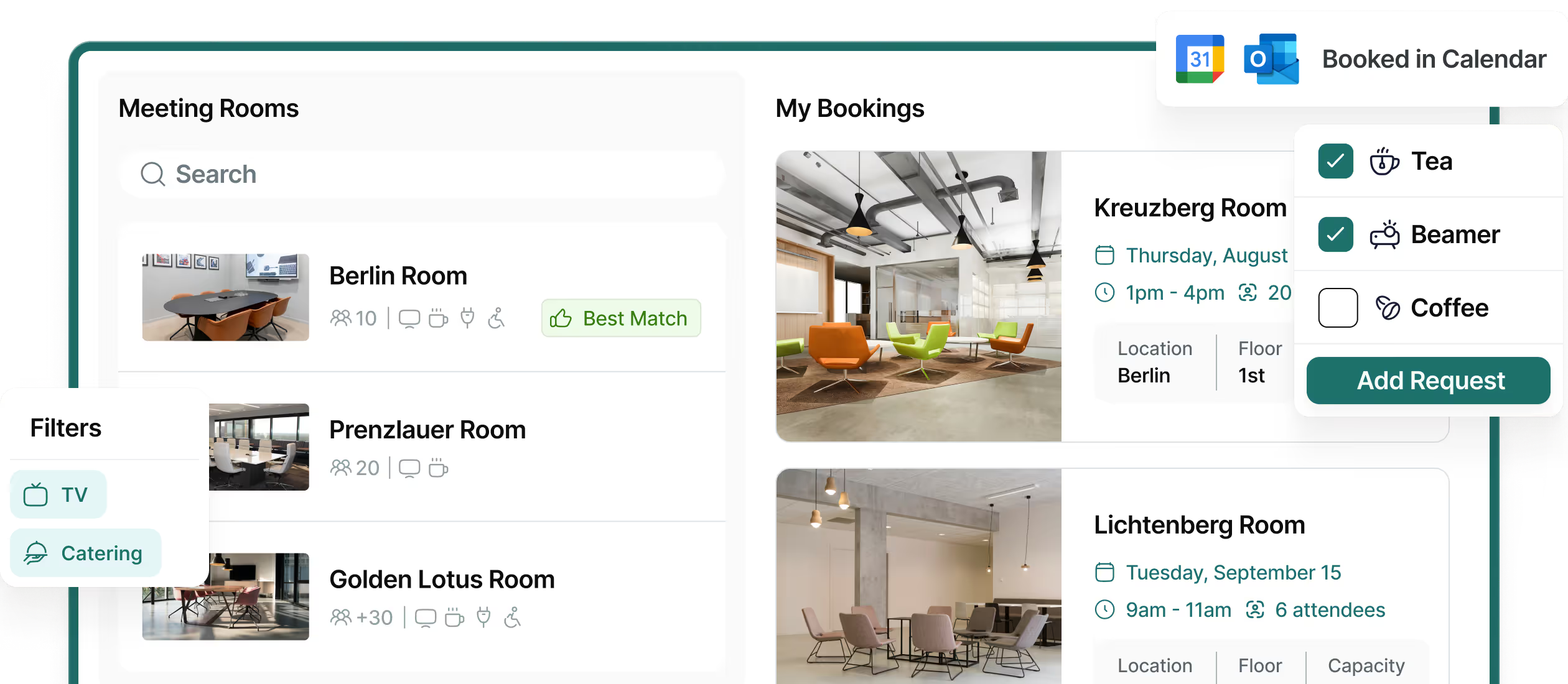
Find available rooms instantly by time, capacity, and equipment
Search across all your meeting spaces to locate the perfect room for your meeting. Filter by capacity, equipment (projectors, whiteboards, video conferencing), and time availability. See room photos, amenities list, and which colleagues are already booked before you reserve.
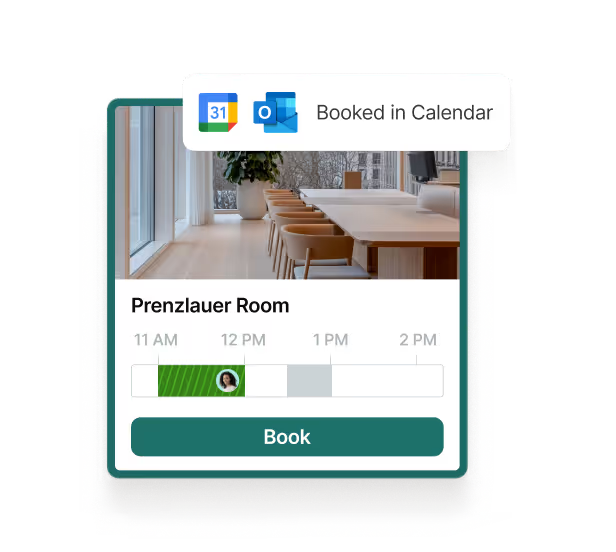
Book meetings from any tool with automatic two-way synchronization
Connect Outlook and Google Calendar once, then book from wherever you work. Reserve rooms through PULT, Slack, MS Teams, or directly in your calendar. All bookings sync automatically across every system in real-time, keeping your team's calendars accurate.

Coordinate catering, IT support, and room setup without switching tools
Add meeting services directly to your room booking. Order catering, request IT equipment, or arrange room setup with a single click. Service providers receive automatic notifications, and your colleagues see everything in the calendar invite.
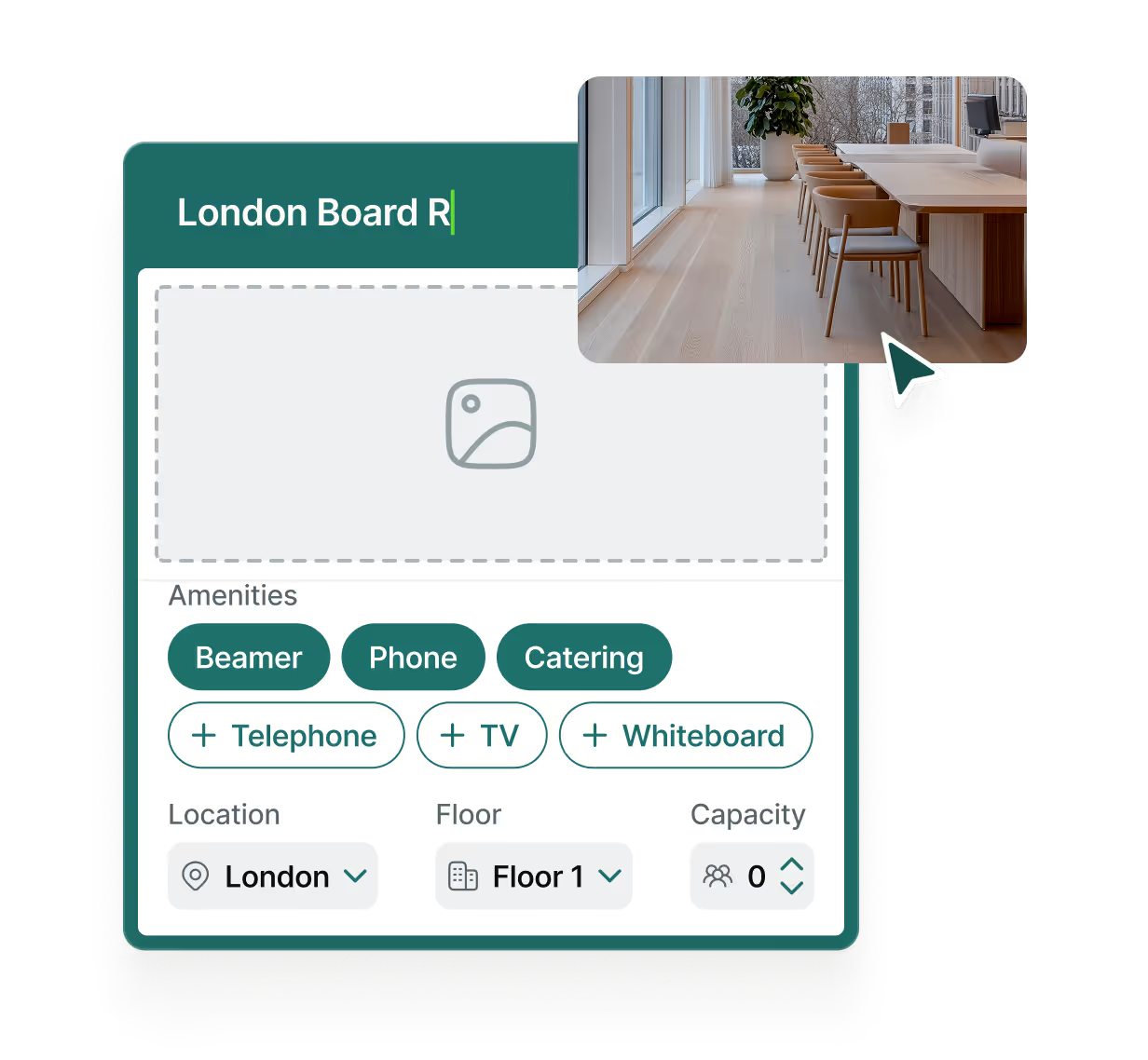
Configure meeting spaces with equipment details, capacity, and photos
Set up each room once with all the details your team needs. Add capacity limits, equipment lists, accessibility features, and high-quality photos. Changes update automatically across your calendar system and communication platforms.
Let AI optimize your meeting rooms automatically
Manual room management wastes 15+ hours per week. The AI Room Agent detects inefficient bookings, suggests better-suited rooms, and frees up spaces when no one shows up.


Detect inefficient bookings automatically
The agent scans all room bookings to identify mismatches. Two people in a 20-person boardroom? A quick sync in a room without video conferencing? The agent flags these and suggests alternatives.

Reassign rooms with one-click approval
Receive smart suggestions through Slack, Teams, or Google Chat. Accept with one click and the agent handles the rebooking automatically. Attendees get updated invites without any manual coordination.

Free up no-show rooms instantly
When meetings start and no one shows up, the agent releases the room automatically. No more blocked spaces sitting empty while colleagues search for available rooms.

Define your organization's rules
Set policies the agent follows: never move executive meetings, keep boardrooms for 8+ people, same-floor reassignments only. The agent enforces your rules consistently across every booking.
Stop wasting meeting rooms and coordination time

Eliminate double-bookings
Automatic calendar integration prevents booking conflicts before they happen. Your team always knows which rooms are actually available.

Consolidate your tools
Book rooms directly from Slack, MS Teams, or your calendar. No separate login, no app switching, no manual coordination.

Maximize room efficiency
Track actual room utilization vs bookings. Make data-driven decisions about your meeting space needs as your company grows.

Set up in minutes, book in one click

Connect your calendar and add your meeting rooms
Connect Outlook or Google Calendar in 10 minutes, then add your meeting rooms with photos, capacity, and equipment details. Configure booking policies and access restrictions if needed.

Employees book from Slack, Teams, or their calendar
Your team searches for available rooms by time, capacity, and equipment. They see room photos, amenities, and colleague availability before booking with one click. Add catering or services directly to the booking.

Automatic sync keeps everyone updated
All bookings sync automatically across calendars, Slack, and MS Teams in real-time. Colleagues receive notifications, service providers get requests, and your room availability stays accurate across all systems.
1000+ companies love and recommend us
Office Management on autopilot for modern companies.
65h
45%
30%






The deepest integrations in workplace management
Your team can book desks from Slack or MS Teams, directly synced with your calendar and HRIS. Flawlessly integrated into your workflows and systems.





.svg.avif)












.png)
.png)


Have questions?
What does the AI Room Agent do?
It analyzes all meeting room bookings, identifies inefficient room assignments, and suggests better rooms on the same floor. With one click, meetings are automatically rebooked.
Does it work with Google and Outlook calendars?
Yes. The Agent integrates natively with Google Calendar and Microsoft Outlook - no sensors or hardware needed.
Can we set our own rules and restrictions?
Absolutely. You can define policies like “exclude C-Level meetings” or “same-floor only,” and the Agent adapts instantly.
Where is our data hosted, and is it used for training?
Your data is hosted exclusively in the EU, and never used to train AI models. PULT is fully ISO27001 and GDPR-compliant.
How long does setup take?
Setup takes 10–15 minutes. Connect your calendars, set your rules, and the Agent starts optimizing immediately.