
Organize hybrid working with PULT
With PULT, you know which colleagues want to come to the office and how many are actually present.

















Helping scale better workplaces for growing organizations



Get ROI the minute it's set up
Our customers unlock valuable insights for compliance, workplace and safety. All in one solution.
50x
22%
97%
Organize the transition between the office and working from home with PULT
In PULT, your team books individual workstations and meeting rooms in the office. As soon as they actually arrive at the office, PULT automatically records their attendance. Thanks to integrations with Google and Microsoft, your team can even make bookings in their familiar calendar.

Book workstations
Your employees book the desired seats and rooms in advance so that they are reserved.

Real attendance figures
PULT can distinguish between bookings and actual attendance and provides you with real figures on office occupancy.

The integration
PULT can be integrated in a variety of ways, for example with Microsoft Outlook, Google Calendar, Personio, and many more.

Filter by resources and make a binding reservation
Book in PULT on any device: smartphone, tablet, PC, or laptop. You can do this at the office or from home.
The office plan reflects your property and shows which spaces and rooms are available and when they are occupied:

This allows your team to switch between the office and working from home without conflicts over seating or the use of meeting rooms.

Real attendance figures and evaluations
As soon as you enter the building, PULT automatically detects your presence. This happens via the Wi-Fi connection of your smartphone, laptop, etc.
This way, check-in happens automatically, and PULT assigns the recognized presence to the right booking.
In PULT, you can evaluate which of your offers are popular in the office and which are rarely used.

Use PULT in familiar software via integrations
Connect PULT with software your team already uses, so no one has to adjust to a new system:
You can also integrate PULT with Slack and many HR software programs. This allows you to organize your hybrid work at both the team and HR management level.

Back to the office: Bring your team back to the office
With accurate attendance figures and usage data for desks and rooms, you can make your office more attractive:
With the office usage reports, you can gain a clear understanding of your team's hybrid working practices.
Translate these insights into attractive office offerings and bring your team back to the office
Complete overview of each colleague's work location and schedule. Get started with PULT now.

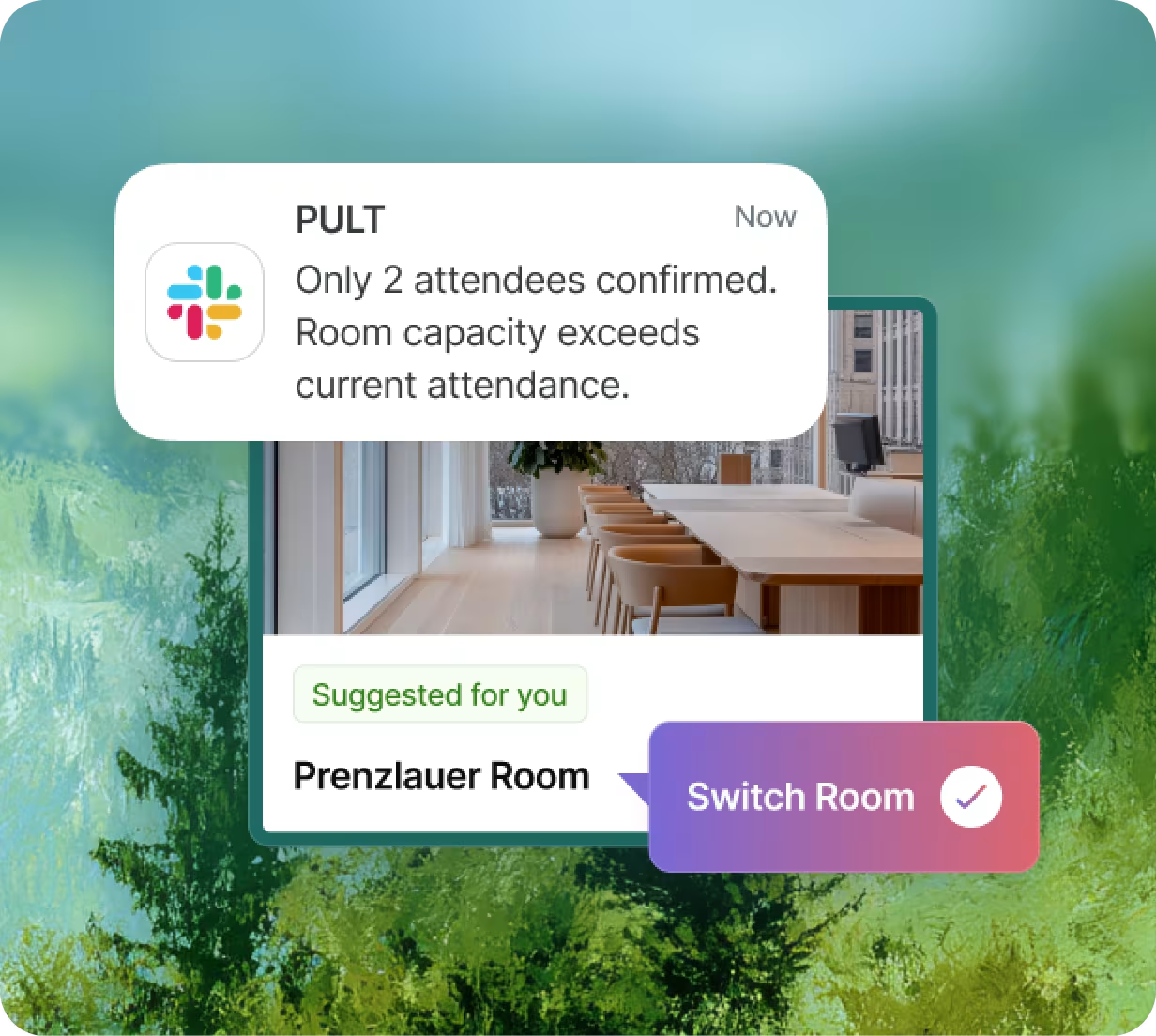
Too few colleagues in a meeting room that's too big? PULT takes care of it automatically.
Our AI agent automatically reviews all bookings and assigns them to rooms of the appropriate size.
This ensures that rooms of all types and sizes are used to their full potential without you having to manually replan.
Your Hybrid Work Software
Organizing hybrid work with PULT – Frequently asked questions and answers
How does PULT support hybrid working?
PULT shows who is coming to the office, which seats are booked, and how many people are actually present. Your team books workspaces or rooms, and PULT automatically detects actual attendance via the devices' Wi-Fi connection. You always know when colleagues plan to come to the office and who is working from where.
Why is a simple workplace booking not sufficient?
Bookings only indicate intent. Many people do not show up (no-shows), while others come to the office spontaneously. PULT therefore distinguishes between bookings and actual attendance so that you get real figures on space utilization.
How does PULT automatically detect presence in the office?
The Wi-Fi connection from a smartphone, laptop, or tablet serves as a check-in. As soon as someone enters the building, PULT detects their presence without any manual intervention and assigns them to an existing booking.
Can I see where my colleagues are sitting?
Yes, the booking overview shows which workstation is being used by whom. This allows your team to consciously sit next to each other.
What data will I receive regarding office usage?
You get real attendance data instead of booking data. This tells you how workstations, meeting rooms, and zones are being used, in high resolution and broken down by building, floor, room, or individual resource.
How does PULT help to make better use of office space?
You can see which areas are popular and which are hardly used. This allows you to make adjustments: expand popular offerings, reduce rarely used ones, reallocate space, and make the office more attractive. This creates incentives to come back to the office more often. The AI Meeting Room Agent automatically adjusts bookings and assigns teams to appropriately sized rooms.