
Manage hybrid work rules with PULT
Turn strict guidelines into a dynamic, automated system. With PULT, you can ensure true fairness and make it easy for your team to comply with your policy.














Helping scale better workplaces for growing organizations

Get ROI the minute it's set up
Our customers unlock valuable insights for compliance, workplace and safety. All in one solution.
50x
22%
97%
Hybrid work governance: guidelines instead of micromanagement
PULT allows you to integrate your policies directly into the booking logic. From access rights per zone to automated verification of your hybrid policy, you can create a fair and reliable system for your team.

Smart booking rules
Determine who can access which resources and when: desks, team zones, meeting rooms, as well as quotas for specific departments, including booking deadlines.

Automated policy matching
PULT automatically compares the actual situation and behavior of your team with your guidelines using Wi-Fi-based presence detection.

HR Synchronization
Keep your hybrid rules and HR data in sync at all times. By integrating Personio or HiBob, PULT automatically imports vacation time, sick days, or contractually agreed remote work days.

Rules for zones, rooms, desks
With PULT, you can define your access permissions for the various services offered in your office. Reserve certain zones exclusively for departments such as IT or HR, or set quotas to avoid overcrowding.

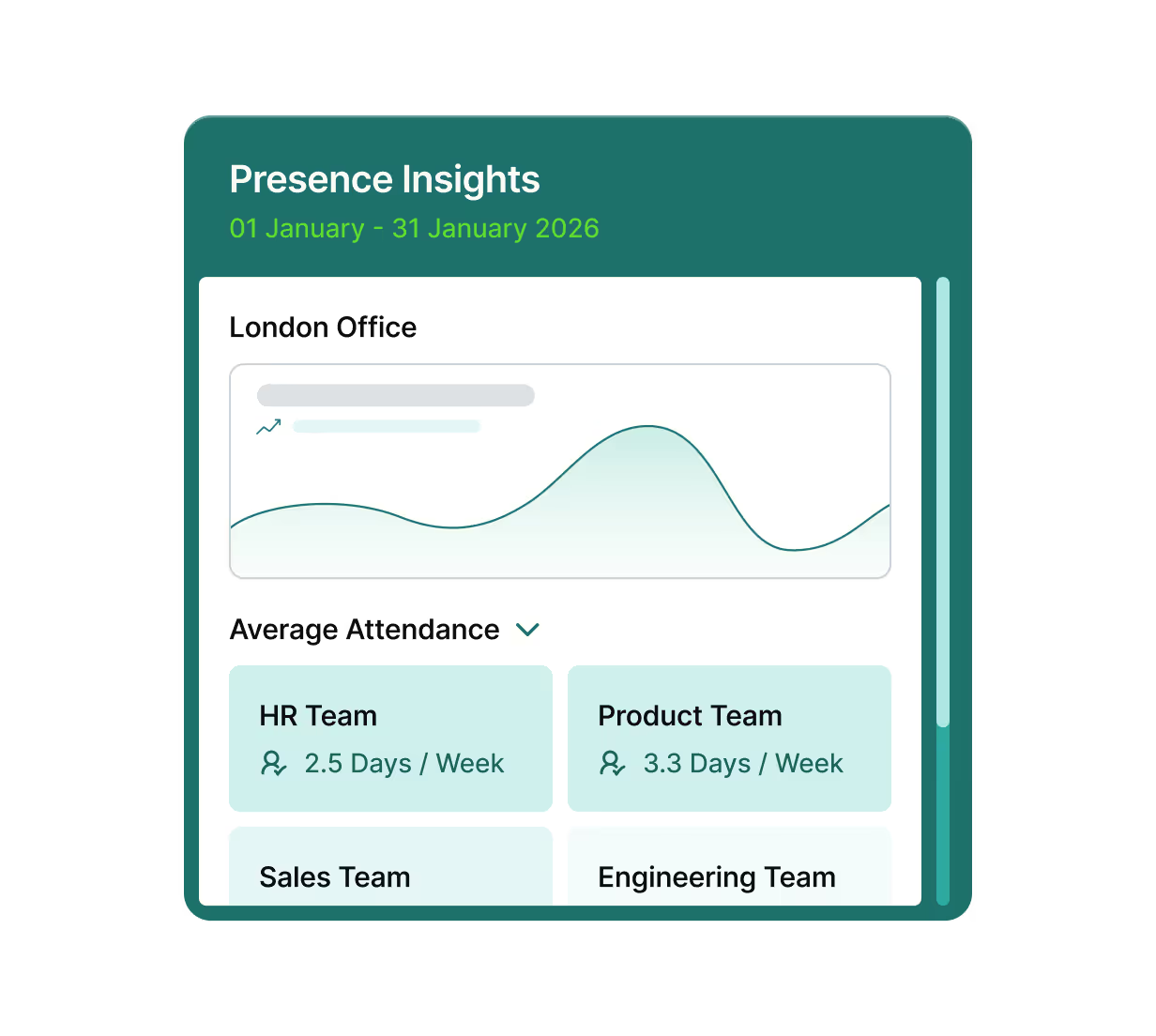
Automated compliance with your hybrid policy
Using Wi-Fi-based presence detection, the system verifies in the background whether the agreed hybrid rules are being implemented.
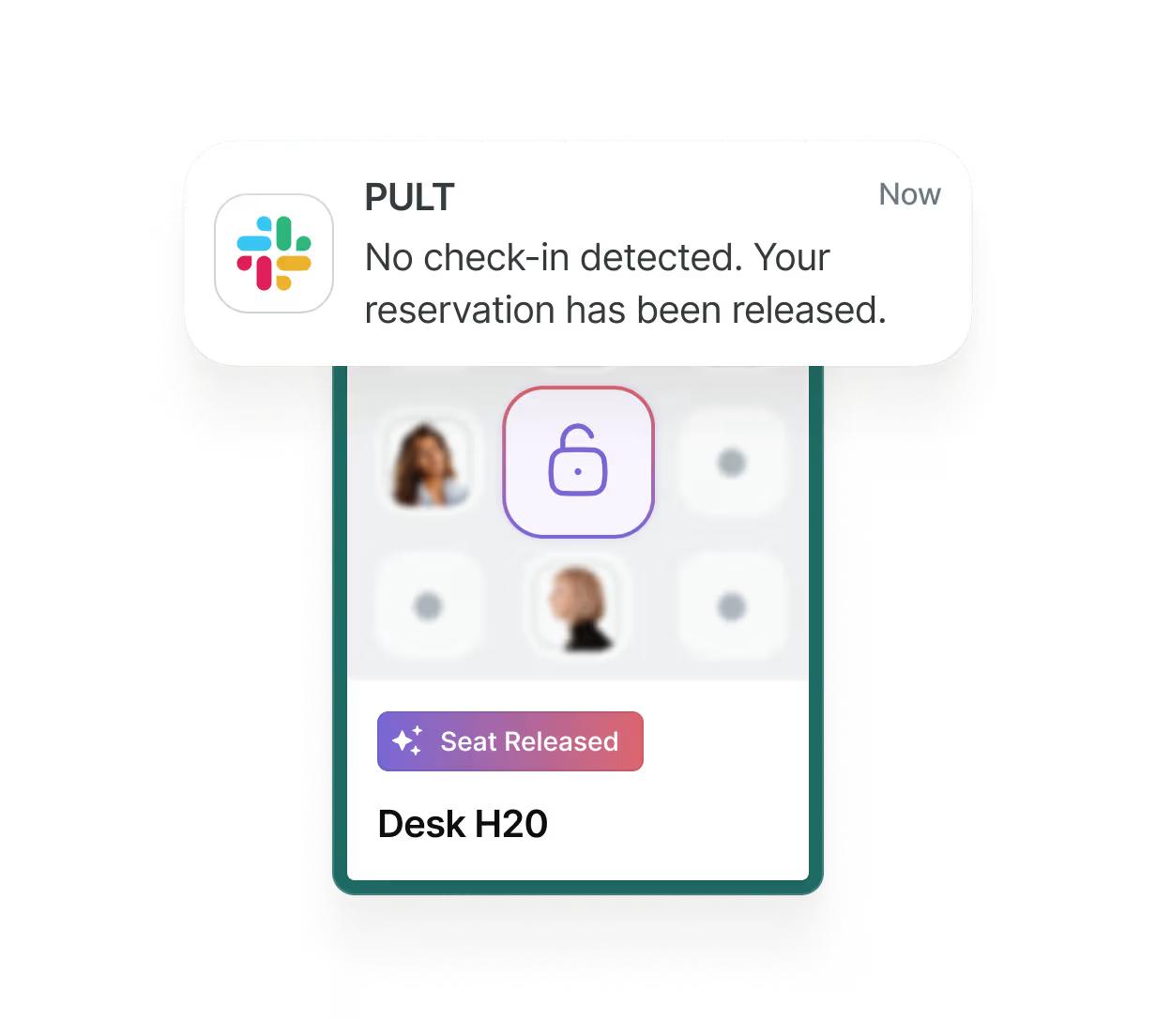
Fairness through intelligent no-show management
PULT prevents seats from being blocked. If a reservation is not confirmed by automatic check-in on site, the system immediately releases the desk or meeting room for other colleagues.
This automated no-show management ensures maximum utilization and minimizes frustration over offices that appear to be fully occupied but are actually empty.
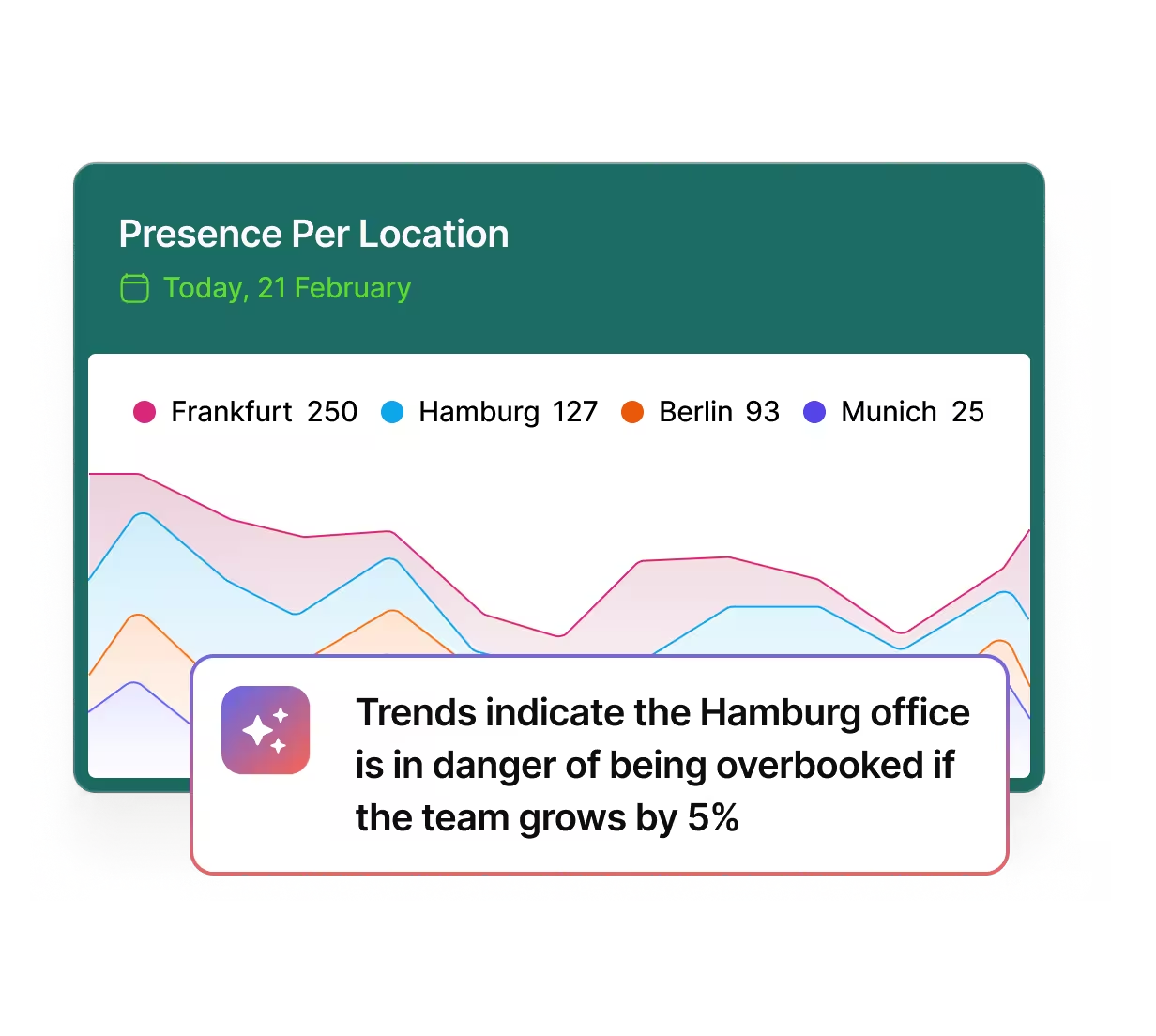
Forward-looking planning with AI
With AI-supported scenario planning, you can simulate how changes to your hybrid policy or an increase in the number of employees will affect your space requirements.
Make it easy for your staff to comply with your rules. Get started with PULT now.


Few colleagues in a meeting room that is too large? PULT takes care of it automatically.
Our AI agent automatically reviews all bookings and assigns them to rooms of the appropriate size.
This ensures that rooms of all types and sizes are used to their full potential without you having to manually replan.
Connect PULT with your HR software
Manage vacations and absences, room assignments, and team organization with synchronized data between PULT and Personio, HR WORKS, and many other tools. No duplicate data maintenance, no gaps. Work as usual in your HR software, supplemented by the automatically transferred usage data from PULT.


.svg.avif)









.png)
.png)


Managing hybrid work rules with PULT – Frequently asked questions and answers
How can I ensure that my hybrid work rules are actually being followed?
With PULT, you don't have to manually check compliance. The system uses Wi-Fi-based presence detection to compare actual on-site presence with your stored policies. This gives you an objective overview of the implementation of your hybrid models (e.g., 2 days in the office, 3 days working from home).
Can certain office areas be reserved for specific teams?
Yes, you can assign access rights in the administrator settings. You can specify that certain table groups or rooms may only be booked by certain departments or roles. This ensures that teams always find the space they need for their tasks.
What happens if the guidelines are violated?
A policy failure is noted in the system when actual attendance deviates significantly from the agreed rules. PULT serves as a data source for identifying such trends. However, the goal is not surveillance, but rather to establish a data-based foundation for adapting the hybrid strategy to employees' working patterns as necessary.
How does PULT prevent desks from being reserved "in advance"?
Thanks to automatic no-show management, PULT releases reserved seats if the employee is not recognized by the office Wi-Fi within a specified time (e.g., 20 minutes after the start of the booking). This ensures that the system remains fair and resources are not unnecessarily blocked. You can also find these no-shows in the evaluation data.
Do I have to manually adjust hybrid rules for vacation or sick leave?
No, PULT automatically synchronizes absences through integration with HR systems such as Personio or HiBob. When an employee is on vacation, this is taken into account in the weekly planner and the booking logic adjusts accordingly so that the hybrid quota is calculated correctly.
Can the hybrid rules be changed freely?
You can adjust the rules at any time in the dashboard, whether for the entire company, individual locations, or teams. With the upcoming AI scenario planning feature, you can even simulate such changes in advance to see how they would affect your space utilization.
Is employee privacy protected during attendance checks?
Yes, with PULT you are working in compliance with the GDPR. Wi-Fi detection is used for anonymous utilization analysis and verification of group policies. It is not permitted to draw conclusions about the behavior of individuals, and therefore this is not possible.