Blog

Workplace operations insights

Practical guides for office managers building better hybrid workplaces. Learn how to optimize space utilization, automate operations, and support distributed teams.

Get workplace operations insights in your inbox

Subscribe for monthly guides on hybrid work management, space optimization, and workplace automation.

Oops! Something went wrong while submitting the form.
Visitor Management System: What It Is and How It Works
Visitor Management

Visitor Management System: What It Is and How It Works

A visitor management system replaces the paper sign-in sheet with a digital process that screens, logs, and tracks every guest who enters your office. It captures who's on-site, notifies the host, and creates a searchable record for security and compliance reviews. For growing offices, this single change closes a security gap most reception desks still carry today.

Visitor Management System: Key Takeaways

✓

A visitor management system digitizes guest check-in, replacing paper logs with pre-registration, badge printing, host notifications, and a searchable visitor record.

✓

Visitor management software reduces front-desk workload while creating the audit trail organizations need for security screening and regulatory compliance.

✓

A standalone visitor tracking system solves check-in but leaves desk booking, room booking, and office data in separate tools, creating gaps in a company's overall presence picture.

✓

PULT combines visitor management with real-time presence, desk and room booking, and emergency response in one platform, so security teams see who's on-site, employees and visitors alike, from a single source of data.

What Is a Visitor Management System?

A visitor management system is software that replaces the manual guest sign-in process with a digital, trackable one. It records a visitor's details, their arrival and departure, and notifies the employee they're there to see, all without a paper logbook at the front desk.

Companies adopt one for three reasons: security, compliance with regulations like GDPR, and a faster, more professional check-in experience for guests.

Standalone check-in tools handle the front desk in isolation. Platform-based visitor management, like PULT's, feeds that same data into a company's broader presence and office management system, so security teams see visitors and employees in one place.

What Does a Visitor Management System Do?

A visitor management system replaces manual sign-in with a digital workflow that handles the entire guest experience, from pre-registration to check-out. It records a visitor's details, notifies the right host, can issue a badge, and stores visits in a searchable log. Visitor management software runs this process on a tablet, kiosk, or mobile phone instead of a clipboard.

Core Features of a Modern Visitor Management System

✓

Pre-registration and invites: hosts send a visitor a link before arrival, with the visit details and parking or building information included.

✓

Self-service check-in: guests confirm their name, host, and purpose at a kiosk or tablet in under a minute.

✓

Optional ID and watchlist screening: depending on the platform, the system can check visitor IDs or flag names against a security or denied-entry list before a badge is issued.

✓

Badge printing and QR codes: guests can receive a visible, time-stamped credential that identifies them for that day's visit.

✓

Host notifications: the employee being visited gets an instant alert by email, Slack, or Teams, with the guest's details and, if enabled, a photo.

✓

NDA and agreement signing: legal documents are signed digitally during check-in, with a copy stored automatically for compliance records.

✓

Visitor logs and reporting: every visit is timestamped, searchable, and exportable, so front-desk trends are easy to review monthly.

✓

Emergency roll-call export: the current visitor list can be pulled during an evacuation, showing who is recorded as still in the building.

Visitor Management Software vs. a Paper Logbook

Criterion Paper Logbook Visitor Management Software
Data accuracy Illegible entries, missing fields Structured, mandatory fields
Security screening None Watchlist and ID checks
Emergency roll call Manual count from paper Instant, exportable list
Compliance records Hard to search or retire Searchable, with retention rules

How Does the Visitor Journey Work, From Invite to Check-Out?

A typical visit runs through six steps. The host sends an invite, the visitor pre-registers, the visitor confirms their details on arrival, a badge can be issued, the host gets notified, and the system records check-out when the visitor leaves or at a configured time.
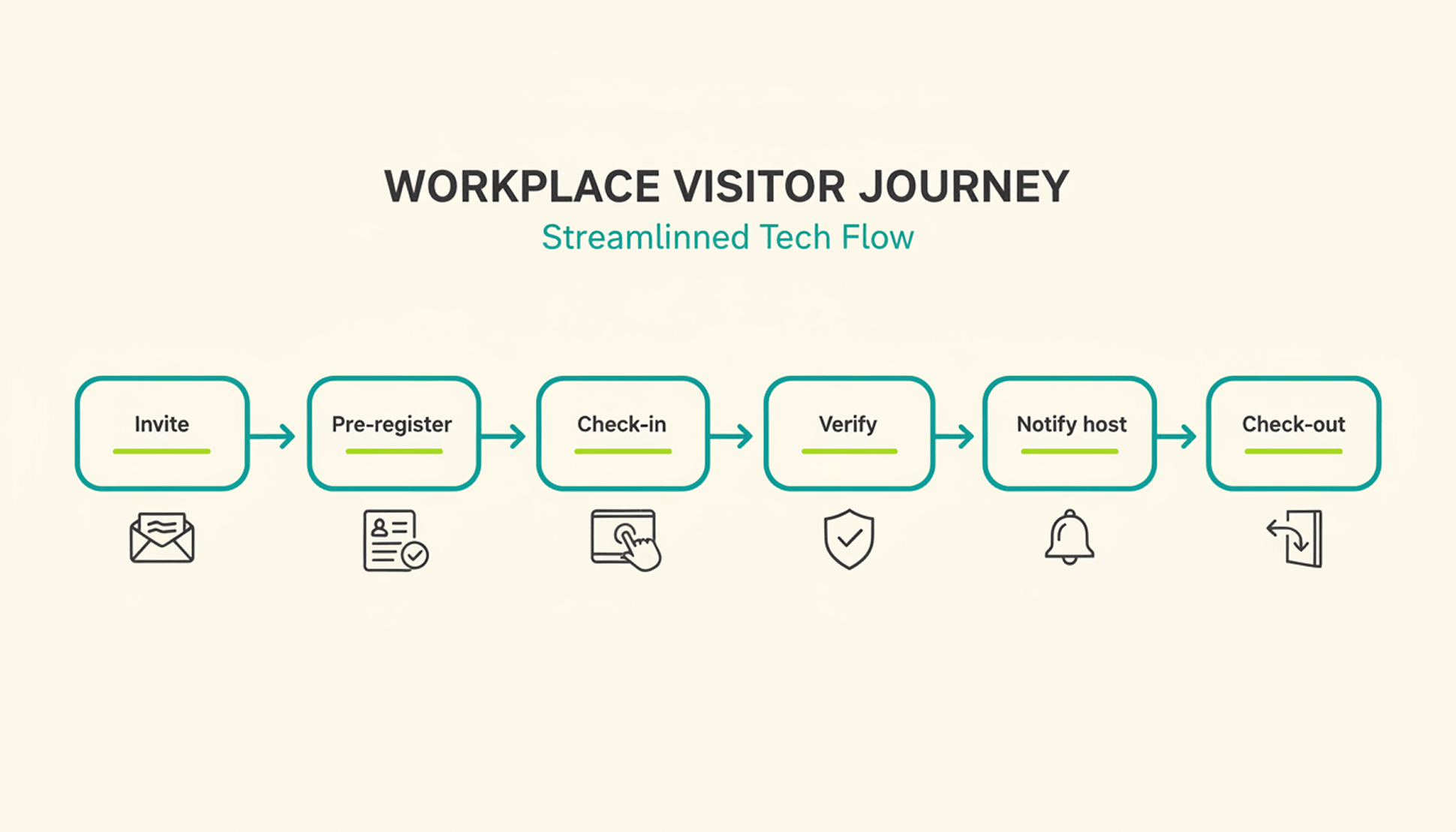
1

Pre-registration: the host schedules the visit and sends a link with arrival details, parking instructions, and building access notes.

2

Arrival and check-in: the visitor confirms their details at a kiosk or on a tablet or their own phone, usually in under a minute.

3

Optional identity and watchlist verification: depending on the platform and configuration, additional ID or security-list checks can be performed before building access is granted.

4

Badge issuance: a printed or digital badge identifies the visitor for the building and can be limited to that day's visit.

5

Host notification: the employee being visited receives an instant alert to come to reception, with the visitor's name and, if enabled, photo.

6

Check-out and logging: the visitor checks out on departure, or the system can close the visit automatically at a configured time, keeping the record administratively up to date.

What Are the Benefits of a Visitor Management System for the Office?

The clearest benefit is a complete, searchable record of who was on-site and when, something a paper log or verbal check-in can't provide.

Security and Compliance Benefits

A visitor management system can screen guests against a watchlist before they reach the office floor, depending on the platform and configuration. It can keep a timestamped log of visits for security and compliance reviews. Under GDPR, visitor data counts as personal data, so it needs a lawful basis for collection, an appropriate retention period or criteria for determining it, and safeguards against unauthorized access. A digital system can support these controls directly in the check-in process, reducing reliance on manual steps.

Visitor accountability also matters during an emergency. OSHA guidance notes that visitors need to be accounted for after an evacuation, and many employers use the sign-in list to run that headcount. A missing name on that list can delay an all-clear by several minutes, minutes that matter during a real evacuation.

Because PULT Presence tracks employees and visitors in one live view, a facilities team can pull an accurate roll call the moment an alarm sounds, not after searching through a paper binder.

Front-Desk Efficiency and Visitor Experience Benefits

Automated check-in cuts the time your team spends on manual sign-in, badge writing, and phone calls to announce a guest. A receptionist freed from clipboard duty can focus on greeting visitors and other front-desk work. Visitors move through reception faster, often in under a minute, and the first impression of your office improves the moment someone walks in the door. For client meetings or investor visits, that faster, more polished check-in becomes part of how your company presents itself.

How Do You Choose the Right Visitor Management Solution?

The right visitor management solution depends less on feature count and more on how well it fits your existing security setup, office size, and tool stack. A system built for a five-person startup office looks very different from one built for a 500-person campus with multiple buildings and a dedicated security team.

Criterion What to Check
Feature depth Pre-registration, watchlist screening, badge printing, reporting
Integrations Calendar, HR, and communication tools your team already uses
Security and compliance Data retention controls, audit logs, GDPR-aligned handling
Scalability Pricing and setup across multiple locations
Price Per-location vs. per-user pricing models
Ease of use Kiosk setup time and how quickly staff can learn the system

Is a Standalone Visitor Management Platform Enough for a Modern Office?

A standalone visitor management platform solves the front-desk problem, but most offices also run desk booking, room booking, and parking through separate tools. Connecting these systems into one platform gives security and facilities teams a single, live view of who is on-site, employees and visitors together.

That connection matters most during a security incident or an office move, when facilities teams need one current view of occupancy rather than four separate logins to check. PULT pairs visitor management with desk booking software, room booking, and presence data, so a single dashboard shows recorded on-site employees and visitors. Office managers evaluating a broader workplace management software setup typically start here, since visitor data becomes far more useful once it's connected to the rest of the office.

{{onpage-cta}}

Turn Visitor Check-In Into a Security Advantage

A visitor management system turns a vulnerable front desk into a controlled entry point, giving you a searchable record of who checked in and when. The real payoff comes when it connects to the rest of your office, from desk booking to real-time presence data, giving you one live picture of recorded on-site users. For growing offices, that visibility is worth seeing in action.

✓

Visitor check-in, desk booking, room booking, and presence data live in one platform, so you manage all of it from a single login.

✓

A real-time view shows who is on-site, employees and visitors together, for faster emergency roll calls.

✓

Every visit is recorded in a searchable log, with records available for security and compliance reviews.

✓

Microsoft Teams and Slack support visitor notifications, while Personio and HiBob connect employee data through built-in integrations.

{{onpage-cta-2}}

Desk Booking

WiFi Desk Booking – No More Booking Frustration in the Office

If your office remains empty despite booked tables, it's high time to make a change. Here you can find out how no one in your team needs to make a single click to book a space.

Booking schedule: full. Office: empty. Three out of four reserved desks remain unoccupied all day. The colleague who should be on site according to the system is working remotely today—something came up. And those who are actually there haven't signed in anywhere.

  • No check-in
  • No overview
  • No system you can rely on.

This is not the exception – for many, it has long been the norm.

Desk booking sounds like structure, but in practice it is often the exact opposite. Because no one wants to fill out forms every day. Because it's easy to forget to sign out. And because hardly anyone wants to think about where exactly they will be sitting next Wednesday.

The problem is not the tools – it's how they are designed:

They assume that everyone will participate at all times and consistently think about desk booking every day. And that's exactly why they don't work.

There is another way – one that is quieter, simpler, and more realistic: WiFi Desk Booking. Find out why WiFi Desk Booking works best – even though no one bothers with it.

Why traditional desk booking concepts fail in practice

No one books. No one checks out. And in the end, it's unclear who is and was in the office. This is how it works in many companies. Desk booking systems are in place, but they don't work in everyday life. Some people forget to sign in, others deliberately don't bother. And even when people do book, the information is often useless.

The result: reserved seats remain empty. Other workstations are occupied even though they should be free according to the system. Anyone who wants to know how many people are in the office or whether there are enough desks available has no reliable data to go on.

All of this costs time, causes misunderstandings, and leads to desk booking being perceived as an additional burden rather than a help.

H3: The typical pitfalls of desk booking – a good idea, poorly implemented.

  • Sensors and additional technology: Motion sensors, presence detectors, occupancy indicators – it all sounds like an automated solution. In reality, however, such systems are overengineered and expensive, sometimes prone to maintenance and difficult to integrate with existing IT structures. Data protection issues also immediately arise when workstations are to be monitored in this way, as such systems also record coffee breaks and trips to the restroom.
  • Mandatory apps and check-in systems: Many desk booking tools require employees to actively check in and out, usually via an app. This sounds simple, but is often forgotten or ignored in everyday life. Those who do not sign in leave (data) gaps. Those who ignore it regularly render the system useless. Over time, people become less and less willing to bother with it at all.
  • Integration with calendar tools: The idea is that if you enter a day in the office in your calendar, you automatically have a place booked. In practice, this rarely works. Appointments change at short notice, arrangements are often made informally, and not everyone keeps their calendar up to date. In the end, the data is incorrect – and no one can rely on it.

What all these approaches have in common is that they require everyone to actively participate. This is often not the case in everyday life.

How WiFi Desk Booking from PULT solves the problem

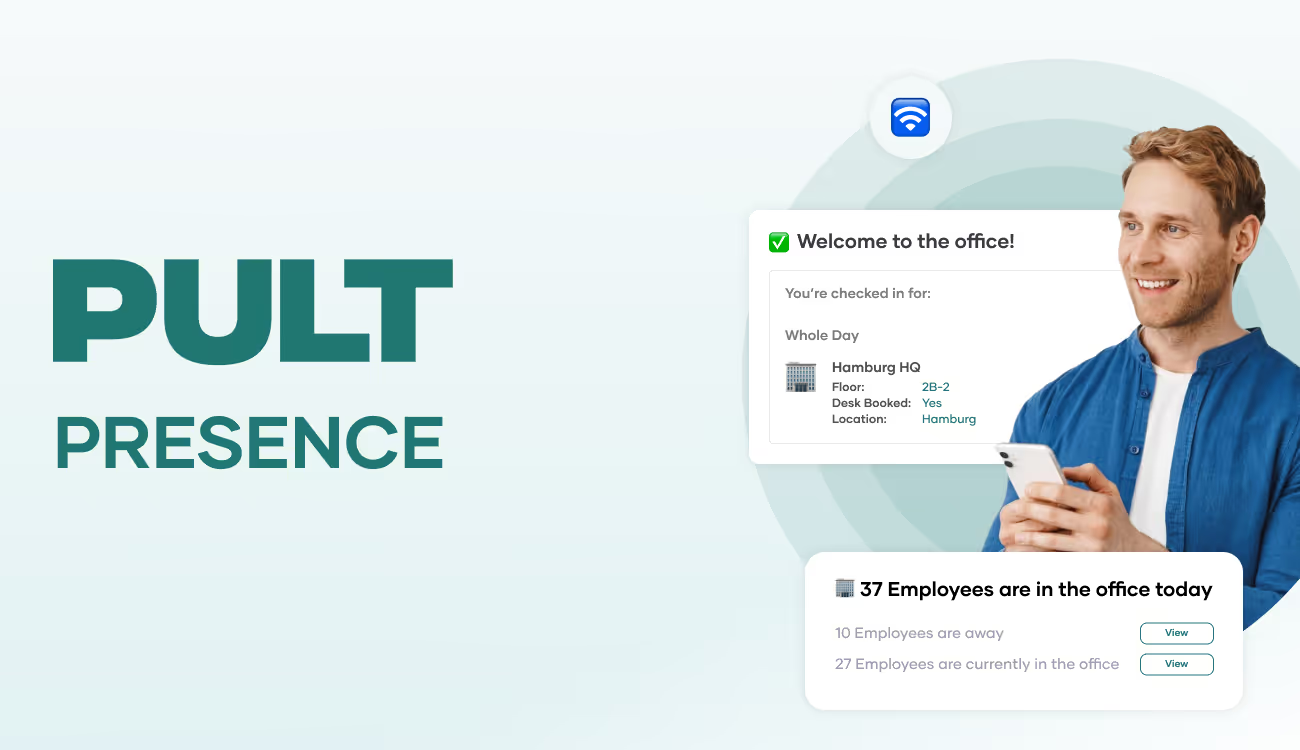
Instead of relying on interaction, PULT WiFi automatically detects whether someone is in the office via the existing WiFi connection.

As soon as an employee's device connects to the company network, that colleague is recognized as present. No app. No check-in. No extra steps. And no one has to remember anything.

The system uses the existing IT infrastructure: Wi-Fi, laptop, company access. No additional devices, no sensors, no effort for IT. The connection is all you need – and it complies with data protection regulations: It does not record where someone is or how long they are sitting at their desk. It only records whether someone is in the office or not.

The result: reliable figures, no additional effort, no feeling of being monitored within the team. And above all: a solution that works without constant attention.

WiFi Desk Booking Example: Enpal decides against classic desk booking (and now uses PULT WiFi)

Enpal was faced with the question of how to map office utilization in a hybrid work model in a meaningful way. The option of introducing a classic desk booking tool was rejected internally at an early stage – based on a very clear assessment: the team would not use it in everyday life.

Not because of a lack of interest, but because such systems are too complicated for many employees. Booking, checking in, remembering to do so regularly—that doesn't fit in with the work rhythm at Enpal. That's exactly why the company was looking for a solution that didn't require any interaction.

{{cta}}

Why WiFi Desk Booking is a good fit for Enpal

PULT Wifi was introduced because it does exactly that: it reliably records office attendance without anyone having to actively participate. As soon as a device logs into the company WiFi, the system recognizes its presence – automatically, in the background, without an app or additional tool.

Nothing changes for the team. No additional steps, no new system to understand or maintain. For Enpal, this was the decisive factor: the system works seamlessly in everyday life.

Insert a suitable image, graphic, or illustration to demonstrate the effectiveness of the WiFi system at Enpal. Similar to Robert's review, but with a stronger focus on WiFi Booking.

Benefits of WiFi Desk Booking – even without desk plans or fixed seats

Enpal does not use static desk plans or booking cards. Nevertheless, PULT WiFi provides all the data that is important for operational purposes:

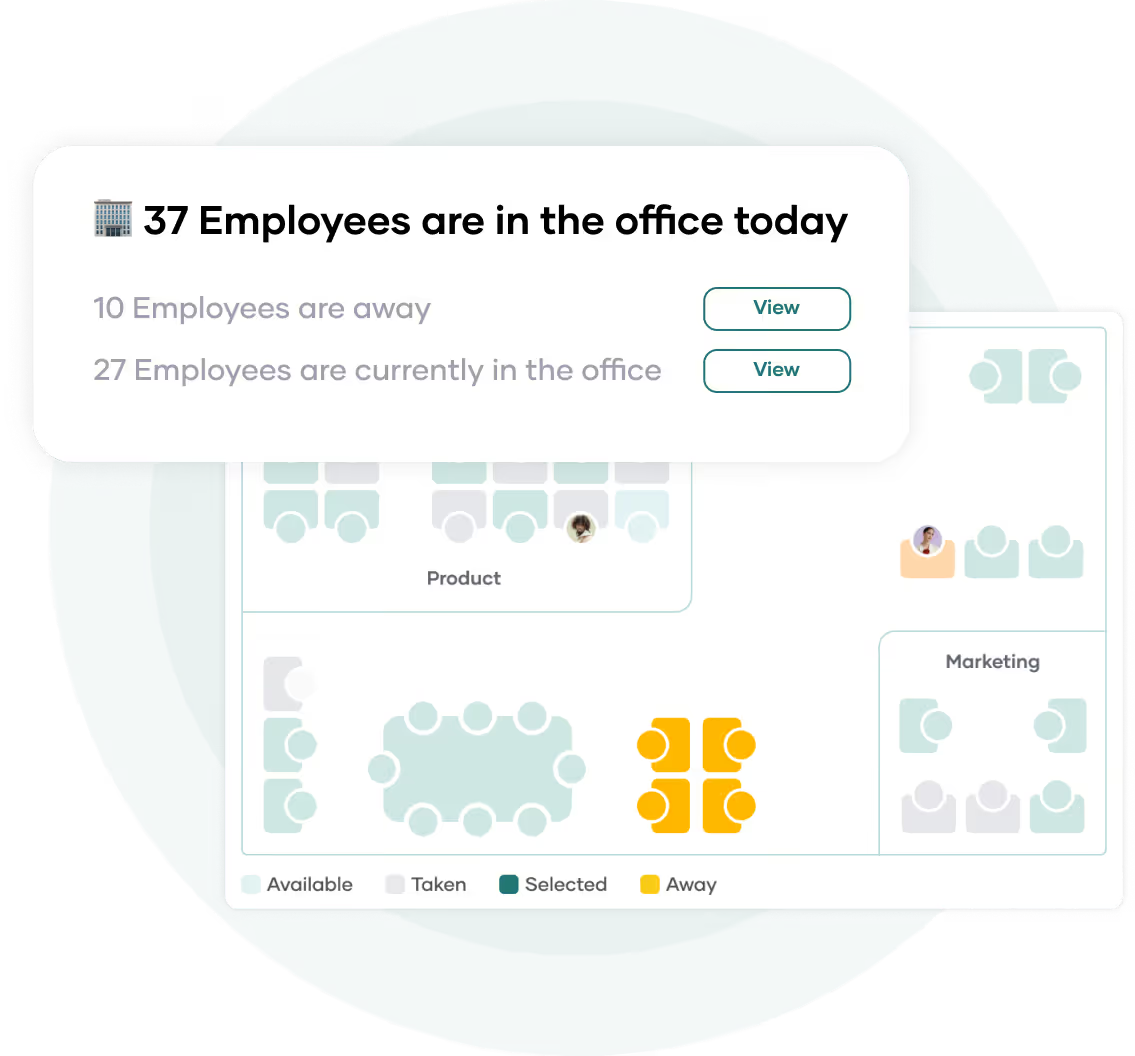
  • How much is the office actually used – and on which days?
  • Who is in the building? – for example, in the event of an evacuation or for occupational safety reasons.
  • Which teams are on site – for coordination, planning, or joint workdays?

Integration with existing tools such as Slack, MS Teams, or the calendar ensures that the overview is not isolated somewhere – but where it is easy to find. Another advantage: implementation was straightforward. No training, no rethinking – the system just works.

Technical background of PULT WiFi Desk Booking

PULT Wifi Desk Booking can be set up in 10 minutes – even in companies with established IT structures. In most cases, the technical requirements are already in place. PULT uses existing WiFi networks to automatically detect presence. No additional hardware is required.

Setup is done via standardized interfaces. Onboarding new devices is also straightforward via central device management.

The following are supported, among others:

  • WiFi systems: Cisco Meraki, HPE Aruba, Ubiquiti
  • MDM solutions (mobile device management): Microsoft Intune, Kandji, Jamf
  • Platforms: macOS and Windows

This makes PULT Wifi ideal for IT teams that do not want to maintain additional systems or introduce new processes.

Integration is a one-time process – after that, the system runs in the background. Stable, low-maintenance, and independent of user interaction.

{{hint-box}}

Alternatives

Flexopus Alternatives: 5 Desk Booking Tools Presented

Not every software is suitable for every team, and acceptance cannot be enforced. Here are five tools that offer similar features to Flexopus and, in some cases, even surpass it.

In this article, you will find five powerful alternatives to Flexopus. You will learn who they are suitable for and what features they offer. This will allow you to decide for yourself which desk booking software best suits your team's daily work routine.

Important selection criteria for desk booking software as an alternative to Flexopus

Anyone who has already worked with desk booking tools such as Flexopus knows the challenges: the technology is there, the plan seems well thought out – but in everyday use, many solutions fall short. Especially when it comes to ease of use, reliable data, and acceptance within the team, the limitations quickly become apparent. That's why it's worth taking a closer look at the requirements that software should really meet in practice.

  • Can be integrated into existing tools: When bookings are made outside of calendars or Slack, inconsistencies arise. A suitable solution integrates into tools that teams already use.
  • Simple setup – no floor plan required: Complex setup with maps and permissions takes time. A good alternative works without a plan logic and is ready to go in minutes.
  • Records attendance – not behavior: Tools with mandatory check-ins or location tracking quickly feel like surveillance. A better solution is one that only recognizes who is there – not how long or where exactly.
  • Works even without active user interaction: Not everyone remembers to sign in or out. The result: empty bookings, missing data. A good alternative recognizes attendance automatically – without interaction.

‍

5 powerful alternatives to Flexopus for desk booking

#1 PULT – Many features, less effort

PULT is a desk booking solution that clearly focuses on everyday usability. Instead of relying on a visual map view like Flexopus, PULT enables space-saving booking with a single click – directly in the calendar, via Slack or MS Teams. The interface is clear and new users can find their way around without any training.

Roles, booking rules, and locations can be customized at any time. Admins have access to ready-to-use reports – no manual exports, no manual reports.

Features and benefits of PULT

  • Management of desks, rooms, and zones
  • Real-time overview of available workspaces
  • Mobile booking via app or browser – even when working from home
  • Planning and organization of events and meetings
  • Integration with Microsoft Teams, Google Workspace, Slack, and more
  • Visitor management including check-in and notification of the contact person

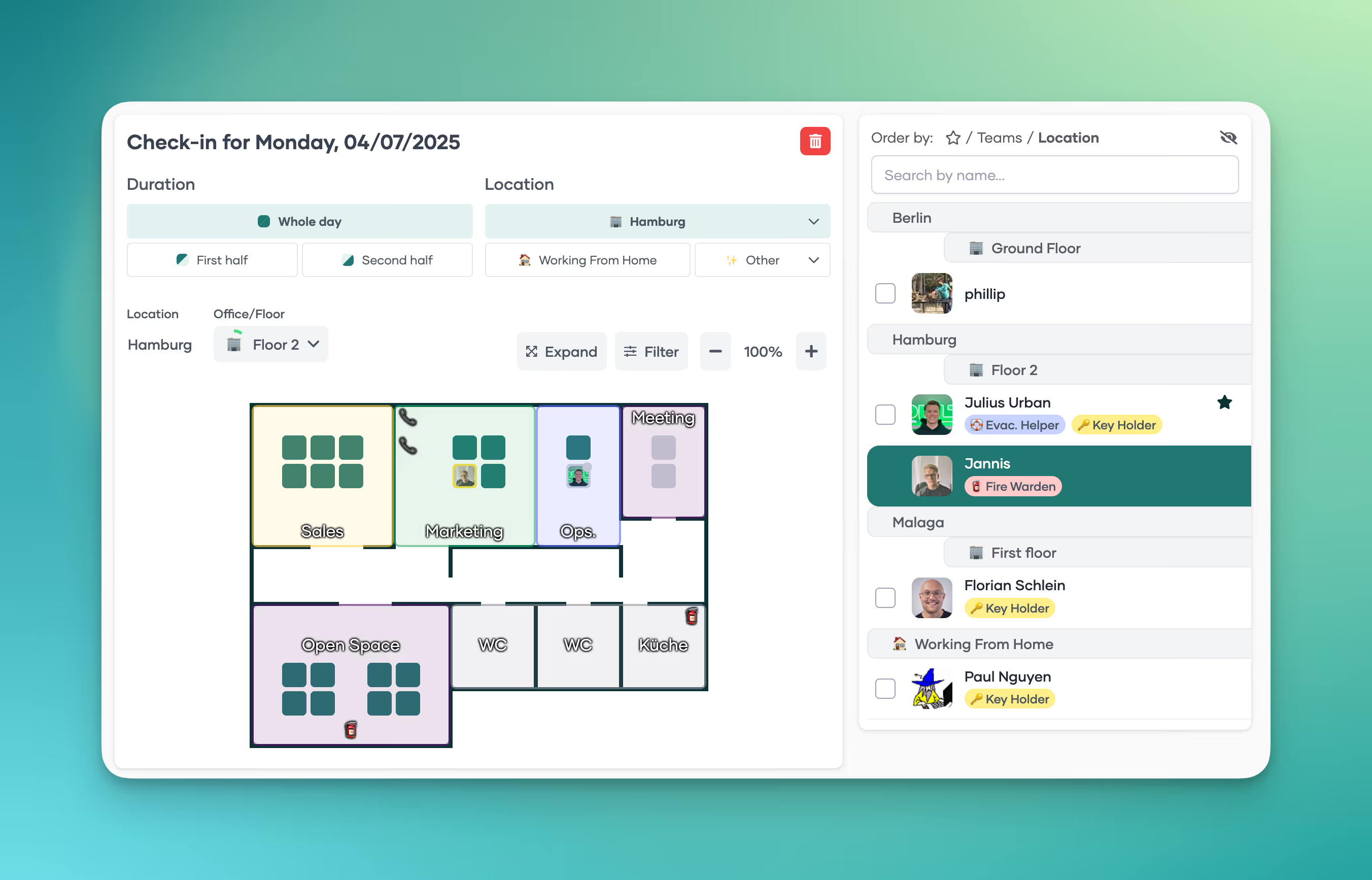
PULT is designed so that employees can immediately see which spaces are available and how they can book them. The same applies to booking rooms, zones, and parking spaces.

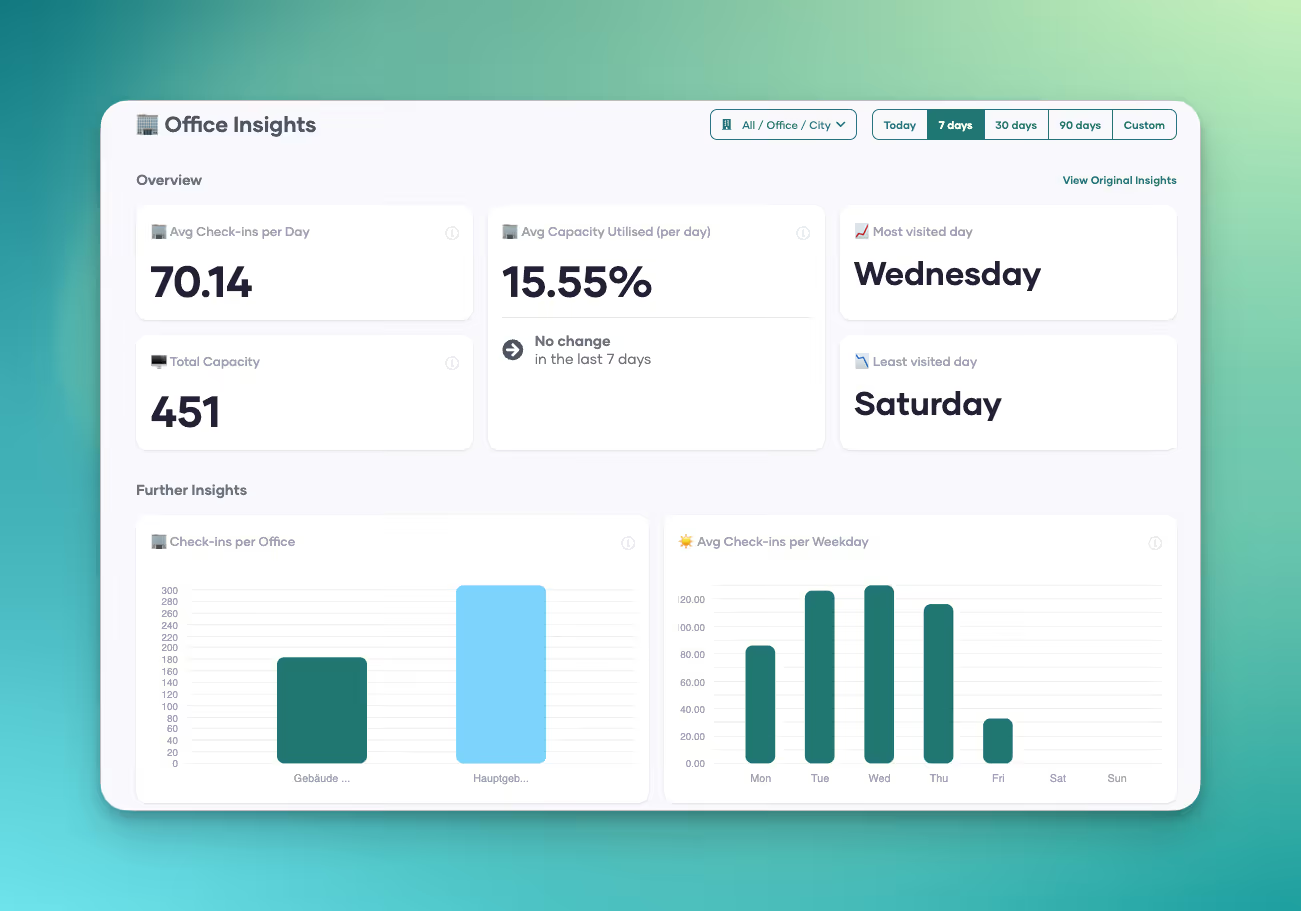
The management options provide accurate analyses and reveal patterns. This helps you find out why certain locations, offices, or individual spaces are not being used. Managers receive feedback from their employees about their well-being via PULT, enabling them to respond better to the team—even from a distance.

‍

In addition to traditional workplace booking, PULT also covers meeting rooms, parking spaces, events, and visitor management. If desired, automatic seat recognition via Wi-Fi can be activated. WiFi booking can be set up in less than ten minutes. After that, no bookings are necessary for attendance tracking.

PULT pricing model

PULT is available from $1.90 per user per month. Individual users can be set to inactive to save costs. Offers are available on request via the website. There you can also find a free product demonstration and book a live demo.

Who is PULT suitable for?

PULT is a good fit for companies that want more than just desk booking – or want to make it significantly easier. Teams that have to coordinate many meetings or regularly receive external visitors will find PULT to be a very comprehensive software solution. Since PULT can be integrated with numerous other software programs, it should be suitable for most companies.

{{cta}}

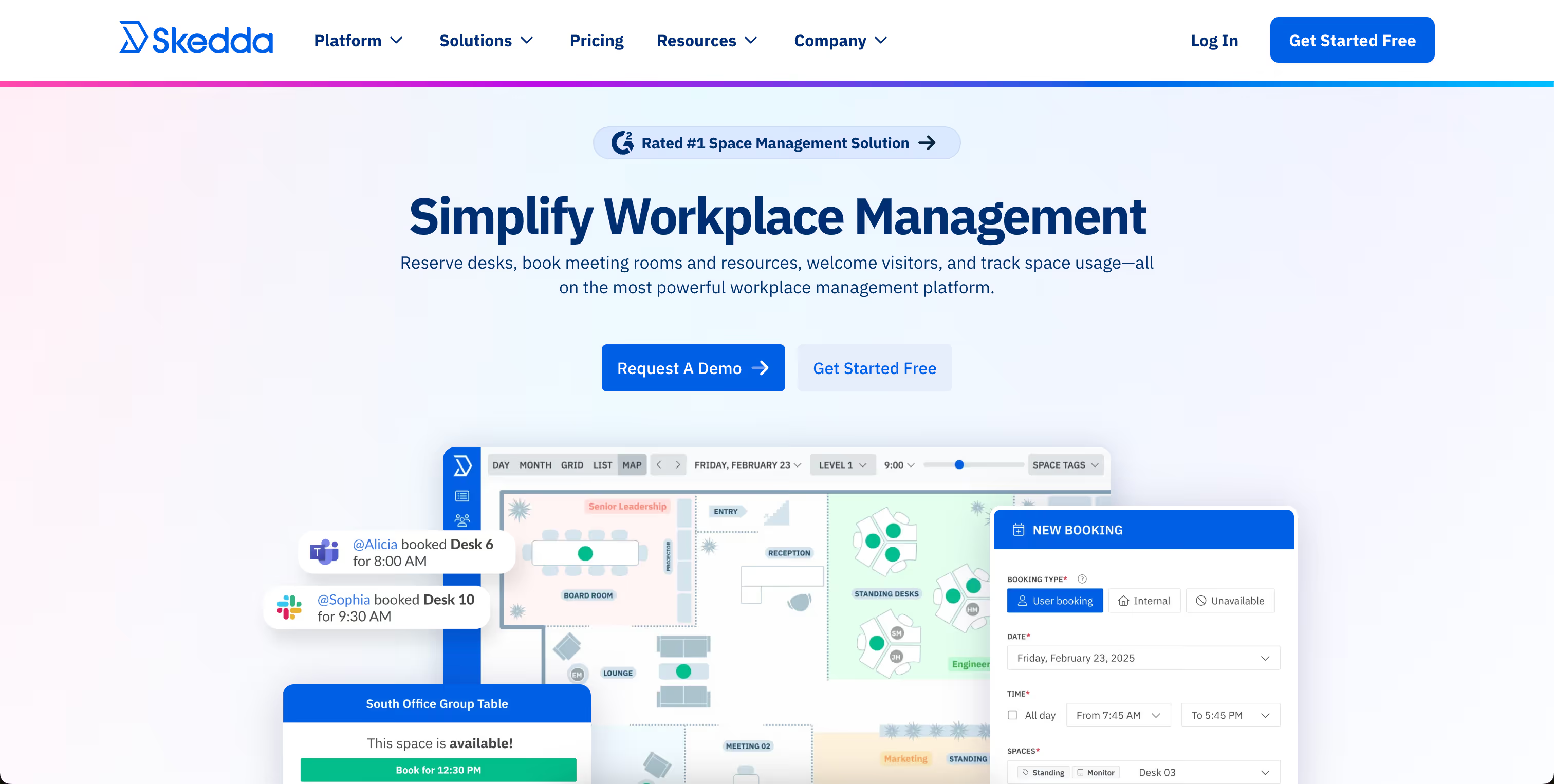
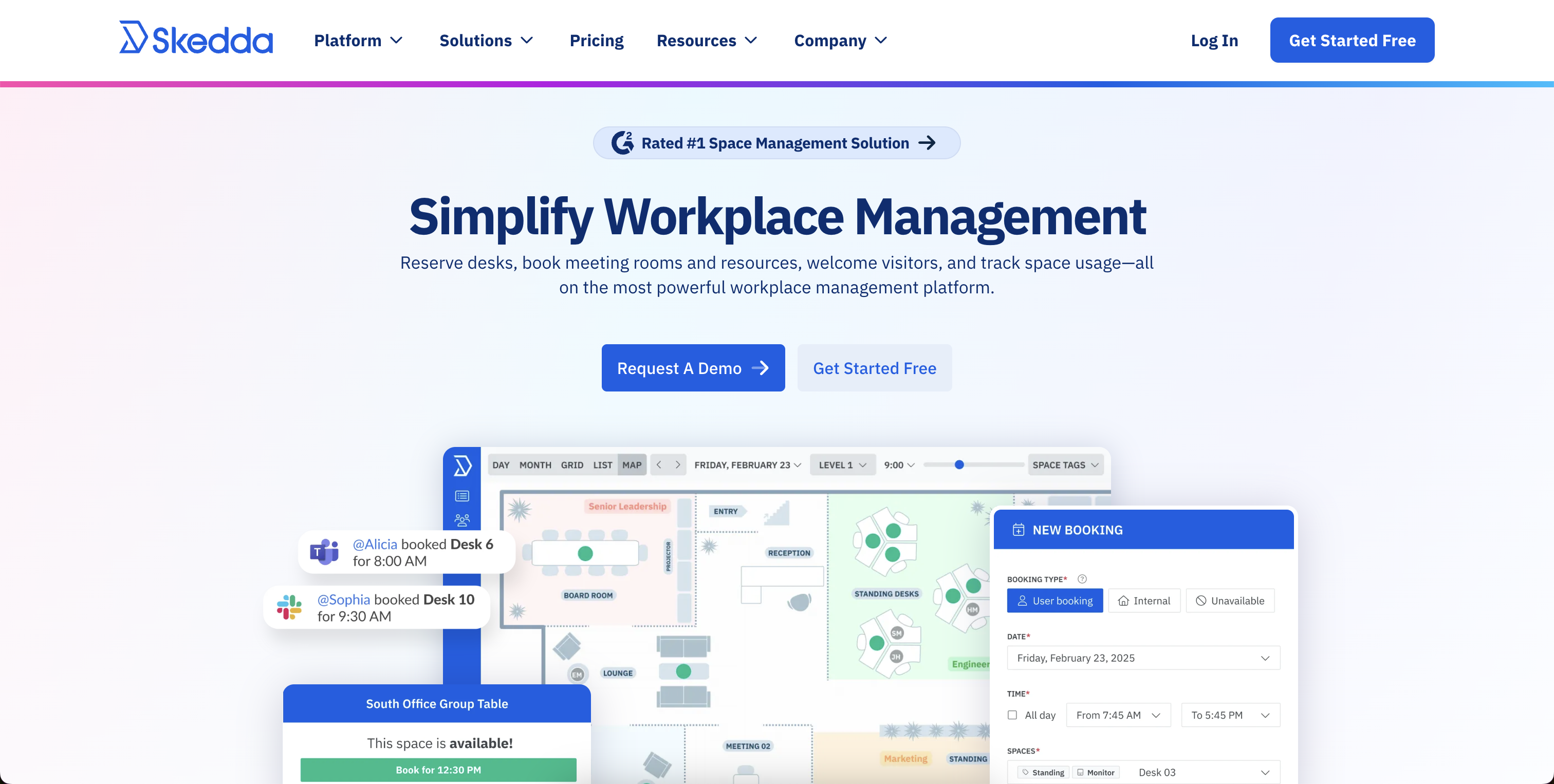
#2 Skedda – Workplace booking with interactive floor plans

Skedda is a lean, rule-based solution for companies that need clear structures and booking rules. Rooms and spaces can be reserved via interactive floor plans – including freely definable booking times, access rights, and exceptions.

Features and benefits of Skedda

  • Floor plans: Visualization of office space for booking desks and rooms.
  • Booking rules: Customizable conditions for booking periods, cancellations, and usage rights.
  • Integration with calendar services: Synchronization with Microsoft 365, Google, and many more.
  • Accessibility: Use on smartphones and tablets to enable bookings from anywhere.
  • Analysis and reporting functions: Insights into the use of workstations and rooms to optimize office utilization.

Compared to Flexopus, Skedda focuses more on individual rules rather than visual navigation. Integrations with Google, Outlook, or Microsoft 365 allow bookings directly from the calendar.

Skedda pricing model

You can try Skedda for free. The various pricing plans start at $99 per month for up to 15 rooms, including interactive floor plans and an unlimited number of users. The mid-range package with Insight Dashboard starts at $149, and the largest package starts at $199. Visitor management can be added for $99 per month.

Who is Skedda suitable for?

Skedda does not specify the appropriate company size for its customers. Since the smallest package only maps one office floor plan, smaller companies are also part of the target group. There are no upper limits.

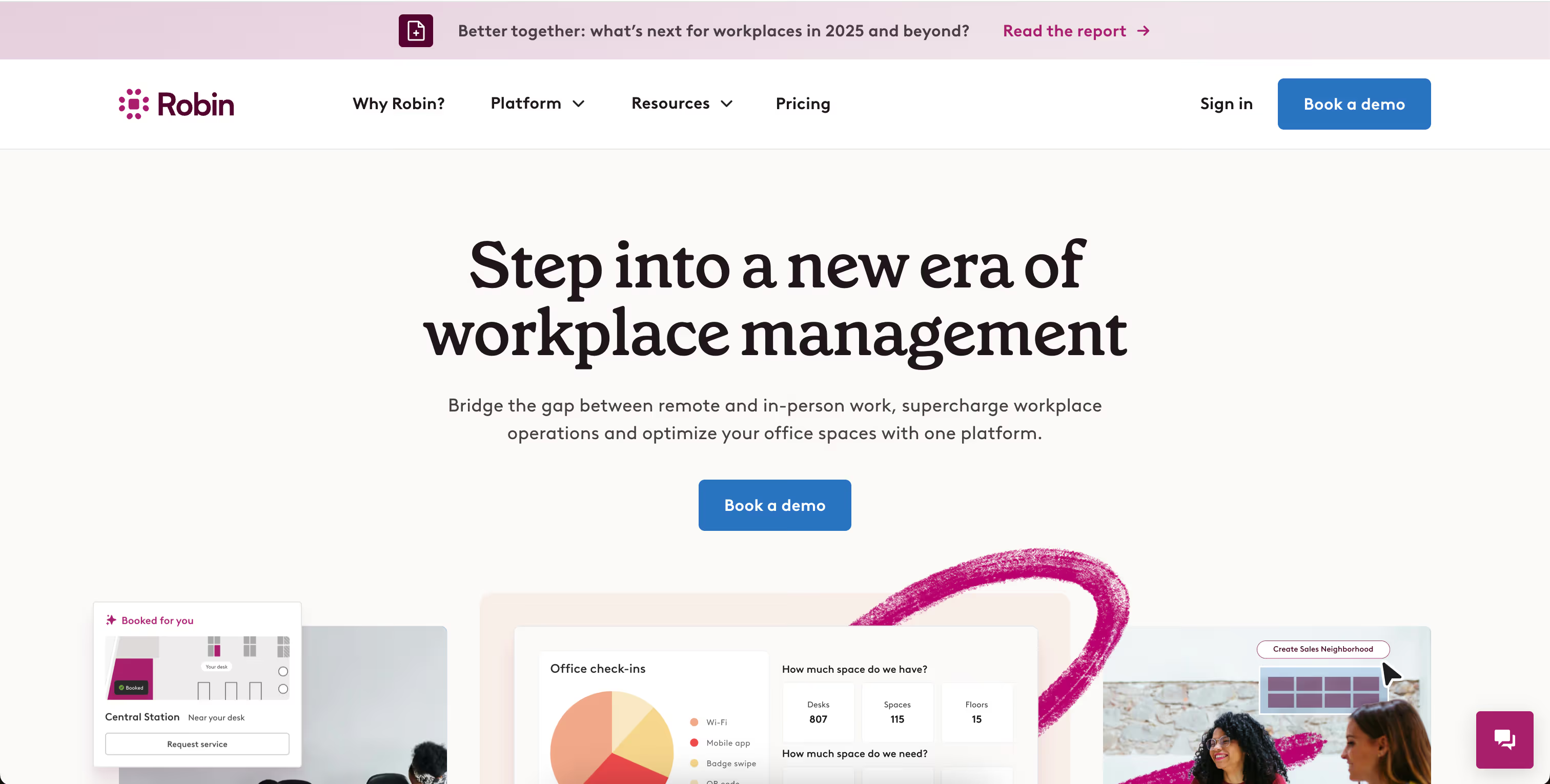
#3 Robin – Team-oriented space planning

Robin combines desk booking with a real-time overview and planning functions for entire teams. In addition to booking desks, rooms, and spaces, the system also shows which colleagues are in the office today (“Who's in”).

Features and benefits of Robin

  • Automated workplace booking based on individual office hours
  • Interactive map view with real-time information on available desks
  • Booking of desks, meeting rooms, and other office spaces
  • Display of which colleagues are also on site (“who's in” feature)
  • Management of multiple locations in a central interface
  • Rules for booking periods and zones
  • Analysis of workstation and room utilization

‍

The focus is on utilization and team coordination. Bookings are made via Outlook, Google, or Slack, and reminders help to free up unused spaces. This distinguishes Robin from Flexopus, which focuses more on visual presentation.

Robin's pricing model

Robin no longer publishes its prices on its website. A free demo can be booked for an initial overview.

Who is Robin suitable for?

For larger companies that coordinate multiple teams or locations and want to work specifically on utilization and planning.

#4 desk.ly – Lean tool with a clear interface

desk.ly is aimed at companies looking for a simple, easy-to-understand desk booking solution. Bookings are made via a weekly overview or mobile app. Compared to Flexopus, desk.ly is less visual but faster to use and requires no training.

Features and benefits of desk.ly

  • Weekly overview for quick booking
  • Outlook and Teams integration
  • Permission management for administrators and teams
  • Mobile use on all devices
  • Flexible rules for each location

‍

Team leaders can coordinate their employees' work locations in desk.ly, which is particularly useful in larger departments. The interface is modern and well thought out, so everyone can find their way around without any training.

Pricing model for desk.ly

desk.ly uses a user-based pricing model, which is available free of charge for up to 15 users. The Corporate package is available from $1.65 per month per user. More features are available in Enterprise from $2.20 per user per month – including a mobile app, rights & roles, custom booking rules, and more.

Who is desk.ly suitable for?

According to the company, desk.ly's customers include businesses of all sizes. The software is suitable for teams looking for an easy-to-use tool for flexible working in the office and at home – without having to rely on extensive card functions.

#5 Nibol – Flexible for hybrid working

Nibol integrates offices and external workplaces, such as coworking spaces. Bookings are made via calendar, app, or QR code. Instead of map views, Nibol uses filters, locations, and role models.

Features and benefits of Nibol

  • Booking of internal and external workplaces
  • QR check-in and calendar integration
  • Visitor management included
  • Role-based administration
  • Overview without map view

‍

The ability to easily manage external guests or mobile teams is particularly interesting – a feature that is not available in Flexopus.

Nibol's pricing model

Nibol has not published its prices. It states that billing is annual based on the number of users. The management of external workstations is billed separately. You can try Nibol free of charge for two weeks.

Who is Nibol suitable for?

For companies that want to enable hybrid working – whether in the office, on the move, or externally. Especially for teams without a fixed office structure.

Flexopus alternative – Why PULT is the right choice

The providers in this comparison of Flexopus alternatives go beyond the basic functions of desk booking. They offer analysis options, meeting room organization – some with catering and visitor management.

Desk booking with PULT starts at just €1.90 per month and comes with over 50 integration options. This means your team doesn't have to leave Slack or Office to book seats or rooms. The idea behind it is simple: if it works easily, people will use it. Thanks to WiFi booking, it even works without a single click.

  • Workplace booking: 1-click desk booking for your hybrid workplace
  • WiFi Desk Booking: 0-click booking via WiFi connection
  • Room Booking: Manage meeting rooms including catering and display them in the calendar
  • Hybrid Work Planner: Plan remote days and team events, including a who's-where function
  • Visitor management: Welcome and guide visitors safely
  • Insights & analytics: Gain deep insights into the usage data of all workstations, rooms, etc.
  • Parking booking: Book parking spaces in advance
  • WiFi Connect: Automatic check-in as soon as colleagues are connected to the WiFi

The fact that PULT is constantly being developed is evident from the features that will be added soon. Incoming parcels and deliveries will then be reported to your team and do not have to be managed individually by reception. There is also a reporting function that allows colleagues to report defects and other problems at their workstations immediately.

{{hint-box}}

Alternatives

5 Powerful desk.ly Alternatives for Desk Booking

Tools like desk.ly help to bring structure to hybrid working. But is it the right tool for your team? Which alternatives will bring organization, flexibility and acceptance to your office?

Desk.ly Alternatives: 5 Great Desk Booking Tools That Suit Your Team

You are using desk.ly or just considering whether it is the right tool for you? In this article, you will find five alternatives to desk.ly. You will learn what features they offer, how they differ in price and for whom they are suitable. This way, you can decide which desk booking software suits you best.

Important selection criteria for a desk booking software as an alternative to desk.ly

If you reach your limits with desk.ly, it's worth taking a close look when switching. Many tools may seem similar at first glance – but they differ significantly in their day-to-day work. These points will help you to select a truly suitable alternative:

  • Intuitive interface – no training required: A common point in user reviews: new employees can't find their way around desk.ly immediately. If you are looking for an alternative, it should be as self-explanatory as possible to use – whether via an app or in a browser. Bookings must work quickly without the need for instructions. Bookings must also remain clear on mobile phones – otherwise acceptance by the team will suffer.
  • Flexible booking rules: It should be possible to customize booking rules. For example: Who can book and when? Which teams have access to which zones? How long are bookings valid for? What happens in the event of a no-show? A good tool allows for differentiated settings – per location, team or resource type.
  • Clearly structured roles and rights: Not everyone in the company needs the same rights. It should be possible to control booking rights in a targeted manner – for example, for admins, team leaders or specific departments. Even with multiple locations, the system should be able to clearly regulate who can book or manage what.
  • Seamless integration into existing tools: A good alternative to desk.ly should integrate easily into existing systems. These include Microsoft 365, Outlook, Google Workspace, Slack and any other tools that may be used in the workplace. Ideally, bookings should be able to be made directly from calendars or chats – without having to switch systems.
  • Meaningful evaluations without additional effort: The utilization of seats, rooms and locations should be visible at a glance. This only works with clear dashboards and directly usable reports – without complicated exports to Excel or external tools.
  • Integrated visitor management: If external guests regularly come to the office, the tool should be prepared for this. This includes features such as digital registration, on-site check-in and automatic notification of the contact person – ideally directly via the same interface.
  • Reliable mobile use: Bookings on the go must be quick and reliable – regardless of the device used. Long loading times, a lack of overview or technical glitches slow down the workflow. A good tool is just as powerful on mobile as it is on desktop.

5 desk.ly alternatives in comparison

#1 PULT – More than just desk booking

PULT is a comprehensive tool for managing workplaces, meeting rooms, events and visitors. It is aimed at companies that want to digitally map their entire office organization.

PULT features and benefits

  • Booking of desks, rooms, zones and parking spaces
  • Real-time overview with display of free places
  • Mobile use in a browser or via an app
  • Event and meeting planning
  • Visitor management with check-in
  • Integrations with, among others, Microsoft Teams, Slack, Google Workspace
  • Feedback and analysis functions for office utilization

The management options offer precise analyses and are able to identify patterns. This way, you can find out why some offices, individual places or locations are not well received. Managers receive feedback from their employees about their well-being via PULT and can thus better respond to the team – even from a distance.

PULT pricing model

From €1.90 per user per month. Inactive users are free. A free demo can be booked via the website. Specific offers are available on request via the website.

Who is PULT for?

For companies that need more than Desk Booking. Ideal for hybrid teams with a need for meetings and visitor operations, who find PULT to be a very comprehensive software. Since PULT can be integrated with numerous other software, it should be suitable for most companies.

{{cta}}

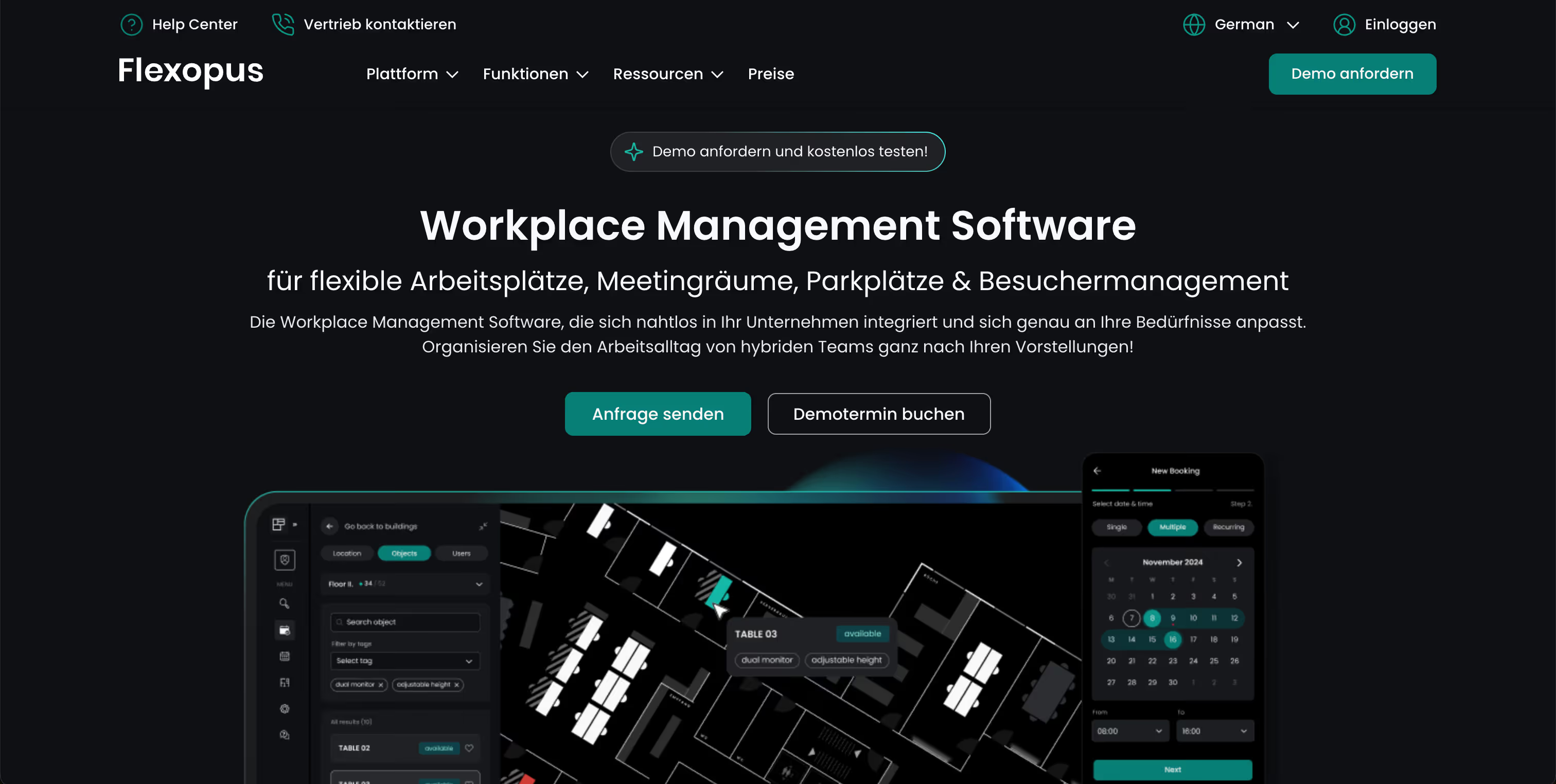
#2 Flexopus – Visual booking with map view

Flexopus offers an interactive map view where workplaces, rooms and parking spaces can be booked. This makes the tool particularly interesting for larger areas and multiple floors.

Features and benefits of Flexopus

  • Booking of workplaces, rooms and parking spaces
  • Interactive map view of office space
  • Visitor management and usage analysis
  • Role and rights management
  • Integrations with Outlook, Teams, Google Calendar and much more

Pricing model from Flexopus

30 days free trial. After that, from €1.59 per resource (space, room, etc.) per month. Premium features from €2.99.

Who is Flexopus suitable for?

Companies with large or complex areas that benefit from the map view. Also useful for multiple locations.

#3 Skedda – floor plans, rules and smart sharing

Skedda manages desks, rooms and resources using interactive floor plans. With a wide range of booking rules and integrations, it is aimed at companies with structured capacity utilization.

Skedda features and benefits

  • Interactive office floor plans for booking
  • Customizable booking rules and periods
  • Integration with Microsoft 365, Google Workspace and others
  • Mobile access on all devices
  • Analytics and reports for office utilization

Skedda pricing

From $99 per month (15 rooms, unlimited users). Larger packages start at $149 and $199. Visitor management costs extra.

Who is Skedda suitable for?

For structured environments with predictable capacities. More suited to medium-sized to large companies, even across multiple locations.

#4 Robin – focus on space planning and utilization

Robin combines desk booking with utilization analysis and team planning. Particularly strong in space management and strategic capacity planning.

Robin features and benefits

  • Real-time overview of available seats
  • Booking of desks, rooms and areas
  • Interactive maps
  • “Who's in” feature shows colleagues present
  • Zone management and booking rules
  • In-depth evaluations and usage trends
  • Integration with Slack, Outlook, Google Workspace

Robin pricing model

No public prices. Demo available on request.

Who is Robin suitable for?

According to the provider, for companies with 500 or more employees, of whom at least 150 regularly come to the office.

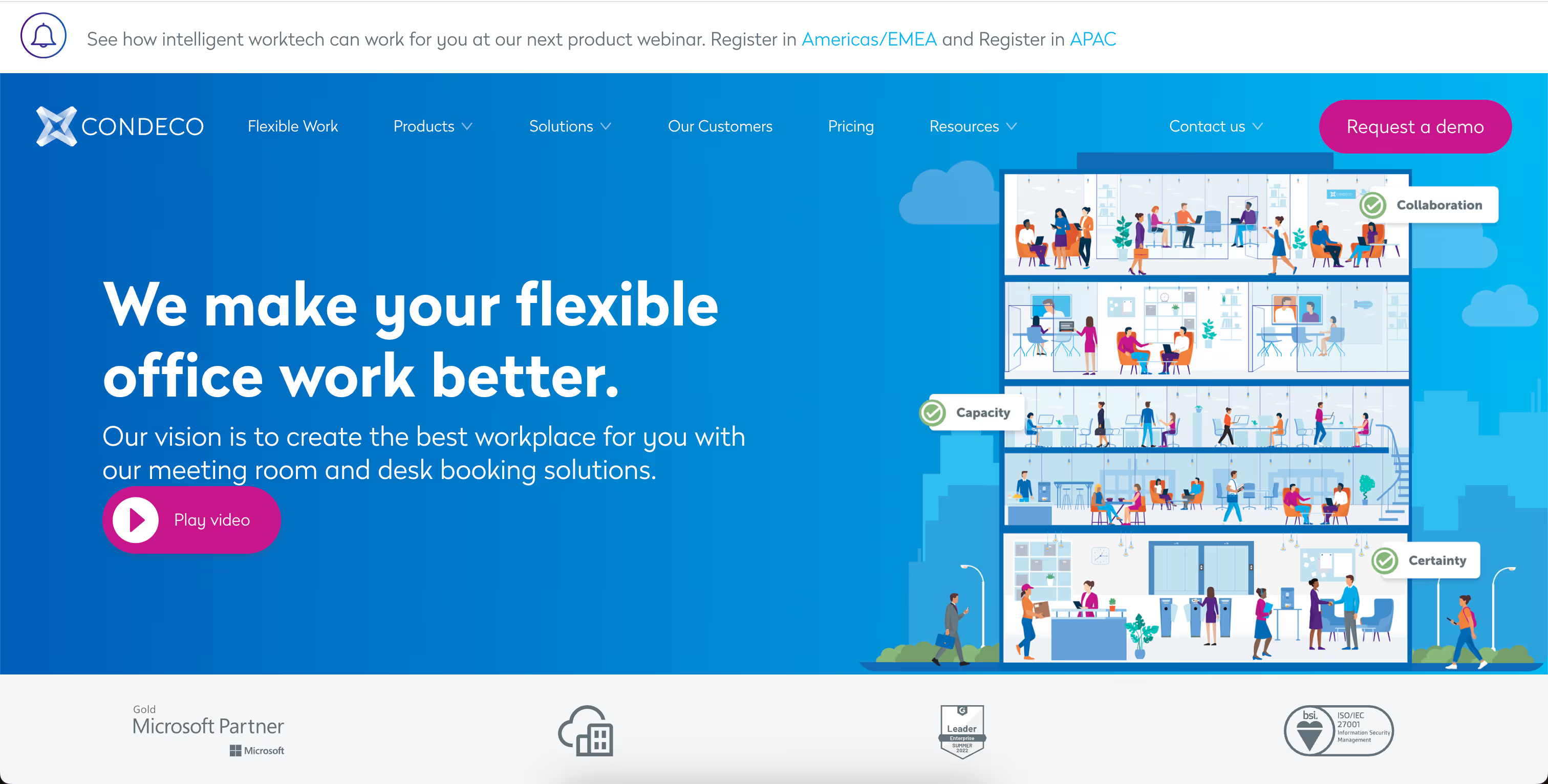
#5 Condeco – classic room and workplace management

Condeco is an established tool for larger companies. In addition to desk booking, it offers room planning, visitor management and analysis functions.

Features and benefits of Condeco

  • Workplace and room reservation
  • Visitor and reception management
  • Mobile booking and check-in via app
  • Integration with Microsoft tools
  • Reports on room utilization
  • Kiosk systems and touch panels as add-ons

Pricing model from Condeco

No public prices. Offers are made individually.

Who is Condeco suitable for?

For large companies with clear IT structures and central requirements for room and visitor management.

desk.ly alternative – This is how PULT impresses

All providers in this comparison of desk.ly alternatives go beyond the basic functions of Desk Booking. You can find parking space booking, organization of meeting rooms – even with catering, visitor management and analysis functions. Please note that some of the features are only included in the higher price tiers of the providers.

Desk Booking with PULT starts at just €1.90 per month and comes with over 50 integrations. This means that your team doesn't have to leave Slack or Office to book desks or rooms. The idea behind it: What works simply is also used. PULT is a convincing alternative with:

  • 1-click desk booking
  • Planning of remote days & who's-where overview
  • Meeting room management incl. catering
  • Parking space booking
  • Visitor management with automatic check-in
  • Analysis functions at the workplace level
  • Over 50 integrations (MS Teams, Slack, M365, and many more)

PULT is constantly being developed. Functions for incoming parcels and deliveries will be added soon. These will then be reported to your team and do not have to be managed individually. In addition, there is also the reporting function, which colleagues can use to immediately report defects and other problems at their workplaces.

{{hint-box}}

Alternatives

5 Powerful Deskbird Alternatives for Desk Booking

In hybrid offices, half of the desks are often empty. Desk booking software can help here. But Desk Booking has to be the right fit for the company, not the other way around. Alongside Deskbird, there are a number of powerful tools that offer different approaches and strengths.

Deskbird Alternatives: 5 Great Desk Booking Tools to Suit You

IIn this article, you will find five strong alternatives to Deskbird. You will learn about their features, who they are suitable for – and how they differ in price. This way, you can decide for yourself which desk booking software suits your team and your daily work.

Important selection criteria for desk booking software as an alternative to Deskbird

Before you decide on an alternative, it's worth taking a quick look at the selection criteria. After all, every organization works differently – and not every tool is suitable for every setup. These four points will help you to better understand what is on offer:

  • Intuitive access and user-friendliness: If you want your team to actually use the software, it has to be easy to understand from day one. Good software doesn't require long training sessions – ideally, new employees can get started right away.
  • Customization options: The alternative software should adapt to your company – not the other way around. This includes, for example, the ability to map different locations, rooms or usage rules. Different roles and rights are also helpful.
  • Integration: The better a tool integrates into your existing infrastructure, the less friction there will be. Many teams work with Microsoft 365, Google Workspace or Slack – so it makes sense if the new system comes with interfaces to these applications.

Range of functions: Good desk booking software can do more than just manage workplaces. Ideally, it should also offer the option of booking meeting rooms, planning events or receiving visitors. Functions such as zone management, a real-time overview or mobile booking make a difference in your day-to-day work. This saves you from having to use different software for each individual function.

5 Deskbird alternatives compared

#1 PULT – booking, workplace management and more

PULT is versatile and goes far beyond the classic basic functions of booking software. In addition to workplace booking, PULT also covers room planning, event organization and visitor registration. This makes PULT particularly suitable for companies that want to manage their entire office organization using a single tool.

PULT features and benefits

  • Clear management of desks, rooms and zones
  • Real-time overview of available workstations
  • Mobile booking via app or in the browser – even when working from home
  • Planning and organization of events and meetings
  • Integration with Microsoft Teams, Google Workspace, Slack and more
  • Visitor management including check-in and notification of the contact person

PULT is designed so that employees can immediately see which places are available and how they can book them. The same applies to booking rooms, zones and parking spaces.

The management options offer precise analyses and reveal patterns. This helps to find out why some locations, offices or individual places are not accepted. Managers receive feedback from their employees about their well-being via PULT and can thus respond better to the team – even from a distance.

PULT pricing model

PULT is available from €1.90 per user per month. It is possible to set individual users to inactive and thus save costs. Concrete offers are available on request via the website. A free product demonstration is available on the website and you can book a live demo.

Who is PULT suitable for?

PULT is a good fit for companies that want more than just desk booking. In particular, teams that have to coordinate many meetings or regularly receive external visitors will find PULT to be a very comprehensive software. Since PULT can be integrated with numerous other software, it should be suitable for most companies.

{{cta}}

#2 desk.ly – Booking, Rules and Analytics

desk.ly is aimed at companies looking for a lean booking software. The tool focuses on the essential functions of booking workplaces, meeting rooms and parking spaces. However, it also offers weekly overviews, displaying attendances and analysis options.

Features and benefits of desk.ly

  • Booking of workplaces and meeting rooms
  • Support for flexible working models (e.g. office/home office switching)
  • Integration with Microsoft Teams and Outlook
  • User roles for admins and team leaders
  • Mobile use on all end devices

Team leaders can use desk.ly to coordinate their employees' work locations, which is particularly helpful in larger departments. The interface is modern, logically structured and well thought out – so everyone can find their way around without any introduction.

desk.ly pricing

desk.ly uses a user-based pricing model, which is available for free for up to 15 users. The Corporate package is available from €1.65 per month and user. More features are available in Enterprise from €2.20 per user per month – including a mobile app, rights and roles, individual booking rules and more.

Who is desk.ly suitable for?

According to their own statements, desk.ly customers include companies of all sizes. If you are looking for a lean software for hybrid work and don't want to miss out on some advanced features, you will find it at desk.ly.

#3 Flexopus – Clear booking with map view

Flexopus is a desk booking software that offers, among other things, the booking of workplaces, meeting rooms and parking spaces. The visual representation of office space as an interactive map view is one of its most well-known features. The tool has a strong visual structure and offers clear structures for booking and administration.

Features and benefits of Flexopus

  • Booking of workplaces, meeting rooms and parking spaces
  • Interactive map view of office space
  • Visitor management
  • Analytics, group management
  • Integration with Microsoft Teams, Outlook, Google Calendar and many more
  • Role and rights management

Flexopus places a high value on intuitive operation. The map view shows employees exactly where their workplace is located and which places are still available. Colleagues can be found on the live plan. Mobile use via an app has also been considered.

Pricing model from Flexopus

Flexopus can be tested free of charge for 30 days. The prices are based on the resources used per month (number of workstations, rooms, parking spaces, etc.), starting at €1.59. For €2.99 per resource and month, functions such as single sign-on, statistics and evaluations, as well as further integration options, are added.

Who is Flexopus suitable for?

Flexopus is suitable for companies that are looking for a visually strong solution with a clear area structure. The map view is particularly advantageous where several locations and floors need to be managed. If you are looking for a highly visual tool with a solid range of functions, Flexopus is a reliable option.

#4 Robin – For teams with a focus on space and planning

Robin is designed for booking seats and rooms, organizing meetings, visitor management and analytics. At its core is a platform that facilitates both individual booking and strategic utilization planning.

Robin's features and benefits

  • Automated workplace booking based on individual office hours
  • Interactive map view with real-time information on available desks
  • Booking of desks, meeting rooms and other office spaces
  • Display of which colleagues are also on site (“who's in” feature)
  • Management of multiple locations in a central interface
  • Rules for booking periods and zones
  • Analysis of the utilization of workstations and rooms

Robin integrates directly with tools like Outlook, Google Workspace and Slack, so bookings can be made without changing systems. The mobile app enables spontaneous reservations. Automatic reminders and the release of unused seats improve utilization. Role rights and team planning ensure an overview.

Robin's pricing model

Robin no longer displays prices on the website. A free demo can be booked for an initial insight.

Who is Robin suitable for?

According to Robin, its services are aimed at companies with 500 or more employees, of whom at least 150 regularly use the office.

#5 Skedda – Book workplaces with interactive floor plans

Skedda is a booking software for managing workplaces, meeting rooms and other resources. With interactive floor plans and many customization options, Skedda offers a comprehensive software.

Skedda's features and benefits

  • Floor plans: Visualization of office space for booking desks and rooms.
  • Booking rules: Customizable conditions for booking periods, cancellations and usage rights.
  • Integration with calendar services: Synchronization with Microsoft 365, Google and many more
  • Accessibility: Use on smartphones and tablets to enable bookings from anywhere.
  • Analysis and reporting functions: Insights into the use of workplaces and rooms to optimize office utilization.

Skedda also offers features such as single sign-on, self-service check-ins and advanced role rights. This allows access to be controlled and certain processes to be automated. It is also possible to manage multiple locations or areas within a company – including individual settings for each location.

Skedda pricing model

Skedda can be tested for free. The various price plans are available from $99 per month for up to 15 rooms, including interactive floor plans and an unlimited number of users. The mid-range package with the Insight dashboard starts at $149, and the largest package at $199. Visitor management can be added for $99 per month.

Who is Skedda suitable for?

Skedda does not specify the appropriate company size for its customers. Since the smallest package only represents one office layout, smaller companies are also part of the target group. There is no upper limit.

Deskbird Alternative – This is how PULT impresses

All providers in this comparison of Deskbird alternatives go beyond the basic functions of Desk Booking. They offer parking space booking, meeting room organization with catering, visitor management and analysis options. Note that some of the features are only available at the higher price levels.

Desk booking with PULT starts at just €1.90 per month and comes with over 50 integration options. This means your team doesn't have to leave Slack or Office to book places or rooms. The idea behind it is: what simply works will also be used.

  • Workplace booking: 1-click desk booking for your hybrid workplace
  • Room booking: manage meeting rooms including catering and display them in the calendar
  • Hybrid Work Planner: Plan remote days and team events, including a who-is-where function
  • Visitor Management: Receive and guide visitors safely
  • Insights & Analytics: Deep insights into the usage data of all workplaces, rooms, etc.
  • Parking Space Booking: Book parking spaces in advance
  • Wifi Connect: Automatic check-in as soon as colleagues are on the WLAN

The fact that PULT is constantly being developed can be seen from the new features that will soon be added. Incoming parcels and deliveries will then be reported to your team and do not have to be managed individually by reception. In addition, there is the reporting function, which allows colleagues to immediately report defects and other problems at their workstations.

{{hint-box}}