The best workplace management software for your company

Workplace management software combines booking, planning, and analysis in one platform. In addition to reserving individual workstations and meeting rooms, it also analyzes the utilization of existing office resources. Many providers also offer integration with calendar and chat software.

What is the best workplace management software?

The best workforce management software covers a wide range of requirements. Which features are important to you depends on your specific project. The following criteria can help you make your selection:

  • Booking workstations and rooms: If desks, meeting rooms, or zones are to be used as needed.
  • Floor plans and overview: When digital maps or calendar views make it easier to keep track of available space.
  • Automation and check-in: To automatically release booked but unused spaces and reliably record attendance.
  • Analytics and utilization: To measure the actual use of workspaces, identify heavily and rarely used resources, and further develop space planning accordingly.
  • Integrations: When Microsoft 365, Outlook, Google Calendar, Slack, or MS Teams need to be integrated into existing workflows.
  • Data protection and hosting: When data processing must comply with GDPR.
  • Identity and access systems: Recommended when SSO, SCIM, or API connections are needed to enable secure and uniform user management.
The following information on features, prices, and services is based on publicly available sources from the providers (as of October 2025). It is for guidance only. Providers may make changes at any time; no guarantee can be given for the accuracy or completeness of this information. 

This article contains a presentation of PULT as part of a market overview. It is based on careful research, but is not an objective test report, rather an editorially prepared comparison with some promotional elements.

All brands mentioned are the property of their respective rights holders and are listed for comparison purposes only. PULT has no business relationship with the providers mentioned.

The 5 best workspace management softwares 2026

#1 PULT

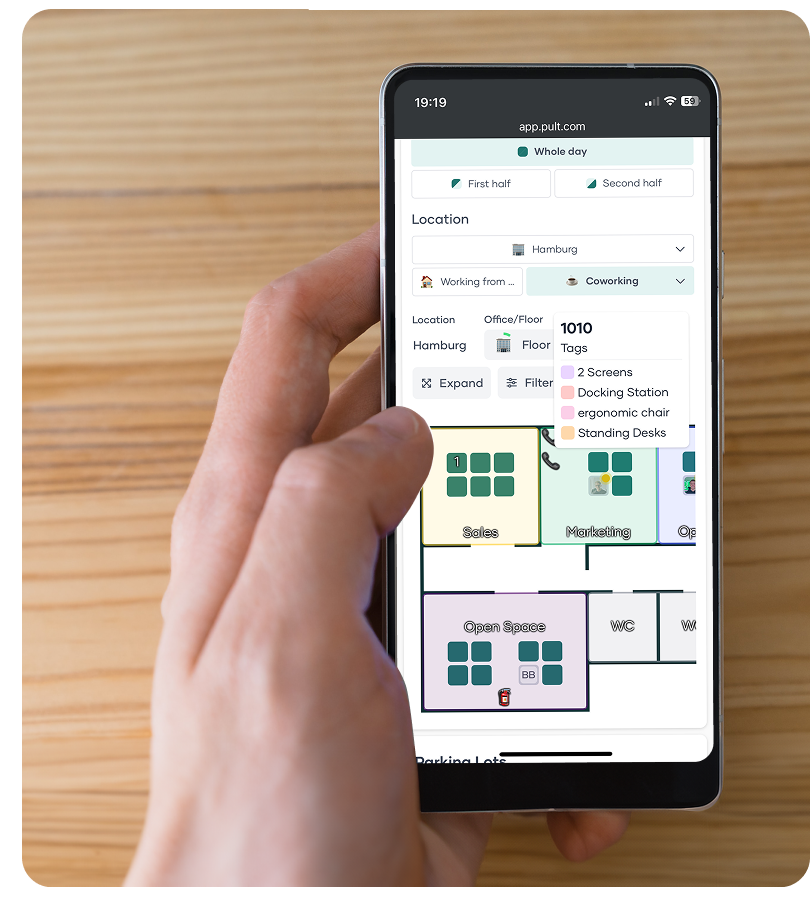
PULT is a platform from Germany that manages meeting rooms, workspaces, zones, and parking spaces in a single workplace management software. It also includes visitor management, office evaluation with statistics, and special features such as automatic check-in via Wi-Fi connection in PULT Presence.

The software can be integrated into Microsoft Outlook, Microsoft 365, Google Calendar, MS Teams, and Slack. Booked but unused rooms and spaces are automatically released again. In addition, PULT provides evaluations of actual usage and booking behavior, allowing for better planning of rooms, spaces, and workstations.

  • Workstation and room booking: Digital booking of desks, meeting rooms, and zones with calendar or floor plan view.
  • Hybrid Planner: Clear weekly planning in which teams can coordinate attendance and jointly determine office days.
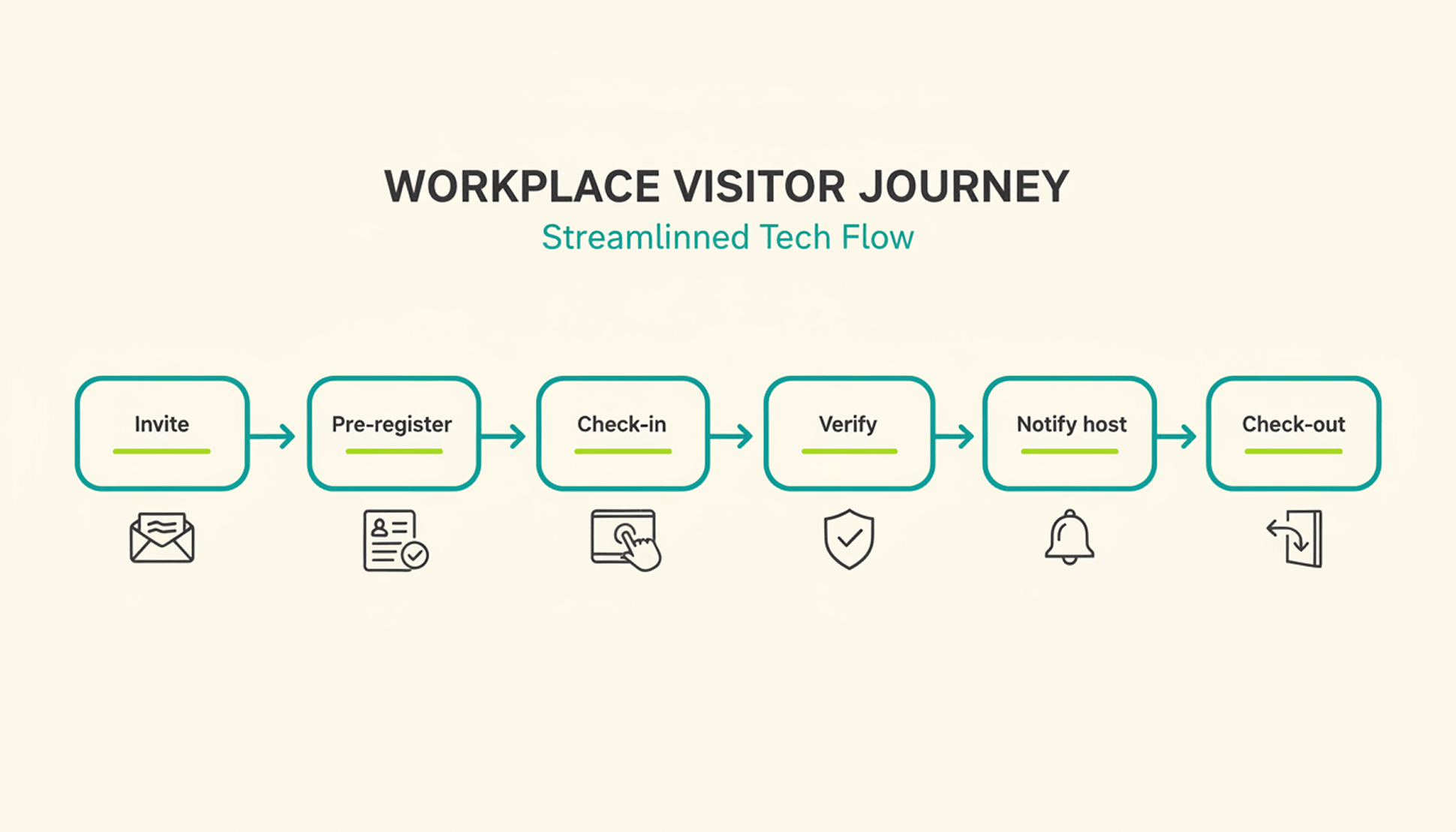
  • Visitor management: Management of guests and external appointments, including digital check-in and automatic notification of the host.
  • PULT Presence: Automatic check-in via Wi-Fi to record actual presence in the office.
  • Office Insights: Evaluations of space utilization, capacity utilization, and booking frequency as a basis for further office planning.
  • Integrations: Connection with Microsoft Teams, Outlook, Google Workspace, Slack, Personio, and common SSO systems (Microsoft, Google, Okta).
  • Security & Hosting: Development and hosting in Germany, GDPR-compliant data processing, and ISO 27001-certified infrastructure.

PULT pricing:

PULT pricing starts at €1.90 per user per month. Additional plans offer advanced features such as API access, single sign-on, and white label options. A free demo and product demonstration are available.

To the PULT workplace management software

#2 Flexopus

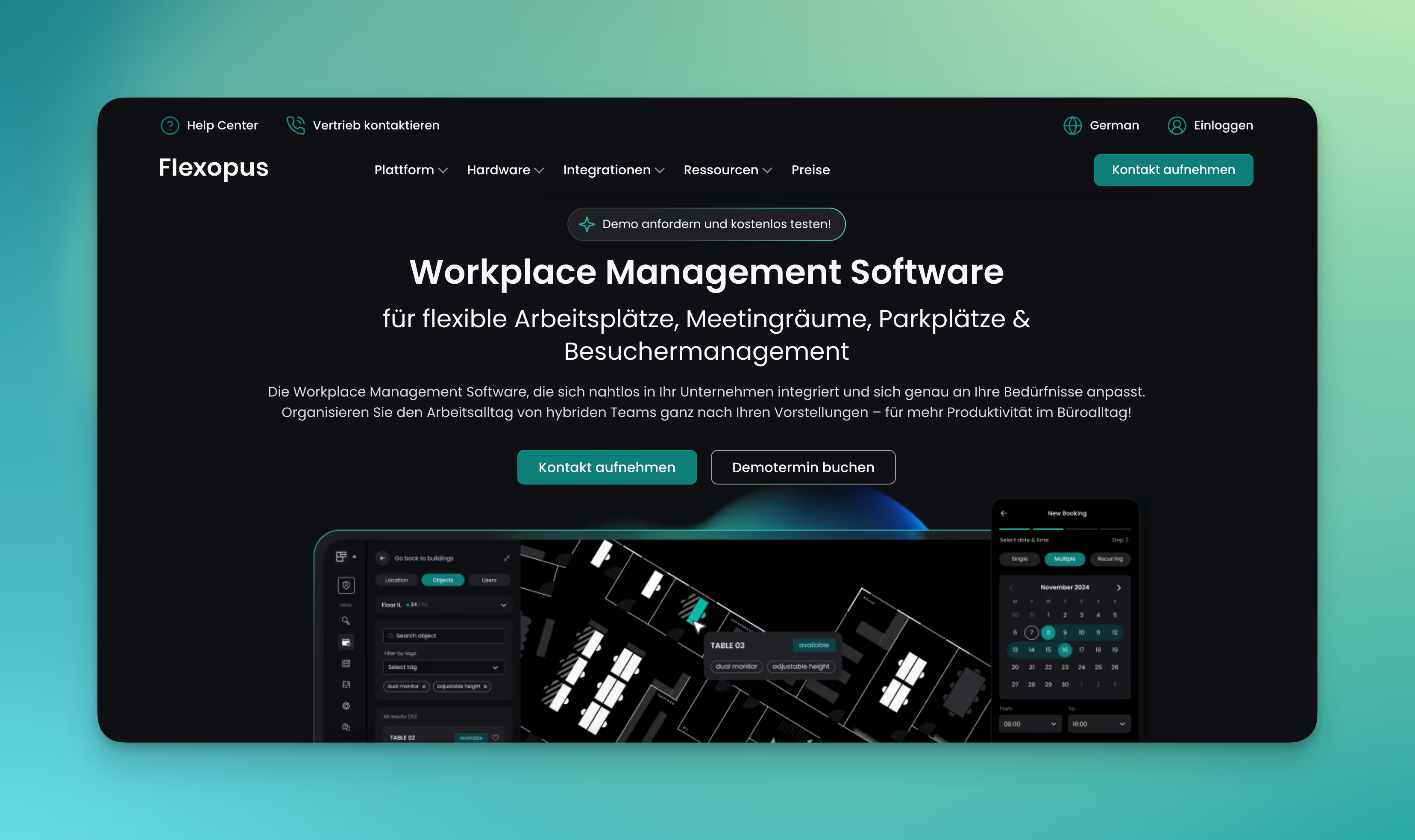
Flexopus is a workplace and room booking software that combines all core workplace management functions in one platform. The system is developed and hosted in Germany and therefore meets data protection and security requirements.

  • Booking workstations, rooms, and parking spaces: Employees reserve available spaces, meeting rooms, or parking spaces using digital floor plans. Bookings are made via web app, MS Teams, or app.
  • Visitor management: Guests can be registered in advance, including email invitations and QR code check-in at reception.
  • Catering and resource planning: Rooms can be linked to additional services such as catering or equipment (e.g., projectors, technology).
  • Room and workspace displays: Flexopus offers its own hardware solutions for displaying booking status and check-ins directly on site.
  • Analytics & utilization: Dashboards show utilization, booking frequency, and no-shows. Companies can see which areas are actually being used and where there is potential for optimization.
  • Integrations: Connection to Microsoft Teams, Outlook, Google Calendar, and a REST API for individual connections.

Flexopus pricing:
Flexopus calculates prices based on resources, i.e., the number of workstations, rooms, etc. The software can be tested free of charge for 30 days. In the Starter plan, each resource costs from €1.59 per month, and in the Business plan with more features, from €2.99 per month.

#3 deskbird

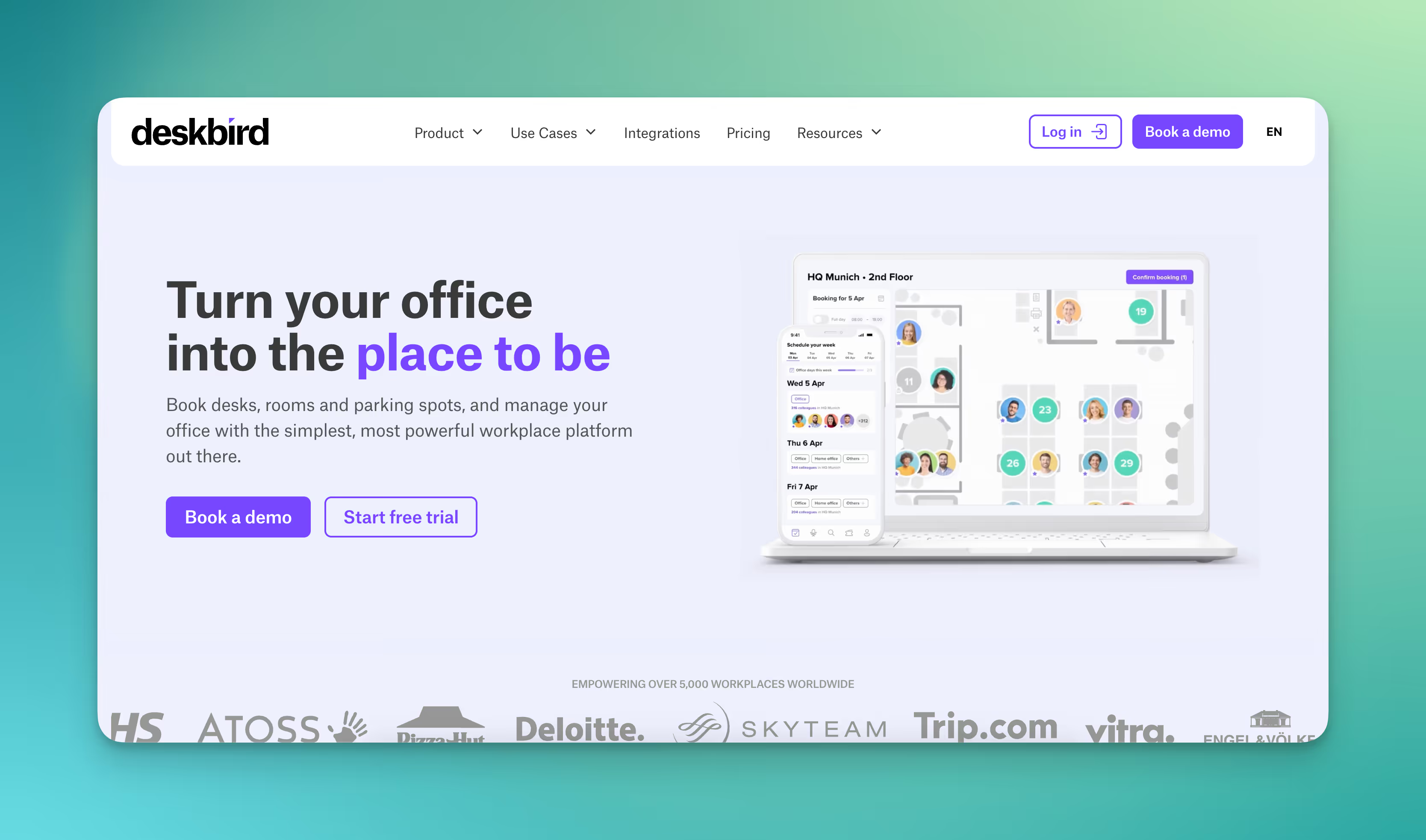
deskbird is a Swiss provider specializing in booking software for hybrid workplaces. In addition to room booking, the platform also includes parking space reservations and team planning.

  • Booking workspaces and rooms: Desks, zones, and meeting rooms can be reserved directly via a calendar or floor plan view. Bookings can be viewed and adjusted in real time.
  • Hybrid weekly planning: Teams plan office attendance together, see who is on site on which days, and coordinate office days efficiently.
  • Automatic release for no-shows: Unused bookings are automatically canceled after a defined period of time to make workspaces available again.
  • Visitor management: Guests can be registered in advance and managed via digital check-ins upon arrival.
  • Analytics and utilization: Dashboards show occupancy rates, utilization trends, and booking behavior. The data helps optimize space utilization and plan office requirements.
  • Integrations: Link to Microsoft Teams, Outlook, Slack, and Google Calendar. The platform also offers API, SCIM, and SAML interfaces for larger organizations.

Prices from deskbird:

deskbird offers per-user licensing. Prices start at $2.80 per user per month for the Starter package and $3.80 per user per month for the Business package, with prices decreasing as the number of users increases. Individual enterprise plans are available for larger companies.

#4 desk.ly

desk.ly is German workplace management software that helps companies organize their office space. The application is designed for ease of use, clarity, and secure data processing.

  • Booking workstations, meeting rooms, and parking spaces: Users reserve spaces and rooms via digital floor plans or calendar views. Bookings can be made directly in the browser or via the app.
  • Kiosk and attendance mode: Employees can use a terminal or tablets, laptops, and smartphones to record their attendance at the office or book spontaneously available spaces.
  • Team overviews: Colleagues can see who is working in the office on which days and can schedule themselves to work next to each other.
  • Analytics and utilization: Dashboards show how often workspaces and rooms are booked. The evaluations help to plan office space more efficiently and avoid bottlenecks.
  • Integrations: Connection to Microsoft Teams, Outlook, and Google Workspace. Support for single sign-on (SSO) and SCIM in higher license levels.

Prices for desk.ly:

Corporate plan starting at $1.65 per user per month, Enterprise plan starting at $2.20 per user per month. A free version for small teams of up to 15 users is also available.

#5 Yoffix

Yoffix is workplace management software designed for companies that use Microsoft 365 or Outlook as their working environment. The software supports resource booking and the management of hybrid working models.

  • Booking workstations, rooms, and parking spaces: Employees reserve desks, meeting rooms, or parking spaces directly via digital floor plans or calendar views.
  • Resource and visitor management: Manage shared office resources such as monitors, technology, or parking spaces. Visitors can be registered and checked in via QR codes.
  • Hybrid planning: Weekly and team overviews show who is working in the office. This allows you to coordinate attendance and plan office occupancy.
  • Analytics and utilization: Dashboards provide key figures on booking frequency, occupancy, and room usage. Companies can use this information to optimize their space planning.
  • Integrations: Deep integration with Microsoft Teams and Outlook, plus connection to Slack and HR systems such as Personio or SAP SuccessFactors.

Yoffix prices:

From €1.50 per user per month for workplace booking, €10 per room per month for room management, €80 per month for visitor management. Additional features available at an extra cost per month and/or resource.

What makes PULT a popular workplace management software?

PULT provides you with booking data and values for the actual occupancy of workstations, rooms, zones, and parking spaces.

PULT Presence records the actual presence of your employees as soon as their laptop or smartphone connects to the company Wi-Fi. Check-in is automatic and completely independent of sensors. All you need is your Wi-Fi.

{{logos}}

{{onpage-cta}}

Trusted by 1000+ innovative workplaces

Manage all workstations, rooms, and zones in one software program! Get started with PULT now.

FAQ

Have questions?

What features does the best work management software usually offer?

The most important features include workplace and room booking, attendance planning, visitor management, parking space booking, utilization analyses, and integrations with systems such as Microsoft Teams, Outlook, or Google Calendar.

What is the difference between workplace management and room booking?

Room booking systems focus on the management and reservation of meeting rooms. The functions of workplace management software go beyond this: it also records workstations, parking spaces, visitors, and evaluations of overall office space utilization.

Can the best workspace management software automatically detect no-shows?

Many systems offer automatic cancellation if a booked space is not used. Some use check-ins via Wi-Fi, QR codes, or sensors to record attendance and release unused spaces after a certain period of time.

About author

Isolde Van der Knaap

Hybrid Work Enthusiast and Account Executive

At PULT we're designing the future of the hybrid workplace for companies and their employees. Focused on SME and mid market customers in Eruope, I'm working on everything from Customer Discovery to Onboarding. I'm very passionate about new work and moved to Hamburg in 2024 even though I'm originally from France.

Resources

Learn how to run better workplace operations

Desk Booking

Desk Sharing and Personal Belongings: Rules, Storage, and Compensation

How to handle personal belongings in a desk-sharing environment is one of the most emotionally charged issues when introducing flexible workspaces. A clean desk policy requires employees to completely clear their desks every day, including photos and favorite mugs. True acceptance only emerges when legal frameworks, storage solutions, and cultural considerations work in harmony.

Desk Sharing and Personal Belongings: The Basics

  • With desk sharing, personal items must be cleared from the desk at the end of each workday because the Clean Desk Policy requires that the desk be cleared for the next person.
  • An employer may implement a clean desk policy as a directive, but may not impose a blanket ban on personal items that fall under the general right to privacy, and the works council has a right of co-determination under Section 87 of the Works Constitution Act (BetrVG).
  • The three established storage solutions are lockable lockers for personal items, mobile rolling containers used as desk-sharing organizers for work supplies, and daily customization followed by storage.
  • PULT is an all-in-one office management software solution that allows companies to book and manage desks, lockers, parking spaces, and catering centrally within a single application.

What rules can be established regarding personal belongings in a desk-sharing arrangement?

In a desk-sharing arrangement, the employer may issue instructions requiring employees to clear their desks daily, lock away all documents, and store personal belongings in designated lockers. However, the employer may not dictate which personal items are generally permitted. Personal rights and the works council’s right to co-determination set clear limits.

What regulations regarding personal belongings are legally permissible?

The Clean Desk Policy constitutes a directive under labor law pursuant to § 106 of the Trade Regulation Act (GewO). The employer establishes rules regarding order and hygiene in the office because the shared resource desk is available to multiple employees in a desk-sharing arrangement.

Guidelines regarding the proper disposal of documents, notes containing personal data, and security-related information are permitted. Article 32 of the GDPR requires this anyway. If someone on your team leaves job applications, contracts, or health data lying around, that person is violating the obligation to ensure technical and organizational security.

A blanket ban on personal items during working hours is not permitted. Photos, plants, and mugs are protected under general privacy rights. The rules should therefore be included in a desk-sharing company agreement with the works council.

When must the works council give its approval?

The works council must always approve desk sharing because Section 87(1)(1) of the Works Constitution Act (BetrVG) provides for mandatory co-determination regarding workplace regulations and employee conduct. This includes the clean desk policy, booking rules, and locker allocation.

Without a works council agreement, the clean desk policy cannot be enforced; unilateral directives are subject to challenge and often fail in conciliation proceedings.

Therefore, involve the works council during the planning phase, before ordering any furniture. Involving them early on is more likely to result in practical, workable policies, especially if you want to introduce desk sharing.

What storage options work best for personal belongings when sharing a desk?

Three storage solutions have proven effective for personal items in desk-sharing environments: lockable lockers for personal belongings, mobile rolling carts to organize work supplies, and the option to personalize your workspace for the day and then pack everything away into a backpack or bag.

How can I make up for the loss of my own desk when sharing a workspace?

The most effective way to compensate for the loss of a personal desk is to offer alternatives that match or exceed the comfort of having one’s own desk. A high-quality, well-equipped office kitchen, a lounge area that’s pleasant to spend time in, and complimentary perks like snacks and drinks shift the focus from personal desk space to a positive workplace experience.

Employees who have had to give up their personal coffee makers or kettles as part of the desk-sharing initiative are more likely to accept this if the new kitchen is better equipped and the office is properly designed. High-quality coffee stations, ample refrigeration options, and a varied selection of snacks make the transition easier.

Since desk sharing reduces the space required for individual workstations, it creates room for these upgrades. Companies typically reduce their desk space by 30 to 45 percent and invest the freed-up square footage in lounges and break areas, among other things. The goal may be to create a clubhouse-like atmosphere, which is significantly shaped by the right desk-sharing equipment in the workplace.

4 Steps to Mastering Desk Sharing and Personal Belongings

The practical implementation is carried out in four sequential steps: first, the infrastructure; then, legal coordination; followed by internal communication; and finally, the booking system.

  • Step 1: Storage infrastructure should be set up before the transition. Lockers, mobile rolling cabinets for desk sharing, and kitchen equipment should be available.
  • Step 2: Establish rules in a company agreement with the works council. The agreement covers the clean desk policy, booking windows, locker allocation, and procedures for violations.
  • Step 3: Actively inform employees about what they stand to gain. Let your team know what benefits will replace the fixed desk.
  • Step 4: Implement a booking system that consolidates desks, lockers, and resources.

Here's how to offer desk sharing and all your office services in a single software platform

If you provide lockers, rolling cabinets, kitchens, and relaxation areas , it will be easier for your staff to transition to desk sharing. The most important thing is to ensure fairness in the allocation of all new office resources: Every employee must be able to rely on the fact that the desk they booked is actually free when they arrive. The same applies to meeting rooms and reserved zones. You can achieve this fairness with PULT.

  • Planning certainty before heading to the office: Desks, rooms, zones, and parking spaces can be reserved in advance to avoid any conflicts.
  • Automated No-Show Management: PULT Presence uses the office Wi-Fi to determine whether a reservation has actually been honored. If someone does not show up after the grace period, the space is automatically released, making ghost bookings and holding spaces unnecessarily a thing of the past.
  • Set booking rules: You set rules for zone access, booking priorities and maximum advance booking periods, so that no team permanently monopolizes capacity.

Real-time office layouts: The digital floor plan shows who has booked which space and where everyone is seated. This makes it easy to sit next to your teammates.

{{onpage-cta}}

Desk Booking

Desk Hoteling: How to Implement Desk Hoteling Successfully and Legally in Germany

Fixed desks are an unnecessary expense. With desk hoteling, workspaces can be booked on a daily basis, much like a hotel room.

Fixed desks are an unnecessary expense. With desk hoteling, workspaces can be booked on a daily basis, much like a hotel room.

Internationally, this has been standard practice for years, but in Germany it comes with specific requirements. Employee participation, occupational safety, and data protection determine whether the implementation is legally sound or turns into a pitfall later on. This article explains the concept, provides its legal context, and highlights what matters most during implementation.

Desk Hoteling: The Basics

  • Desk hoteling is a workspace model in which employees reserve their desks in advance.
  • In Germany, the works council’s right to co-determination under Section 87 of the Works Constitution Act (BetrVG) applies upon implementation.
  • Even if several people share a desk, the employer is responsible for ensuring that each workstation is ergonomically suitable, provides sufficient space to move around, and does not pose any health risks.
  • Booking software must be used in compliance with the GDPR. Data minimization and the avoidance of performance monitoring are key considerations here.

What is desk hoteling?

Desk hoteling refers to a flexible workspace concept in which employees reserve a desk in advance for a specific day or period. Instead of having a permanently assigned seat, there is a shared pool of workstations from which everyone can choose as needed.

This topic is becoming increasingly relevant. According to the ifo Institute, approximately 24.5% of employees in Germany work from home at least part of the time. At the same time, in its study “Home Office and the Future of Offices” , the ifo Institute forecasts a structural decline in demand for office space of around 12% by 2030. Companies are responding by downsizing their spaces and switching to desk sharing.

Employees can use the Desk Booking Software to see which seats are available in real time, book them with just a few clicks, and know where they’ll be sitting and which colleagues are nearby even before they arrive.

Desk Hoteling, Hot Desking, and Desk Sharing: What's the Difference?

The three terms "desk hoteling," "hot desking," and "desk sharing" are often used interchangeably, but they refer to different models each with its own implications for the company:

  • Hot desking: First-come, first-served. Employees spontaneously choose an available seat on the spot. If you arrive late, you’ll be out of luck.
  • Desk Sharing: A workstation is shared by several people according to a fixed schedule, often in a 3:2 or 2:1 ratio. The specific assignment is sometimes managed with software and sometimes without.
  • Desk Hoteling: Employees reserve their desks in advance using software. This provides the same predictability and structure as a traditional office, while also offering the space efficiency of shared workspaces.

Desk hoteling is therefore the option that is best suited for hybrid teams in larger companies. No one comes to the office only to find themselves without a seat. This eliminates the risk of “desk hunting.”

Implement desk hoteling without the hassle.

  • ✓ Book directly from Slack, MS Teams, or Outlook
  • ✓ GDPR-compliant, hosted in the EU
  • ✓ With interactive floor plan and team overview
Try PULT free for 14 days

What are the benefits of desk hoteling?

It offers concrete benefits on several levels:

  • Space efficiency: Office space is allocated based on actual needs, not on the maximum capacity of full occupancy, which rarely occurs anyway.
  • Transparency: Employees can see if a spot is available and which team members will be on-site.
  • Predictability for Office Teams: Cleaning, catering, and reception services can be tailored to actual occupancy rather than assumptions.
  • Data-driven decision-making: Booking patterns reveal which zones are in demand and where space can be reduced.

Less stress in everyday life: No more searching for a seat in the morning; teams come together in a targeted manner.

Legal Requirements for Desk Hoteling in Germany

In Germany, it is generally permissible to implement desk hoteling. However, there are legal requirements that must be met. By following the rules, you can avoid costly corrections and legal disputes.

Co-determination: Does the works council have a say?

According to the Federal Labor Court and lower courts, the mere decision to introduce desk hoteling is not subject to co-determination. The employer may, within the scope of its managerial authority, decide how workstations are organized. However, several implementation details are subject to co-determination under § 87 of the Works Constitution Act (BetrVG):

  • Workplace Order (Section 87(1)(1) of the Works Constitution Act (BetrVG)): Clean-desk policies, guidelines on personal belongings, and shared use of space (e.g., combining work areas and break areas).
  • Technical monitoring systems (Section 87(1)(6) of the Works Constitution Act (BetrVG)): As soon as accounting software is used that theoretically allows conclusions to be drawn about behavior or performance, the works council must be consulted.
  • Occupational Health and Safety (Section 87(1)(7) of the Works Constitution Act): When different users occupy the same desk on the same day, new questions arise: How often is the desk cleaned? How are noise levels in open-plan offices limited? The works council has the right to participate in decisions regarding such occupational health and safety regulations.
  • Operational Change (Section 111 of the Works Constitution Act): If desk hoteling is combined with the renovation or redesign of entire office areas, this is often considered an operational change. In such cases, the works council has a broader right to information and negotiation that goes beyond the scope of mere co-determination under Section 87 of the Works Constitution Act.

The Baden-Württemberg Regional Labor Court clarified this further in August 2024 (Order of August 6, 2024, Case No. 21 TaBV 7/24): Neither desk sharing nor a clean desk policy as an overall concept requires consent, but specific rules regarding what items employees are allowed to bring in or how spaces are used for dual purposes certainly do.

If your company has a works council, you should involve it from the very beginning. A works council agreement is the most reliable way to ensure that the arrangements are legally sound.

Occupational Safety: What Does the Workplace Ordinance Require?

The provisions of the Workplace Ordinance (Section 3a ArbStättV) and the Occupational Safety and Health Act (Section 5 ArbSchG) apply in full even to shared workstations. In essence, this means:

  • Every workstation must be ergonomically adjustable to suit individual needs. Height-adjustable desks and chairs are required when different people work at the same station.
  • The space requirements specified in ASR A1.2 remain in effect. As a rule, 8–10 m² are allocated per workstation.
  • A risk assessment pursuant to Section 5 of the Occupational Safety and Health Act (ArbSchG) is mandatory and must take into account the specific characteristics of changing usage patterns (hygiene, psychological strain caused by “desk hunting,” noise).
  • Computer workstations (ASR A6) must meet the minimum requirements for the monitor, keyboard, lighting, and space for movement, regardless of who is using them.

As a result, desk hoteling works well only in environments where workstations are standardized and fully equipped. Equipping some workstations with monitors and docking stations while leaving others without creates inequality. And that immediately reduces acceptance.

Privacy: GDPR-compliant booking software

Every desk-hoteling solution processes personal data. Who books which desk and when? Who is in the office and when? This means that the provisions of the GDPR apply, particularly the principle of data minimization.

This means:

  • Only data that is strictly necessary for the purpose of the booking may be collected.
  • Performance or conduct evaluations are not permitted. Attendance data may not be used to evaluate individual employees.
  • Analyses must be anonymized at the team or zone level.
  • Employees must know what data is being collected and for what purpose.
  • With Wi-Fi-based presence detection, such as that used by PULT Presence, it is essential to ensure that no movement profiles are created.

Desk hoteling that even the works council approves of.

  • ✓ GDPR-compliant, hosted in the EU, ISO 27001 certified
  • ✓ Data-minimal presence detection without movement profiles
Book a demo and see PULT in action

Compliance Checklist Before Implementing Desk Hoteling

Before you launch a desk-hoteling project, you should make sure you’ve covered these points. If you handle this properly from the start, you’ll avoid having to make corrections later on.

  • Involve the works council early on: No rollout without prior consultation. Especially when accounting software is involved, there is no way around the right to co-determination.
  • Conduct a risk assessment: In accordance with Section 5 of the Occupational Safety and Health Act (ArbSchG) for the new workstations, including psychological stress resulting from changing usage.
  • Establish ergonomic standards: Height-adjustable desks, adjustable chairs, docking stations, and monitors must be available at every shared workstation.
  • Create a privacy policy: What data does the software collect, how long is it stored, and who has access to it? These questions need to be answered before any contracts are signed.
  • Define hygiene protocols and cleaning schedules: When users change daily, surfaces and work equipment must be cleaned more frequently than when users have assigned seats.
  • Document the rules in writing: Ideally, all rules should be included in a company agreement, but at a minimum they should be set forth in an internal policy that all employees are aware of.

Desk Hoteling: Setting the Course for the Workplace of Tomorrow

The figures from the ifo Institute leave little room for doubt. Hybrid work is here to stay, and office space will continue to shrink. Companies that switch to desk hoteling now are laying the groundwork for an organization that can adapt to the changing world of work without having to constantly make adjustments.

Whether desk hoteling ultimately works depends less on the software and more on how smoothly it was implemented. If you plan ahead from the start, you’ve already cleared the biggest hurdle. PULT takes care of the rest.

How can the work council influence desk sharing?

The Works Constitution Act (BetrVG) provides for several instances of co-determination that may apply depending on the specific details of the desk-sharing arrangement. Those who are unaware of the rules risk injunctions and significant project delays.

What say does the works council have regarding desk sharing?

Anyone who wants to introduce desk sharing in their company will quickly face an important question: Does the works council need to be involved, and if so, to what extent? There is no one-size-fits-all answer.

The Works Constitution Act (BetrVG) provides for several instances of co-determination that may apply depending on the specific details of the desk-sharing arrangement. Those who are unaware of the rules risk injunctions and significant project delays.

How the work council can influence desk sharing: The Basics

  • Desk-sharing itself is not subject to employee participation. The employer may implement it within the scope of its managerial authority. The specific details of its implementation almost never are.
  • Section 87(1)(1) of the Works Constitution Act (BetrVG) applies whenever rules concern employees’ conduct.
  • Section 90 of the Works Constitution Act (BetrVG) requires employers to inform the works council early and in detail as soon as the planning phase begins.
  • A workplace agreement is the most legally sound approach to desk sharing.

What does the Works Constitution Act (BetrVG) stipulate regarding desk sharing?

In principle, an employer may require desk sharing. However, the specific details are almost always subject to co-determination. This applies in particular when rules regarding workplace use, digital booking tools, occupational health and safety, or changes to the work environment are involved.

The BetrVG contains several sections that may be relevant to desk sharing:

Section 87(1)(1) of the Works Constitution Act (BetrVG) – Order in the workplace: The line between conduct regarding workplace order that is subject to co-determination and work-related conduct that is exempt from co-determination is blurred. Rules that directly require work performance (e.g., finding an available seat every day) are considered work-related conduct and are not subject to co-determination. Rules regarding workplace coexistence, such as the handling of personal belongings or the use of lockers, are considered organizational conduct and are subject to co-determination.

Section 87(1)(6) of the Works Constitution Act (BetrVG) – Technical Monitoring Devices: Certain aspects of desk sharing, such as the use of booking or occupancy tools, fall under Section 87(1)(6) of the Works Constitution Act (BetrVG) if they involve monitoring of employees’ performance and behavior. As soon as a booking tool collects data on attendance times or usage patterns that can be traced back to individual employees, the right to co-determination applies.

Section 87(1)(7) of the Works Constitution Act (BetrVG) – Health Protection: Ergonomic requirements, risk assessments, and hygiene regulations for shared workstations may satisfy this criterion. The Baden-Württemberg Regional Labor Court rejected a right to co-determination under § 87 (1) No. 7 BetrVG in a specific case, as the introduction of desk sharing alone did not lead to a concrete risk to employees. A risk assessment would first have to establish this.

§ 90 BetrVG – Duty to Inform: § 90 BetrVG requires the employer to inform the works council in a timely and comprehensive manner about planned changes to workstations, work processes, or the work environment. This duty to inform applies as early as the planning phase. Anyone who informs the works council only after the restructuring measures have already begun has missed this deadline.

§ 111 BetrVG – Operational change: According to the case law of the Federal Labor Court, the introduction of desk sharing is generally not considered an operational change within the meaning of § 111 BetrVG. The situation is different if desk sharing is part of a larger restructuring.

What does case law say about the works council’s right to co-determination?

Case law on the subject of desk sharing and works councils is anything but consistent. In the past, the same concept has been interpreted differently by various courts. According to this view, it is not the concept as a whole that matters, but rather the individual provisions within it. Three court decisions illustrate where the courts draw the line.

Frankfurt/Main Labor Court: The Frankfurt/Main Labor Court granted a works council’s motion seeking to prevent the introduction of desk sharing. The court found that several aspects of co-determination were affected. The unilateral introduction of this work system by the employer was therefore deemed impermissible. The works council was ultimately able to halt further implementation by means of a preliminary injunction.

Düsseldorf Regional Labor Court (Case No. 3 TaBVGa 6/17): The Düsseldorf Regional Labor Court ruled in another case that the works council had no right of co-determination because the specific plan did not contain any provisions subject to co-determination. The question of where exactly the line is drawn between the specification of work duties not subject to co-determination and conduct subject to co-determination remains largely unresolved even after this decision. A fundamental ruling by the Federal Labor Court is still pending.

Baden-Württemberg Regional Labor Court (Case No. 21 TaBV 7/24, August 2024): According to this ruling, neither the decision to introduce desk sharing nor an accompanying clean-desk policy is, in and of itself, subject to works council co-determination. Both pertain to employees’ work conduct, which is not subject to co-determination. However, regulations governing the handling of personal belongings may affect workplace conduct subject to co-determination pursuant to Section 87(1)(1) of the Works Constitution Act (BetrVG). Regulations governing the use of certain company premises for break and work purposes may also be subject to co-determination.

In practice, this means that it is not the concept as a whole but each individual provision within it that must be reviewed for compliance with the requirement for employee participation. Those who make sweeping generalizations are almost always wrong.

See PULT in action

  • ✓ Collect booking data in compliance with GDPR, without the risk of surveillance
  • ✓ Anonymous team-level analytics, no individual profiles
  • ✓ Win over works councils with transparent data processing
Book a demo

What must be included in the workplace agreement on desk sharing?

In practice, a works council agreement is the most reliable way to implement the project in a legally compliant manner. This applies regardless of whether a genuine right to co-determination exists in a particular case or not.

To ensure that desk sharing and labor law are compatible, a legally sound company agreement must address these key points:

  1. Scope of Application: Which locations, departments, and employee groups are covered by the agreement? If it applies across multiple locations, the general works council is generally responsible.
  2. Booking rules: How do you reserve a workspace? Through the app, at a terminal, or on the spot? What are the advance notice requirements and cancellation deadlines?
  3. Clean Desk Policy: What personal items are allowed, how are they stored, and who provides lockers or rolling cabinets?
  4. Data Protection and Booking Systems: Digital booking systems may fall under Section 87(1)(6) of the Works Constitution Act (BetrVG) if they collect data on booking times, duration of presence, or individual usage patterns. The agreement must specify what data is collected, how long it is stored, and who has access to it. Tools like PULT avoid this issue from the outset: analyses are conducted exclusively at the team level in aggregated form, without any references to individuals, and thus meet the requirements that works councils typically impose under Section 87(1)(6) of the Works Constitution Act (BetrVG).
  5. Ergonomics and Occupational Health and Safety: Guidelines for the setup of shared workstations (monitor, keyboard, chair), for cleaning, and for the special needs of individual employees.
  6. Special provisions: Pregnant employees, employees with disabilities, or those in certain job roles may be entitled to a dedicated workspace and special desk-sharing rules.
  7. Control mechanisms: How is booking data analyzed? Is it analyzed only at the team level, or also at the individual level? The latter typically requires employee participation and raises data protection concerns.

What is the best way to involve the works council in desk sharing?

Time and again, managers make the mistake of informing the works council about the introduction of desk sharing only after the decision has already been made. This is unwise and, in many cases, violates Section 90 of the Works Constitution Act (BetrVG).

As soon as the idea of introducing desk sharing arises internally, the obligation to provide information takes effect. The works council receives planning documents, space allocation plans, and schedules. In the next step, the concept is jointly reviewed for provisions subject to co-determination: Which areas are covered by Section 87(1)(1), (6), or (7) of the Works Constitution Act (BetrVG)? This review prevents individual provisions from becoming stumbling blocks later on.

Once the areas subject to co-determination have been identified, formal negotiations on a works agreement begin. If the employer and the works council cannot reach an agreement, the conciliation board makes the decision. This process can delay projects by months. Once the agreement is finalized, implementation begins. An evaluation clause also specifies when and how the parties will jointly review the plan and adjust it as needed.

If you communicate transparently from the outset and establish a clear policy, you will have already prevented most conflicts before they arise. The same principle applies to the booking system.

{{hint-box}}