Blog

Workplace operations insights

Practical guides for office managers building better hybrid workplaces. Learn how to optimize space utilization, automate operations, and support distributed teams.

Get workplace operations insights in your inbox

Subscribe for monthly guides on hybrid work management, space optimization, and workplace automation.

Oops! Something went wrong while submitting the form.
Office Insights

Workplace Safety in the Office: Legal Obligations, Ergonomics and Prevention

Workplace safety in the office serves to maintain employee health and provide legal protection for employers. In modern hybrid offices, safety places new demands on the organization of desk sharing and mobile work.

Workplace Safety in the Office: Key Takeaways

  • Legal framework for workplace safety in the office: The foundation consists of the Occupational Safety Act (ArbSchG), the Workplace Ordinance (ArbStättV) and DGUV Information 215-410.
  • Risk assessment in the office: The employer must identify and document the risks (physical and psychological) for each workplace.
  • Ergonomics: Desks, chairs and monitors must be adjustable to prevent musculoskeletal disorders.
  • Personnel: Depending on company size, safety officers, first aiders and fire safety assistants must be appointed in the required numbers.
  • Safety briefings: At least once a year, all employees must be instructed on the hazards and protective measures in the workplace.

What legal regulations apply to workplace safety in the office?

Workplace safety in the office is primarily governed by the Occupational Safety Act (ArbSchG) and the Workplace Ordinance (ArbStättV), which are further specified by DGUV Information 215-410.

These regulations require employers to systematically assess hazards, comply with technical standards for computer workstations and ensure employee safety through regular briefings and the provision of first aiders.

  • Occupational Safety Act (ArbSchG): It forms the foundation and obliges the employer under § 5 to conduct a risk assessment. The goal is to design work in such a way that hazards to life and physical and mental health are avoided.
  • Workplace Ordinance (ArbStättV): It defines minimum requirements for the operation of workplaces. This includes aspects such as room temperature, ventilation, lighting and the design of computer workstations.
  • DGUV Information 215-410 (formerly BGI 650): This guideline from the German Social Accident Insurance is the most important practical standard for offices. It contains detailed requirements for ergonomics, floor space and the safety-related design of work equipment.
  • Display Screen Equipment Regulation (now part of ArbStättV): It sets specific requirements for the quality of monitors, keyboards and software ergonomics to prevent strain on the eyes and musculoskeletal system.

Responsibility and Implementation of Workplace Safety in the Office

The employer is solely responsible for compliance with and implementation of all measures. For support, from the very first employee, the employer is required to provide proof of safety engineering and occupational health care (according to ASIG and DGUV Regulation 2).

Occupational safety specialists (Sifa) and company physicians provide advisory services, but keeping escape routes clear or correctly adjusting office furniture falls under the responsibility of the respective managers or office management.

How is a risk assessment created for office workplaces?

The risk assessment is the required tool for identifying risks to employee health and initiating countermeasures. According to § 5 of the Occupational Safety Act, every employer is obliged to conduct this assessment for all workplaces, document it and update it regularly.

  1. Define work areas: Divide the office into meaningful units, for example individual offices, open spaces, meeting rooms.
  2. Identify hazards: Record all physical and psychological stresses.
  3. Assess hazards: Evaluate the risk (probability of occurrence and severity of potential damage).
  4. Define protective measures: Select appropriate measures according to the TOP principle (Technical before Organizational before Personal).
  5. Implement measures: Carry out the planned improvements.
  6. Check effectiveness: Verify whether the measures have actually reduced the risk.
  7. Document and update: Legally compliant documentation of results and adaptation when changes occur (e.g. new office furniture or software).

Consideration of Psychological Stress in the Office

Since 2013, the Occupational Safety Act has explicitly required that the psychological risk assessment must also be part of the process. In the office, the focus is on factors such as work intensification, constant availability, lack of recovery periods or inadequate work organization. The goal is the prevention of stress-related illnesses and burnout.

Special Case: Risk Assessment for Hybrid Work (Office/Home Office)

Due to the alternation between office and home office, the assessment must extend beyond time spent in the office. The employer must also consider hazards for working from home and on the go. Since the employer has no direct right of inspection in the private space of employees, this is done through self-assessment questionnaires and instructions for the ergonomic design of the home workplace.

What ergonomic requirements must office workplaces meet?

Workplace ergonomics aims to adapt working conditions to the physical characteristics of people. The overarching goal is to prevent improper strain and chronic musculoskeletal disorders .

DGUV Information 215-410 and the standards DIN EN 527-1 (desks) and DIN EN 1335 (office chairs) define exact minimum requirements for this purpose.

The Ergonomic Office Chair

A suitable chair must allow dynamic sitting and be individually adjustable:

  • Seat height: The thighs should slope slightly downward, with feet flat on the floor (knee angle approx. 90° or slightly more).
  • Backrest: It must have lumbar support that supports the natural curvature of the spine in the lower back area.
  • Dynamics: The backrest should be movable (synchronous mechanism) to encourage alternating between leaning forward and backward.

The Office Desk

The desk must provide sufficient space for work equipment and the correct working height:

  • Dimensions: The standard surface area is 160 x 80 cm. A depth of at least 80 cm is necessary to maintain the viewing distance to the monitor.
  • Height: For fixed desks, the standard measurement is 74 cm (± 2 cm). However, height-adjustable sit-stand desks (switching between 65 cm and 125 cm) are ideal for reducing cardiovascular strain.
  • Surface: It must be low-reflection and matte to avoid glare from light sources.

Monitor and Input Devices for the Office

The placement of technology affects the strain on neck and eyes:

  • Viewing distance: Depending on monitor size, this should be between 50 cm and 70 cm.
  • Viewing angle: The top line on the screen should be well below eye level, so that the gaze is slightly tilted downward.
  • Arrangement: The monitor must be positioned directly in front of the user (no twisted posture). Keyboard and mouse should be placed so that the forearms can rest relaxed on the desk.

Light, Noise and Climate in the Office

  • Lighting: For office work, an illuminance of at least 500 lux is required. Natural daylight is preferred, while glare must be prevented using blinds.
  • Noise: The sound pressure level should not exceed 55 dB(A) for predominantly mental tasks.
  • Indoor climate: The recommended room temperature is between 20°C and 22°C. The relative humidity should be between 40% and 60%.

How many first aiders and safety officers do I need for the office?

The number of persons to be appointed for occupational safety is legally defined and depends on the number of insured persons present in the workplace according to DGUV Regulation 1.

  • First aiders: In offices with up to 20 employees present, one first aider must be appointed. From 21 employees onwards, at least 5% of the workforce must be trained as first aiders.
  • Safety officers (SiBe): From a company size of 20 employees, the appointment of at least one safety officer is mandatory. They support the employer on a voluntary basis in accident prevention.
  • Fire safety assistants: Here too, a quota of typically 5% of employees applies. Find all details about training and equipment for fire safety in the office.

Important for planning: The employer must ensure through vacation and sick leave periods as well as hybrid work models that the required number of helpers are physically present in the office at all times.

How is workplace safety implemented in the office with desk sharing and hybrid work?

The introduction of work models such as desk sharing and hybrid work fundamentally changes the requirements for occupational safety. Companies must ensure that the protection goals of the Workplace Ordinance (ArbStättV) are also achieved with daily user changes and in the home office.

  • Ergonomics: Since every employee has different physical requirements, shared workplaces (shared desks) must be versatile and easily adjustable.
  • Space utilization and capacities: In open-space concepts, there is a risk of overcrowding, which increases noise levels and can undermine escape route concepts.
  • Psychological stress: The uncertainty of not finding an adequate workplace in the morning ("desk hunting") creates additional stress and reduces concentration.
  • Hygiene: Frequent user changes require hygiene rules and adapted cleaning cycles.

How does booking software help with workplace safety and health in the office?

PULT is our software for workplace and room booking as well as automated presence detection. It serves many employers as a platform to fulfill their duty of care. The software includes features for ergonomics, emergency management and health protection:

  • Equipment filter: Employees can specifically search for workplaces with height-adjustable desks (sit-stand desks), ergonomic chairs or special monitors.
  • Fixed assignments when needed: For employees with special medical or physical requirements, PULT enables permanent reservation of fixed workplaces as an exception to desk sharing.
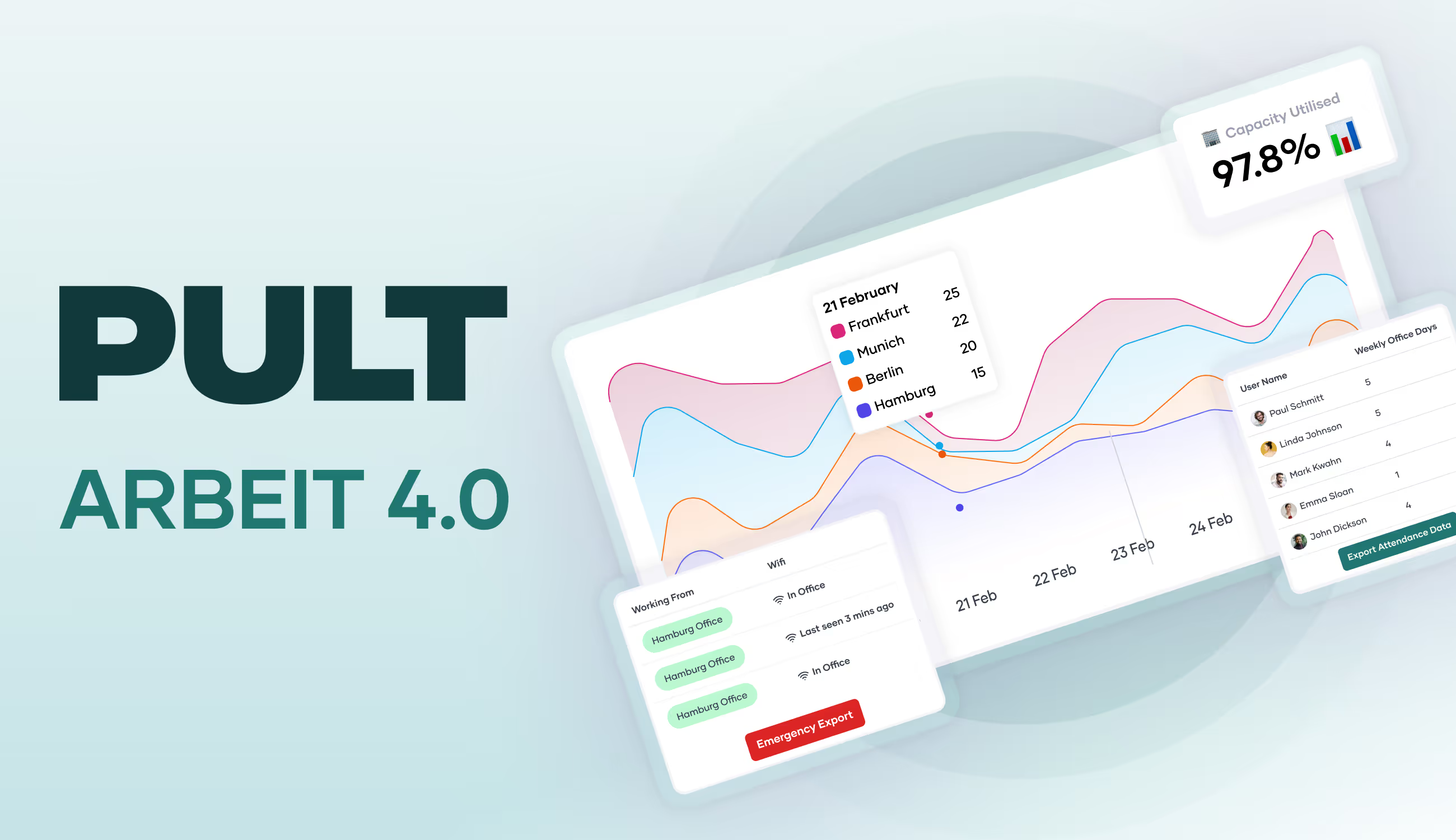
  • Emergency Export: At the push of a button, administrators generate a list of all persons actually present. Thanks to WiFi detection (PULT Presence), "no-shows" or spontaneous visitors are also precisely recorded.
  • Capacity control: The software automatically prevents overcrowding of zones. This way, fire safety regulations and escape route capacities are technically accounted for.
  • AI Health & Safety Agent: Our AI agent helps convert occupational safety regulations into tasks and pre-fill compliance documents for audits with real presence data.
  • Noise and acoustic management: Through clear zoning into quiet and team zones as well as the bookability of phone booths, acoustic stress is reduced.
  • Psychological relief: The guarantee of a firmly reserved workplace eliminates the stress of morning searching and ensures a calm start to the workday.
Tip: Learn more about automatic presence detection via WiFi at PULT Presence.

{{onpage-cta}}

Office Insights

Workplace Management | Workplace Organisation

Workplace management organises spaces, technology and processes so employees can work efficiently and feel motivated. This improves satisfaction, productivity and collaboration.

Understanding workplace management and implementing it correctly

Workplaces are changing due to new expectations in terms of collaboration, performance and work culture. Well thought-out workplace management is needed to ensure that offices, spaces and structures meet these requirements. In this article, you will find out what workplace management is all about, what challenges typically arise and how you can develop suitable solutions.

What is workplace management?

Workplace management describes the concept of organising and designing workplaces so that employees can work happily and efficiently.

Workplace management deals with the planning, organisation and optimisation of workplaces. However, it is also about processes on a daily basis as well as communication and the well-being of employees.

What is the purpose of workplace management?

The purpose of active workplace management is to design and organise workplaces and offices in such a way that employees can actually work there efficiently, healthily and with motivation on a daily basis. It therefore aims to improve the general quality of work, collaboration and utilisation of resources, both at an individual level and throughout the entire company. This involves systematically coordinating spaces, technology and organisation.

How does workplace management improve productivity?

Workplace management aims to create structures that have a positive impact on the flow of work:

  • clearly regulated responsibilities
  • well-coordinated space planning
  • a functioning technical infrastructure

This reduces idle time, duplication of work and interruptions to concentration in everyday working life.

How does workplace management contribute to employee satisfaction?

A well-organised working environment takes into account human needs such as retreats, comfortable furniture or family-friendly working models. People who feel comfortable are more motivated to work and are more likely to remain loyal to the company. Workplace management makes it possible to combine different requirements, for example from different generations or working styles, under one roof.

What role does workplace management play in space utilisation and cost control?

Targeted planning, for example when using desk sharing or repurposing space, allows space requirements to be adjusted without compromising on working comfort. Particularly in the case of hybrid working models, workplace management helps to avoid vacancies at workstations and thus utilise the available resources efficiently.

What are the basics of functioning workplace management?

Functioning workplace management is always based on a clear understanding of how people actually work and what they need to do so. It's about organising spaces, processes and equipment in such a way that everyday working life functions well. This also includes regularly checking whether something needs to be adapted, for example because the team has changed or new forms of work have been added.

Why is clear planning of space and workstations so important?

Good planning ensures that the available space is used sensibly and that nobody has to search or improvise. It also helps to anticipate days with high utilisation and either reduce this peak utilisation or deal with it skilfully.

Tip: Many companies use PULT Office Insights for their office analyses. This shows you the office utilisation over time and allows you to skilfully manage the available space. This means your employees can reliably find a free workstation even at peak times.

What role does technical equipment play in workplace management?

The right technology and reliable software ensure that your team can work and collaborate smoothly. The equipment includes a functioning and stable WLAN, suitable software, charging and presentation options, but also basics such as functioning monitors and headsets.

How do you implement workplace management correctly?

Active workplace management is primarily needed and used when a new workplace is planned or implemented, when better utilisation of space is desired or a switch to hybrid working is imminent. Even without these points, it should be regularly reviewed how workplaces can be further improved.

Procedure for new builds, relocation or completely new planning

  • Needs analysis: Who works how and where? Times, work locations, daily routines, role in the team, technology used, rooms, etc.
  • Create personas or utilisation scenarios: Visualise typical working methods and processes and check whether all colleagues are reflected in these personas.
  • Design space and utilisation concepts: Zones (quiet zone, zone for collaboration, break areas, ...), room types, occupancy and release for individual employees or specific teams.

Tip: In PULT, you can release or block meeting rooms, workstations or zones for specific employees and teams. This allows you to control utilisation in a targeted manner and enable those colleagues who really need it to use it.

Procedure for optimising existing office structures

  • Record the current situation: e.g. with occupancy data, usage observations or short interviews
  • Identify pain points: Where do work processes often get stuck? Which rooms are missing or inadequately equipped? Is certain technology missing?
  • Communicate the results: What did the evaluation reveal? What steps are now planned? What feedback is there on this planning?
  • Implement targeted measures: Conversion of rooms, better equipment, clear usage rules, offer booking options.

Procedure for the introduction or further development of hybrid working models (home office, mobile working)

  • Analyse working patterns: When are how many colleagues in the office?
  • Draw conclusions: How many workstations are actually needed?
  • Develop zone and booking concepts: Desk sharing, areas for quiet and concentrated work, zones for collaboration, break areas, meeting rooms, guest areas.
  • Create the technical basis: Comprehensive WLAN, equally equipped workstations with monitors and docking stations, access to systems even from home, personal devices such as mouse, keyboard and headset.

What problems arise if there is no good or active workplace management?

If no one really takes care of the design and organisation of workplaces, many things don't work as they should on a day-to-day basis: sometimes employees don't know where they are supposed to work (this applies to unorganised sharing models), there is a lack of suitable rooms and technical equipment is not always where it is needed. These are operational brakes and, in the long term, the atmosphere in the team and the quality of work suffers as a result.

How does a lack of workplace management affect collaboration?

Without a functioning workplace management system, colleagues don't always know who is working where and how certain processes are running or what their current status is. This makes coordination within the team more difficult and meetings take longer due to many queries and details.

What does a lack of workplace management mean for the well-being of employees?

Unsuitable furniture, permanently poor air quality or a lack of retreat areas and concentration zones can lead to physical complaints, stress and concentration problems. If employees feel that their needs are being ignored, their motivation will understandably drop. Poor workplace design has a direct impact on mood and commitment.

What economic disadvantages arise for companies without active workplace management?

Companies that are noticeably disorganised struggle with inefficient use of space, high staff turnover and rising sickness rates. At the same time, a workplace that is unattractive in this way can weaken the employer brand, as well-qualified specialists tend to opt for modern and better-organised companies. A lack of planning also makes companies less adaptable, for example in the event of growth or crises.

How do I involve my employees in workplace management?

The best way is to regularly invite them to contribute their experiences and ideas. People know best what works well in their day-to-day work and where things are going wrong. When they realise that their feedback is taken seriously, their identification with the company increases and the quality of the workplace gradually improves.

What formats are suitable for dialogue with employees?

These can be simple things such as short surveys, feedback rounds after team meetings or targeted workshops on specific topics, such as the design of new rooms. Many well-organised companies also use software that allows employees to submit suggestions or evaluate changes.

Tip: Use the Personal Insights tool in PULT to obtain meaningful feedback on the well-being and wishes of your employees using quick surveys.

How do I deal with very different needs in the team?

The working styles and expectations of individual employees can differ greatly, for example between introverted lone workers and highly communicative extroverts, or between colleagues who prefer to work from home and those who prefer to be on site. It is therefore worth consciously seeking out different perspectives and seeing where compromises are possible.

What does it take for employees to really want to get involved?

Feedback should not only be collected, but also visibly implemented. Those who share ideas also want to see that something has come of them or that the idea has at least been recognised and considered. So communicate: What wishes and ideas have been received? What will be changed? What is not (yet) feasible and why? If this feedback channel works, the willingness to participate again next time will increase.

What are the advantages of involving employees in workplace management?

When employees have a say, it creates a better workplace and a sense of co-determination and responsibility. People feel that they are taken seriously and become more actively involved. This has a positive effect on the quality of solutions and teamwork.

When your employees realise that their own opinion counts, they identify more strongly with the workplace. This helps you to keep good people in the company.

What advantages does this have for the quality of workplace design?

Employees experience the workplace on a daily basis and very closely. They see details that managers or external planners overlook. Their feedback leads to practical and realistic solutions. In this way, workplaces and offices are created that really suit the team and your way of working.

Software for workplace management

If you want to organise workplaces well, you need to be able to deal with different locations, floors, colleagues working from home or mobile work and constantly evolving requirements. Without software, this endeavour quickly reaches its limits.

PULT helps you to understand the working behaviour of your teams, record their moods and wishes and provide them with an easy-to-understand tool with which they can book their workspace with binding effect.

  • Record attendance and thus office utilisation. With PULT Presence, this can even be done automatically and without employee intervention.
  • Evaluation of office utilisation by office, floor and location
  • Desk booking with site plan, from smartphone, laptop, PC
  • Room reservation for meetings, workshops or focus work
  • Team find function to see who is in the office and when
  • Obtain feedback and employee sentiment.
  • Integration into existing tools such as Microsoft Teams or Slack

{{cta}}

Workplace management - frequently asked questions and answers

Hybrid Work

This is mobile working | For companies

Mobile working offers flexibility and improves productivity and work life balance. Teams can work effectively from home, in a café or even abroad with the right setup.

Mobile working: Definition, differences to home office and legal issues

58% of all German companies now allow mobile working, whether from the office, in the home office, on the road or even abroad. In this article, you will find out how mobile working works today in legal, technical and practical terms.

{{hint-box}}

What is mobile working?

Mobile working is the ability to perform work from any location, usually with the help of a laptop, smartphone and internet connection. Mobile working can completely or partially replace presence in the company.

In contrast to traditional office work, there is not necessarily a fixed workplace in the company. In hybrid models, several employees often share a desk in the office at different times, as they otherwise work remotely.

Tip: Find out how desk sharing works here.

As a rule, no specific work location is prescribed for mobile working. The only requirements are that there is a connection to the company, availability is ensured and the assigned tasks are completed.

What is the difference between home office and mobile working?

Mobile working is distinguished from the term home office in that home office generally refers to working from home. In fact, home office is a special case of teleworking.

In Germany, teleworking is formally defined (Section 2 (7) of the Workplace Ordinance) as a workstation permanently set up by the employer in the employee's private area. For this purpose, a fixed work location (usually the employee's own home) is contractually agreed and equipped with office furniture and technology by the employer.

Teleworking/home office is subject to the strict requirements of the Workplace Ordinance and occupational health and safety regulations; for example, ergonomic furniture must be provided and a risk assessment of the home workplace must be carried out.

Mobile working, on the other hand, is not regulated by the Workplace Ordinance. It mainly takes place outside fixed workspaces, in changing locations, and there is no legal definition for it.

In short: home office (teleworking) means working at a clearly defined location (the home office) with appropriate equipment provided by the employer, whereas mobile working offers a free choice of location.

Important: Even if no fixed office regulations apply to the workplace for mobile working, the general labour laws remain fully applicable. These include, for example, the Working Hours Act (ArbZG) with maximum working hours, rest breaks and the ban on working on Sundays. The Occupational Health and Safety Act also applies, i.e. the employer has a duty of care and must also protect the health of its employees during mobile working.

What legal regulations apply to mobile working?

There is currently no legal entitlement to mobile working (or home office) in Germany. This means that employees can express the wish to work from home or from other locations, but the employer decides voluntarily whether to allow this.

The employer may also informally reject a request for mobile working without giving reasons. In practice, however, many companies allow home office arrangements and mobile working in order to be more attractive to skilled workers and increase employee satisfaction.

Mobile working in the coalition agreement

In the coalition agreement of the last German government (20th legislative period, 2021-2025), it was agreed to introduce a "discussion entitlement" for mobile working. According to this, employees in suitable jobs should be entitled to negotiate home office/mobile working.

The employer would then only be allowed to refuse a request if there are operational reasons to the contrary and arbitrary refusals would be inadmissible. However, as of July 2025, there is still no specific law on this.

The following therefore still applies: Anything that is not regulated by a collective agreement, works agreement or employment contract remains a matter for negotiation between employer and employee. Employers are not obliged to allow their employees to work from home, nor can employees unilaterally insist on this. Conversely, the following also applies: employers cannot simply force their employees to work from home without a corresponding agreement. Both sides must agree.

What working hours apply to mobile working?

The statutory working hours must be observed for mobile working. The following applies:

  • A maximum of 8 hours per working day (up to 10 hours in exceptional cases)
  • At least 11 hours of rest between two working days
  • Overtime and work on Sundays and public holidays are only permitted within narrow limits
  • The employer may not demand constant availability outside of working hours

In practice, time recording in particular poses a challenge: Employers are obliged to provide a reliable system for recording working hours that also works for mobile working. As a rule, time recording software or trust-based working time with independent recording is used here. It is important that overtime and breaks are documented in a traceable manner, also for health and safety reasons.

Accident and insurance cover for mobile working

Since the Company Reform Act 2021, extended accident insurance cover has been in place for mobile working and working from home. Accidents at work in the home office or while travelling as part of mobile working are now insured in the same way as at work.

This means that if someone is injured while working at home or on the direct route to nursery school to drop off their child before starting work, statutory accident insurance covers them in the same way as if they were in the office.

However, purely private activities during working hours (e.g. an accident while cleaning during a break) are not covered. Overall, the new regulation has significantly improved cover for working from home.

Occupational health and safety for mobile working

The health and safety regulations also apply at home and at other workplaces. Although the Workplace Ordinance does not apply to mobile working, employers must assess hazards and instruct their employees on ergonomic and healthy working practices, even when working from home.

In fact, this is often done by means of questionnaires and voluntary commitments by employees, as employers are not allowed to inspect private homes without further ado and this would not be practical.

Who is responsible for data protection when working remotely?

Employers remain responsible for data protection and IT security in the case of mobile working. Companies must therefore ensure that no unauthorised third parties can access company data when working remotely.

This is achieved by using secure passwords, encrypted connections (VPN) and devices with fingerprint sensors or facial recognition. Employees must be trained accordingly, as the daily responsibility for compliance with data protection lies with the employees.

What applies to mobile working in the public sector?

There are special regulations in favour of mobile working in the public sector. According to § 16 para. 1 sentence 2 of the Federal Equal Opportunities Act (BGleiG), departments must enable employees with family or caring responsibilities to work from home, insofar as this is possible for official reasons.

This means that civil servants and employees in the public sector who are caring for children or relatives, for example, have a preferential right to home office/mobile working, provided there are no compelling official reasons not to do so.

In general, many public authorities are catching up on this topic: Numerous service agreements in federal and state authorities now regulate home office options. For example, some authorities allow mobile working for up to 4 days a week as long as the work processes allow it (there are differences depending on the authority).

What equipment do you need for mobile working?

The basic requirement for mobile working is a functioning mobile office, which usually consists of a laptop/computer, internet access and telephone (or smartphone). Headsets and possibly a portable WLAN router are also used, depending on where you are working from.

Who provides the equipment for mobile working?

Employers are generally responsible for providing the necessary work equipment. In traditional home office agreements, many companies therefore equip their employees with a laptop, screen, keyboard/mouse and sometimes an office chair. In the case of mobile working, the employer should at least provide the IT equipment or make financial contributions.

Some companies rely on the "Bring Your Own Device (BYOD)" principle, where employees use their private devices. However, appropriate compensation is required here (e.g. reimbursement of costs) and special security precautions must be taken (e.g. separate business profiles on the private device) so that data protection and company data remain protected.

Internet connection and software access

A fast and stable internet connection is one of the most important prerequisites for mobile working in order to be able to reliably handle video calls and cloud access to data and software.

Many employers support their employees here, for example by covering part of the internet costs or providing company data cards. There are no standardised legal regulations on this, so it is advisable to set out such issues in a company or remote working agreement.

On the software side, mobile employees should have access to all important applications. Cloud services and software for communication and collaboration (e.g. Teams, Slack, VPN access to the company network) are typical tools for working together from anywhere.

Tip: To ensure that those returning to the office from mobile working can reliably find a free desk, they should book this in advance using software.

Does the home office flat rate also apply to mobile working?

The home office allowance only applies to days on which you have worked predominantly in your home, i.e. for real home office days.

  • Since the 2023 tax year, you can claim €6 per day, up to a maximum of 210 days per year (max. €1,260), for tax purposes - if you mainly work from home.
  • The lump sum only applies to days on which the business activity is predominantly carried out in the home office, not if you are mainly travelling.
  • This is not deductible: Days on which you work on the road (e.g. in a café, customer visits, mobile work without a home office) do not count towards the home office allowance and are therefore not tax deductible.

Mobile working abroad and workation

A special case of mobile working is working from abroad, either for a longer period of time or as part of a so-called workation. Workation is made up of work and vacation. This means that employees work temporarily from a holiday location or from abroad without taking holiday days.

Example of mobile working abroad:
An employee spends two weeks on holiday in Mallorca and then stays on site for another week to continue working normally from there before returning.

What is the maximum number of days German employees are allowed to work abroad on a mobile basis?

For tax purposes, there is a clearly defined limit for mobile working abroad: anyone who spends more than 183 days within a given year in another country and works there may be liable to pay tax there under the relevant double taxation agreement. This limit is internationally recognised and represents a legally binding threshold.

Caution is also required with regard to social security: The so-called A1 certificate applies within the EU. It ensures that employees remain in the German social security system during a temporary posting (maximum 24 months). Employers must apply for this certificate and ensure compliance.

National regulations also apply outside the EU: Among other things, work visas or residence permits may be required here if employees want to work locally for a longer period of time. Many companies therefore limit workation periods to a maximum of 30 to 90 days per year in order to avoid tax, labour law and insurance problems as far as possible.

In which industries and professions does mobile working occur?

Mobile working is particularly common in professions in which work can be organised in a knowledge-based, digital or location-independent manner. Typical sectors for mobile working:

  • IT and software development
  • Media, graphics and design
  • Marketing and communication
  • Advice and consulting
  • Finance and banking sector
  • Administrative office work
  • Research and education (e.g. e-learning, universities)
  • Customer service (e.g. via chat, email, telephone)
  • Sales and field service

These areas often only require a computer with an internet connection, which is why the place of work is of secondary importance.

Conclusion: Using mobile working correctly

Mobile working has developed from an exception to an integral part of modern work. It offers enormous advantages for employees: they can choose and organise their own working hours and location, achieve a better work-life balance and save time and commuting costs.

The advantages are higher productivity and satisfaction when employees can work at times and places of their own choosing. At the same time, however, mobile working also requires a great deal of self-discipline and demarcation in order to avoid slipping into permanent work or being distracted at home.

There are also opportunities for employers: motivated, well-balanced employees, less absenteeism due to commuting stress and savings on office space. Companies can also access a larger talent pool if they offer location-independent working, and skilled workers from more distant regions in particular can be considered as employees.

Companies can now use software to make the coordination of mobile working easier. This makes it possible to see which colleague is working from where. As mobile working and working from home reduce the workload in the office, the figures for office utilisation are also coming under scrutiny: if people are increasingly working from home, will significantly fewer desks be needed in the office?

With PULT, you gain insights into your office utilisation and team behaviour. The software records exactly how much the office is used and how many workstations you need to keep available at peak times. Your employees don't even have to log in: All they need to do is connect one of their devices to the company WLAN. You can find out more about this in PULT Presence.

{{cta}}

Mobile working - frequently asked questions and answers

Office Insights

Clean Desk: Order, data protection & well-being

A tidy desk means a clearer mind, better focus, and safer data. With simple routines and smart storage, you can boost productivity and make desk sharing effortless. Discover the benefits in our guide!

Clean desk in the office: definition, advantages and implementation

Nobody likes to sit down at a desk with coffee stains from the previous person. And no customer should see a printout with internal figures lying on a table during their visit. Both can be avoided with the clean desk principle. In this article, you will find out what Clean Desk means, what advantages it offers and why it is finding its way into many companies.

What does the clean desk principle mean?

The clean desk principle, also often referred to as the "white desk principle", emphasises a tidy, almost empty desk without unnecessary documents or personal items.

Essentially, the idea is that every employee leaves their desk empty, organised and therefore safe at the end of the day. This principle is borrowed from the Japanese 5S method for workplace organisation. According to this method, a tidy desk minimises distractions and therefore makes it easier to concentrate. The principle is backed up by studies that show that a tidy environment actually has a positive effect on productivity.

Data protection also plays a key role in Clean Desk: by regularly tidying up, confidential documents are not left out in the open, which helps to comply with GDPR regulations. Although the clean desk principle itself is not a legal requirement, those who follow this method fulfil the data protection requirements.

Clean Desk Policy: guidelines within the company

A clean desk policy is an internal company guideline that obliges employees to leave their workplace clean, tidy and free of confidential information at the end of the working day. The policy creates clear rules for tidiness, data protection and security, which is particularly relevant in open office concepts and desk sharing.

In security-critical industries (such as banking, insurance and healthcare), the implementation of a clean desk policy is often even a contractual requirement. Although neither the GDPR nor other laws explicitly require a clean desk policy, it supports compliance with data protection standards and ISO 27001 on information security. Last but not least, such a policy raises staff awareness of security and order in the workplace.

What should be included in a clean desk policy?

Specifically, the clean desk policy stipulates that all confidential papers must be locked away at the end of the working day, all digital devices must be logged off and all personal items must be stowed away. This ensures that no unauthorised person gains access to important documents. A good policy should include the following points:Objective and scope: to whom do the rules apply, in which areas?

  • Storage obligations: What needs to be locked away daily (e.g. files, notes)?
  • Digital security: Log off devices, activate screen locks.
  • Private items: Personal items must be removed after work and stored safely.
  • Hygiene and cleanliness: Free and clean surfaces.
  • Responsibilities: Who controls, who supports?
  • Dealing with violations: (Optional) Information on consequences in the event of repeated non-compliance.

How do you introduce a clean desk policy?

  • Prepare employees for it: In workshops and feedback sessions so that participation is possible and the rules are clear to everyone.
  • Formulate in a practical way: Clear instructions in a manageable number. The policy should fit on one A4 page.
  • Communication: The Clean Desk Policy should be displayed several times in the office
  • Start gently: A transition phase with friendly reminders is better than immediate strict control. Employees need time to internalise the requirements.

After-work check: the clean desk at the end of the working day

To implement the clean desk principle in everyday life, it is advisable to have a fixed tidying routine at the end of the working day. Employees should carry out the following steps before leaving the office:

  1. Secure documents: Remove all confidential documents from the desk and store them in lockable cabinets or drawers. Nothing containing personal or customer data should be left lying around.
  2. Lock computers and technology: Close all applications on the PC and shut down or lock the computer so that a login is required. Otherwise, disconnect the laptop and take it with you or lock it up.
  3. Tidy away work utensils: Tidy away office materials (pens, notebooks, business cards, USB sticks, etc.) so that the desk surface is clear. Nothing should be flying around.
  4. Take personal items with you: Remove personal items such as photos, notes, mugs or decorations from the workplace. Personal items belong in the locker or are taken home.
  5. Ensure cleanliness: Take away plates and coffee cups. If necessary, briefly wipe the table surface so that no crumbs or stains remain.
  6. Clear whiteboards and blackboards: If whiteboards, pinboards or flipcharts have been used in the office, make sure that no notes are left on them.

This closing routine ensures that everyone has a tidy desk the next morning. Some companies work with checklists or reminders to make tidying up in the evening a habit. It is important that the routine is shared by everyone. Visual reminders (e.g. notice posters) also help to raise awareness of the clean desk.

Advantages of the clean desk principle

A consistently implemented clean desk offers numerous advantages for both employers and employees:

  • Ability to concentrate: a tidy desk reduces visual distractions. Employees can concentrate better as they only have what they need in front of them. Important documents are immediately to hand without having to search through piles of paper.
  • Time savings through organisation: A standardised filing system or digital working means that time-consuming rummaging for documents is a thing of the past. Routine processes are faster if the workplace is organised in a standardised way.
  • Self-organisation: The Clean Desk method works towards a structured way of working. Employees develop habits of tidiness and improve their self-organisation.
  • Data protection, security: A huge advantage is the higher level of data security. Files lying around are always a security risk. However, if they are consistently locked away, the risk of data protection breaches is significantly reduced. This is particularly important in open-plan offices with public traffic.
  • Impression on the customer: A tidy workplace radiates professionalism and seriousness. No customer wants to conduct important business in an office with a mess of paper. In addition, a consistently clean counter or desk leaves a consistently good impression, regardless of which employee is currently working there.
  • Teamwork: Clean Desk creates the basis for working models in which employees take turns using the available workstations, also depending on the day's work (desk sharing). If everyone works according to the same organisation system, each workstation can be used by different people.

Disadvantages and challenges of Clean Desk

The clean desk principle has many advantages, especially under modern working models such as desk sharing. Nevertheless, there are occasional concerns in everyday working life. The good news is that there are pragmatic solutions for each of these issues.

Desire for individuality:
An empty desk does not mean that there is no room for personal items. Lockers or mobile pedestals allow employees to safely store family photos, notes or their favourite mug and still have them to hand at all times. It is quick and easy to place a few favourite items on the desk when starting work.

Creativity needs space:
Especially in creative professions, there may still be work-in-progress zones, with whiteboards, printouts, visuals, material samples, prototypes, etc. These zones can then only be shared with the employees involved. In this way, spontaneously generated ideas remain visible without abandoning the principle of order or undermining data protection.

Everyday effort:
Employees sometimes complain about the increased effort involved in having to return the desk to its original state every day at the end of work. However, a structured end-of-work check takes barely a few minutes. With fixed routines and visual reminders, daily tidying up soon becomes a matter of course.

Worry about control:
Clean Desk does not work through strict monitoring, but through trust, good communication and leading by example by managers. If the "why" is clear, motivation comes naturally.

Conclusion: Clean Desk and the associated policy are not a restriction, but an asset if both are well thought out and implemented in a human way.

Clean desk policy for desk sharing

The working model of many employees now consists of home office and office days, which makes the clean desk principle even more important. Desk sharing and hot desking, i.e. the sharing of workstations, are hardly conceivable without a clean desk.

With these sharing models, the number of available desks is reduced as the previously assigned desks are no longer utilised due to the proportion of people working from home. Based on the attendance figures, the appropriate number of desks is allocated and shared on a rotating basis.

So if employees use a different desk every day, everyone has to leave the desk as they found it: clean and free of personal items so that the next person can use it immediately. The white desk principle is one of the golden rules of desk sharing.

Tips for striking a balance between tidiness and well-being under Clean Desk

How can the clean desk principle be implemented without affecting employee motivation? By offering personal storage solutions, communicating tidiness in a positive way, actively involving employees and setting clear standards that are suitable for everyday use.

Offer personal storage space: Employers should create alternatives so that private items don't get lost. The provision of lockers or mobile roller containers for each team member has become established. Personal items, documents or a favourite coffee cup can be safely stored there overnight.

Involve employees: The introduction of a clean desk policy should not be done top-down. It is better to involve the workforce, for example through workshops or team meetings in which the new rules are discussed. Employees know their day-to-day work best and can provide valuable information on where the concept should be adapted.

Leave room for creative chaos: Completely sterile desks are not productive in every case. It can be helpful to define zones or times where controlled chaos is okay, such as a whiteboard area where brainstorm-like notes can be posted, or project islands that are allowed to show "work in progress" during intensive phases.

Furniture and equipment for the clean desk

The right office equipment makes it much easier for the team to comply with the Clean Desk Policy. The following furniture, tools and structures support the principle:

  • Standardised workstations: Equipping all workstations in the same way facilitates desk sharing and also the clean desk. If every desk has the same technical infrastructure (monitors, docking station, light, WLAN reception), there are no favourite workstations and no loyalty to them. Standardised ergonomics (height-adjustable desks, adjustable chairs) ensure that the change of workstation really does work smoothly.
  • Digital tools: The switch to paperless working supports the clean desk enormously. Document management systems and digital filing systems replace the piles of paper and files on the desk. Employees should be encouraged to save information electronically instead of as printouts. Project management tools and to-do apps also help to reduce post-its and sticky notes. At the same time, sufficient IT infrastructure should be available (e.g. two monitors per workstation) so that digital documents can be used conveniently.
  • Aids for daily organisation: Labeled storage compartments, letter trays and pen holders ensure that things have a fixed place even when used daily. Cable management (cable ducts, wireless devices) keeps the appearance tidy. Visual reminders are also useful: for example, "Clean Desk" signs can be hung at the exit or on the office door.
  • Cleaning and safety concept: An often overlooked aspect: the employer is obliged to ensure adequate cleaning and hygiene. A professional office cleaning service that regularly wipes and disinfects desks complements the efforts of employees. Clean work surfaces are more conducive to keeping them tidy. Security measures should also be considered: e.g. locking systems for mobile pedestals, access authorisations for cabinets or automatic screen locks that take effect after a few minutes of inactivity.

Tip: A way of reserving workstations that is suitable for day-to-day use ensures that the interaction is organised and fair. As soon as employees realise that they can reliably access the desired workstations with the help of booking software, there is less emotional attachment to a particular workstation.

In the PULT booking software, all workstations are available to your teams and can be booked on a binding basis. With PULT, every employee can be sure that they will actually find the desired seat free after travelling to work. The most important functions at a glance:

  • Desk booking with site plan, from smartphone, laptop, PC
  • Filter by equipment
  • Room reservation for meetings, workshops or focus work
  • Visitor management incl. check-in and attendance overview
  • Team find function to see who is in the office and when
  • Analyses on the use of space and workstations
  • Zero-click check-in via PULT Presence
  • Integration into existing tools such as Microsoft Teams or Slack

{{cta}}

Clean Desk - Frequently asked questions and answers

Office Insights

Modern office concepts: How to design your office

Future-proof offices: data-driven design, sustainable materials & neuroarchitecture create spaces that boost wellbeing and productivity.

Modern office concepts: Possibilities and a guide to implementation

If you want to redesign your office or come up with a new, modern office concept, the possibilities are endless. In this article, you'll find out how to find an office concept that will increase the well-being and performance of your employees.

Why are modern office concepts important?

Within a modern office concept, you use data to plan space and its utilisation more intelligently. The concepts take the issue of sustainability into account during the planning stage and develop new types of space that adapt to everyday working life in the company.

Data utilisation in modern office concepts

Many offices today are still rigidly planned; desks, furniture and cabinets are permanently installed. However, utilisation often changes faster than the floor plans allow. With sensors, you can see this in black and white: Which rooms are occupied and how often? Where is concentrated work taking place, where is collaborative work?

Siemens has shown the way. At its Munich site, the company uses occupancy sensors (= presence sensors) to measure how the spaces are actually used. The result: fewer unused spaces and more room for dialogue. Office space was reduced by 30 per cent, while collaboration increased by 20 per cent.

The data from such presence sensors can also be used to control the air conditioning and heating system. This in turn can be linked to ventilation systems that use room air sensors to provide fresh air. The sensor data helps to ensure a very pleasant atmosphere during use and to save energy and operating costs when the building is not in use.

The analysts at Roots Analysis BUSINESS RESEARCH & CONSULTING predict steady growth in the sensor market. This is expected to grow to just under 10 billion US dollars by 2035.

Expected tripling of the market for presence sensors from 2025 (around 3 billion dollars) to well over 9 billion in 2035 Roots Analysis

Sustainability in modern office concepts

Sustainability in the office starts with the choice of materials, deconstructability and the expected life cycles of the interior.

The German Sustainable Building Council (DGNB) has developed its own circularity score that evaluates precisely this: How much of an office can be reused, recycled or modularly adapted? If you do this cleverly, you not only save CO₂, but also money.

Furniture manufacturer Ahrend is a good example of this. There, furniture is taken back, reworked and reused. According to the company, this saves up to 54 kilograms of CO₂ per workplace per year.

FAAS protects Ahrend's future material supply chain and offers customers more flexibility." Ellen Macarthur Foundation

Two office types that are gaining ground in modern office concepts

We are currently seeing two basic ideas of how modern offices are being built:

1. the clubhouse office:

  • Fewer workstations, but more quality of stay
  • Lounge areas, break zones, open spaces, lots of wood and plants
  • The idea: People who come to the office should feel welcome and want to stay.
Clubhouse office dedicated to cosiness. inspire.modh

2. the Corporate Campus:

  • Large, modular offices that are constantly evolving.

Steelcase's LINC Campus in Munich shows what this can look like. Here, things are regularly measured, adapted and remodelled:

Steelcase.com

Both approaches are justified. Which one suits you best depends on your corporate culture and processes. The important thing is that the office must make work easier and do justice to human nature.

Guide: How to develop a modern office concept, step by step

Many companies only start with the office concept once a move or refurbishment has already been finalised. However, it is always worth taking a much earlier and systematic approach to creating an office concept. Here are four steps to help you set up your office for the future.

1. analyse existing space

Before you start brainstorming, take a look at how your office is currently being used. Are there any space bottlenecks? Vacancies? Overbookings? In particular, record the utilisation of the office.

Tip: In PULT Presence, you can precisely record employee attendance and therefore office utilisation without your team having to do anything.

2. involve employees

A modern office is not (only) created in the planning software. Get feedback from the workforce at a very early stage, for example via short surveys or workshops. Providers such as Leesman offer good benchmarks to make the user experience in the office tangible.

The better you understand how your teams work and what they want, the better you can set the cornerstones for the new and modern office concept.

3. think about sustainability

Use the refurbishment or redesign to introduce circular principles: modular furniture, recyclable materials, a predictable life cycle. The DGNB criteria can help as a framework.

4. think spaces as a system

Modern offices are constantly evolving. So don't think of your concept as a "finished plan", but as a starting point. Start with a pilot, measure utilisation and adjust at intervals.

Key figures for modern office concepts

As soon as you are planning a modern office concept, you will not only need inspiration for the redesign, but above all a reliable data basis. After all, the wishes and perceptions of your employees are one thing, but their actual behaviour is sometimes something else.

These values help you to assess the current situation and to evaluate the development and changes based on figures at a later date:

  • Space utilisation (%): How often are workstations or meeting rooms actually used?
  • Ratio of concentration areas to areas for collaboration: Do supply and demand match?
  • eNPS (Employee Net Promoter Score): Would employees recommend the office to others?
  • Booking rate per room type: Which zones are popular, which are not?
  • Proportion of voluntary office use: How often do employees come to the office without being required to do so?

Tip: During the ongoing operation of your new office, you can analyse the usage data in suitable software and identify which areas and workstations are actually used frequently over time.

From this, you can deduce what works well and what is needed more. You can compare the collected data with the opinion of the workforce again and again in order to draw conclusions for further development.

Integrating neuroarchitecture & well-being into the modern office concept

Our brain constantly reacts to its surroundings, even in the office. Light, sense of space, sounds and materials have a direct effect on attention, mood and social openness. If you utilise these mechanisms in a targeted way, you can make a big impact with small design decisions

Neuroarchitecture in the office

Emotions & stress levels
Rooms with natural light, suitable acoustics and visual clarity have a direct effect on the limbic system, i.e. the human emotional centre. Studies show: When light, plants and calming materials harmonise, cortisol (stress hormone) drops and mood remains stable.

Gardenonthewall.com

Increase cognitive performance
Offices with natural elements, i.e. plants, daylight and bioforms, improve working memory and concentration. In experiments on neuroarchitecture, performance increased by around 15 % in test subjects who worked in environments with green spaces.

More mental safety & creativity
The research shows: Employees' brainwaves synchronise more when they work together in person as opposed to virtually. An open, pleasant environment strengthens mental safety.

Design principles of neuroarchitecture in the modern office concept

Element: Daylight
Effect on the brain: Regulates biorhythm, reduces stress
Solution idea for your office: Large windows, light guidance, switchable blinds

Element: Plants / biophilia
Effect on the brain: Strengthening emotional stability, better sleep quality
Solution idea for your office: Green walls, plants in zones, images of nature

Element: Acoustics
Effect on the brain: Quiet increases focus; noise leads to errors
Solution idea for your office: Acoustic ceilings, reflective surfaces, quiet areas

Element: Room proportions & clarity
Effect on the brain: Avoids excessive demands or constriction in the brain
Solution idea for your office: Clear room structure, clarity, zoning

Selected studies & findings on neuroarchitecture in the office

  • VR & EEG study (2023/2024): Different lighting measurably influences the activation of certain EEG bands for concentration/relaxation. Conclusion: Not only the amount of light, but also the light spectrum is important.
  • ComFeel study (2021): Improvements to room comfort (light/air/gas quality) reduce errors by 25 % and increase the feeling of productivity by 35 %.
  • Acoustic analysis: As many simultaneous conversations have an irritating effect, consciously reducing noise has a direct impact on comfort and is therefore a clear design argument. thenbs.com, hsmsearch.com

Implementing neuroarchitecture in your office concept

  1. Create zones with focus & clarity
    Provide quiet and cosy niches with daylight and plants and separate areas for collaboration and discussions.
  2. Use natural materials
    Wood, stone, visible structure: "tangible" with the eyes and mentally relieving.
  3. Consciously design acoustics
    Use sound-absorbing materials and furnishings, keep sources of noise away from the work area, switch off electrical devices with constant humming noises or high-frequency noise emissions.
  4. Diverse lighting design
    Optimise the office for daylight, if possible with windows, otherwise with daylight lamps, supported by artificial light with a changing spectrum (light temperature in Kelvin).
  5. Evaluate feedback
    Measure via EEG/survey/feedback rounds, what works well, but what is missing? Check continuously.

Modern office concepts are a response to a way of working that has changed fundamentally.

Conclusion: Modern office concepts in 2025

The following questions arise for modern office concepts: How do we design spaces that people like to use naturally? How does the office and its furnishings support employees' work? And how can health, well-being and corporate culture be considered together?

The answers lie in the combination of:

  • Data: showing which spaces and workplaces are really needed.
  • Different types of space: The right mix of focus and exchange.
  • Circular thinking: Planning for sustainability from the outset.
  • Neuroarchitecture: Designing spaces that are good for people.

Those who plan modern office concepts think in terms of functions, behaviour and impact rather than furniture or colours. A good office can then make a tangible contribution to how well we work together.

Your first step on the way to a modern office concept: measure the current utilisation of your office and find out what the actual ratio between presence and home office is.

In PULT Presence, the presence of employees is recorded as soon as one of their devices (laptop, smartphone) connects to your company WLAN. You can use your existing network structure for this, without any changes. Your employees also do not have to take any action and the recording is GDPR-compliant, as no conclusions can be drawn about the behaviour of individual employees.

{{cta}}

Modern office concepts - frequently asked questions and answers