Practical guides for office managers building better hybrid workplaces. Learn how to optimize space utilization, automate operations, and support distributed teams.
Oops! Something went wrong while submitting the form.
Visitor Management
Visitor Management System: What It Is and How It Works
A visitor management system replaces the paper sign-in sheet with a digital process that screens, logs, and tracks every guest who enters your office. It captures who's on-site, notifies the host, and creates a searchable record for security and compliance reviews. For growing offices, this single change closes a security gap most reception desks still carry today.
A visitor management system digitizes guest check-in, replacing paper logs with pre-registration, badge printing, host notifications, and a searchable visitor record.
✓
Visitor management software reduces front-desk workload while creating the audit trail organizations need for security screening and regulatory compliance.
✓
A standalone visitor tracking system solves check-in but leaves desk booking, room booking, and office data in separate tools, creating gaps in a company's overall presence picture.
✓
PULT combines visitor management with real-time presence, desk and room booking, and emergency response in one platform, so security teams see who's on-site, employees and visitors alike, from a single source of data.
What Is a Visitor Management System?
A visitor management system is software that replaces the manual guest sign-in process with a digital, trackable one. It records a visitor's details, their arrival and departure, and notifies the employee they're there to see, all without a paper logbook at the front desk.
Companies adopt one for three reasons: security, compliance with regulations like GDPR, and a faster, more professional check-in experience for guests.
Standalone check-in tools handle the front desk in isolation. Platform-based visitor management, like PULT's, feeds that same data into a company's broader presence and office management system, so security teams see visitors and employees in one place.
What Does a Visitor Management System Do?
A visitor management system replaces manual sign-in with a digital workflow that handles the entire guest experience, from pre-registration to check-out. It records a visitor's details, notifies the right host, can issue a badge, and stores visits in a searchable log. Visitor management software runs this process on a tablet, kiosk, or mobile phone instead of a clipboard.
Core Features of a Modern Visitor Management System
✓
Pre-registration and invites: hosts send a visitor a link before arrival, with the visit details and parking or building information included.
✓
Self-service check-in: guests confirm their name, host, and purpose at a kiosk or tablet in under a minute.
✓
Optional ID and watchlist screening: depending on the platform, the system can check visitor IDs or flag names against a security or denied-entry list before a badge is issued.
✓
Badge printing and QR codes: guests can receive a visible, time-stamped credential that identifies them for that day's visit.
✓
Host notifications: the employee being visited gets an instant alert by email, Slack, or Teams, with the guest's details and, if enabled, a photo.
✓
NDA and agreement signing: legal documents are signed digitally during check-in, with a copy stored automatically for compliance records.
✓
Visitor logs and reporting: every visit is timestamped, searchable, and exportable, so front-desk trends are easy to review monthly.
✓
Emergency roll-call export: the current visitor list can be pulled during an evacuation, showing who is recorded as still in the building.
Visitor Management Software vs. a Paper Logbook
Criterion
Paper Logbook
Visitor Management Software
Data accuracy
Illegible entries, missing fields
Structured, mandatory fields
Security screening
None
Watchlist and ID checks
Emergency roll call
Manual count from paper
Instant, exportable list
Compliance records
Hard to search or retire
Searchable, with retention rules
How Does the Visitor Journey Work, From Invite to Check-Out?
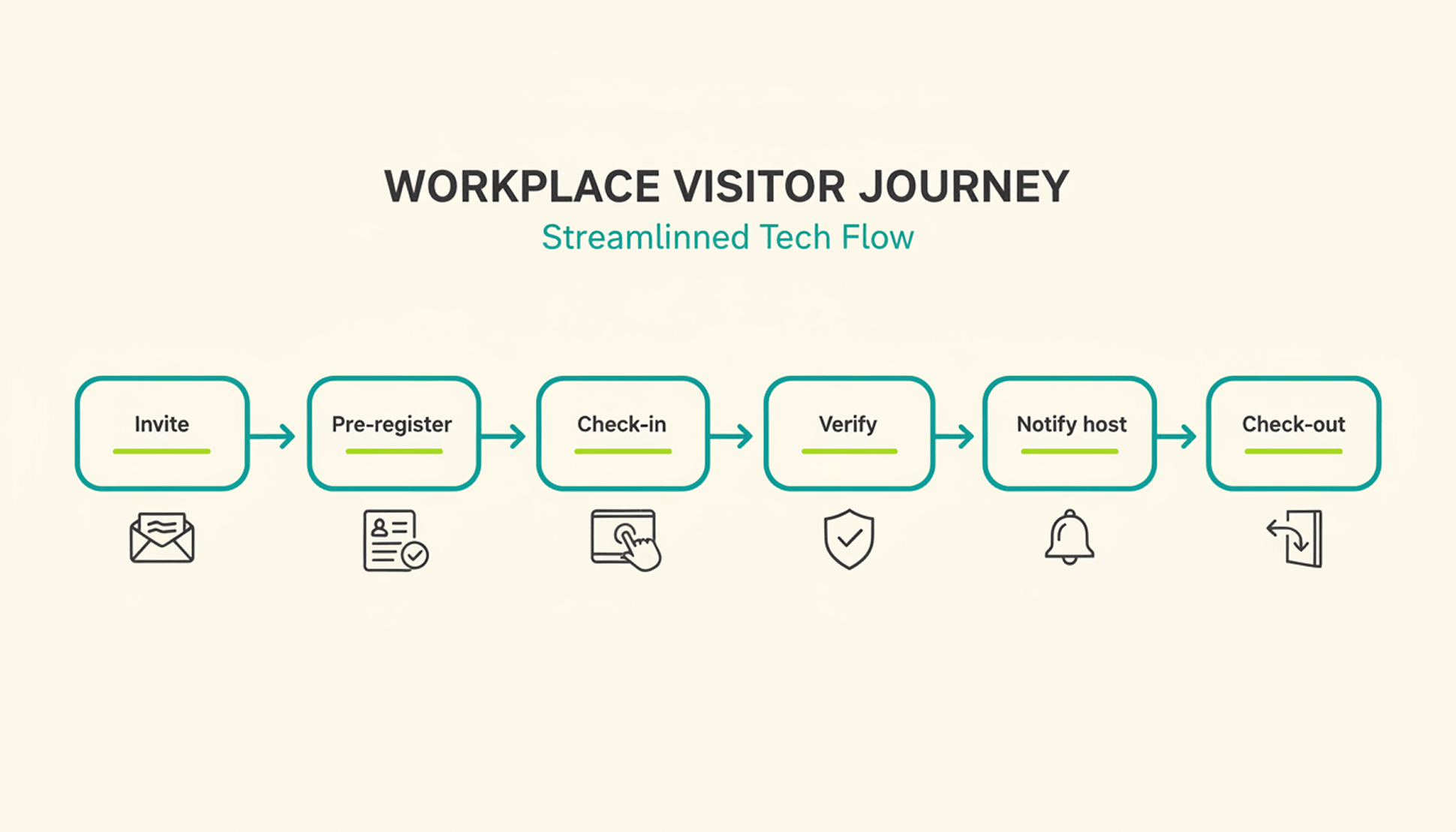
A typical visit runs through six steps. The host sends an invite, the visitor pre-registers, the visitor confirms their details on arrival, a badge can be issued, the host gets notified, and the system records check-out when the visitor leaves or at a configured time.
1
Pre-registration: the host schedules the visit and sends a link with arrival details, parking instructions, and building access notes.
2
Arrival and check-in: the visitor confirms their details at a kiosk or on a tablet or their own phone, usually in under a minute.
3
Optional identity and watchlist verification: depending on the platform and configuration, additional ID or security-list checks can be performed before building access is granted.
4
Badge issuance: a printed or digital badge identifies the visitor for the building and can be limited to that day's visit.
5
Host notification: the employee being visited receives an instant alert to come to reception, with the visitor's name and, if enabled, photo.
6
Check-out and logging: the visitor checks out on departure, or the system can close the visit automatically at a configured time, keeping the record administratively up to date.
What Are the Benefits of a Visitor Management System for the Office?
The clearest benefit is a complete, searchable record of who was on-site and when, something a paper log or verbal check-in can't provide.
Security and Compliance Benefits
A visitor management system can screen guests against a watchlist before they reach the office floor, depending on the platform and configuration. It can keep a timestamped log of visits for security and compliance reviews. Under GDPR, visitor data counts as personal data, so it needs a lawful basis for collection, an appropriate retention period or criteria for determining it, and safeguards against unauthorized access. A digital system can support these controls directly in the check-in process, reducing reliance on manual steps.
Visitor accountability also matters during an emergency. OSHA guidance notes that visitors need to be accounted for after an evacuation, and many employers use the sign-in list to run that headcount. A missing name on that list can delay an all-clear by several minutes, minutes that matter during a real evacuation.
Because PULT Presence tracks employees and visitors in one live view, a facilities team can pull an accurate roll call the moment an alarm sounds, not after searching through a paper binder.
Front-Desk Efficiency and Visitor Experience Benefits
Automated check-in cuts the time your team spends on manual sign-in, badge writing, and phone calls to announce a guest. A receptionist freed from clipboard duty can focus on greeting visitors and other front-desk work. Visitors move through reception faster, often in under a minute, and the first impression of your office improves the moment someone walks in the door. For client meetings or investor visits, that faster, more polished check-in becomes part of how your company presents itself.
How Do You Choose the Right Visitor Management Solution?
The right visitor management solution depends less on feature count and more on how well it fits your existing security setup, office size, and tool stack. A system built for a five-person startup office looks very different from one built for a 500-person campus with multiple buildings and a dedicated security team.
Calendar, HR, and communication tools your team already uses
Security and compliance
Data retention controls, audit logs, GDPR-aligned handling
Scalability
Pricing and setup across multiple locations
Price
Per-location vs. per-user pricing models
Ease of use
Kiosk setup time and how quickly staff can learn the system
Is a Standalone Visitor Management Platform Enough for a Modern Office?
A standalone visitor management platform solves the front-desk problem, but most offices also run desk booking, room booking, and parking through separate tools. Connecting these systems into one platform gives security and facilities teams a single, live view of who is on-site, employees and visitors together.
That connection matters most during a security incident or an office move, when facilities teams need one current view of occupancy rather than four separate logins to check. PULT pairs visitor management with desk booking software, room booking, and presence data, so a single dashboard shows recorded on-site employees and visitors. Office managers evaluating a broader workplace management software setup typically start here, since visitor data becomes far more useful once it's connected to the rest of the office.
{{onpage-cta}}
Turn Visitor Check-In Into a Security Advantage
A visitor management system turns a vulnerable front desk into a controlled entry point, giving you a searchable record of who checked in and when. The real payoff comes when it connects to the rest of your office, from desk booking to real-time presence data, giving you one live picture of recorded on-site users. For growing offices, that visibility is worth seeing in action.
✓
Visitor check-in, desk booking, room booking, and presence data live in one platform, so you manage all of it from a single login.
✓
A real-time view shows who is on-site, employees and visitors together, for faster emergency roll calls.
✓
Every visit is recorded in a searchable log, with records available for security and compliance reviews.
✓
Microsoft Teams and Slack support visitor notifications, while Personio and HiBob connect employee data through built-in integrations.
{{onpage-cta-2}}
Office Insights
Toxic workplace: examples, test, and first steps for those affected
A toxic workplace causes lasting stress and has a negative impact on work performance and personal health. A toxic environment can be recognized, and there are ways out.
Toxic workplace: The most important facts in brief
A workplace is considered toxic when negative behavior patterns persist and do not improve despite warnings.
Typical characteristics of a toxic workplace include micromanagement, derogatory communication, withholding of information, overload, unequal treatment, and fear of repercussions.
The consequences of a toxic workplace include declining performance, ongoing stress, and long-term health risks.
Important countermeasures include documenting toxic situations in writing, setting boundaries, documentation, communication within the team, and, if necessary, involving the human resources department or works council.
Termination is appropriate when boundaries are consistently crossed and change is not achievable.
For a fresh start, platforms such as LinkedIn, Indeed, and local job portals offer a good overview of suitable positions.
Objective reviews on kununu or Glassdoor can warn others without incurring legal risks.
What is a toxic workplace?
In a toxic workplace, recurring situations or behaviors noticeably impair the quality of work, personal well-being, or performance.
A typical characteristic of a toxic workplace is that problems occur regularly, become entrenched, and are almost impossible to avoid in everyday working life. It becomes toxic when negative patterns persist and are difficult to improve. This does not refer to individual conflicts or high levels of stress.
Toxic work environment vs. stressful job
A stressful job is caused by a heavy workload or tight deadlines. Despite the pressure, cooperation usually remains predictable: agreements work, information is available, and criticism is possible. A toxic environment, on the other hand, is characterized by:
Constant uncertainty. You never know how the day will turn out.
Unreliable or contradictory communication.
Behavior that undermines respect or trust.
Problems that recur repeatedly, even after warnings or discussions.
Real examples of toxic workplaces from Reddit
Reddit is a major internet forum that functions as a social network for sharing text posts, images, and videos. Users generally engage in very open and honest discussions there, so you can also find authentic descriptions of toxic workplaces.
*Quotes translated from german originals
„ People gossip about everything and everyone, but face to face we're a team and we all laugh together. Yeah, suuuuure"
An apprentice describes a culture in which colleagues are constantly talked about behind their backs, while harmony is maintained in public. Toxic patterns: double standards, mistrust, toxic team dynamics. Source
"...a person who complains to the boss about every little thing, which has already led to people being threatened with dismissal." A training cohort experiences internal complaints being escalated immediately and threats of dismissal hanging in the air. Toxic patterns: climate of fear, denunciation, lack of conflict resolution. Source
"One missing smile... one wrong look and I'm afraid I'll be fired."
One employee describes constant fear of being fired during the probationary period for minor reasons. Toxic patterns: insecurity, psychological pressure, unclear expectations. Source
"You need help from colleagues and you're not getting it."
One user describes an environment in which support is systematically lacking, even though it is necessary for the work. Toxic patterns: passive resistance, isolation, "every man for himself." Source
"Be nice and polite to those who are subservient... and put down the rest..."
Here, toxic boss behavior is described as a pattern: flattery toward followers, belittling others. Toxic patterns: favoritism, power games, humiliation. Source
12 characteristics and warning signs: How can I recognize a toxic workplace?
A toxic workplace is characterized by negative behavior patterns occurring regularly and permanently impairing cooperation. Typical signs include a lack of trust, derogatory communication, withholding of information, unfair treatment, constant overload, and unresolved conflicts. If several of these points exist at the same time and nothing improves despite warnings, it is usually a toxic workplace.
Micromanagement and lack of trust: The supervisor controls every step, constantly intervenes in details, and rarely allows independent decisions. Tasks take longer because approvals or queries are constantly required.
Unclear or conflicting expectations: Goals change at short notice, targets are vague or contradict previous statements.
Derogatory communication: Criticism is phrased in a personal manner, there is a lack of appreciation, and conversations are tense or conducted in a commanding tone. Suggestions or ideas are regularly dismissed or ignored.
Blame instead of problem solving: Mistakes are attributed to individuals, even if the causes lie in the process or the team. A constructive approach to problems does not develop.
Withholding information: Important information is deliberately delayed or not passed on. This makes it harder for those affected to do their jobs or makes them seem unprepared.
Clique formation and exclusion: Some members of the team receive benefits, access to supervisors, or informal information. Others are excluded, overlooked, or systematically isolated.
Frequent conflicts without lasting solutions: Points of contention regularly resurface because the underlying causes are not discussed. Conflicts tend to lead to distance or hostility rather than clear agreements.
Overwork as the norm: Workload, pace, or expectations are consistently higher than realistic. Breaks, relaxation, or adequate planning are rare. Overtime becomes the norm.
No recognition or appreciation: Successes are taken for granted. Feedback is rare or one-sidedly negative. Achievements are not acknowledged or are publicly belittled.
Unequal treatment: Rules do not apply equally to everyone. Some individuals receive special privileges, while others are judged more harshly. Decisions appear unfair or arbitrary.
Fear of reactions: Colleagues avoid addressing problems because they expect negative consequences. Criticism leads to sanctions, poorer treatment, or exclusion from decisions.
High turnover or frequent sick leave: Many leave within a short period of time or take sick leave.
How can I test whether my workplace is toxic?
The more of the following questions you answer Yes, the more likely it is that you have a toxic work environment:
• Am I heavily monitored in my work or frequently restricted in details? • Do I often not know exactly what is expected of me or what the priorities are? • Do I encounter derogatory comments, disrespectful language, or unnecessary harshness? • Do I find that mistakes tend to lead to blame rather than solutions? • Do I therefore tend to hide mistakes? • Is important information being withheld or passed on late? • Are there distinct cliques within the team; are individual people excluded? • Do conflicts keep recurring without being resolved? • Am I constantly overworked or regularly working beyond my limits? • Do I rarely or never receive recognition for good work? • Do I find it difficult to address problems openly because I expect negative consequences?
Classification:
These points will help you classify your initial assumption:
Do things improve if I address problems openly?
Do colleagues experience similar situations or stresses?
Do the patterns persist for weeks or months?
What are the consequences of a toxic work environment?
A toxic work environment affects team morale and impairs performance, health, and long-term development. The effects impact both individuals and the company.
Short-term consequences of a toxic work environment for individuals
decreased concentration and reduced performance
increased tension, nervousness, or sleep problems
Constant inner restlessness and vigilance when dealing with superiors or colleagues
lower motivation and less commitment
Long-term consequences of a toxic work environment for individuals
Increased and constant exhaustion, increased risk of burnout
persistent emotional stress, e.g. due to anxiety or frustration
Withdrawal from cooperation, projects, or responsibility
reduced self-esteem and doubts about one's own competence
Consequences of a toxic work environment for the company
increasing staff turnover and loss of expertise
more frequent absences and sick leave
declining productivity and lower quality of work
difficulties in recruiting personnel due to negative employer image
What can I do if my workplace is toxic?
In a toxic workplace, it helps to identify stressful situations, set clear boundaries, document incidents in writing, talk to colleagues, involve official bodies, and prepare possible alternatives.
Describe situations: Describe stressful events: What happened? Who was involved? What impact did it have?
Set your own boundaries: Determine what behavior is acceptable to you and what is not. Keep these boundaries short and specific, for example: "I need clear instructions" or "I want to work without derogatory comments."
Document events: Keep a factual record with dates, people involved, and situations.
Seek allies: Talk to colleagues you trust. If similar observations are made repeatedly, this confirms the pattern and strengthens your position in discussions with supervisors or the human resources department.
Involve official bodies: If discussions within the team are ineffective, seek advice from the human resources department, the works council, or another official body within the company. They will be able to assess what options and steps are available.
Reduce your own stress: Ensure you get sufficient rest and relaxation, stick strictly to your working hours, and seek medical help if you experience symptoms such as sleep problems or constant exhaustion.
Prepare an exit option: If no improvements are foreseeable, it makes sense to consider other options for your future career path. Update your resume, activate your network, and look into job opportunities. Being in a position to leave also strengthens your negotiating position internally.
Should I quit or stay in a toxic workplace?
Whether it makes sense to quit or stay depends on whether the stressful patterns can be changed or at least whether there is any sign of improvement. Quitting is advisable if your boundaries are constantly being crossed and internal attempts to find a solution have had no effect.
Criteria that speak in favor of a temporary stay:
There are specific areas for improvement.
Discussions with supervisors or the human resources department are proving effective.
The team offers you support and assists with necessary changes.
Stressful situations can be limited and become less frequent.
Your personal stability and resilience are still sufficient to wait out the coming changes.
Criteria that speak in favor of termination:
Despite discussions, your boundaries continue to be crossed.
Criticism leads to negative reactions or discrimination.
The leadership shows no interest in change.
The strain on your health is increasing, you are not getting any better in the long term, or you are even getting worse.
The toxic behavior is structurally embedded and affects many areas.
What happens next when a toxic workplace has no future?
If a workplace is permanently toxic and no realistic improvement is to be expected, then look ahead. On job portals, you can quickly find offers that broaden your horizons and show you that there are indeed other opportunities out there for you.
On LinkedIn, you can filter by company, industry, and working model. Indeed, StepStone, and similar platforms display a wide range of current job openings. It is also worth taking a regional look, for example via job portals of local newspapers, municipal career platforms, or company websites in your area.
Leaving a toxic employer often triggers strong emotions. Honestly examine whether you feel any desire for revenge. Openly disparaging, spreading rumors, or making negative statements about individuals or companies can have legal consequences, such as defamation. It is wise not to give in to these impulses and instead invest your energy in your own new beginning.
Nevertheless, you can protect others from problematic structures. An objective and accurate review on platforms such as kununu or Glassdoor is an effective way to expose abuses without attacking anyone personally. Stick to verifiable facts, describe working conditions, and avoid personal accusations. This will help other applicants while protecting your own position.
Tip: Never speak badly about former employers during job interviews, as this never goes down well. However, you can certainly mention that you had different ideas about what constitutes a healthy workplace and that this is why you are changing jobs. Your interviewer will appreciate statements of this kind.
Hybrid Work
Feng Shui in the office: Position your desk correctly and create more peace and quiet in the workplace
With simple Feng Shui principles, you can set up your office and home office so that you can work more calmly, clearly, and with greater concentration.
Feng Shui Office: The most important points in brief
The position of your desk has the greatest impact on your peace of mind: with the door in view, your back protected, and not directly in the line of the door.
A clear and tidy workspace reduces distractions and makes it easier to concentrate.
Side daylight, multiple light sources, and pleasant room acoustics create a calm working atmosphere.
Plants, natural materials, and subtle colors have a balancing effect and help create a clear spatial effect.
When working from home, a clear spatial boundary helps to visibly separate work and private life.
Feng shui principles can also be applied in open-plan offices, for example through zoning, acoustic solutions, and quiet areas.
A booking system ensures that all team members have reliable and fair access to quiet zones and workspaces.
What is the best desk position according to Feng Shui?
The position of your desk has the greatest influence on how calmly and concentrated you can work. In Feng Shui, the most important thing is that you have a view of the room, can see the door, and feel safe at your workplace.
Checklist: The ideal desk position
If several of these are fulfilled, your desk is already in good shape:
You can see the door without having to turn around.
You are not sitting directly in the door line, i.e., not exactly between the door and the opposite wall.
Your back is protected, ideally by a wall, padded partition, or high chair back.
You look into the room, not directly at a wall or into a corner.
Daylight comes in from the side without causing glare or falling on the monitor.
12 Feng Shui rules for the office that you can implement immediately
These measures work in any office and can be implemented without much effort. Each rule aims to reduce distractions and create a quiet office environment.
Keep your workspace as clear as possible: The less clutter on your desk, the easier it will be to clear your head. Only leave the things you need on a daily basis.
Hide cables and technology: Exposed cables look messy and draw unnecessary attention. Use cable ducts, boxes, or clips to keep them out of sight.
Divide your workspace into three areas: Workspace, storage, and inspiration should be separated from each other.
Keep drawers and compartments tidy: Clutter hidden away can also be stressful.
Work with different light sources: Combine ceiling lights, a desk lamp, and soft indirect lighting. This creates a balanced, calm atmosphere.
Place plants: One or two plants are enough to make the room appear more lively and balanced. However, avoid overloading the space with greenery.
Reduce distracting noises: Carpets, felt pads, or acoustic panels reduce echo and background noise.
Ensure a good indoor climate: Ventilate regularly and avoid strong scents. Fresh air has an immediate invigorating effect.
Use colors: Calming colors such as blue or green have a positive effect on concentration. Warm accents bring energy.
Strengthen your back: A stable backrest, partition, or shelf behind you provides support. This makes the workplace feel calmer and safer.
Remove sharp edges and distracting "arrow shapes": Sharp corners pointing toward you create unconscious tension.
End the day with a reset: Close your laptop, clear your desk, and switch to warm lighting. This sends a clear signal that the workday is over.
How can I separate my home office and private life with Feng Shui?
When working from home, the boundaries between work and private life can sometimes become very blurred. Feng Shui helps you to draw a spatial and mental boundary, even if you only have limited space.
Feng Shui workspace in the living room
If you work in your living room, even a simple spatial division ensures that your workspace does not dominate the room.
Use a small rug, shelf, or screen to visually separate your workspace.
Use your own light source so that your workspace forms its own zone.
Put away work materials after work so that the room looks private again.
Use a piece of furniture that can completely accommodate your equipment and documents after work, thus concealing them.
A large plant or partition behind you makes you feel protected.
The bedroom should remain a place of calm. If you have to work there, reduce visible work materials and technology as much as possible.
Put your laptop and documents away in a drawer or box as soon as you are finished.
Position the desk so that you cannot see it directly from the bed.
Use dividers such as a folding screen or curtain to separate the work area from the sleeping area.
Elements and colors according to Feng Shui for the office
The elements are used to enhance certain qualities in a room. You can easily incorporate them through colors, shapes, or materials.
Wood represents growth and development: plants, green accents, natural wood surfaces
Fire represents energy and visibility: warm light, red or orange details
Earth stands for stability: ceramics, stone, beige or sandy colors
Metal stands for structure and clarity: white surfaces, round shapes, metal objects
Water represents calm and movement: dark blue, black, flowing shapes
Tidying up according to Feng Shui: The 10-minute routine for the office
A tidy workplace makes it easier to start your day. With a short routine, you can keep your workspace organized without investing a lot of time.
Daily reset (2 minutes)
Clear the visible area.
Put pens, notes, and documents in their designated places.
Remove anything you won't need the next day.
Weekly reset (10 minutes)
Sort through your files and throw away anything you don't need.
Check drawers and compartments for accumulations.
Clean the work surface and remove any dust or crumbs.
Monthly reset (20 minutes)
Go through stacks of paper systematically and reduce them to the essentials.
Remove decorations or objects that you no longer notice or that create unrest.
Check your workspace for "dead corners": areas that feel chaotic or serve no purpose, and rearrange them.
Feng Shui in open-plan offices: Creating more calm and clarity in the workplace
The principles of Feng Shui can also be applied in open-plan offices. The core idea is to reduce stress factors such as noise and visual distractions and to provide opportunities for retreat.
Areas for concentration and exchange
An open-plan office needs clear distinctions between quiet work areas and zones intended for conversations, phone calls, or video calls. However, if both functions take place in the same area, the stress level increases for everyone.
Individual workstations for quiet and concentrated work should be physically separated from team or meeting areas.
Meeting and team areas are deliberately placed in other areas so that conversations do not disturb the entire room.
Telephone booths or small meeting rooms further relieve the space and prevent constant background noise.
Improve acoustics in the office and create visual calm
Noise is one of the biggest disruptive factors in open-plan offices. Acoustically effective furniture and interior design are an effective means of significantly reducing noise.
Acoustically effective room dividers, partition walls, and panels shield and absorb sound.
Carpets, acoustic ceilings, and sound-absorbing furniture reduce reverberation and create more pleasant room acoustics.
Large plants also serve as natural sound absorbers and visual barriers.
These elements reduce constant stimuli and have a calming effect, a goal that is in line with both feng shui and modern office concepts.
Creating a cozy atmosphere and recreational opportunities
Upholstered surfaces and thus haptically warm materials and upholstered furniture are suitable for break areas, lounges, or café areas.
Recreation areas with armchairs or loungers give employees a place to relax.
Biophilic design with wooden surfaces, plants, and plenty of natural light has been proven to reduce stress.
Equipment for activity-based working
Open-plan offices are constantly changing due to projects, meetings, and team sizes. It has become important to adapt the office offerings to the current daily use in order to align the energy with Feng Shui principles.
Rollable furniture and partition walls, mobile whiteboards, or adjustable tables can be rearranged in just a few minutes.
Team zones can be designed to be more closed or more open, depending on the task.
Acoustic panels help to ensure peace and quiet, even when desks are shared.
Creating personal storage space using lockers or rolling containers reduces clutter caused by items lying around.
Good lighting and a pleasant indoor climate have a positive effect on concentration and promote balance. Lights with neutral white light of approximately 4,000 to 5,000 Kelvin improve alertness. Modern ventilation systems and CO₂ monitoring further improve the quality of work.
How can I ensure that everyone has fair access to quiet zones and workspaces?
For an office with quiet areas, workspaces for concentrated work, team areas, or retreat rooms to function reliably, it needs to have the same equipment everywhere and a booking system. This way, you can ensure that everyone in the team gets the workspace they want and can be sure that it will be free when they start work.
Usage guidelines and clean desk rules: Workstations must be tidied up at the end of the day. Quiet areas are only to be used for concentrated work.
Reliable space availability: A booking system that guarantees your employees will find the space they booked available.
With PULT, you give your employees a booking tool that allows all employees to make binding reservations for their desired workspace, meeting room, phone booth, or team zone.
Booking via smartphone, tablet, laptop, or terminal
Filter by amenities, location, or proximity to colleagues
The interactive office plan shows available spaces in real time.
PULT prepares your office for activity-based working, allowing you to implement the principles of feng shui. Your employees will find themselves in the quiet areas of the workplace, where they feel safe and where distractions no longer play a role.
{{onpage-cta}}
Office Insights
10 tips for reducing costs in your company
The most effective savings for companies come from uncovering costs that no longer bring any benefits.
Get your expenses and contracts under control immediately
Stop unnecessary renewals:
Identify all contracts and subscriptions with automatic renewal.
Check cancellation periods and set reminders for 30/60/90 days before expiration.
Cancel unused or redundant services immediately.
Tighten approvals for expenses:
Introduce an additional approval for purchases above a defined amount (e.g., $500 or $1,000).
Temporarily put a stop to new software, consulting services, or agency contracts until the need has been clearly established.
Quickly improve cash flow
Identify the largest outstanding invoices and set up reminder and clarification processes.
Define clear payment terms for new customers.
Identify excess inventory and slow-moving items and review sales or return options..
Reduce cloud costs
Reduce oversized subscriptions based on actual CPU, memory, and network usage.
Automatically shut down development and test environments outside of working hours.
Use reservations or savings plans when workloads are stable.
Set tags for cost centers, projects, and teams.
Set up dashboards that show costs per service, team, or product.
Implement a monthly cloud review with savings targets.
Reduce space and office costs
Office and space costs are among the largest fixed cost blocks for many companies. Due to hybrid working models, i.e., switching between the office and working from home, many workplaces are permanently underutilized.
1. Record actual land use
Evaluate bookings, but above all, genuine access data/Wi-Fi logins to determine truly reliable usage rates. The easiest way to do this is with PULT Presence, as your employees do not need to take any action.
Check utilization by day, team, and area to identify peak and off-peak times.
Document occupancy over several weeks to rule out seasonal effects.
2. Optimize use of office space
Based on usage data, you can determine how many individual workstations you actually need to provide, always in conjunction with the desk sharing quota.
By combining the now reduced number of individual workstations, you can already save on cleaning, heating/cooling, and ventilation costs.
Tip: Using the room booking feature in PULT, you can see exactly when meeting rooms are needed and therefore need to be operated. This also saves on ancillary costs.
Thanks to the reliable data, you can now make better use of these office spaces, which makes them cheaper per employee.
Check whether areas or floors can be reduced or closed in the medium term. If rental agreements allow this, offer permanently unused space for temporary or subletting.
Tip: This allows you to offer parts of your office space for external use, for example as a co-working space. This generates additional income.
Reduce energy costs
Energy costs are a significant cost factor. Due to rising grid fees, CO₂ pricing, and the requirements of the Energy Efficiency Act (EnEfG).
Reduce energy consumption
If possible, put devices on standby or switch them off completely.
Activate night and weekend shutdowns for lighting, ventilation, and IT peripherals.
Check heating curves and room temperatures and adjust them to actual requirements.
Update timer programs and sensors so that they reflect realistic usage times.
Technical measures
Convert conventional lights to LED if you haven't already done so.
Add motion and presence detectors in hallways, restrooms, and meeting rooms.
Have a hydraulic balancing carried out if the heating system is operating inefficiently.
Review your server costs and migrate to a cloud solution if possible.
Subsidies and energy audits
Conduct a BAFA-funded audit to identify potential savings. Use the results as a basis for investment decisions and action planning.
KfW offers programs for energy efficiency in buildings and production. Look out for combinations of grants and low-interest loans.
Purchasing & Supplier Management
Your purchasing has a significant impact on the cost structure. Enter into negotiations on prices, contract terms, and supplier structures.
Get a complete overview of all purchases
Download invoices from the last 12 months from your accounting system.
Sort them by category: IT, office supplies, services, marketing, energy, etc.
Mark suppliers from whom you order regularly.
You can quickly identify areas with high costs. Often, a small number of suppliers account for the majority of the budget. This is precisely where the greatest potential for savings lies.
Compare prices and check alternatives
Obtain at least two to three comparative quotes for your most important products and services.
Check whether better prices can be achieved by bundling quantities.
Watch out for hidden costs such as delivery fees or additional services.
For services such as IT support, cleaning, or advertising technology, it is almost always worthwhile to compare prices annually, as the price differences are often considerable.
Reorganize orders and review contracts
If you purchase the same products from different suppliers, bundle these purchases.
Focus on a few reliable partners and thereby increase your purchasing volume, which will strengthen your negotiating position.
Negotiate longer payment terms to improve your liquidity.
Remove unused services from existing contracts.
Improve liquidity
By taking measures in the areas of receivables, inventories, and liabilities, you can improve your liquidity without shifting costs to other areas or compromising performance.
Collect outstanding receivables
Create a list of all overdue invoices and sort them by amount and due date.
Contact the most important customers by phone.
Clarify any outstanding issues in person and agree on fixed payment dates.
Optimize payment terms:
Use shorter payment terms for new customers, e.g., 7 or 10 days.
Issue invoices immediately after services have been rendered.
Check stock levels and order quantities
Identify items that have been sold or used little or not at all for a long time.
Mark excess stock, perishable goods, or products with long turnaround times.
Update minimum stock levels if they no longer match actual demand.
Stop automatic reorders for slow-moving items.
Plan sales or bundle promotions to free up storage space.
Check return or exchange options with the supplier.
Processes, tasks, and automation
Your internal processes can be cost-reducing, especially if they have not been reviewed for a long time.
Remove unnecessary steps
Record the most important processes in your company (e.g., quotation preparation, invoice verification, support requests, onboarding).
Mark steps that frequently cause queries, waiting times, or rework.
Check which tasks are performed multiple times or for which responsibilities are not clearly defined.
Automate tasks
Standard tasks such as data entry, appointment confirmations, reminders, or status notifications can often be automated.
Check tools that are already in use. Many offer automation features that are rarely used.
Typical automation examples:
Automatic invoice approvals for clear amounts or clear rules
Automated reminders
Digital form processes (e.g., vacation requests, onboarding)
Automatic updates of customer or supplier data
AI for responding to support requests. Many simple customer questions can be intercepted and clarified with it. Your team can then deal with cases that actually require expert advice.
Managing personnel costs without layoffs
The goal should be to keep personnel costs stable and predictable without compromising productivity or quality. Job cuts should be a last resort, as hiring well-trained personnel at a later date is both difficult and expensive.
Involve the team
Share with your team which cost blocks are increasing and where there is a need for savings.
Make it clear that the goal is not to cut jobs, but to secure them.
Actively ask employees for suggestions: Many cost drivers are well known to them from their everyday work.
Your openness creates understanding and motivation. And lots of small ideas from the team usually lead to noticeable savings.
Review collaboration with freelancers and service providers
Regularly analyze which external forces are permanently in use.
Check whether tasks can be handled more cheaply and reliably internally.
Reduce external support when it is not absolutely necessary.
Reduce overtime and extra work
Check why overtime is occurring and whether it can be avoided.
Plan layers and tasks so that work peaks can be identified in advance.
Clarify responsibilities so that tasks are not performed multiple times or inefficiently.
Avoid overlap between departments or functions.
Working on internal productivity
Remove unnecessary steps from processes.
Simplify your internal communication. Reduce the number of meetings your team has to attend.
Use automation for repetitive or administrative tasks.
Offer training courses that reduce errors or speed up processes.
Staff reductions as a last resort
First, examine internal optimizations, process improvements, automation, and the use of external resources.
Assess the long-term consequences of job cuts: loss of expertise, reduced stability, and high replacement costs.
If downsizing is unavoidable, plan it in a structured and socially responsible manner.
Principle: A stable, well-coordinated team is more valuable than short-term savings achieved through cutbacks.
Reduce insurance costs
Insurance is important, but it is one of the expense categories where companies often pay too much, for example through duplicate coverage, outdated rates, or claims coverage that no longer fits the current company structure.
Record all insurance policies: Review terms, coverage amounts, deductibles, and types of insurance.
Identify and remove duplicate insurance policies: Check for overlaps between liability, financial loss, cyber, or building insurance policies.
Adjust deductibles: Higher deductibles can significantly reduce premiums, but only in cases where damage occurs infrequently.
Review coverage amounts and benefits: Remove oversized or unnecessary additional components and adjust insurance amounts to the actual risk.
Compare different insurers regularly: Get new quotes every year and check for discounts through bundling or longer contract terms.
{{onpage-cta}}
Hybrid Work
The 20 best apps for the office for businesses, home offices, and hybrid work
20 office apps for communication, task and project management, office work, visual collaboration, file management, PDF editing, scheduling, personal time management, design, passwords, and expense management.
PULT is an app for workplace and room booking. Employees can use a digital office plan to select available workstations, rooms, and zones and make binding reservations for themselves. In addition, it is possible to see who is working in the office on which day, which facilitates coordination within the team.
Bookings can be made via browser, smartphone, tablet, laptop, or integrations such as Slack or Microsoft Teams.
In addition to booking, the software also offers functions for office and space management, such as evaluations of the use of individual rooms and zones or of general office utilization.
Workplace booking in open-plan offices and desk sharing models
Overview of attendance in the office
Planning and optimization of land use
Category: Communication & Meetings
Slack
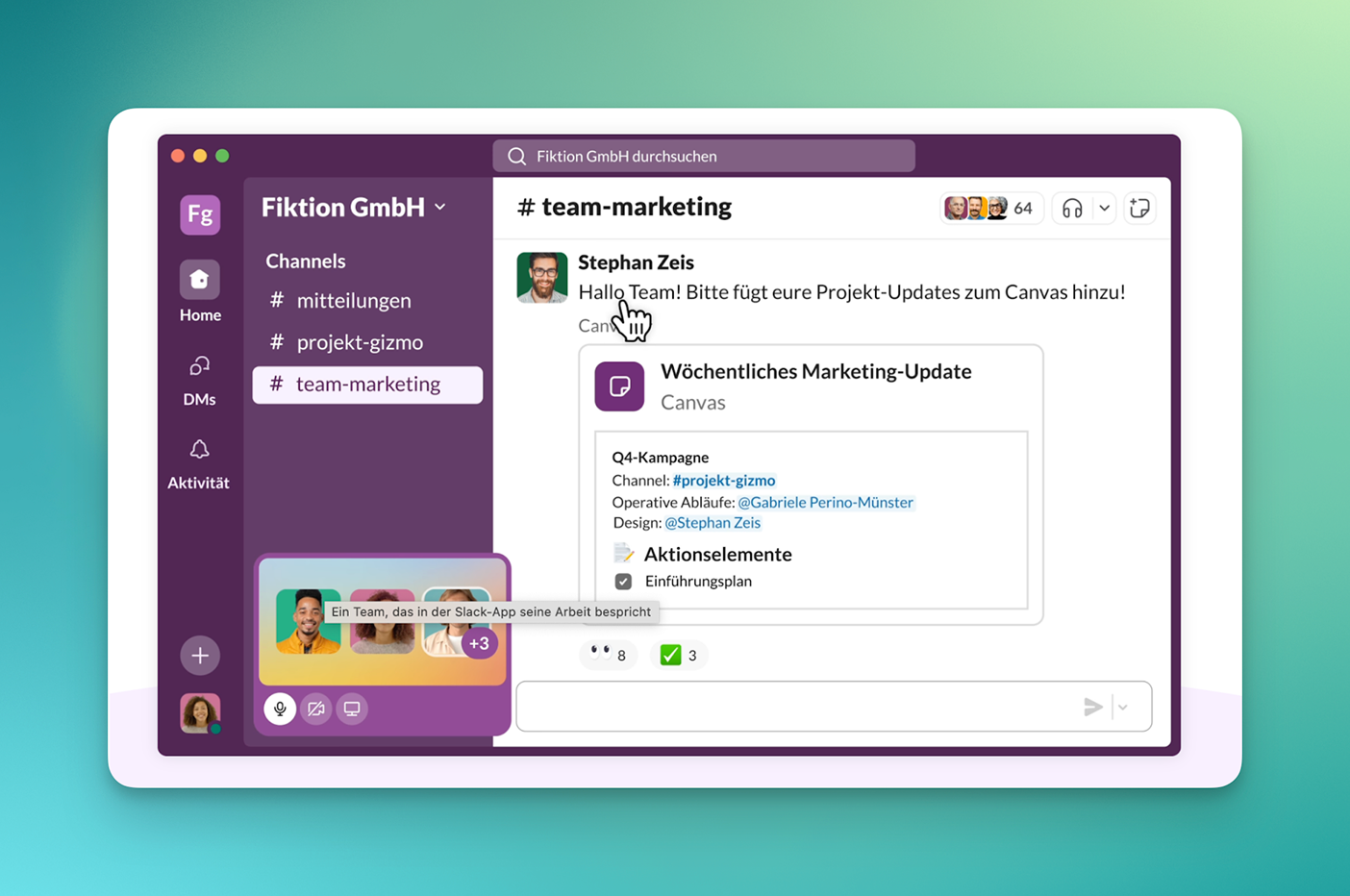
Slack is an app for team communication and is used in many companies as an alternative or supplement to email. The tool organizes communication in channels that can be created based on topics, projects, or departments. In addition, direct messages, group chats, and integrated audio and video huddles are available.
One important advantage of Slack is the large number of integrations. Services such as Google Workspace, Microsoft 365, project management tools, and CRMs can be connected directly, allowing information and notifications to converge in one place. Files can be shared and commented on within channels, keeping discussions and context transparent.
Microsoft Teams
Microsoft Teams is a platform for internal communication and collaboration that can be installed as an app. It offers chat, video and audio conferencing, file sharing, and collaborative document editing within Microsoft 365.
Channels and team rooms allow conversations, files, and workflows to be organized by topic. Meetings can be held using features such as screen sharing, recording, and integrated Microsoft whiteboards. Close integration with Outlook, SharePoint, and OneDrive allows appointments, emails, and files to be accessed directly from Teams.
Category: Task & Project Management
Asana
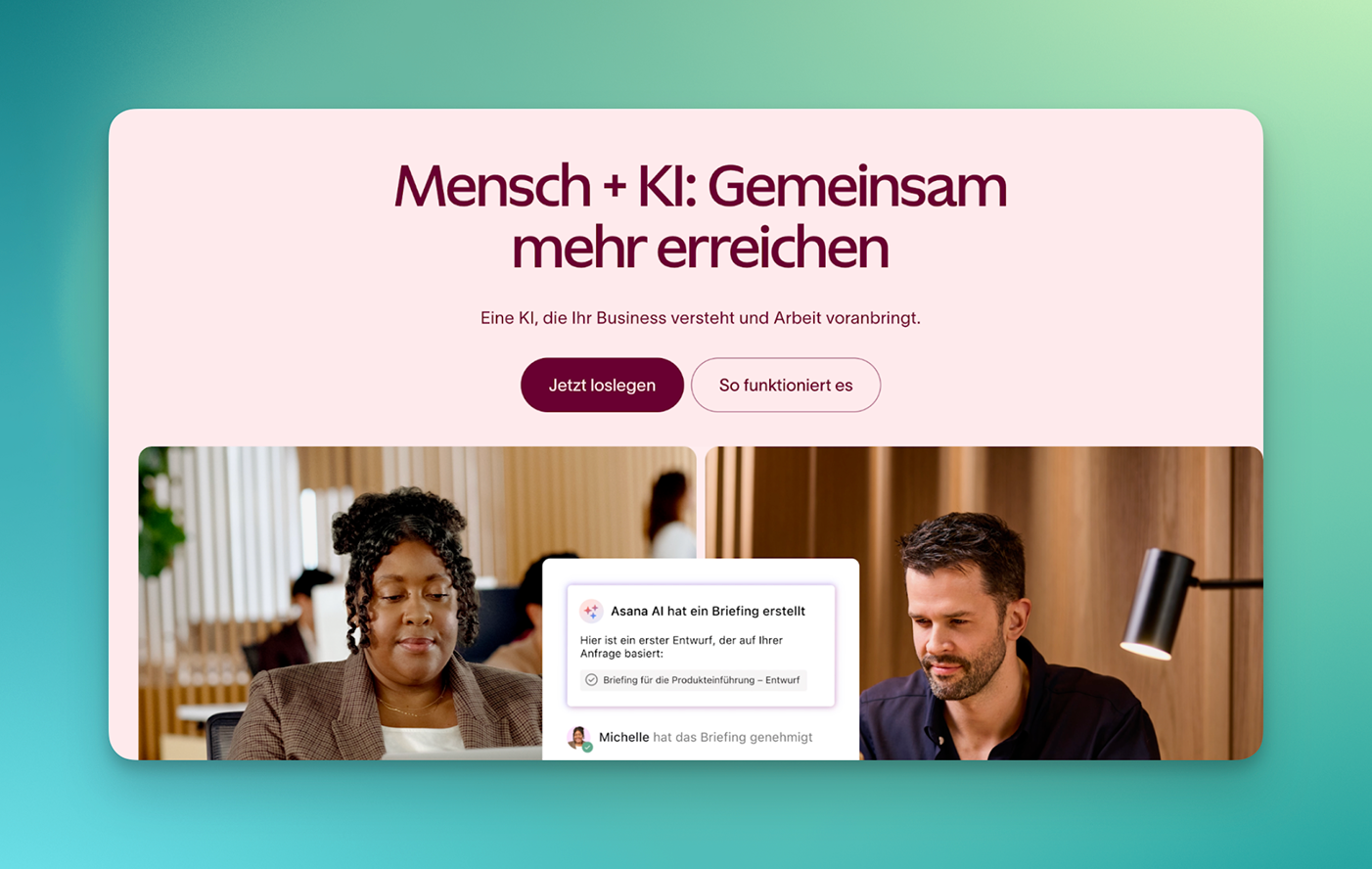
Asana is a work and project management platform in the form of an app that can be used to plan and track tasks, projects, and workflows. Teams create projects, describe tasks, assign responsibilities, and set deadlines. The work can be displayed in different views, such as a list, board (Kanban), timeline, or calendar.
Asana positions itself as a central hub for status overviews and goal tracking. The service also offers automation and reporting features and, in newer versions, AI-supported assistance with workflows and evaluations.
ClickUp
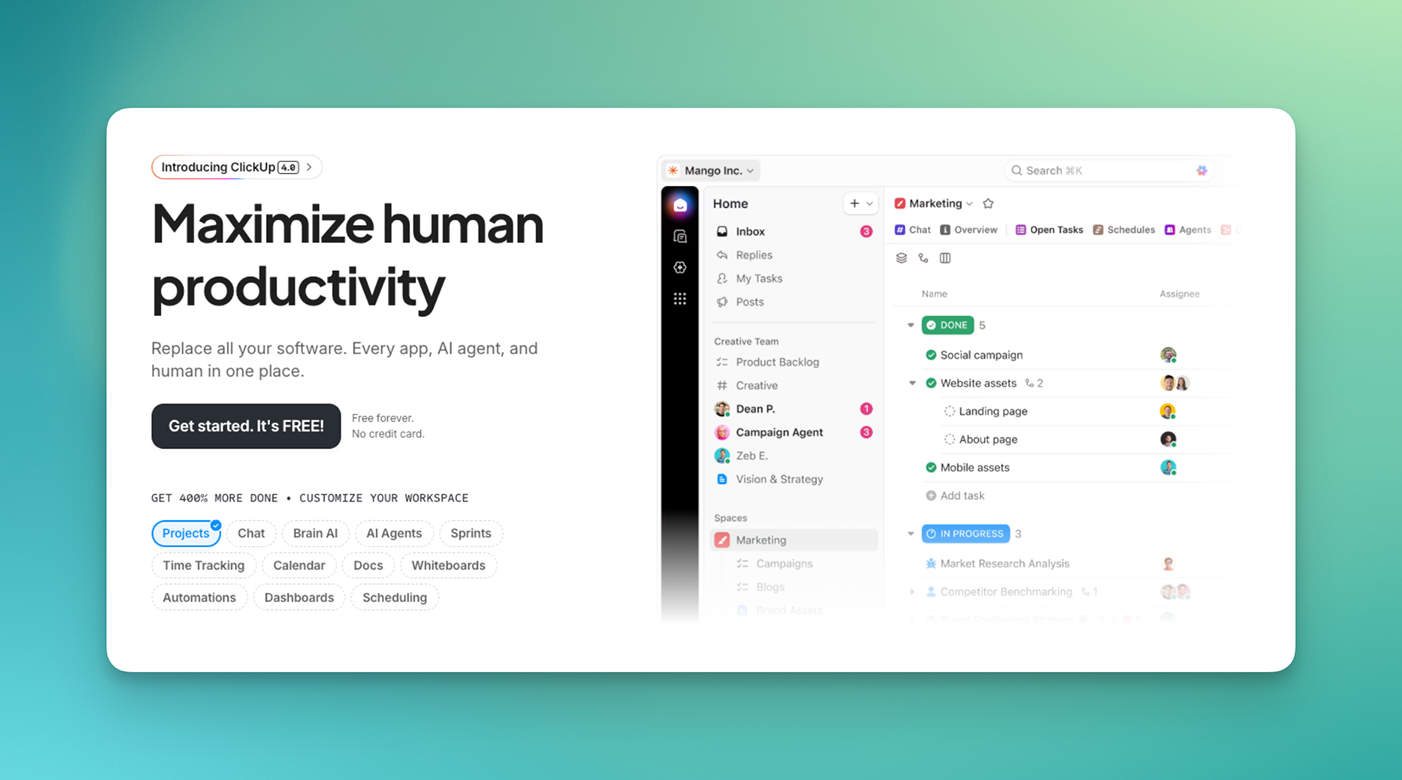
ClickUp is a work management platform that organizes tasks, projects, and processes in a single interface. The app combines task lists, Kanban boards, Gantt views, calendars, simple documents, and (depending on the plan) time and goal tracking. Tasks can be assigned to responsible parties, due dates, priorities, and custom fields.
ClickUp is typically used for planning and managing projects in teams, mapping recurring business processes in boards and lists, and providing a comprehensive overview of tasks, statuses, and responsibilities.
monday.com
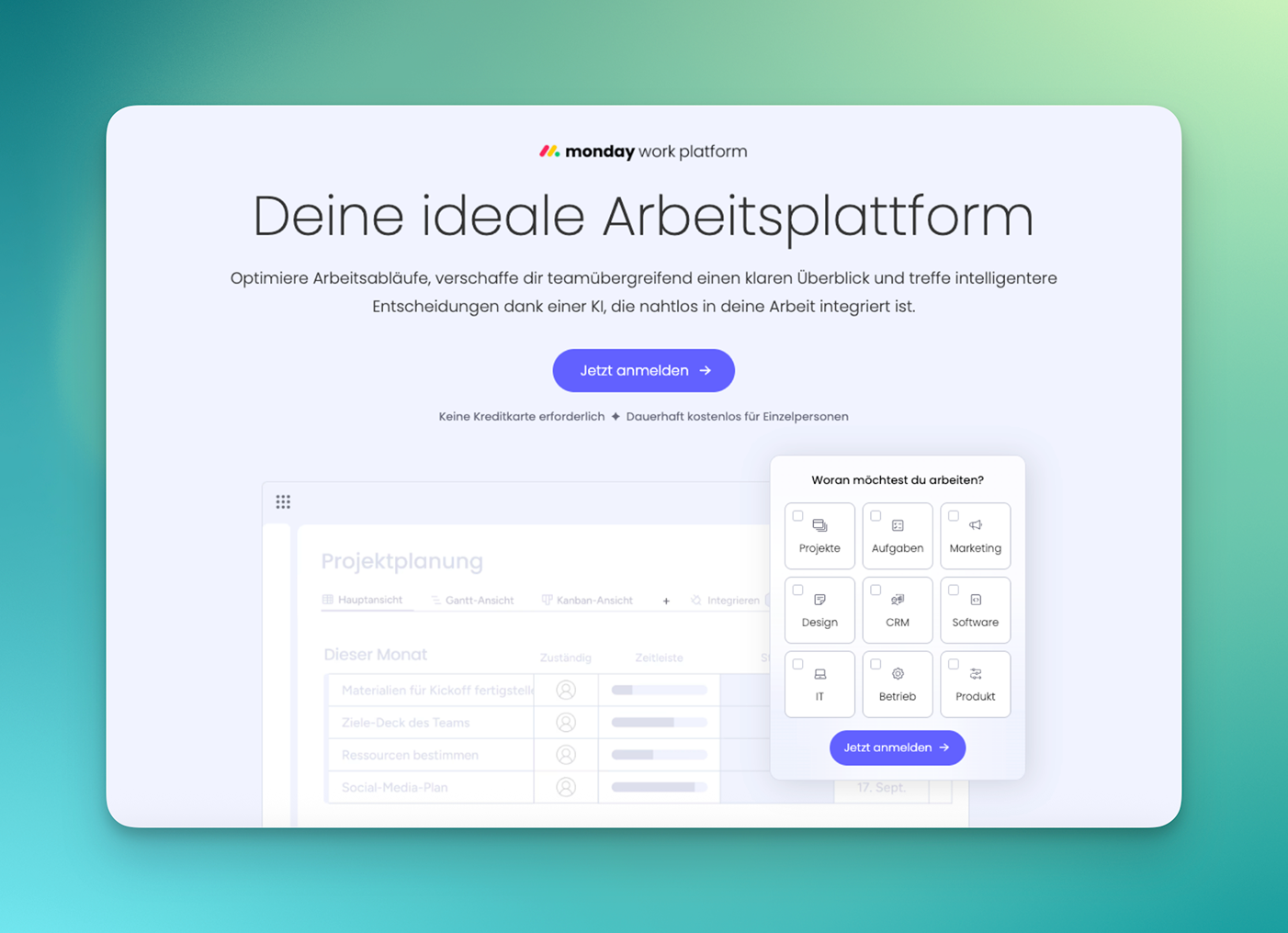
monday.com is an app that teams can use to organize tasks, projects, and workflows in table and board views. Data points are maintained in rows and columns and can be transferred to different views (timeline, calendar, Kanban, charts). Automations and integrations help standardize notifications, status changes, or transfers between systems.
monday.com is used for project, campaign, and task planning in teams, for building pipelines in sales, recruiting, and content, and for workflows with simple automations.
Todoist
Todoist is a task list app for personal and team organization. Tasks can be grouped into projects and assigned due dates, recurring dates, priorities, and labels. Filter and search functions help you sort tasks by context, date, or importance.
With Todoist, you can organize your personal tasks in the office and on the go, create simple to-do lists for small teams or projects, and map out recurring tasks and routines.
Air table
Airtable combines the operating concept of a spreadsheet with a database function. Users manage information in tables that can be linked to each other via relationships. Different views such as grid, Kanban, calendar, Gantt, or forms can be created for the data; simple automations and integrations connect Airtable to other tools.
In Airtable funktioniert die Verwaltung von Projekten, Content-Plänen, Assets oder Kontakten, der Aufbau individueller kleiner Datenbanken ohne eigene Entwicklung sowie Reporting und Übersichten über Prozesse auf Basis einheitlicher Daten.
Notion is a work environment that combines notes, documents, wikis, databases, and task management in one app. The tool is used to document knowledge, build internal wikis, and manage projects with related information in one place.
In Notion, content is organized on pages that can be freely structured (text, tables, checklists, relationships, database views). This allows teams to map project plans, meeting notes, knowledge bases, and dashboards in a single interface.
Category: Productivity Suites & Office
Google Workspace
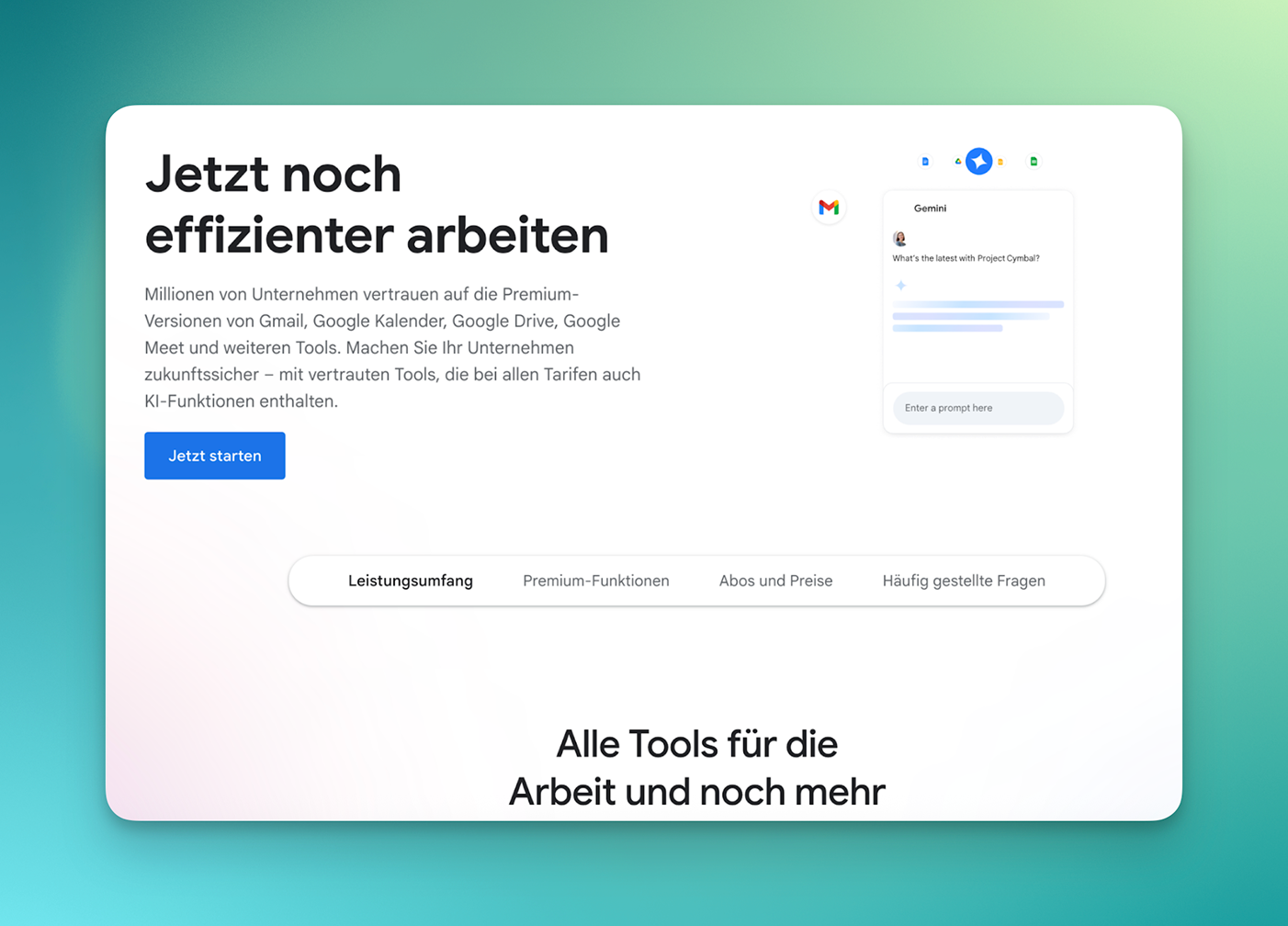
Google Workspace is a suite of cloud-based productivity and collaboration tools. It includes Gmail, Google Calendar, Drive, Docs, Sheets, Slides, Meet, and Chat, which can be installed as apps. The goal is to bring email, files, communication, and collaboration entirely into the browser.
Documents are stored in Google Drive and can be edited by multiple users simultaneously. Video and audio conferences are possible via Google Meet, Google Calendar is used for scheduling appointments, and Gmail serves as an email tool.
Miro is an online whiteboard for visual collaboration in the form of an app. Users can place and organize sticky notes, text, shapes, lines, and other elements on a digital board that can be zoomed in and out freely. The tool is suitable for brainstorming, workshops, process visualization, and planning in distributed teams.
Miro provides many templates, such as for flowcharts, customer journey maps, retrospectives, and roadmaps. Content can be edited collaboratively in real time, including comments and presentation mode.
Figma
Figma is a design and prototyping app that is mainly used in a browser (web app). Teams create user interfaces, layouts, and prototypes and can collaborate on files in real time. Comments, version histories, and component libraries enable consistent design and coordination between design, product management, and development.
With Figma, you can design user interfaces for web and mobile applications, create clickable prototypes for testing and approval, and maintain designs with reusable components.
Canva
Canva is an app that can be used to create graphics, presentations, social media posts, and simple documents based on templates. Content is compiled using drag-and-drop in an editor that provides fonts, shapes, stock photos, videos, and other elements. The app is designed for non-designers and enables quick results and exports.
With Canva, you can create presentations, flyers, and simple marketing materials, as well as content for social media, internal communications, or training materials. You can customize all designs to match your own corporate design (logo, colors, fonts).
Category: Files, Storage & Documents
Dropbox
Dropbox is a cloud storage service that stores, synchronizes, and shares files online. Users store files in a local Dropbox folder, which is synchronized with the cloud so that content is available on different devices and via a web interface. Additional management features are available for teams, such as assigning permissions and structuring team folders.
One focus is on file sharing: files and folders can be shared via links. Depending on the plan, password protection, expiration dates, and restrictions on download options for shared links can be used, among other things.
Adobe Acrobat
Adobe Acrobat includes applications and services for viewing, editing, and managing PDF documents. Users can create PDFs, add comments, edit content, convert documents to other formats (e.g., Word, Excel, PowerPoint), and fill out forms. In conjunction with the mobile scanning app, paper documents can be captured with a smartphone and processed directly as PDFs.
Adobe Acrobat enables you to process and annotate contracts, quotes, and documents, merge, split, and convert PDF documents, and digitize paper documents and forms.
Category: Scheduling & Time Tracking
Calendly
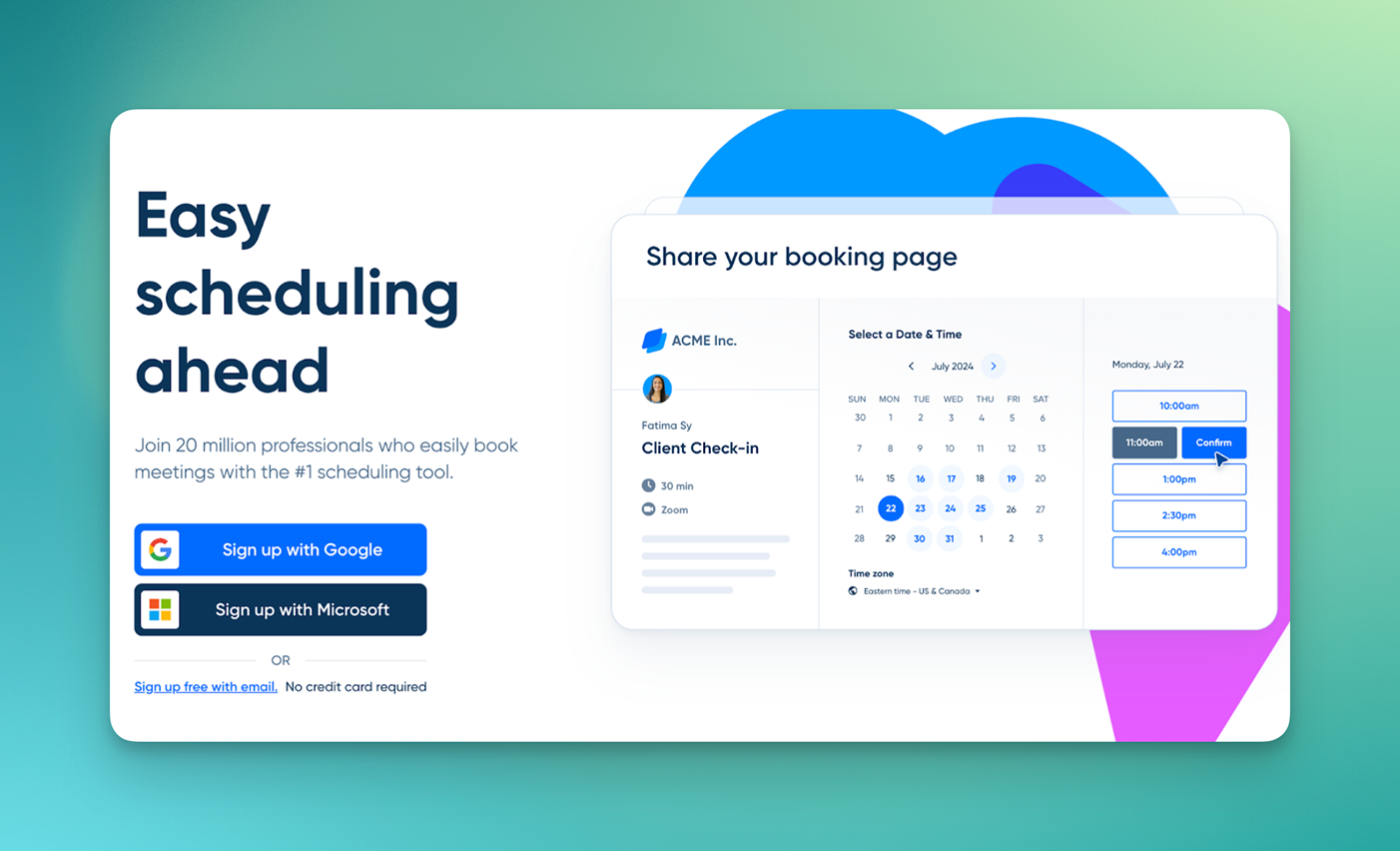
Calendly is a web app for automated scheduling. Instead of coordinating appointments via email, users create a personal booking link that others can use to select an available slot in their calendar. Calendly checks availability against connected calendars (e.g., Google Calendar, Outlook) to avoid double bookings.
The user specifies when they are generally available (e.g., weekdays, times, buffer times) and defines different event types, such as a 30-minute initial consultation or a 60-minute internal meeting. Calendar entries are automatically created for confirmed appointments; common video conferencing solutions such as Zoom, Google Meet, or Microsoft Teams can be integrated directly, so that a separate conference link is generated for each meeting.
Toggl Track
Toggl Track is a time tracking app that focuses on projects, clients, and activities. Users start and stop timers or record times manually; entries are assigned to projects, clients, tags, or tasks. This allows working hours to be evaluated in detail, for example for billing, budget control, or internal analyses.
Typical features include daily, weekly, and project overviews, reports by customer/project/activity, and export options (e.g., as CSV or PDF).
Category: Security & Passwords
Bitwarden
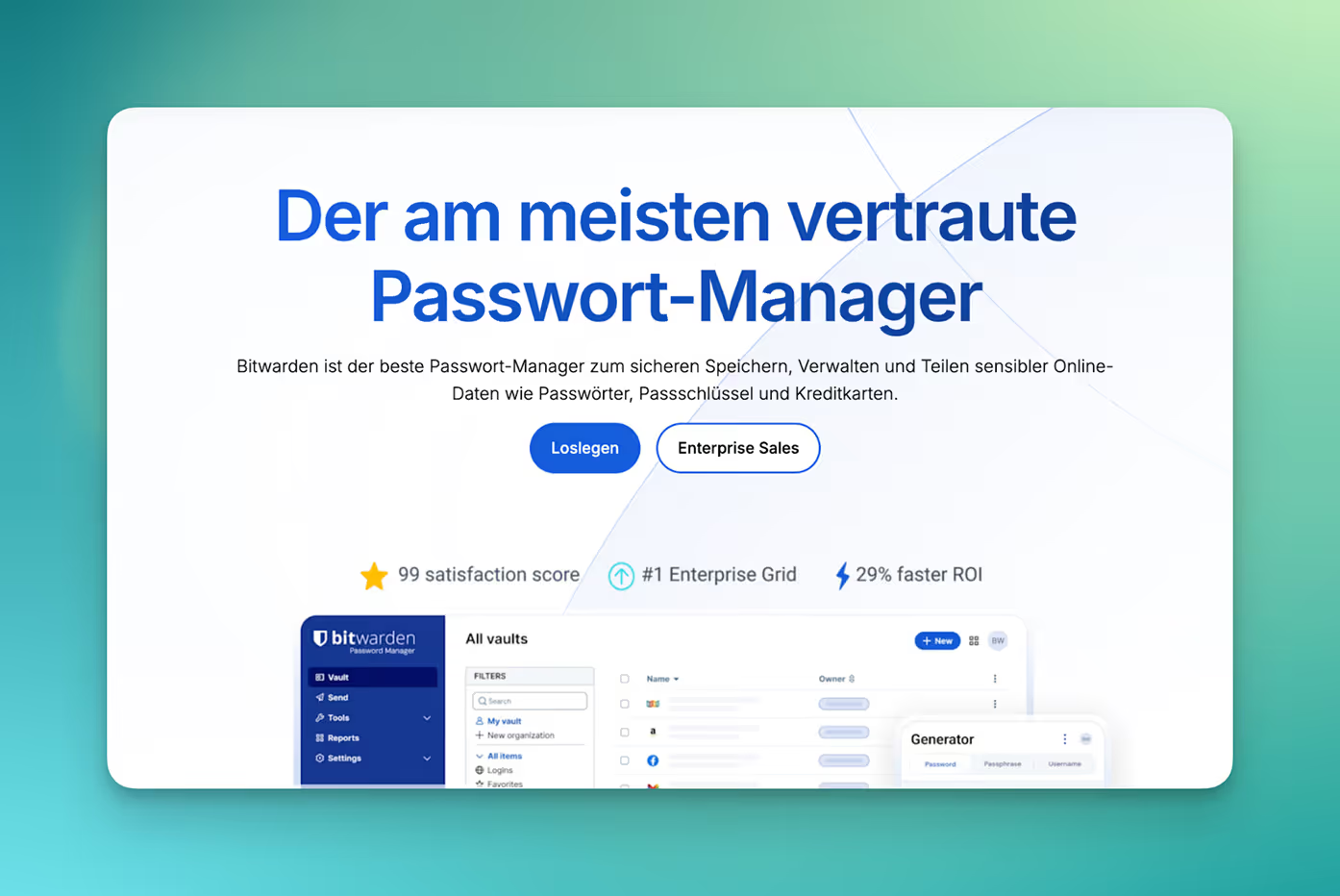
Bitwarden is a password manager app that stores login details, secure notes, and other confidential information in encrypted form. Users create entries (login, password, URL, note) and can organize them into collections. Browser extensions and apps support the automatic filling in of login details on websites and in applications.
Bitwarden uses a zero-knowledge model: data is encrypted on the client side; due to the architecture, the provider has no access to the decrypted content. The service is available as a cloud solution, but can also be self-hosted in certain plans. For teams and companies, there are organizational functions for sharing vaults, managing access rights, and policies.
Category: Asynchronous communication (video)
Loom
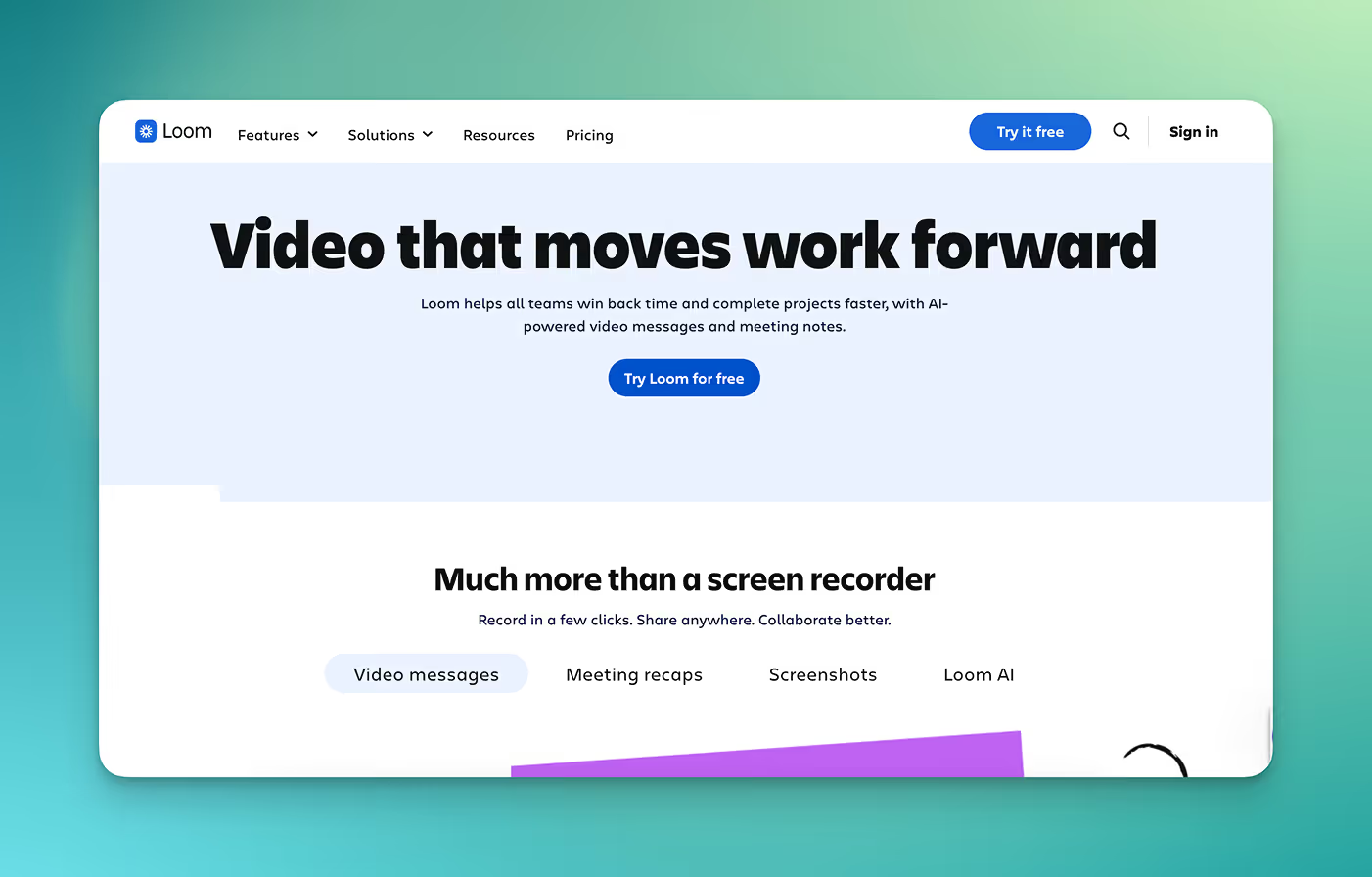
Loom is an app for asynchronous video communication. Users can record their screen, camera, and microphone and share the resulting video via a link. This allows them to provide status updates, explanatory videos, or feedback without having to schedule a live meeting.
Recordings can be annotated with comments and reactions; viewers can watch the video in their browser without having to download any files. Loom is particularly suitable for product demos, walkthroughs of documents or processes, and for explaining complex topics that would be difficult to understand in text form alone.
Category: Expense & expense management
Pleo
Pleo is a corporate expense app that combines physical and virtual corporate cards with expense and receipt tracking via a smartphone app. Employees pay with Pleo cards and then take a photo of the receipt; the transaction is assigned to the expense and can be categorized, assigned to projects, or annotated with notes. Overviews, exports, and interfaces to common accounting software are available for bookkeeping purposes.
Pleo offers management of employee expenses and ongoing expenditures, simplification of receipt collection and accounting preparation, and an overview of costs by cost center, project, or team.

.png)
.png)


.avif)
.avif)