Measuring and increasing office utilization without sensors

According to several studies, one in four companies underutilizes its office space. At the same time, average office utilization in Europe has leveled off at around 60 percent.

Office utilization: TL;DR

  • Usage patterns: The busiest days are Tuesday and Wednesday. Monday and Friday are significantly less busy.
  • Measuring office utilization: Reliable results are obtained through genuine attendance tracking. Booking data helps, but is prone to errors due to no-shows.
  • Increasing office utilization: Better office utilization is achieved through attractive working environments, good facilities, and offerings that surpass the comfort of working from home.

What is office utilization?

Office utilization describes the proportion of actually used workstations or space in relation to the total available capacity within a specific period. 

It is an important indicator of the efficiency of office space, comparable to hotel occupancy or production line utilization. It is measured as a percentage based on a period of time, such as a week or month.

Office utilization is an important key performance indicator for workplace, real estate, and facility management. It enables:

  • Decisions on space planning
  • Targeted control of cleaning and energy use for heating, cooling, and ventilation.
  • Optimization of workplace availability in terms of the number of team zones, etc.
Calculation formula for office utilization analytics:

Office utilization (%) = (occupied workstations × usage time) ÷ (available workstations × total time) × 100

This formula can be applied at the workplace, room, floor, or building level. For a correct assessment, average and peak values (peak utilization) should be considered separately.

How high is office utilization in companies?

Average office utilization in Europe is currently around 60 percent. A clear pattern can be seen in the distribution across the days of the week:

  • Tuesday and Wednesday are the busiest days across Europe, with around 67 to 68 percent utilization.
  • Thursday follows closely behind with around 65 percent.
  • Monday and Friday remain significantly weaker.

These mid-week peaks are now considered a typical hybrid pattern and are an important factor in capacity and service planning in companies.

Parallel to the stagnating demand for space, an increase in vacancy rates can be observed in many European cities. Companies are increasingly concentrating their rental space on high-quality locations with good transport links and facilities suitable for new ways of working.

  • The quantitative volume of space is declining, while qualitative demand is rising.
  • Guidelines for planning and evaluation

How do I measure office utilization?

Office utilization is measured by combining real attendance data, booking information, and space utilization analyses.

Depending on the technical infrastructure, Wi-Fi detection, sensors, booking systems, or access data are used for this purpose. It is important that the data reflects actual usage, not just reservations.

Measuring actual attendance

The most reliable method of office utilization analysis is to track the actual attendance of employees in the office. In traditional systems, employees must check in reliably every day. A simpler and more reliable method is to use automatic check-in via Wi-Fi connection in the office space utilization software PULT Presence.

To do this, check-in is performed automatically as soon as your employees' laptops or smartphones connect to the existing company Wi-Fi. No intervention by employees is necessary.

  • Wi-Fi detection: End devices (laptops or smartphones) automatically connect to the company network. These connections can be counted anonymously and show how many people are in the office at the same time.
  • Advantage: No manual check-in necessary, high data quality, clear representation of actual presence.
  • Data protection: Data is collected in aggregate form and in compliance with the GDPR; individual movement profiles are not created.
  • Measurement period: Two to four weeks usually provide sufficient data to reliably calculate average and peak values.

This method is particularly suitable when real usage patterns are to be recorded instead of mere booking statistics.

Measurement via booking data

Office utilization can be assessed based on booking activity. This involves counting how often workstations or rooms are reserved and used. This is less accurate than actual attendance recording.

  • Easily available when using booking software with office insights
  • Meaningful for demand and planning trends.

Limitations:

  • Bookings only reflect intended use, not actual attendance.
  • No-shows (reservations without use) distort the results.
Tip: Automatically releasing unused bookings significantly improves data quality. In the office utilization software PULT, you can set the time period after which an unused booking is automatically canceled.

How can I increase office space utilization?

You can increase office utilization benchmarks by making it attractive and providing a positive workplace experience, thereby motivating your employees to return to the office. Your team will enjoy coming to the office if it offers something that working from home cannot: community, comfort, and attractive opportunities for balance and modern working.

What makes an office attractive?

An office is attractive when it offers space for different ways of working and meets people's needs for variety and balance. Instead of uniform rows of desks, companies today need diverse work zones:

  • Multispace principle: Different areas for concentration, collaboration, discussions, and relaxation. 
  • High quality of stay: Comfortable lounges, well-equipped kitchens, snacks, drinks, and places to retreat increase well-being and extend the time spent in the office.
  • Strengthening collaboration: The office serves as a social space. Team days are held and the freely configurable team zones are utilized.
  • Quiet zones: Despite open spaces, acoustically protected retreats are needed. Many employees particularly appreciate the quiet of working from home. The office should also offer this advantage.

Offers for a high-quality workplace experience

A compelling workplace experience is created by the mutual complementarity of spaces, technology, and culture.

A. Spaces and zones

  • Zoning and diversity: Separate areas for concentrated work, teamwork, breaks, and mental balance.
  • Acoustic quality: Textile and acoustically effective surfaces, large and lush plants, and room dividers reduce noise.
  • Team areas: Rollable and freely combinable furniture, whiteboards, and partition walls create convertible project zones.
  • Phone booths & huddle rooms: Small, soundproof rooms where you can make phone calls without disturbing other colleagues.
  • Biophilic design: Daylight, green plants, and natural materials measurably improve well-being.

B. Technology and equipment

  • Ergonomic, standardized workstations: Every workstation should be equipped equally, with a monitor, docking station, and adjustable table.
  • Reliable meeting technology: with excellent audio and video quality.
  • Personal storage space: lockers, cubicles, rolling containers
  • Space booking system: Fair workplace and room reservation

C. Services and culture

  • Catering and food: A good selection of tea, coffee, and beverages, healthy and protein-rich snacks, canteen offerings
  • Break and exercise areas: Lounges, sports or fitness zones with showers
  • Cleanliness and hygiene: Clean, well-maintained areas are an expression of appreciation.

Measurements as the first step toward greater office utilization

The option of spending individual workdays in a home office has become standard for employees. At least, that is true for professions where it is actually possible. On the other hand, office utilization is also a valuable asset for you as an entrepreneur or manager, and one that has a direct financial impact.

The return to the office and thus the highest possible office utilization is best achieved through positive motivation. Coercion tends to lead to attrition. Any measures that make your office more attractive are considered suitable motivators. Offer your employees something that their homes cannot provide.

In order to free up space for lounges, team areas, quiet areas, or even sports rooms, you will need to rearrange the existing space and reduce the number of individual workstations. The first link in this chain is therefore to measure the current office utilization. And this is best achieved with Office Insights from the office utilization system PULT.

Important: As more colleagues return to the office, booking and attendance figures will naturally shift. Keep an eye on the trend in PULT, which is very easy to do using Office Insights.

By observing booking behavior, you can readjust the availability of individual workstations. This way, you can ensure that all employees can reliably book a free space at any time.

{{onpage-cta}}

Trusted by 1000+ innovative workplaces

Measure, monitor, and increase office attendance! Get started with PULT now.

FAQ

Have questions?

What is good office utilization?

On average, utilization between 60 and 70 percent is considered balanced. This ensures that there is enough movement in the office without workstations standing empty. Values above this can sometimes lead to a shortage of sought-after resources, while significantly lower values can lead to unjustifiably large spaces.

How long should I measure office utilization to get a realistic picture?

A period of two to four weeks is usually sufficient. During this time, typical weekly patterns and usage peaks become apparent. However, be aware of possible seasonal fluctuations and typical vacation periods.

Can I also record office utilization without sensors?

Yes, you can do this via your company's Wi-Fi network or the booking data for workstations and rooms. Presence detection in PULT Presence records the presence of your employees as soon as their laptop or smartphone connects to the company Wi-Fi.

What is the difference between occupancy and utilization?

Occupancy describes how many workstations are assigned or reserved. Utilization shows how many of these are actually used. These values may differ if employees do not use their booking. PULT Presence offers independent and therefore reliable presence detection.

Is PULT compliant with data protection and GDPR regulations?

Yes, because PULT collects and evaluates data according to the required minimum principle. In addition, the evaluations do not allow any conclusions to be drawn about the behavior of individuals, so you can work with PULT in full compliance with GDPR regulations.

About author

Isolde Van der Knaap

Hybrid Work Enthusiast and Account Executive

At PULT we're designing the future of the hybrid workplace for companies and their employees. Focused on SME and mid market customers in Eruope, I'm working on everything from Customer Discovery to Onboarding. I'm very passionate about new work and moved to Hamburg in 2024 even though I'm originally from France.

Resources

Learn how to run better workplace operations

Visitor Management

Organizing an Event: Checklist, Permits & Legalities 2026

If you organize an event, you now bear more legal responsibility than you did just a few years ago. New requirements for safety documentation, GDPR obligations regarding participant data, and changes to liability rules mean that event planning has become a task where relying on an outdated checklist can quickly become costly.

Organizing an Event: The Basics

  • Public events involving a large number of people are subject to a require a permit in Germany: Depending on the state and the type of event, applications must be submitted to the relevant authority at least 12 weeks in advance
  • Since the stricter requirements took effect in 2025/2026, event organizers must actively maintain their safety documentation: In the event of a claim, anyone who cannot provide complete documentation bears the burden of proof, regardless of whether there was any fault
  • The GDPR applies to participant data when organizing an event, and specifically to event photos and video recordings as well: Without explicit consent or a documented exception, substantial fines may be imposed.
  • Event management feature: With PULT, companies can coordinate corporate events, room scheduling, and attendee management all within a single system, directly integrated with Personio, HiBob, MS Teams, and Slack.

What permits do I need before organizing an event?

As soon as you start planning an event in Germany, you’ll encounter a complex web of regulations that vary depending on the state, the type of event, and the number of attendees. The key regulations include the Public Gathering Venues Ordinance, GEMA, and guidelines from the public order office.

  • Your city or town’s Public Order Office: The first point of contact for public events. The Public Order Office generally approves the event and coordinates with other authorities as needed. Private corporate events with a fixed guest list held at an approved venue do not require a separate permit from this office
  • Department of Streets and Green Spaces (also known as the Department of Civil Engineering or the Department of Urban Planning, depending on the city): You can apply here for a special use permit for events on streets, squares, or in parks. The exact name of the agency varies by municipality. The quickest way to find the right contact is to search for “special use permit for events” on your municipality’s city portal. Many municipalities now bundle this application in the Servicekonto Deutschland
  • Business Licensing Office: If you sell food or beverages, you need a temporary permit under the restaurant regulations of the respective state. This is a separate application, independent of the event permit.

Three additional points that often come up too late in the planning process:

  • GEMA: You must register music that includes GEMA-licensed tracks in advance at gema.de, whether performed live or played from a recording. The fees depend on the size of the event and the venue area.
  • Regulation on Public Gathering Places (VStättVO): For events with 200 or more people, the relevant building authority will verify whether the venue is licensed as a public gathering place. Clarify this in advance with the venue’s landlord, because as the organizer, you are jointly liable if the operating permit is missing or has expired
  • Fire Department and Public Health Department: For events featuring stage setups or food service, the Public Order Office often requires a fire safety plan and a hygiene plan. Make sure to get written confirmation that this applies to your event.

For all applications for which your municipality offers an online portal, the following applies: The Servicekonto Deutschland consolidates many of these forms. Start the application process at least 12 weeks before the event.

What has changed for events as a result of new safety regulations and the reversal of the burden of proof?

DGUV 115-002 sets forth safety requirements for event and production technology and applies to all events where technical equipment such as stages, lighting, or sound systems is set up. Starting in 2025/2026, authorities and courts expect event organizers to actively maintain their safety documentation rather than compiling it only upon request.

This means that risk assessments, evacuation plans, protocols for briefing service providers, and participant lists must be fully documented. If you cannot present complete documentation in the event of a claim, the burden of proof falls on you. A structured documentation system in place before the event should therefore be considered a requirement that you must comply with.

How do I comply with the GDPR when organizing an event?

As soon as you register participants, you are processing personal data and therefore need a legal basis under Article 6 of the GDPR. For corporate events, this basis is generally derived from legitimate interest. In this case, the data may not be used for purposes beyond the event and must be deleted after 90 days at the latest. The only exception to the deletion period is tax-related retention requirements.

Things get more complicated when it comes to event photos and video recordings:

  • Portraits and identifiable individuals: Publication is prohibited without express consent, even in the case of seemingly harmless group photos
  • Panoramic photos of large crowds: In such cases, a legitimate interest may apply, provided that individuals are not recognizable.
  • Online events and recordings: If you record events or meetings , you must inform participants in advance and obtain their consent. Starting a recording without prior notice is a violation of the GDPR.

When registering, provide a consent form that explicitly asks for permission to take photos and record videos. The same rules apply to hybrid events—that is, formats in which some participants join remotely—with the addition of recording requirements under data protection law.

Organizing an Event Step by Step: The Checklist

What tools can help with organizing events?

When it comes to organizing your event, three categories of tools cover the most important planning areas: tools for checklists and risk analysis, online portals for submitting official applications, and office management platforms for room scheduling and attendee management.

  • Checklists, AI: Use our event checklist and consult an LLM (Claude, Gemini, ChatGPT, etc.) to research the local and municipal requirements or guidelines specific to your state, as these cannot be summarized in a single, universal list.
  • Online permit portals: The Servicekonto Deutschland and municipal application portals allow users to submit permit applications via browser-based forms. However, availability varies by state.
  • Office management platforms with event features: A direct link between event planning, room management, and attendee management saves you the hassle of back-and-forth coordination.

PULT combines room booking, guest management, and catering into a single platform. You can book rooms, filter by capacity and amenities such as projectors or whiteboards, reserve areas on the interactive office map for your event, and add catering directly during the booking process. 

  • Rooms, catering, parking, and guest workstations—all in one booking.
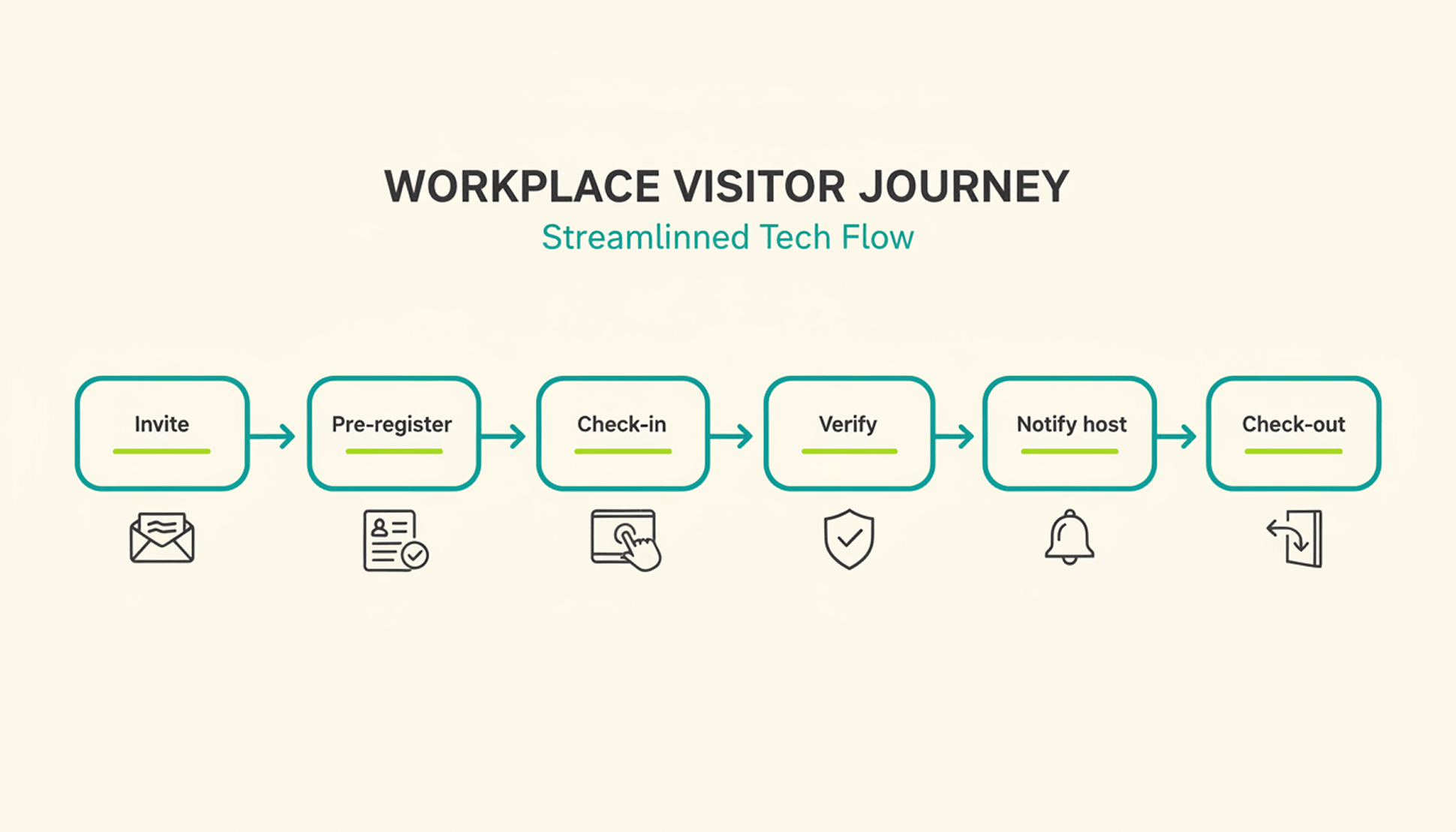
  • Guests check in at the kiosk, and the host immediately receives a notification in Slack or Microsoft Teams.
  • At the reception desk, guests sign NDAs, photo release forms and receive a visitor badge and privacy notices.
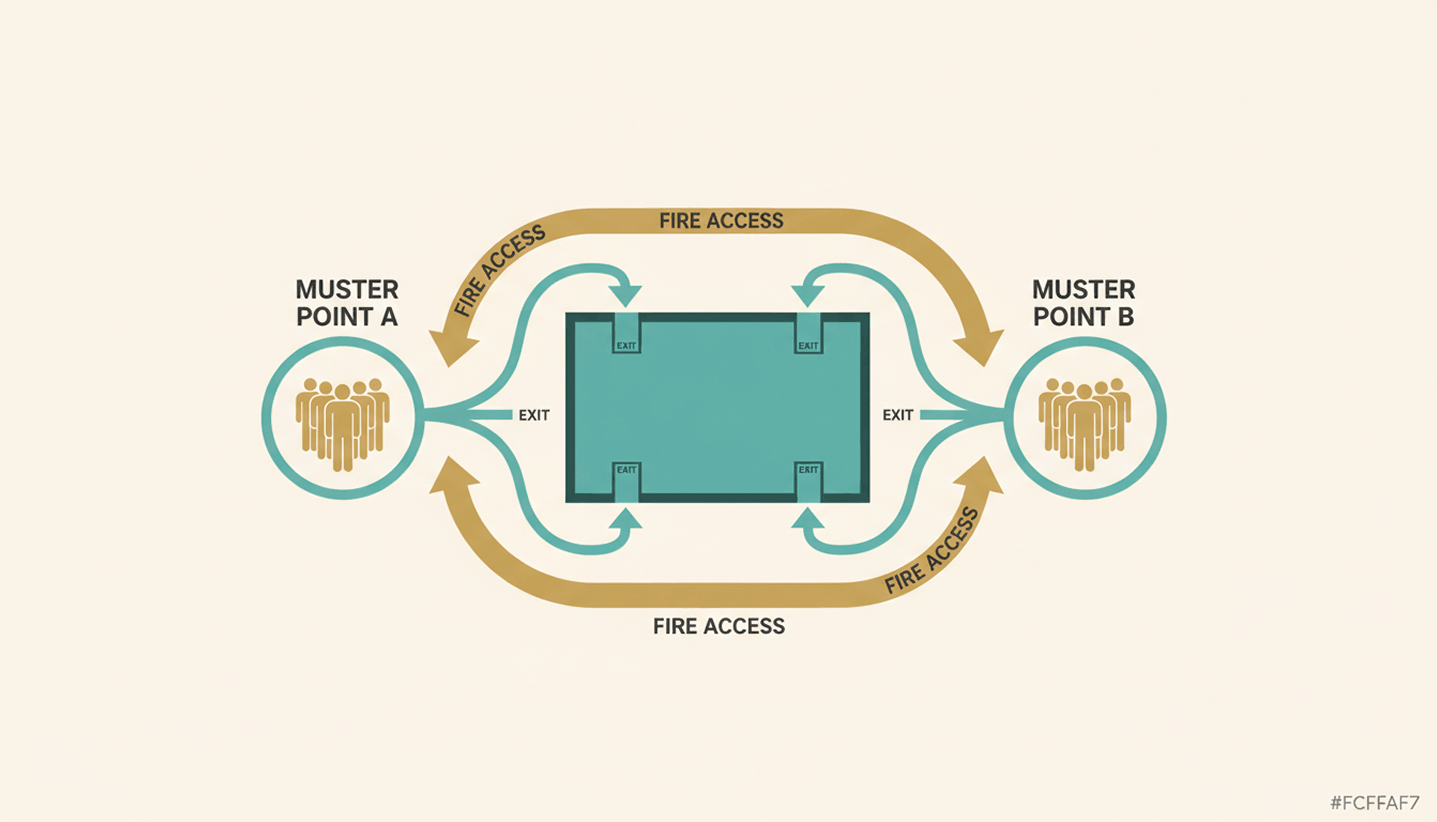
  • In an emergency, PULT generates an Emergency Export of all currently present individuals at the push of a button.
  • The weekly planner shows in advance how many employees will be in the office on the day of the event, so that room planning and space utilization can be coordinated.

{{onpage-cta}}

Office Insights

Workforce Analytics: Definition, Key Metrics, and EU-Compliant Implementation by 2026

Workforce analytics refers to the analysis of personnel data to manage headcount, productivity, and workforce planning. HR teams use this method to support personnel decisions with data. Starting in August 2026, the EU AI Regulation will tighten requirements for AI-powered HR analytics and mandate specific structures.

Workforce Analytics: The Basics

  • Workforce analytics is the quantitative analysis of HR data—such as turnover, absenteeism, headcount, and office utilization—to derive actionable recommendations for workforce planning.
  • Key metrics for workforce planning analytics include turnover rate, time-to-hire, absenteeism rate, office attendance, and team-level productivity metrics.
  • The EU AI Regulation classifies many HR analytics systems as high-risk AI starting in August 2026, imposing obligations regarding disclosure, human oversight, and data protection impact assessments.
  • PULT provides the data foundation for workforce analytics in hybrid teams—including attendance, desk utilization, and room bookings—and thus complements traditional HRIS systems such as Personio or HiBob.

What is workforce analytics, and how does it differ from people analytics?

Workforce Analytics focuses on the quantitative aspects of the workforce. It centers on headcount, productivity, turnover, and workforce structure in medium-term planning. People Analytics takes this a step further and also examines behavior, engagement, and collaboration based on qualitative data. HR Reporting, on the other hand, provides only retrospective reports without a forecasting component.

workforce analytics

In day-to-day work, these two areas are closely intertwined. When you implement your own workforce analytics, you create the data foundation for people analytics and the overarching workplace management.

Which metrics are suitable for workforce analytics?

Workforce Analytics uses metrics such as turnover rate, time-to-hire, absenteeism rate, office utilization, headcount trends, and others, which are regularly collected and analyzed. Together, these metrics provide an overview of how the workforce is evolving and which areas of the company are over- or under-staffed.

What tools are suitable for workforce analytics?

Workforce analytics tools can be divided into three layers. An HRIS layer as the data core (Personio, HiBob, Workday), an analytics layer for evaluation (Visier, Tableau, supplementary HRIS modules), and an office layer for attendance and space data in hybrid setups. The right combination depends on company size, data architecture, and EU compliance status.

When making your selection, consider the following five points:

  • Hosting region: EU hosting with a data center in Germany or elsewhere in Europe.
  • API Capability: Interfaces with HRIS, time tracking, and office management systems to eliminate data silos
  • EU AI Act Status: The provider documents whether and how its tool falls under the category of high-risk AI
  • Level of detail: Customizable KPIs and freely configurable dashboards
  • Office database: Attendance data, room and workstation reservations as well as visitor management
Tip: PULT Workplace Analytics includes this office layer and feeds attendance data, desk utilization, and room bookings into your workforce analytics pipeline, which can be combined with Personio or HiBob.

What does the EU AI Regulation 2026 require of HR analytics systems?

According to Annex III of the EU AI Regulation, an HR analytics system is considered high-risk AI as soon as it automatically supports personnel decisions. These include recruitment, promotion, termination, and performance evaluation. As a result, many workforce analytics functions are subject to strict requirements as soon as algorithms independently generate recommendations for or against individuals.

What requirements will apply to HR analytics systems as of August 2, 2026?

The high-risk classification gives rise to four key obligations for new systems:

  • Risk Management and Technical Documentation in accordance with Articles 9 through 11 of the EU AI Regulation
  • Human oversight for every decision involving personal data, not just at a later stage
  • Data Protection Impact Assessment pursuant to Article 35 of the GDPR, plus a Fundamental Rights Impact Assessment pursuant to Article 27 of the EU AI Act
  • Co-determination by the works council pursuant to § 87(1)(6) of the Works Constitution Act (BetrVG) in connection with any introduction or adjustment

How can I ensure that my workforce analytics setup remains compliant?

You can ensure compliance by clarifying your data architecture and processes before purchasing a tool. This involves five key points:

  • EU Hosting: Servers located in the EU, documented data processing.
  • Purpose limitation: You must document in writing which data you are analyzing and for what purpose.
  • Human final decision: No algorithm makes the final decision regarding hiring, termination, or promotion.
  • Disclosure: You proactively inform employees about what data is collected and how it is analyzed.
  • Involve the works council: A works council agreement fulfills the requirement for employee participation.

How to Build a Future-Proof Workforce Analytics System

Workforce Analytics provides you with a quantitative overview of your workforce, from headcount forecasts and turnover to office utilization.

Starting in the fall of 2026, the EU AI Regulation will require specific frameworks for high-risk AI, documentation, and human oversight. With PULT, you can meet these requirements while still gaining reliable data for your workforce planning and site strategy.

  • PULT Workplace Analytics provides real-time attendance, desk, and room data as a data source for workforce analytics.
  • Native integrations with Personio, HiBob, Microsoft Teams, and Slack, so all your HR data is centralized in one place.
  • EU hosting and ISO 27001 certification as the basis for your GDPR and EU AI Act documentation.

{{onpage-cta}}

Office Insights

Micromanagement: Consequences, Legal Risks, and the Path to Controlled Delegation

Micromanagement refers to a leadership style in which supervisors closely monitor their team’s tasks and constantly intervene. The consequences range from demotivation and resignations to legal risks arising from organizational negligence. However, by reducing micromanagement and delegating effectively, leaders can improve team performance while simultaneously reducing their own liability risk.

Micromanagement: The Basics

  • Micromanagement is a leadership style characterized by excessive attention to detail and constant interference in the team's tasks. Typical consequences include demotivation, a decline in personal responsibility, and above-average turnover rates.
  • Signs of a micromanaging boss include constant status updates, nitpicking over routine phrasing, requiring everyone to be CC'd on every email, and approval loops for trivial decisions.
  • Micromanagement carries legal risks because unclear responsibilities can lead to organizational negligence, and excessive monitoring of employees may violate § 26 of the Federal Data Protection Act (BDSG).

PULT is an all-in-one office management software solution that provides executives with a data-driven overview of hybrid teams through Office Insights, desk booking, and visitor management, without the need to micromanage operational details.

What is micromanagement, and how can you tell if you or your boss is doing it?

Micromanagement is a leadership style in which supervisors constantly monitor their employees’ performance and constantly interfere in their decision-making. Engaged leadership is clearly different, as it sets clear expectations for the outcome but leaves the path to achieving it open.

From an employee's perspective, the following patterns become particularly evident when a supervisor engages in micromanagement:

  • Routine work is proofread and the wording is fine-tuned—something that should have been done long ago
  • You'll be copied on every email
  • Independent decisions are subsequently called into question
  • We receive several status requests every week, even though clear deliverables have been agreed upon

If you are a manager yourself, ask yourself whether the following statements apply to you:

  • You systematically proofread your team's documents before they leave the office
  • You have routine decisions notified to you before they are implemented
  • You step in whenever tasks aren't handled the way you would handle them yourself
  • You ask for status updates more often than your team can deliver results

If you answer "yes" to several of these questions, it's a clear sign that your leadership style has slipped into micromanagement.

{{hint-box}}

What are the consequences of micromanagement for the team and the company?

The consequences of micromanagement affect both the team and the company:

  • Increased willingness to resign and rising turnover
  • Declining personal responsibility and innovative spirit within the team
  • The risk of burnout among employees is constantly monitored
  • Poorer strategic decisions because managers are bogged down in operational details
  • High follow-up costs due to recruiting, onboarding, and knowledge loss

Studies on willingness to quit, such as the Gallup Engagement Index, consistently show that micromanagement is one of the most common reasons for changing jobs. In addition to the human and economic consequences, the legal risks carry particularly serious weight for German companies.

What legal risks does micromanagement pose for managers?

The legal risks associated with micromanagement are rarely mentioned in HR practice, but they are substantial and affect three areas.

Organizational failure resulting from micromanagement

When a manager makes all decisions on their own, lines of responsibility become blurred. If damage occurs, it is difficult to determine clearly who failed to fulfill which duty. The case law of the Federal Court of Justice requires that tasks, authority, and responsibility be clearly assigned. Micromanagement undermines precisely this requirement.

Employee Data Protection under Section 26 of the Federal Data Protection Act (BDSG)

Close monitoring of employees, such as continuous screen monitoring or constant activity tracking, may violate employee data protection laws. Monitoring measures must be proportionate and based on a specific reason.

Delegation as a form of liability protection

A properly documented delegation of authority protects the manager in the event of a claim. Three steps ensure its legal validity:

  • Assign the written assignment , including specific expectations regarding the outcome.
  • Specify the person’s authority explicitly—that is, which decisions they are authorized to make on their own.
  • Agree on reporting milestones at which interim results will be reviewed.

What is the opposite of micromanagement?

The opposite of micromanagement is controlled delegation, often referred to as empowerment or trust-based leadership. In this approach, the manager transfers responsibility for results to employees and no longer controls the process, but rather the agreed-upon output.

  • Clear agreement on objectives with measurable results
  • A defined scope of decision-making within which employees are allowed to act independently
  • Agreed reporting points instead of constant monitoring

This approach is an absolute must, especially in hybrid teams. When managing remotely, you must shift your focus from presence to results, because you no longer have the ability to visually monitor your team.

Moving Away from Micromanagement: What Should a Manager Do?

Overcoming micromanagement is a process that starts with the leader. If you decide to break this habit, these five steps will guide you toward lasting change:

  1. Conduct a self-assessment: Identify your personal triggers. Do you step in because you’re afraid of making mistakes, because you need to be in control, or because you don’t trust the team’s technical expertise?
  2. Categorize tasks: Sort by importance and urgency. Keep broad, strategic issues on your plate; assign all operational tasks clearly.
  3. Define expectations in writing: Describe the desired outcome, but not the path to get there. This will prevent your team from having to be corrected later on for deviating from the plan.
  4. Establish a reporting schedule: Agree on regular check-ins instead of ad hoc inquiries. Weekly or biweekly meetings replace the constant back-and-forth about status updates.
  5. Use tools to stay organized: Software that shows you at a glance who is working where, when office hours are scheduled, and when teams are meeting eliminates the need to constantly ask around.

How to Lead Your Hybrid Team with PULT Without Micromanaging

Micromanagement is a leadership style that comes at a high cost. It drives good employees to quit, undermines the quality of decision-making within the team, and creates legal risks related to organizational negligence and data protection.

The solution lies in controlled delegation. Clear goal agreements, defined decision-making authority, and agreed-upon reporting points replace constant micromanagement. In hybrid teams, the right tools help ensure that you maintain an overview without micromanagement. With PULT, you can keep track of everything without micromanagement:

  • Real-time overview without having to ask: With PULT Presence, you can see on a digital office map who is currently on-site and who is working remotely. Check-in happens automatically via the company Wi-Fi, so you don't have to ask anyone.
  • Weekly planning right in your calendar: Scheduled days in the office and working from home appear in Outlook and Google Calendar, so you don't have to track status emails. Team days can be scheduled fairly and proactively based on this information.
  • Answers at the touch of a button instead of endless back-and-forth: The AI assistant instantly answers questions like “Who’s in the office tomorrow?” via a simple chat interface. No group emails, no follow-ups, no micromanagement.

Automatic synchronization with your HR system: Vacation and absence data from Personio or HiBob is automatically imported into PULT. You can plan team events based on up-to-date information, rather than manually collecting availability data from team members.

{{onpage-cta}}