Office Organization: Filing systems, methods, and tools for smooth office operations

Office organization encompasses the structure of your workspaces, your filing system, and your workflows. It ensures that documents, desks, and meeting rooms are used as intended without the need for daily supervision. To keep this system running smoothly within your team—and prevent it from falling apart after just three days—you need rules, appropriate filing systems, and tools that can adapt to the evolving nature of hybrid work.

Office Organization: The Basics

Office organization consists of three levels: the physical workplace layout (desks, filing, labeling), the computer-based filing systems, and the processes that determine who files or enters what and when.

Traditional scheduling and filing systems fall short in a hybrid work environment because they do not manage either desk occupancy or meeting room usage.

Hybrid work shifts the focus of office organization from simple filing to space planning, attendance coordination, and booking shared workstations.

PULT combines these tasks into an all-in-one office management software solution featuring desk booking, room booking, and office insights, allowing office managers to manage desks, rooms, and utilization all in one place.

What does office organization involve?

Office organization encompasses the physical layout of the workspace, filing systems, and day-to-day office procedures. It addresses three things at once: where documents are stored, how workstations are assigned, and the rules by which the team operates. A well-organized office runs smoothly over the long term without the need for daily reminders.

Most attempts at office organization fail because they lack sustainability. Checklists and reminders work for a few days, but then the old habits return. The reason: A rule without a system always depends on the discipline of each individual. A system, on the other hand, maintains order on its own because it specifies where things belong and who is responsible for them.

How do I set up an effective filing system in the office?

An effective filing system organizes documents according to a single, clearly defined principle. Three systems have proven effective:

1

Alphabetical. For customer or supplier files with unique names.

2

Chronologically. For ongoing processes such as invoices or minutes.

3

By topic. For projects and subject areas with fixed categories.

The clean desk policy also forms the basis for a sustainable filing system. If every desk is cleared at the end of the workday and every document has a designated place, those piles of paper that later become impossible to trace back to anyone never accumulate in the first place.

Label each folder and compartment clearly, and establish a rule for who puts documents back in their proper place. These three points will keep your filing system organized, even as your team grows.

What filing systems are suitable for everyday office work on the computer?

To organize your files on your computer, you need a flat folder structure with clear naming conventions. Deep nesting, on the other hand, tends to waste time and leads to duplicate files. Three rules will help keep your structure clean:

1

Naming convention. Date first in the format YYYY-MM-DD, followed by the project, then the document type.

2

Depth. A maximum of three levels, so that every file can be accessed in fewer than three clicks.

3

Access. Assign permissions on a per-folder basis so it's clear who is allowed to save and edit files.

The division between paper and computer is as follows:

Original, signed contracts and documents subject to legal retention requirements must be physically stored in the archive.

All operational documents—such as minutes, drafts, and correspondence—are stored on the computer because multiple people access them at the same time.

How is hybrid work changing the way offices are organized?

Hybrid work shifts the focus of office organization from filing to space and attendance planning. As soon as part of your team isn’t on-site every day, desks sit empty, meeting rooms are booked remotely for the coming days, and no one knows for sure who will be in the office on a given weekday. Office organization thus directly impacts the daily planning of the entire team.

How do I organize desk sharing and meeting rooms in a hybrid office?

Shared workspaces only work if there are established booking rules. Without them, you’ll run into exactly the kinds of friction you’d most likely want to avoid: disputes over desks and meeting rooms that are either overcrowded or booked but empty. The foundation is laid by binding rules for workspace sharing, which specify how long a desk remains reserved and what happens at the end of the day.

When it comes to meeting rooms, the problem usually lies in the booking process itself. A large room is reserved for just two people, while a small one is overbooked. Automated meeting room management solves this by checking bookings and rebooking them as needed.

Let AI automatically optimize your meeting rooms

Manually managing meeting rooms can easily take more than 15 hours a week. The PULT AI Room Agent identifies inefficient bookings, suggests more suitable meeting rooms, and automatically releases rooms if no one shows up.

Learn how to book a room in PULT

How do I organize my office when employees are also working from home?

If you want to organize your office while part of the team is working from home, you need constant coordination between both locations.

Once current and planned availability is visible to the team regardless of location, desks, meetings, and handoffs can be scheduled without everyone having to check with each other individually.

Systematic Office Organization: How to Keep Your Daily Office Routine Running Smoothly

Office organization requires clear rules for shared workspaces and a planning system that provides visibility into attendance and space utilization. PULT automatically detects your colleagues’ presence, enables your team to plan and book in advance, and helps ensure that all resources are allocated fairly:

1

You can book desks and meeting rooms and put an end to the arguments over available spaces.

2

With Office Insights, you can see how busy your office is and plan your space based on actual data.

3

You integrate the booking into MS Teams or Slack so your team doesn't have to open a separate program.

4

You'll keep track of who's on-site and when, and plan hybrid weeks without having to constantly ask around.

{{onpage-cta}}

Trusted by 1000+ innovative workplaces

Allocate your new office resources fairly and make them accessible to everyone. Start with PULT today.

FAQ

Have questions?

What does office organization involve?

Office organization includes physical filing, the structure of computer files, and the procedures that determine who uses workstations and rooms. In a hybrid office, attendance planning and space management are added to this, because not all employees are on-site every day.

What kinds of filing systems are there in the office?

Three filing systems have proven effective in the office: alphabetical for files with unique names, chronological for ongoing tasks such as invoices, and thematic for projects. It’s important to choose one system per category and apply it consistently across the entire team.

How can I organize my home office in a structured way?

You can organize a home office using the same basic rules as in a company: a designated spot for documents, a streamlined filing system on your computer, and a clear desk at the end of the workday. Open communication with the office ensures that handoffs and meetings run smoothly despite the distance.

How does PULT help with office organization in a hybrid work environment?

PULT handles the booking of desks and meeting rooms and uses Office Insights to show how much space is being used. Office managers can use it to centrally manage workstations, rooms, and utilization, and see who is in the office and when, instead of having to check with each person individually.

About author

Isolde Van der Knaap

Hybrid Work Enthusiast and Account Executive

At PULT we're designing the future of the hybrid workplace for companies and their employees. Focused on SME and mid market customers in Eruope, I'm working on everything from Customer Discovery to Onboarding. I'm very passionate about new work and moved to Hamburg in 2024 even though I'm originally from France.

Resources

Learn how to run better workplace operations

Office Insights

The Paperless Office: A step-by-step guide from piles of paper to a digital workflow

The paperless office describes an ideal state in which documents, approvals, and internal processes are handled without a parallel analog system. However, many attempts at digitization result in duplicate records, a situation that can be avoided.

The Paperless Office: The Basics

A paperless office can only be achieved when processes and documents are transformed together. However, parallel structures undermine both the concept and the benefits.

For legally compliant archiving in accordance with GoBD, retention periods of 6 and 10 years apply. Digitally archived documents must be stored in a manner that ensures they are complete, unalterable, and can be reconstructed at any time for audit purposes.

Implementing a paperless office: Assess the current situation, prioritize appropriate processes, select software, involve the team, and evaluate the results after 90 days.

PULT digitizes room reservations, desk bookings, and visitor management in a completely paperless manner and integrates directly with MS Teams, Slack, Personio, and HiBob—as part of a paperless office management system.

What distinguishes a truly paperless office from a digital filing system?

Going paperless starts with ensuring that a process—such as approving a vacation request or processing an incoming invoice—runs from start to finish without any physical documents. If, on the other hand, you simply scan a document and forward the PDF via email, you’ve eliminated the paper, but not the process.

Document vs. Process: What's the Difference?

Document digitization converts a paper document into a file. Process digitization redesigns the workflow behind it: Who submits the request, and where? Who approves it, and how? Where is the result stored in an audit-proof manner and immediately retrievable? Only when both are combined can a paperless office without parallel structures be achieved.

What aspects of office work can be made paperless?

As a general rule, almost all processes that have been handled on paper up to now can be digitized:

Inbox: digital inbox with automated forwarding.

Invoice Processing: Digital Incoming Invoices with Accounting Integration.

Contracts and Documents: DMS with full-text search and access rights.

HR documents: digital personnel file, electronic time tracking.

Visitor Management: Digital check-in processes instead of paper lists, as with visitor management using PULT.

Room and desk reservations: Reservation systems instead of notice boards and in-person reservation arrangements.

Digital booking of rooms and seats in PULT, with automatic check-in and AI-powered meeting room management.

What legal considerations do I need to keep in mind when setting up a paperless office?

The key legal pillars of the paperless office in Germany are the GoBD, document retention periods, and the e-invoicing requirement.

GoBD and Audit-Compliant Archiving

A digitally archived document is considered GoBD-compliant if it meets three principles:

Completeness: No document may be missing or deleted without verification.

Immutability: Subsequent changes must be prevented or fully logged.

Traceability: Every access can be reconstructed by auditors.

Retention periods apply regardless of format: 10 years for accounting documents, balance sheets, and tax-related business correspondence; 6 years for other business correspondence. A GoBD-certified document management system (DMS) then technically implements these requirements.

E-Invoicing and Other Digitalization Requirements

Starting in January 2025, all B2B companies in Germany must be able to receive e-invoices. The requirement to send e-invoices will take effect in 2027 for companies with annual revenue exceeding 800,000 euros, and in 2028 for all companies.

Beforehand, the general processing of invoices should already be fully digitized so that the transition to e-invoicing can then be made with comparable ease.

What software do I need for a paperless office?

Setting up the right software infrastructure for a paperless office means making a decision for each category and finding the best tools for hybrid work for the company. Four categories cover the majority of paper-related processes:

Category Tools (Examples) What is it for?
Document Capture & DMS DocuWare, ELO, M-Files Audit-compliant archiving, full-text search, access rights
Digital Signature Skribble, DocuSign Legally valid signature without a printout
Invoice Processing DATEV, Lexware, Candis Incoming invoices, accounting integration
Office Management PULT Room booking, desk booking, visitor management, and parking management, integrated with Microsoft Teams, Slack, and HR systems

{{onpage-cta}}

How do I implement a paperless office step by step?

To move toward a paperless office, first map out the processes taking place in your office, review and streamline the most important ones, select the appropriate software, and then work with your team to implement the now-digital process.

1

Assess the current situation. Document all paper-based processes, including the steps involved: who does what, when, and using what medium?

2

Prioritize processes. Start with the area that offers the greatest time savings. This typically involves incoming invoices or HR processes, as they are time-consuming and prone to errors.

3

Consolidate your tool stack. A few comprehensive platforms are better than a multitude of individual tools, because data interfaces remain the most common source of errors. Choose tools that communicate with each other.

4

Involve the team before rolling out the tool. Employees won't use tools they know nothing about and don't see as benefiting them personally.

5

Evaluate after 90 days. What usage rates have the tools achieved? Where are there still media breaks? What needs to be revised?

How to Keep Your Office Paperless for the Long Term

Your employees will follow the digital processes as long as there is no reason to deviate from them. Therefore, the processes—and especially the software—in the paperless office must offer them everything that was previously possible on paper and even go beyond that.

With PULT, you can manage all aspects of your office operations: room reservations and automated meeting room management, presence detection, office usage analytics, visitor reception, and more:

{{onpage-cta}}

Visitor Management

Organizing an Event: Checklist, Permits & Legalities 2026

If you organize an event, you now bear more legal responsibility than you did just a few years ago. New requirements for safety documentation, GDPR obligations regarding participant data, and changes to liability rules mean that event planning has become a task where relying on an outdated checklist can quickly become costly.

Organizing an Event: The Basics

  • Public events involving a large number of people are subject to a require a permit in Germany: Depending on the state and the type of event, applications must be submitted to the relevant authority at least 12 weeks in advance
  • Since the stricter requirements took effect in 2025/2026, event organizers must actively maintain their safety documentation: In the event of a claim, anyone who cannot provide complete documentation bears the burden of proof, regardless of whether there was any fault
  • The GDPR applies to participant data when organizing an event, and specifically to event photos and video recordings as well: Without explicit consent or a documented exception, substantial fines may be imposed.
  • Event management feature: With PULT, companies can coordinate corporate events, room scheduling, and attendee management all within a single system, directly integrated with Personio, HiBob, MS Teams, and Slack.

What permits do I need before organizing an event?

As soon as you start planning an event in Germany, you’ll encounter a complex web of regulations that vary depending on the state, the type of event, and the number of attendees. The key regulations include the Public Gathering Venues Ordinance, GEMA, and guidelines from the public order office.

  • Your city or town’s Public Order Office: The first point of contact for public events. The Public Order Office generally approves the event and coordinates with other authorities as needed. Private corporate events with a fixed guest list held at an approved venue do not require a separate permit from this office
  • Department of Streets and Green Spaces (also known as the Department of Civil Engineering or the Department of Urban Planning, depending on the city): You can apply here for a special use permit for events on streets, squares, or in parks. The exact name of the agency varies by municipality. The quickest way to find the right contact is to search for “special use permit for events” on your municipality’s city portal. Many municipalities now bundle this application in the Servicekonto Deutschland
  • Business Licensing Office: If you sell food or beverages, you need a temporary permit under the restaurant regulations of the respective state. This is a separate application, independent of the event permit.

Three additional points that often come up too late in the planning process:

  • GEMA: You must register music that includes GEMA-licensed tracks in advance at gema.de, whether performed live or played from a recording. The fees depend on the size of the event and the venue area.
  • Regulation on Public Gathering Places (VStättVO): For events with 200 or more people, the relevant building authority will verify whether the venue is licensed as a public gathering place. Clarify this in advance with the venue’s landlord, because as the organizer, you are jointly liable if the operating permit is missing or has expired
  • Fire Department and Public Health Department: For events featuring stage setups or food service, the Public Order Office often requires a fire safety plan and a hygiene plan. Make sure to get written confirmation that this applies to your event.

For all applications for which your municipality offers an online portal, the following applies: The Servicekonto Deutschland consolidates many of these forms. Start the application process at least 12 weeks before the event.

What has changed for events as a result of new safety regulations and the reversal of the burden of proof?

DGUV 115-002 sets forth safety requirements for event and production technology and applies to all events where technical equipment such as stages, lighting, or sound systems is set up. Starting in 2025/2026, authorities and courts expect event organizers to actively maintain their safety documentation rather than compiling it only upon request.

This means that risk assessments, evacuation plans, protocols for briefing service providers, and participant lists must be fully documented. If you cannot present complete documentation in the event of a claim, the burden of proof falls on you. A structured documentation system in place before the event should therefore be considered a requirement that you must comply with.

How do I comply with the GDPR when organizing an event?

As soon as you register participants, you are processing personal data and therefore need a legal basis under Article 6 of the GDPR. For corporate events, this basis is generally derived from legitimate interest. In this case, the data may not be used for purposes beyond the event and must be deleted after 90 days at the latest. The only exception to the deletion period is tax-related retention requirements.

Things get more complicated when it comes to event photos and video recordings:

  • Portraits and identifiable individuals: Publication is prohibited without express consent, even in the case of seemingly harmless group photos
  • Panoramic photos of large crowds: In such cases, a legitimate interest may apply, provided that individuals are not recognizable.
  • Online events and recordings: If you record events or meetings , you must inform participants in advance and obtain their consent. Starting a recording without prior notice is a violation of the GDPR.

When registering, provide a consent form that explicitly asks for permission to take photos and record videos. The same rules apply to hybrid events—that is, formats in which some participants join remotely—with the addition of recording requirements under data protection law.

Organizing an Event Step by Step: The Checklist

What tools can help with organizing events?

When it comes to organizing your event, three categories of tools cover the most important planning areas: tools for checklists and risk analysis, online portals for submitting official applications, and office management platforms for room scheduling and attendee management.

  • Checklists, AI: Use our event checklist and consult an LLM (Claude, Gemini, ChatGPT, etc.) to research the local and municipal requirements or guidelines specific to your state, as these cannot be summarized in a single, universal list.
  • Online permit portals: The Servicekonto Deutschland and municipal application portals allow users to submit permit applications via browser-based forms. However, availability varies by state.
  • Office management platforms with event features: A direct link between event planning, room management, and attendee management saves you the hassle of back-and-forth coordination.

PULT combines room booking, guest management, and catering into a single platform. You can book rooms, filter by capacity and amenities such as projectors or whiteboards, reserve areas on the interactive office map for your event, and add catering directly during the booking process. 

  • Rooms, catering, parking, and guest workstations—all in one booking.
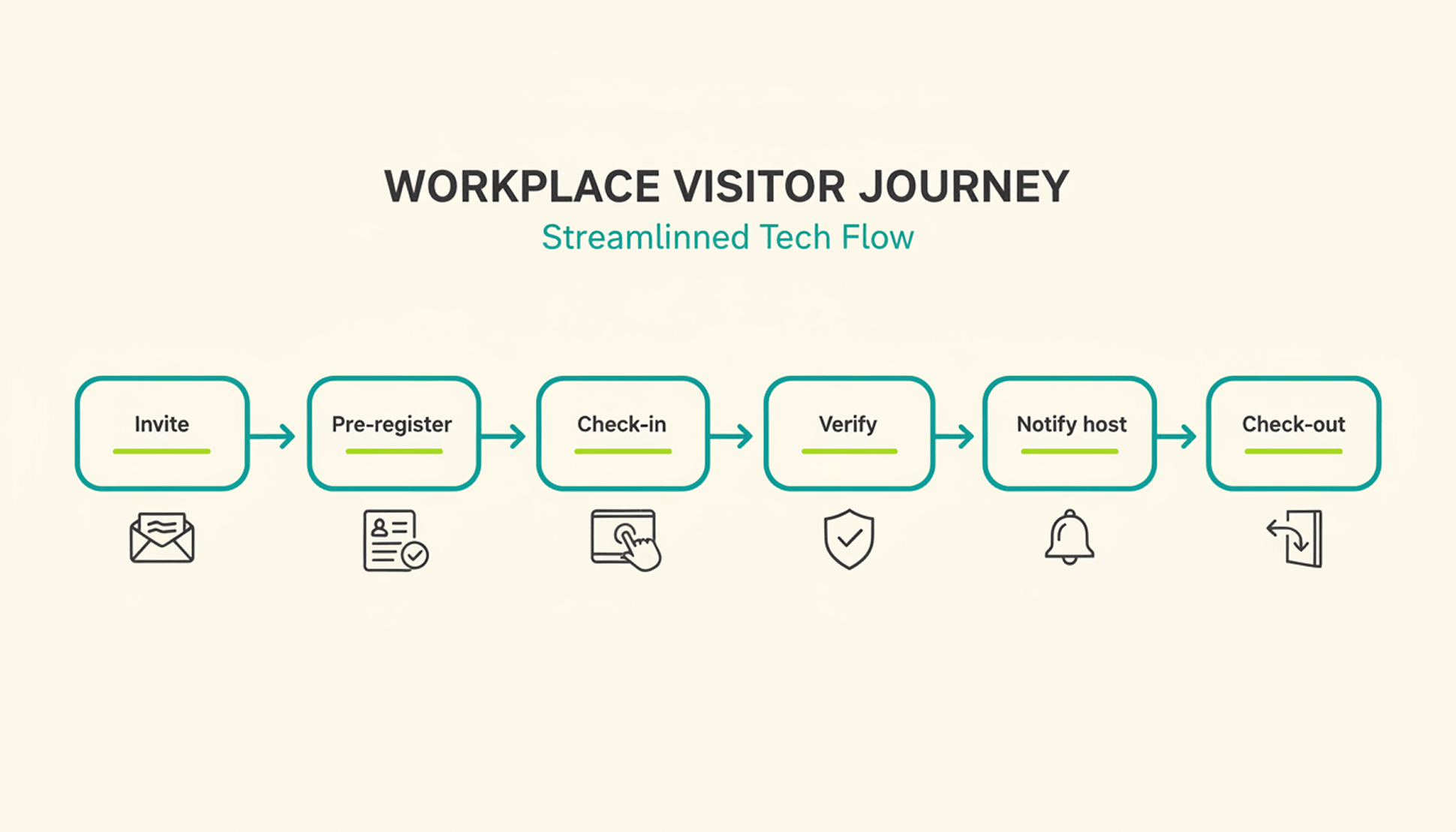
  • Guests check in at the kiosk, and the host immediately receives a notification in Slack or Microsoft Teams.
  • At the reception desk, guests sign NDAs, photo release forms and receive a visitor badge and privacy notices.
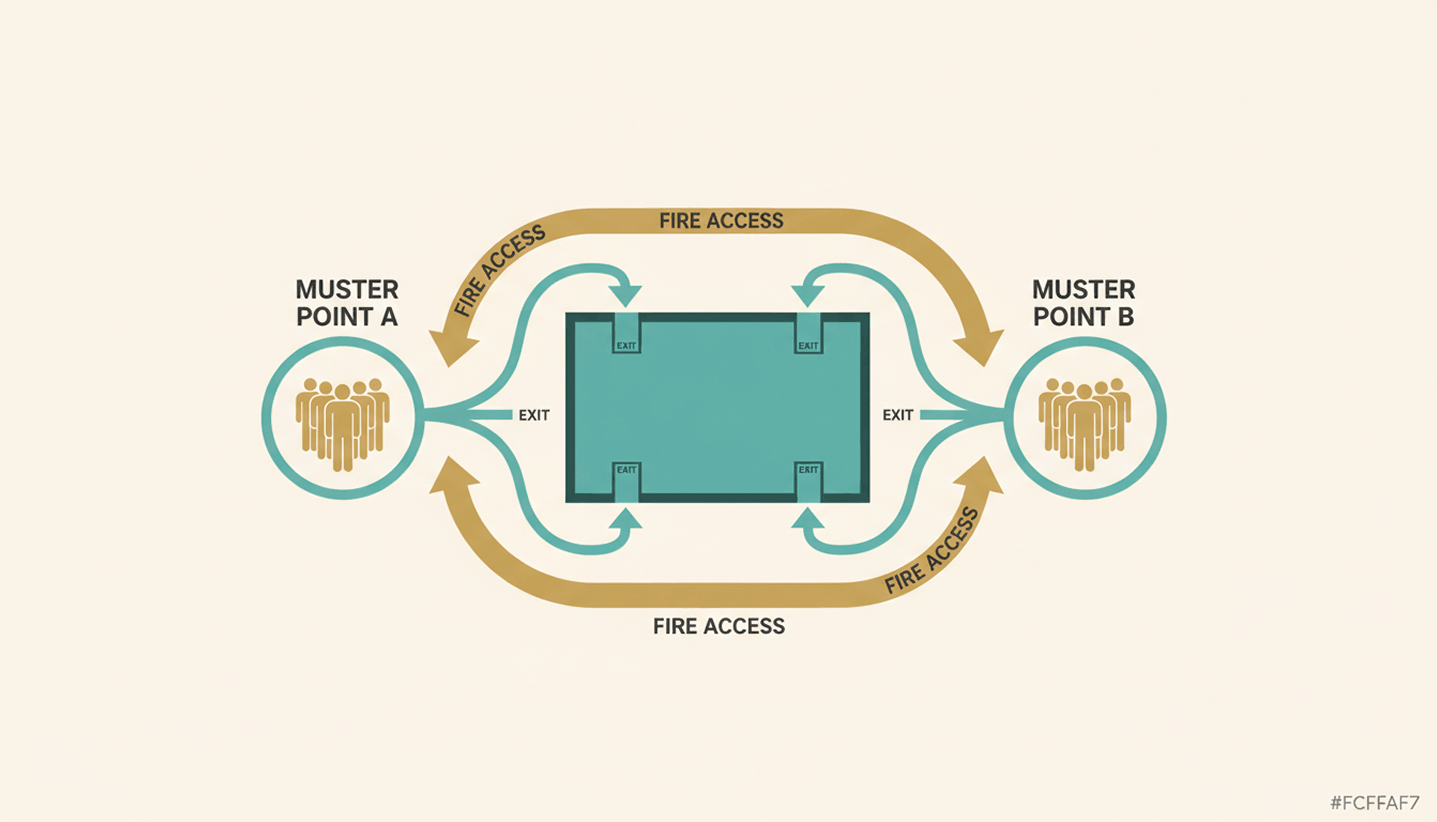
  • In an emergency, PULT generates an Emergency Export of all currently present individuals at the push of a button.
  • The weekly planner shows in advance how many employees will be in the office on the day of the event, so that room planning and space utilization can be coordinated.

{{onpage-cta}}

Office Insights

Workforce Analytics: Definition, Key Metrics, and EU-Compliant Implementation by 2026

Workforce analytics refers to the analysis of personnel data to manage headcount, productivity, and workforce planning. HR teams use this method to support personnel decisions with data. Starting in August 2026, the EU AI Regulation will tighten requirements for AI-powered HR analytics and mandate specific structures.

Workforce Analytics: The Basics

  • Workforce analytics is the quantitative analysis of HR data—such as turnover, absenteeism, headcount, and office utilization—to derive actionable recommendations for workforce planning.
  • Key metrics for workforce planning analytics include turnover rate, time-to-hire, absenteeism rate, office attendance, and team-level productivity metrics.
  • The EU AI Regulation classifies many HR analytics systems as high-risk AI starting in August 2026, imposing obligations regarding disclosure, human oversight, and data protection impact assessments.
  • PULT provides the data foundation for workforce analytics in hybrid teams—including attendance, desk utilization, and room bookings—and thus complements traditional HRIS systems such as Personio or HiBob.

What is workforce analytics, and how does it differ from people analytics?

Workforce Analytics focuses on the quantitative aspects of the workforce. It centers on headcount, productivity, turnover, and workforce structure in medium-term planning. People Analytics takes this a step further and also examines behavior, engagement, and collaboration based on qualitative data. HR Reporting, on the other hand, provides only retrospective reports without a forecasting component.

workforce analytics

In day-to-day work, these two areas are closely intertwined. When you implement your own workforce analytics, you create the data foundation for people analytics and the overarching workplace management.

Which metrics are suitable for workforce analytics?

Workforce Analytics uses metrics such as turnover rate, time-to-hire, absenteeism rate, office utilization, headcount trends, and others, which are regularly collected and analyzed. Together, these metrics provide an overview of how the workforce is evolving and which areas of the company are over- or under-staffed.

What tools are suitable for workforce analytics?

Workforce analytics tools can be divided into three layers. An HRIS layer as the data core (Personio, HiBob, Workday), an analytics layer for evaluation (Visier, Tableau, supplementary HRIS modules), and an office layer for attendance and space data in hybrid setups. The right combination depends on company size, data architecture, and EU compliance status.

When making your selection, consider the following five points:

  • Hosting region: EU hosting with a data center in Germany or elsewhere in Europe.
  • API Capability: Interfaces with HRIS, time tracking, and office management systems to eliminate data silos
  • EU AI Act Status: The provider documents whether and how its tool falls under the category of high-risk AI
  • Level of detail: Customizable KPIs and freely configurable dashboards
  • Office database: Attendance data, room and workstation reservations as well as visitor management
Tip: PULT Workplace Analytics includes this office layer and feeds attendance data, desk utilization, and room bookings into your workforce analytics pipeline, which can be combined with Personio or HiBob.

What does the EU AI Regulation 2026 require of HR analytics systems?

According to Annex III of the EU AI Regulation, an HR analytics system is considered high-risk AI as soon as it automatically supports personnel decisions. These include recruitment, promotion, termination, and performance evaluation. As a result, many workforce analytics functions are subject to strict requirements as soon as algorithms independently generate recommendations for or against individuals.

What requirements will apply to HR analytics systems as of August 2, 2026?

The high-risk classification gives rise to four key obligations for new systems:

  • Risk Management and Technical Documentation in accordance with Articles 9 through 11 of the EU AI Regulation
  • Human oversight for every decision involving personal data, not just at a later stage
  • Data Protection Impact Assessment pursuant to Article 35 of the GDPR, plus a Fundamental Rights Impact Assessment pursuant to Article 27 of the EU AI Act
  • Co-determination by the works council pursuant to § 87(1)(6) of the Works Constitution Act (BetrVG) in connection with any introduction or adjustment

How can I ensure that my workforce analytics setup remains compliant?

You can ensure compliance by clarifying your data architecture and processes before purchasing a tool. This involves five key points:

  • EU Hosting: Servers located in the EU, documented data processing.
  • Purpose limitation: You must document in writing which data you are analyzing and for what purpose.
  • Human final decision: No algorithm makes the final decision regarding hiring, termination, or promotion.
  • Disclosure: You proactively inform employees about what data is collected and how it is analyzed.
  • Involve the works council: A works council agreement fulfills the requirement for employee participation.

How to Build a Future-Proof Workforce Analytics System

Workforce Analytics provides you with a quantitative overview of your workforce, from headcount forecasts and turnover to office utilization.

Starting in the fall of 2026, the EU AI Regulation will require specific frameworks for high-risk AI, documentation, and human oversight. With PULT, you can meet these requirements while still gaining reliable data for your workforce planning and site strategy.

  • PULT Workplace Analytics provides real-time attendance, desk, and room data as a data source for workforce analytics.
  • Native integrations with Personio, HiBob, Microsoft Teams, and Slack, so all your HR data is centralized in one place.
  • EU hosting and ISO 27001 certification as the basis for your GDPR and EU AI Act documentation.

{{onpage-cta}}