Working Models 2026 » Overview & Comparison

By choosing the right working model, you can structure your team to avoid unnecessary costs and keep your employees completely satisfied.

Working Models: Which One Is Right for Your Team?

Work models describe how, when, and where employees perform their work. Full-time and part-time? That’s ancient history. By 2026, hybrid, remote, flex time, the four-day workweek, and job sharing will define the German labor market. 

If you choose the wrong model, you’ll quickly find yourself facing unnecessary problems such as excessive administrative costs and dissatisfied employees. That’s why, in this article, we’ll explain the most important models, outline their pros and cons, and highlight which legal changes are particularly relevant this year.

Work Models: The Basics

  • Work models define the scope (full-time, part-time), schedule (flexible hours, trust-based working hours, four-day workweek), and location (office, home office, hybrid, remote) of work.
  • By 2026, hybrid work will be the most common model in German companies. About 60 percent of office workers will work from home at least one day a week.
  • Since 2022, employers in Germany have been required to systematically track working hours, regardless of the chosen work model .
  • The Pay Transparency Act was strengthened in 2026 and now applies to companies with as few as 100 employees, with direct implications for part-time and job-sharing arrangements.

What are work models?

An employment model defines the framework within which an employee performs their work. It specifies three dimensions:

  • Hours worked: How many hours per week does a person work? Full-time, part-time, or on a very limited basis?
  • Schedule: When are employees scheduled to work? Fixed hours, flex time, shift work, or trust-based working hours?
  • Work location: Where is the work done? In the office, from home, in a hybrid setup, or entirely remotely?

These three dimensions can be combined. A full-time employee can work on a flex-time schedule and in a hybrid model. A part-time employee can work exclusively in the office on a fixed shift. These combinations give rise to the modelswe examine in this article.

The main work models by working hours

The number of hours worked forms the basis of every employment contract. These four models cover over 95 percent of all employment relationships in Germany.

Full-time

In Germany, full-time employment generally involves 35 to 40 hours per week, depending on the collective bargaining agreement or the industry. Full-time positions remain the norm, particularly in manufacturing, skilled trades, and traditional administrative professions.

  • Advantages: Full salary, comprehensive benefits, clear career path. 
  • Disadvantages: Less flexibility for family, continuing education, or side jobs.

Part-time

Part-time work involves fewer hours than the full weekly work schedule. Since 2019, employees have been entitled under the Bridge Part-Time Work Act to a temporary reduction in working hours with the right to return to full-time work.

  • Advantages: Better work-life balance, more time for other commitments. 
  • Disadvantages: Lower income, often slower career advancement, lower pension benefits.

Part-time employment (mini-job)

Since 2026, mini-jobs have been capped at 603 euros per month. They are suitable for students, retirees, or as a second job.

  • Advantages: Tax- and social security-free for employees, flexible scheduling, easy entry into the job market.
  • Disadvantages: No automatic coverage under health and unemployment insurance, limited pension benefits, no protection in the event of unemployment.

Four-day workweek

The four-day workweek reduces the number of working days to four, often without a reduction in pay. In Germany, it was tested in several pilot projects in 2024. Initial results show higher productivity per hour, but also challenges in service industries with fixed opening hours.

  • Benefits: More time to recover, lower absenteeism rates, a strong selling point in recruitment.
  • Disadvantages: Difficult to implement in shift-based and service-oriented businesses, higher demands on process efficiency, potential losses in terms of availability.

Work Models Based on Work Hours Distribution

While the total number of hours sets the framework, the distribution of working hours determines daily life. These four models are the most common in Germany.

Flexible work hours

Under a flex-time schedule, employees determine the start and end times of their daily work within a set framework. A core period (for example, 10 a.m. to 3 p.m.) generally specifies when all employees must be available. Outside of these hours, employees are free to manage their own schedules.

  • Benefits: Better compatibility with doctor's appointments, family commitments, or commuting times; higher employee satisfaction; lower absenteeism. 
  • Disadvantages: Requires reliable time tracking, makes it difficult to coordinate spontaneously outside of core hours, and makes team coordination more complex.

Flexible work hours

What counts here is only the result, not the number of hours worked. Employees organize their own working hours. It is important to note that even trust-based working hours are not exempt from the legal requirement to track working hours. Employers must document when work was performed, even if the distribution of those hours is left up to the employee.

  • Advantages: High degree of autonomy, a strong selling point when recruiting skilled workers, focus on results rather than attendance. 
  • Disadvantages: Risk of unpaid overtime; difficult to implement without a mature management culture; requires documentation despite flexible scheduling.

Shift work

Shift schedules (early, late, and night shifts) are primarily found in manufacturing, healthcare, logistics, and retail. They require reliable shift schedules and transparent communication.

  • Advantages: The company is always open, employees often receive shift premiums, and there is a clear separation between work and personal time. 
  • Disadvantages: Health risks due to irregular work schedules (especially night shifts), difficulty balancing work and family life, higher employee turnover in industries with unattractive shifts.

Job sharing

In job sharing, two or more people share a full-time position. It is becoming increasingly popular, especially in leadership positions. However, with the stricter Pay Transparency Act of 2026, legal requirements are also coming to the forefront here, as both job-sharing partners must be paid equally for work of equal value and the company must be able to document this comparability.

  • Advantages: Makes leadership positions accessible on a part-time basis, combines two skill sets in a single role, and ensures continuity in the event of illness or vacation. 
  • Disadvantages: Significant coordination effort required between partners, complex reporting and documentation requirements, and, in practice, often additional work for the supporting team.

Work Models by Location

The workplace has undergone the most significant changes in recent years. Four models now define the day-to-day operations of German companies.

Office work (in-person)

For decades, the traditional office setup was the standard model. It still works today in situations where physical presence is necessary. For companies, this model involves the least organizational effort, as it features fixed workstations and predictable utilization. The trade-off is high fixed costs for office space and a limited pool of applicants, since many talented individuals today expect hybrid or remote options.

  • Advantages: Easy coordination, direct communication within the team, strong corporate culture, minimal technical requirements.
  • Disadvantages: High fixed costs for office space, long commutes for employees, and reduced appeal to job candidates.

Work from home

In this model, employees work from home on a permanent basis or at least on a regular basis. There is still no legal right to work from home in Germany, but many companies offer it on a voluntary basis. This is also necessary these days, as many qualified workers expect at least the option to work from home.

  • Advantages: No more commuting time, improved concentration, better work-life balance.
  • Disadvantages: Risk of isolation and weaker team cohesion, more difficult to coordinate spontaneously, higher demands on self-organization and technical equipment at home.

{{hint-box}}

Hybrid Work

Hybrid work combines in-office work with location-flexible work according to clear guidelines. There are several typical models:

  • Office-First: Three to four days in the office, one to two days working from home.
  • Remote-First: Remote work is the default; employees come into the office only on specific days or for specific occasions.
  • Free Choice: Employees decide where to work each day within defined guidelines.

The choice of model primarily affects the organizational effort required. However, the advantages and disadvantages of the hybrid model generally apply to all three variants:

  • Advantages: Combines periods of focused work at home with collaboration in the office, reduces office space through desk sharing, and serves as a strong selling point in recruitment. 
  • Disadvantages: Greater coordination effort, requires booking and attendance systems, risk of unequal opportunities between office-based and remote workers (“proximity bias”).

Remote Work

Remote work refers to working entirely from any location, often from abroad. Tax, social security, and labor law issues become complex as soon as someone works from another EU country for more than 25 days a year.

  • Advantages: Access to an international talent pool, no office space costs, and maximum flexibility for employees.
  • Disadvantages: Complex legal and tax issues related to assignments abroad, challenges in building a team culture, and higher demands on leadership and digital communication.

Try PULT free for 14 days

  • ✓ Clear guidelines for hybrid work
  • ✓ Accurate attendance data instead of chaotic tracking
  • ✓ GDPR-compliant & hosted in Germany
Start free trial

Work Models of the Future: What Will Change in 2026?

The labor market never stands still. Almost in lockstep, new regulations and laws are emerging, designed to protect both employers and employees while maintaining a balance. Four legal and technological developments are shaping work models in Germany in 2026:

  1. Digital time tracking requirement now fully in effect: Since the Federal Labor Court (BAG) ruling in 2022, employers have been required to systematically track working hours. What has been missing so far is specific legal implementation: The planned Time Tracking Act is set to make electronic tracking mandatory in the course of 2026. 
  2. Pay Transparency Act Expanded: The EU Pay Transparency Directive has been transposed into German law and now applies to companies with 100 or more employees. Companies must be able to disclose their pay structures. This has a direct impact on part-time, job-sharing, and hybrid models, as anyone filling a reduced-hour position must be paid proportionally the same as a full-time employee performing the same duties.
  3. AI Governance in Human Resources: With the introduction of the EU AI Act, stricter rules for AI-powered HR systems will take effect in 2026. Tools used in recruiting or performance evaluation are considered high-risk applications and are subject to documentation and transparency requirements. Furthermore, attendance analyses and workload reports must not generate movement profiles of individual persons. Evaluations must be anonymized at the team or facility level.
  4. Space optimization as a cost factor: Office costs are among the largest fixed expenses for many companies. Companies that allow employees to work in a hybrid model and don’t know who is actually in the office and when end up paying for unused square footage. Accurate occupancy data is essential for making informed space-related decisions and ensures that companies can reduce costs.

PULT automatically transmits this occupancy data via Wi-Fi.

  • ✓ Actual presence data instead of booking data
  • ✓ Set up in under 30 minutes
Try PULT free for 14 days

Which work model is right for which company?

There is no one-size-fits-all model. Companies that copy an approach simply because it has worked reliably for others underestimate how much the right choice depends on their own specific circumstances. Four factors set the direction:

  1. Industry and job profile: Knowledge work allows for more flexibility than the manufacturing sector.
  2. Team size and culture: Small teams often get by with informal agreements, while larger teams need clear rules and tools.
  3. Employee expectations: Young talent expects hybrid and remote work options. According to PwC, for 44 percent of employees, the option to work from home is a decisive factor in choosing an employer, while for another 42 percent, it is important but not decisive.
  4. IT infrastructure: Hybrid work only works with reliable time-tracking software, attendance tracking, and an integrated HR system.

Anyone introducing hybrid or flexible models should therefore clarify early on how desk sharing will be organized and how utilization will be measured.

Implementing Hybrid and Flexible Work Models: What Matters Most

Flexible, new work models often fail during implementation. Four problems in particular tend to arise in practice.

The first issue is the discrepancy between bookings and reality. Employees reserve desks in advance but then don’t show up, or conversely, come into the office spontaneously without having made a reservation. The result is occupancy data that cannot be relied upon for decision-making.

The second issue concerns the office manager. Without automatic attendance tracking, the only option is to manually ask team members who is in the office today. This takes time and still doesn't provide reliable data.

Then there’s the matter of compliance. Time tracking, occupational safety training, and first-aid responder quotas require the ability to document at any time who was on site and when. In hybrid teams, this is nearly impossible to do manually.

Finally, the “word of mouth” between systems should not be underestimated. Booking data is stored in one tool, HR data in another, and room schedules in a third. This does not result in a unified overview.

The solution lies in the combination of clear rules and a system that enforces these rules in the background:

  1. Define booking rules (who is allowed to work from home, when, and for how many days; which teams are required to be on-site on which days)
  2. Provide a booking tool that integrates with existing systems such as Slack, Microsoft Teams, or Outlook
  3. Automatically track actual attendance instead of relying on booking data
  4. Use analytics to plan spaces, teams, and investments based on data

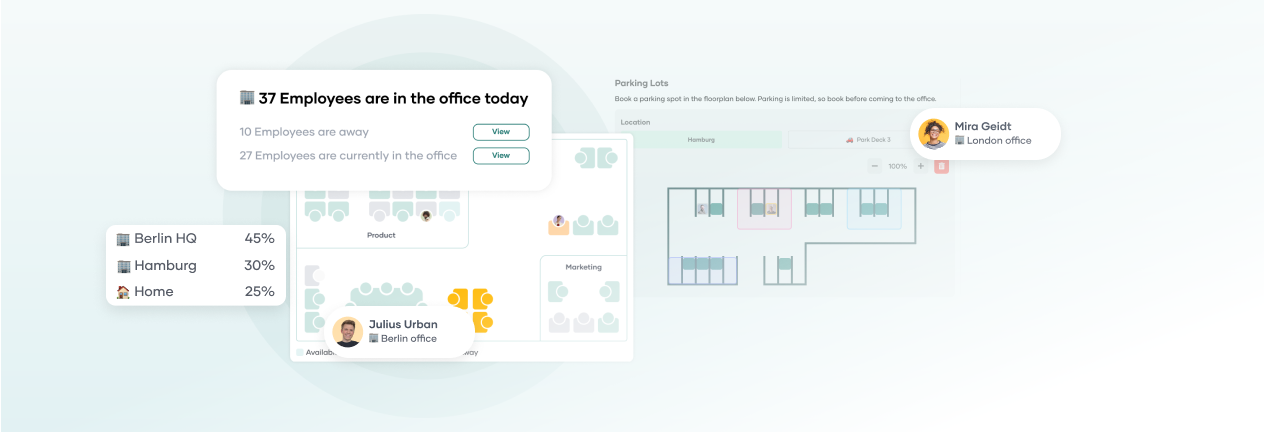
This is exactly where PULT comes in. The platform combines desk booking, room and parking spot reservations, visitor management, and automatic attendance tracking via the company’s Wi-Fi into a single system. Employees can book in ten seconds directly from Slack or Teams, check-in happens automatically, and office managers receive reliable data on office occupancy in real time.

Hybrid doesn't mean chaos.

  • ✓ Booking, attendance, and reporting all in one system
  • ✓ Native integration with Slack, Teams, Personio, and more
See PULT in action

Working from Home vs. Remote Work

"Working from home" and "remote work" are often used interchangeably, but under labor law, they are two distinct models. Anyone who signs a work-from-home agreement sets up a permanent workspace at home. In this case, the employer is obligated to fully and ergonomically equip this workspace. Another requirement is a separate room used exclusively as a workspace. Anyone living in a studio apartment does not meet this requirement. This requirement does not apply to remote work agreements. Employees work from any location and are responsible for their own equipment. As a result, more and more employers are moving away from home office agreements and instead entering into remote work agreements.

Trusted by 1000+ innovative workplaces
FAQ

Have questions?

What are the most common work arrangements in Germany?

The most common work arrangements are full-time, part-time, flex-time, hybrid work, and shift work. In knowledge-based professions, the hybrid model has been dominant since 2024, while shift work remains the standard in manufacturing and healthcare.

Which work models are considered sustainable?

Flexible models that give employees a say in when and where they work are considered future-proof. These include hybrid work, the four-day workweek, trust-based working hours, and job sharing.

What is the difference between hybrid and remote?

Hybrid work combines regular office attendance with periods of working from home. Remote work means working entirely from any location without regular office attendance. With the remote model, companies often eliminate their offices entirely or at least drastically reduce their office space.

What legal requirements will apply to flexible work arrangements in 2026?

Employers must systematically track working hours regardless of the model used. The stricter Pay Transparency Act applies to companies with 100 or more employees. AI-powered HR tools are subject to the EU AI Act, which prohibits the creation of movement profiles for individual persons.

How do I measure actual office occupancy in a hybrid model?

Booking data alone isn't enough, because seats are often reserved but then not actually used. A more effective approach is to combine a booking system with automatic attendance tracking, such as via a Wi-Fi connection. This provides reliable data on actual usage.

Is the four-day workweek worth it for every company?

No. The four-day workweek is primarily suited for knowledge-based work that does not have fixed operating hours. In the service sector, manufacturing, or healthcare, it is difficult to implement because it compromises availability during the week or requires additional staff.

About author

Isolde Van der Knaap

Hybrid Work Enthusiast and Account Executive

At PULT we're designing the future of the hybrid workplace for companies and their employees. Focused on SME and mid market customers in Eruope, I'm working on everything from Customer Discovery to Onboarding. I'm very passionate about new work and moved to Hamburg in 2024 even though I'm originally from France.

Resources

Learn how to run better workplace operations

Visitor Management

Organizing an Event: Checklist, Permits & Legalities 2026

If you organize an event, you now bear more legal responsibility than you did just a few years ago. New requirements for safety documentation, GDPR obligations regarding participant data, and changes to liability rules mean that event planning has become a task where relying on an outdated checklist can quickly become costly.

Organizing an Event: The Basics

  • Public events involving a large number of people are subject to a require a permit in Germany: Depending on the state and the type of event, applications must be submitted to the relevant authority at least 12 weeks in advance
  • Since the stricter requirements took effect in 2025/2026, event organizers must actively maintain their safety documentation: In the event of a claim, anyone who cannot provide complete documentation bears the burden of proof, regardless of whether there was any fault
  • The GDPR applies to participant data when organizing an event, and specifically to event photos and video recordings as well: Without explicit consent or a documented exception, substantial fines may be imposed.
  • Event management feature: With PULT, companies can coordinate corporate events, room scheduling, and attendee management all within a single system, directly integrated with Personio, HiBob, MS Teams, and Slack.

What permits do I need before organizing an event?

As soon as you start planning an event in Germany, you’ll encounter a complex web of regulations that vary depending on the state, the type of event, and the number of attendees. The key regulations include the Public Gathering Venues Ordinance, GEMA, and guidelines from the public order office.

  • Your city or town’s Public Order Office: The first point of contact for public events. The Public Order Office generally approves the event and coordinates with other authorities as needed. Private corporate events with a fixed guest list held at an approved venue do not require a separate permit from this office
  • Department of Streets and Green Spaces (also known as the Department of Civil Engineering or the Department of Urban Planning, depending on the city): You can apply here for a special use permit for events on streets, squares, or in parks. The exact name of the agency varies by municipality. The quickest way to find the right contact is to search for “special use permit for events” on your municipality’s city portal. Many municipalities now bundle this application in the Servicekonto Deutschland
  • Business Licensing Office: If you sell food or beverages, you need a temporary permit under the restaurant regulations of the respective state. This is a separate application, independent of the event permit.

Three additional points that often come up too late in the planning process:

  • GEMA: You must register music that includes GEMA-licensed tracks in advance at gema.de, whether performed live or played from a recording. The fees depend on the size of the event and the venue area.
  • Regulation on Public Gathering Places (VStättVO): For events with 200 or more people, the relevant building authority will verify whether the venue is licensed as a public gathering place. Clarify this in advance with the venue’s landlord, because as the organizer, you are jointly liable if the operating permit is missing or has expired
  • Fire Department and Public Health Department: For events featuring stage setups or food service, the Public Order Office often requires a fire safety plan and a hygiene plan. Make sure to get written confirmation that this applies to your event.

For all applications for which your municipality offers an online portal, the following applies: The Servicekonto Deutschland consolidates many of these forms. Start the application process at least 12 weeks before the event.

What has changed for events as a result of new safety regulations and the reversal of the burden of proof?

DGUV 115-002 sets forth safety requirements for event and production technology and applies to all events where technical equipment such as stages, lighting, or sound systems is set up. Starting in 2025/2026, authorities and courts expect event organizers to actively maintain their safety documentation rather than compiling it only upon request.

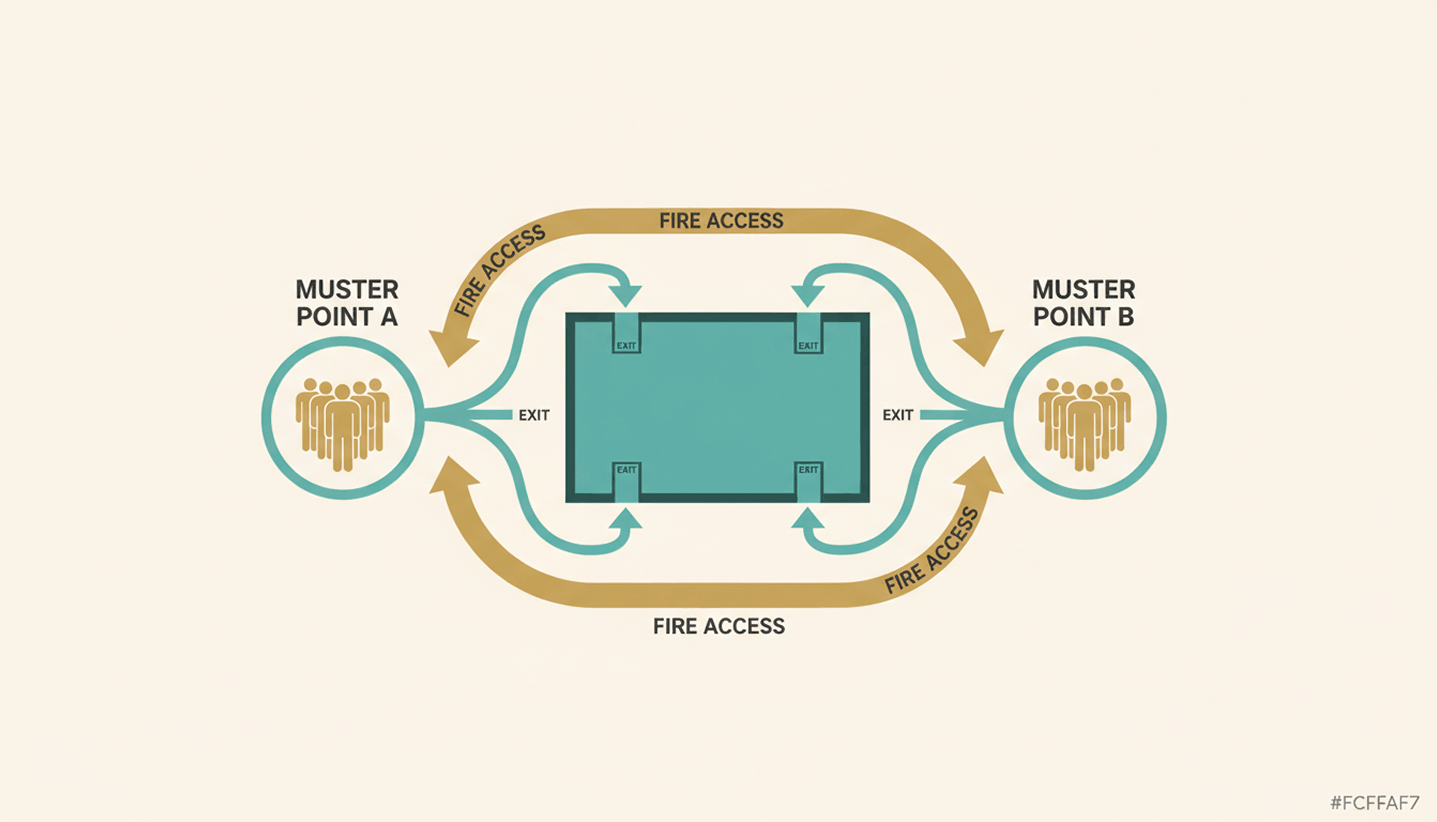
This means that risk assessments, evacuation plans, protocols for briefing service providers, and participant lists must be fully documented. If you cannot present complete documentation in the event of a claim, the burden of proof falls on you. A structured documentation system in place before the event should therefore be considered a requirement that you must comply with.

How do I comply with the GDPR when organizing an event?

As soon as you register participants, you are processing personal data and therefore need a legal basis under Article 6 of the GDPR. For corporate events, this basis is generally derived from legitimate interest. In this case, the data may not be used for purposes beyond the event and must be deleted after 90 days at the latest. The only exception to the deletion period is tax-related retention requirements.

Things get more complicated when it comes to event photos and video recordings:

  • Portraits and identifiable individuals: Publication is prohibited without express consent, even in the case of seemingly harmless group photos
  • Panoramic photos of large crowds: In such cases, a legitimate interest may apply, provided that individuals are not recognizable.
  • Online events and recordings: If you record events or meetings , you must inform participants in advance and obtain their consent. Starting a recording without prior notice is a violation of the GDPR.

When registering, provide a consent form that explicitly asks for permission to take photos and record videos. The same rules apply to hybrid events—that is, formats in which some participants join remotely—with the addition of recording requirements under data protection law.

Organizing an Event Step by Step: The Checklist

What tools can help with organizing events?

When it comes to organizing your event, three categories of tools cover the most important planning areas: tools for checklists and risk analysis, online portals for submitting official applications, and office management platforms for room scheduling and attendee management.

  • Checklists, AI: Use our event checklist and consult an LLM (Claude, Gemini, ChatGPT, etc.) to research the local and municipal requirements or guidelines specific to your state, as these cannot be summarized in a single, universal list.
  • Online permit portals: The Servicekonto Deutschland and municipal application portals allow users to submit permit applications via browser-based forms. However, availability varies by state.
  • Office management platforms with event features: A direct link between event planning, room management, and attendee management saves you the hassle of back-and-forth coordination.

PULT combines room booking, guest management, and catering into a single platform. You can book rooms, filter by capacity and amenities such as projectors or whiteboards, reserve areas on the interactive office map for your event, and add catering directly during the booking process. 

  • Rooms, catering, parking, and guest workstations—all in one booking.
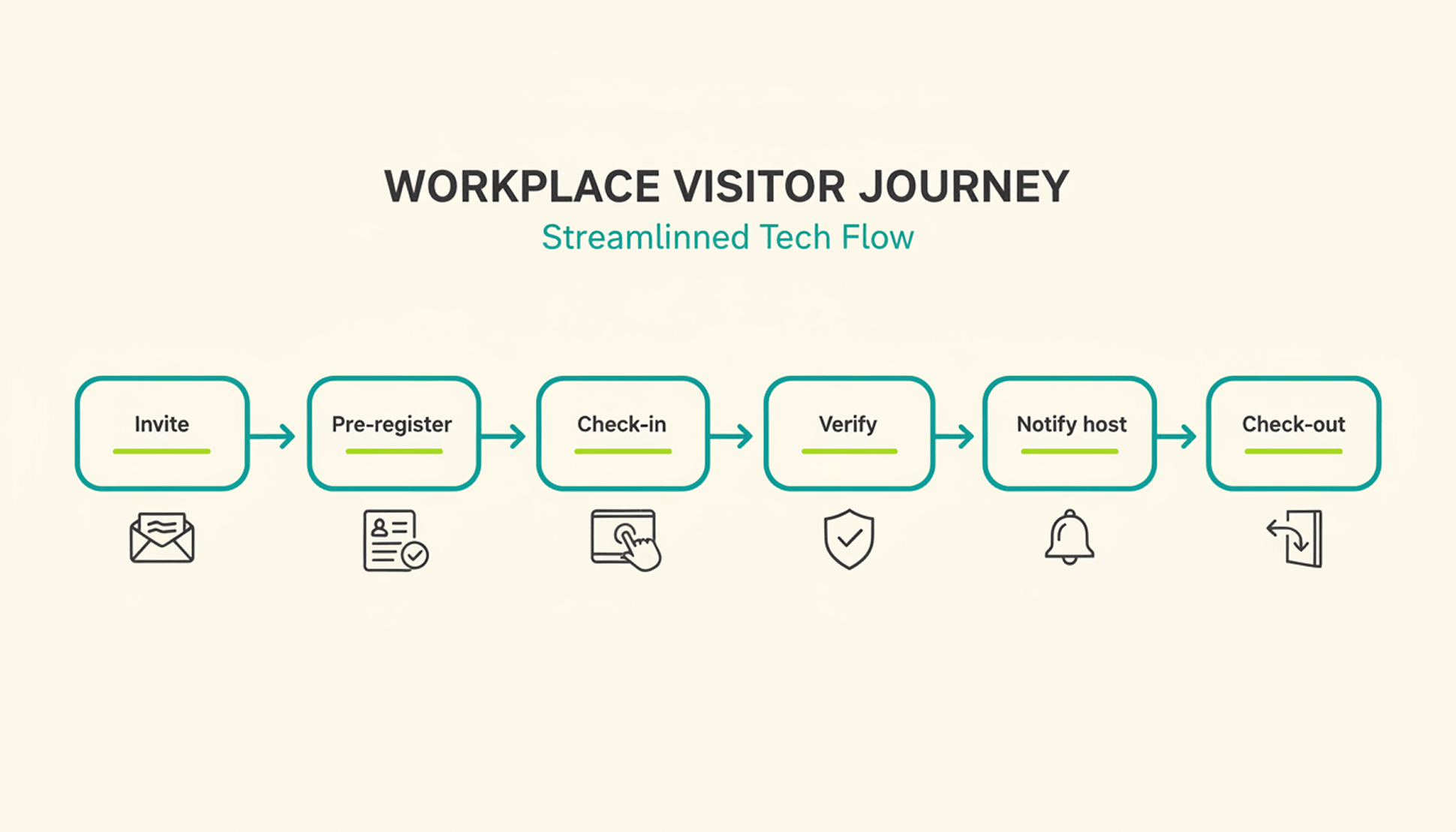
  • Guests check in at the kiosk, and the host immediately receives a notification in Slack or Microsoft Teams.
  • At the reception desk, guests sign NDAs, photo release forms and receive a visitor badge and privacy notices.
  • In an emergency, PULT generates an Emergency Export of all currently present individuals at the push of a button.
  • The weekly planner shows in advance how many employees will be in the office on the day of the event, so that room planning and space utilization can be coordinated.

{{onpage-cta}}

Office Insights

Workforce Analytics: Definition, Key Metrics, and EU-Compliant Implementation by 2026

Workforce analytics refers to the analysis of personnel data to manage headcount, productivity, and workforce planning. HR teams use this method to support personnel decisions with data. Starting in August 2026, the EU AI Regulation will tighten requirements for AI-powered HR analytics and mandate specific structures.

Workforce Analytics: The Basics

  • Workforce analytics is the quantitative analysis of HR data—such as turnover, absenteeism, headcount, and office utilization—to derive actionable recommendations for workforce planning.
  • Key metrics for workforce planning analytics include turnover rate, time-to-hire, absenteeism rate, office attendance, and team-level productivity metrics.
  • The EU AI Regulation classifies many HR analytics systems as high-risk AI starting in August 2026, imposing obligations regarding disclosure, human oversight, and data protection impact assessments.
  • PULT provides the data foundation for workforce analytics in hybrid teams—including attendance, desk utilization, and room bookings—and thus complements traditional HRIS systems such as Personio or HiBob.

What is workforce analytics, and how does it differ from people analytics?

Workforce Analytics focuses on the quantitative aspects of the workforce. It centers on headcount, productivity, turnover, and workforce structure in medium-term planning. People Analytics takes this a step further and also examines behavior, engagement, and collaboration based on qualitative data. HR Reporting, on the other hand, provides only retrospective reports without a forecasting component.

workforce analytics

In day-to-day work, these two areas are closely intertwined. When you implement your own workforce analytics, you create the data foundation for people analytics and the overarching workplace management.

Which metrics are suitable for workforce analytics?

Workforce Analytics uses metrics such as turnover rate, time-to-hire, absenteeism rate, office utilization, headcount trends, and others, which are regularly collected and analyzed. Together, these metrics provide an overview of how the workforce is evolving and which areas of the company are over- or under-staffed.

What tools are suitable for workforce analytics?

Workforce analytics tools can be divided into three layers. An HRIS layer as the data core (Personio, HiBob, Workday), an analytics layer for evaluation (Visier, Tableau, supplementary HRIS modules), and an office layer for attendance and space data in hybrid setups. The right combination depends on company size, data architecture, and EU compliance status.

When making your selection, consider the following five points:

  • Hosting region: EU hosting with a data center in Germany or elsewhere in Europe.
  • API Capability: Interfaces with HRIS, time tracking, and office management systems to eliminate data silos
  • EU AI Act Status: The provider documents whether and how its tool falls under the category of high-risk AI
  • Level of detail: Customizable KPIs and freely configurable dashboards
  • Office database: Attendance data, room and workstation reservations as well as visitor management
Tip: PULT Workplace Analytics includes this office layer and feeds attendance data, desk utilization, and room bookings into your workforce analytics pipeline, which can be combined with Personio or HiBob.

What does the EU AI Regulation 2026 require of HR analytics systems?

According to Annex III of the EU AI Regulation, an HR analytics system is considered high-risk AI as soon as it automatically supports personnel decisions. These include recruitment, promotion, termination, and performance evaluation. As a result, many workforce analytics functions are subject to strict requirements as soon as algorithms independently generate recommendations for or against individuals.

What requirements will apply to HR analytics systems as of August 2, 2026?

The high-risk classification gives rise to four key obligations for new systems:

  • Risk Management and Technical Documentation in accordance with Articles 9 through 11 of the EU AI Regulation
  • Human oversight for every decision involving personal data, not just at a later stage
  • Data Protection Impact Assessment pursuant to Article 35 of the GDPR, plus a Fundamental Rights Impact Assessment pursuant to Article 27 of the EU AI Act
  • Co-determination by the works council pursuant to § 87(1)(6) of the Works Constitution Act (BetrVG) in connection with any introduction or adjustment

How can I ensure that my workforce analytics setup remains compliant?

You can ensure compliance by clarifying your data architecture and processes before purchasing a tool. This involves five key points:

  • EU Hosting: Servers located in the EU, documented data processing.
  • Purpose limitation: You must document in writing which data you are analyzing and for what purpose.
  • Human final decision: No algorithm makes the final decision regarding hiring, termination, or promotion.
  • Disclosure: You proactively inform employees about what data is collected and how it is analyzed.
  • Involve the works council: A works council agreement fulfills the requirement for employee participation.

How to Build a Future-Proof Workforce Analytics System

Workforce Analytics provides you with a quantitative overview of your workforce, from headcount forecasts and turnover to office utilization.

Starting in the fall of 2026, the EU AI Regulation will require specific frameworks for high-risk AI, documentation, and human oversight. With PULT, you can meet these requirements while still gaining reliable data for your workforce planning and site strategy.

  • PULT Workplace Analytics provides real-time attendance, desk, and room data as a data source for workforce analytics.
  • Native integrations with Personio, HiBob, Microsoft Teams, and Slack, so all your HR data is centralized in one place.
  • EU hosting and ISO 27001 certification as the basis for your GDPR and EU AI Act documentation.

{{onpage-cta}}

Office Insights

Micromanagement: Consequences, Legal Risks, and the Path to Controlled Delegation

Micromanagement refers to a leadership style in which supervisors closely monitor their team’s tasks and constantly intervene. The consequences range from demotivation and resignations to legal risks arising from organizational negligence. However, by reducing micromanagement and delegating effectively, leaders can improve team performance while simultaneously reducing their own liability risk.

Micromanagement: The Basics

  • Micromanagement is a leadership style characterized by excessive attention to detail and constant interference in the team's tasks. Typical consequences include demotivation, a decline in personal responsibility, and above-average turnover rates.
  • Signs of a micromanaging boss include constant status updates, nitpicking over routine phrasing, requiring everyone to be CC'd on every email, and approval loops for trivial decisions.
  • Micromanagement carries legal risks because unclear responsibilities can lead to organizational negligence, and excessive monitoring of employees may violate § 26 of the Federal Data Protection Act (BDSG).

PULT is an all-in-one office management software solution that provides executives with a data-driven overview of hybrid teams through Office Insights, desk booking, and visitor management, without the need to micromanage operational details.

What is micromanagement, and how can you tell if you or your boss is doing it?

Micromanagement is a leadership style in which supervisors constantly monitor their employees’ performance and constantly interfere in their decision-making. Engaged leadership is clearly different, as it sets clear expectations for the outcome but leaves the path to achieving it open.

From an employee's perspective, the following patterns become particularly evident when a supervisor engages in micromanagement:

  • Routine work is proofread and the wording is fine-tuned—something that should have been done long ago
  • You'll be copied on every email
  • Independent decisions are subsequently called into question
  • We receive several status requests every week, even though clear deliverables have been agreed upon

If you are a manager yourself, ask yourself whether the following statements apply to you:

  • You systematically proofread your team's documents before they leave the office
  • You have routine decisions notified to you before they are implemented
  • You step in whenever tasks aren't handled the way you would handle them yourself
  • You ask for status updates more often than your team can deliver results

If you answer "yes" to several of these questions, it's a clear sign that your leadership style has slipped into micromanagement.

{{hint-box}}

What are the consequences of micromanagement for the team and the company?

The consequences of micromanagement affect both the team and the company:

  • Increased willingness to resign and rising turnover
  • Declining personal responsibility and innovative spirit within the team
  • The risk of burnout among employees is constantly monitored
  • Poorer strategic decisions because managers are bogged down in operational details
  • High follow-up costs due to recruiting, onboarding, and knowledge loss

Studies on willingness to quit, such as the Gallup Engagement Index, consistently show that micromanagement is one of the most common reasons for changing jobs. In addition to the human and economic consequences, the legal risks carry particularly serious weight for German companies.

What legal risks does micromanagement pose for managers?

The legal risks associated with micromanagement are rarely mentioned in HR practice, but they are substantial and affect three areas.

Organizational failure resulting from micromanagement

When a manager makes all decisions on their own, lines of responsibility become blurred. If damage occurs, it is difficult to determine clearly who failed to fulfill which duty. The case law of the Federal Court of Justice requires that tasks, authority, and responsibility be clearly assigned. Micromanagement undermines precisely this requirement.

Employee Data Protection under Section 26 of the Federal Data Protection Act (BDSG)

Close monitoring of employees, such as continuous screen monitoring or constant activity tracking, may violate employee data protection laws. Monitoring measures must be proportionate and based on a specific reason.

Delegation as a form of liability protection

A properly documented delegation of authority protects the manager in the event of a claim. Three steps ensure its legal validity:

  • Assign the written assignment , including specific expectations regarding the outcome.
  • Specify the person’s authority explicitly—that is, which decisions they are authorized to make on their own.
  • Agree on reporting milestones at which interim results will be reviewed.

What is the opposite of micromanagement?

The opposite of micromanagement is controlled delegation, often referred to as empowerment or trust-based leadership. In this approach, the manager transfers responsibility for results to employees and no longer controls the process, but rather the agreed-upon output.

  • Clear agreement on objectives with measurable results
  • A defined scope of decision-making within which employees are allowed to act independently
  • Agreed reporting points instead of constant monitoring

This approach is an absolute must, especially in hybrid teams. When managing remotely, you must shift your focus from presence to results, because you no longer have the ability to visually monitor your team.

Moving Away from Micromanagement: What Should a Manager Do?

Overcoming micromanagement is a process that starts with the leader. If you decide to break this habit, these five steps will guide you toward lasting change:

  1. Conduct a self-assessment: Identify your personal triggers. Do you step in because you’re afraid of making mistakes, because you need to be in control, or because you don’t trust the team’s technical expertise?
  2. Categorize tasks: Sort by importance and urgency. Keep broad, strategic issues on your plate; assign all operational tasks clearly.
  3. Define expectations in writing: Describe the desired outcome, but not the path to get there. This will prevent your team from having to be corrected later on for deviating from the plan.
  4. Establish a reporting schedule: Agree on regular check-ins instead of ad hoc inquiries. Weekly or biweekly meetings replace the constant back-and-forth about status updates.
  5. Use tools to stay organized: Software that shows you at a glance who is working where, when office hours are scheduled, and when teams are meeting eliminates the need to constantly ask around.

How to Lead Your Hybrid Team with PULT Without Micromanaging

Micromanagement is a leadership style that comes at a high cost. It drives good employees to quit, undermines the quality of decision-making within the team, and creates legal risks related to organizational negligence and data protection.

The solution lies in controlled delegation. Clear goal agreements, defined decision-making authority, and agreed-upon reporting points replace constant micromanagement. In hybrid teams, the right tools help ensure that you maintain an overview without micromanagement. With PULT, you can keep track of everything without micromanagement:

  • Real-time overview without having to ask: With PULT Presence, you can see on a digital office map who is currently on-site and who is working remotely. Check-in happens automatically via the company Wi-Fi, so you don't have to ask anyone.
  • Weekly planning right in your calendar: Scheduled days in the office and working from home appear in Outlook and Google Calendar, so you don't have to track status emails. Team days can be scheduled fairly and proactively based on this information.
  • Answers at the touch of a button instead of endless back-and-forth: The AI assistant instantly answers questions like “Who’s in the office tomorrow?” via a simple chat interface. No group emails, no follow-ups, no micromanagement.

Automatic synchronization with your HR system: Vacation and absence data from Personio or HiBob is automatically imported into PULT. You can plan team events based on up-to-date information, rather than manually collecting availability data from team members.

{{onpage-cta}}