Blog

Workplace operations insights

Practical guides for office managers building better hybrid workplaces. Learn how to optimize space utilization, automate operations, and support distributed teams.

Get workplace operations insights in your inbox

Subscribe for monthly guides on hybrid work management, space optimization, and workplace automation.

Oops! Something went wrong while submitting the form.
Office Insights

Workplace Safety in the Office: Legal Obligations, Ergonomics and Prevention

Workplace safety in the office serves to maintain employee health and provide legal protection for employers. In modern hybrid offices, safety places new demands on the organization of desk sharing and mobile work.

Workplace Safety in the Office: Key Takeaways

  • Legal framework for workplace safety in the office: The foundation consists of the Occupational Safety Act (ArbSchG), the Workplace Ordinance (ArbStättV) and DGUV Information 215-410.
  • Risk assessment in the office: The employer must identify and document the risks (physical and psychological) for each workplace.
  • Ergonomics: Desks, chairs and monitors must be adjustable to prevent musculoskeletal disorders.
  • Personnel: Depending on company size, safety officers, first aiders and fire safety assistants must be appointed in the required numbers.
  • Safety briefings: At least once a year, all employees must be instructed on the hazards and protective measures in the workplace.

What legal regulations apply to workplace safety in the office?

Workplace safety in the office is primarily governed by the Occupational Safety Act (ArbSchG) and the Workplace Ordinance (ArbStättV), which are further specified by DGUV Information 215-410.

These regulations require employers to systematically assess hazards, comply with technical standards for computer workstations and ensure employee safety through regular briefings and the provision of first aiders.

  • Occupational Safety Act (ArbSchG): It forms the foundation and obliges the employer under § 5 to conduct a risk assessment. The goal is to design work in such a way that hazards to life and physical and mental health are avoided.
  • Workplace Ordinance (ArbStättV): It defines minimum requirements for the operation of workplaces. This includes aspects such as room temperature, ventilation, lighting and the design of computer workstations.
  • DGUV Information 215-410 (formerly BGI 650): This guideline from the German Social Accident Insurance is the most important practical standard for offices. It contains detailed requirements for ergonomics, floor space and the safety-related design of work equipment.
  • Display Screen Equipment Regulation (now part of ArbStättV): It sets specific requirements for the quality of monitors, keyboards and software ergonomics to prevent strain on the eyes and musculoskeletal system.

Responsibility and Implementation of Workplace Safety in the Office

The employer is solely responsible for compliance with and implementation of all measures. For support, from the very first employee, the employer is required to provide proof of safety engineering and occupational health care (according to ASIG and DGUV Regulation 2).

Occupational safety specialists (Sifa) and company physicians provide advisory services, but keeping escape routes clear or correctly adjusting office furniture falls under the responsibility of the respective managers or office management.

How is a risk assessment created for office workplaces?

The risk assessment is the required tool for identifying risks to employee health and initiating countermeasures. According to § 5 of the Occupational Safety Act, every employer is obliged to conduct this assessment for all workplaces, document it and update it regularly.

  1. Define work areas: Divide the office into meaningful units, for example individual offices, open spaces, meeting rooms.
  2. Identify hazards: Record all physical and psychological stresses.
  3. Assess hazards: Evaluate the risk (probability of occurrence and severity of potential damage).
  4. Define protective measures: Select appropriate measures according to the TOP principle (Technical before Organizational before Personal).
  5. Implement measures: Carry out the planned improvements.
  6. Check effectiveness: Verify whether the measures have actually reduced the risk.
  7. Document and update: Legally compliant documentation of results and adaptation when changes occur (e.g. new office furniture or software).

Consideration of Psychological Stress in the Office

Since 2013, the Occupational Safety Act has explicitly required that the psychological risk assessment must also be part of the process. In the office, the focus is on factors such as work intensification, constant availability, lack of recovery periods or inadequate work organization. The goal is the prevention of stress-related illnesses and burnout.

Special Case: Risk Assessment for Hybrid Work (Office/Home Office)

Due to the alternation between office and home office, the assessment must extend beyond time spent in the office. The employer must also consider hazards for working from home and on the go. Since the employer has no direct right of inspection in the private space of employees, this is done through self-assessment questionnaires and instructions for the ergonomic design of the home workplace.

What ergonomic requirements must office workplaces meet?

Workplace ergonomics aims to adapt working conditions to the physical characteristics of people. The overarching goal is to prevent improper strain and chronic musculoskeletal disorders .

DGUV Information 215-410 and the standards DIN EN 527-1 (desks) and DIN EN 1335 (office chairs) define exact minimum requirements for this purpose.

The Ergonomic Office Chair

A suitable chair must allow dynamic sitting and be individually adjustable:

  • Seat height: The thighs should slope slightly downward, with feet flat on the floor (knee angle approx. 90° or slightly more).
  • Backrest: It must have lumbar support that supports the natural curvature of the spine in the lower back area.
  • Dynamics: The backrest should be movable (synchronous mechanism) to encourage alternating between leaning forward and backward.

The Office Desk

The desk must provide sufficient space for work equipment and the correct working height:

  • Dimensions: The standard surface area is 160 x 80 cm. A depth of at least 80 cm is necessary to maintain the viewing distance to the monitor.
  • Height: For fixed desks, the standard measurement is 74 cm (± 2 cm). However, height-adjustable sit-stand desks (switching between 65 cm and 125 cm) are ideal for reducing cardiovascular strain.
  • Surface: It must be low-reflection and matte to avoid glare from light sources.

Monitor and Input Devices for the Office

The placement of technology affects the strain on neck and eyes:

  • Viewing distance: Depending on monitor size, this should be between 50 cm and 70 cm.
  • Viewing angle: The top line on the screen should be well below eye level, so that the gaze is slightly tilted downward.
  • Arrangement: The monitor must be positioned directly in front of the user (no twisted posture). Keyboard and mouse should be placed so that the forearms can rest relaxed on the desk.

Light, Noise and Climate in the Office

  • Lighting: For office work, an illuminance of at least 500 lux is required. Natural daylight is preferred, while glare must be prevented using blinds.
  • Noise: The sound pressure level should not exceed 55 dB(A) for predominantly mental tasks.
  • Indoor climate: The recommended room temperature is between 20°C and 22°C. The relative humidity should be between 40% and 60%.

How many first aiders and safety officers do I need for the office?

The number of persons to be appointed for occupational safety is legally defined and depends on the number of insured persons present in the workplace according to DGUV Regulation 1.

  • First aiders: In offices with up to 20 employees present, one first aider must be appointed. From 21 employees onwards, at least 5% of the workforce must be trained as first aiders.
  • Safety officers (SiBe): From a company size of 20 employees, the appointment of at least one safety officer is mandatory. They support the employer on a voluntary basis in accident prevention.
  • Fire safety assistants: Here too, a quota of typically 5% of employees applies. Find all details about training and equipment for fire safety in the office.

Important for planning: The employer must ensure through vacation and sick leave periods as well as hybrid work models that the required number of helpers are physically present in the office at all times.

How is workplace safety implemented in the office with desk sharing and hybrid work?

The introduction of work models such as desk sharing and hybrid work fundamentally changes the requirements for occupational safety. Companies must ensure that the protection goals of the Workplace Ordinance (ArbStättV) are also achieved with daily user changes and in the home office.

  • Ergonomics: Since every employee has different physical requirements, shared workplaces (shared desks) must be versatile and easily adjustable.
  • Space utilization and capacities: In open-space concepts, there is a risk of overcrowding, which increases noise levels and can undermine escape route concepts.
  • Psychological stress: The uncertainty of not finding an adequate workplace in the morning ("desk hunting") creates additional stress and reduces concentration.
  • Hygiene: Frequent user changes require hygiene rules and adapted cleaning cycles.

How does booking software help with workplace safety and health in the office?

PULT is our software for workplace and room booking as well as automated presence detection. It serves many employers as a platform to fulfill their duty of care. The software includes features for ergonomics, emergency management and health protection:

  • Equipment filter: Employees can specifically search for workplaces with height-adjustable desks (sit-stand desks), ergonomic chairs or special monitors.
  • Fixed assignments when needed: For employees with special medical or physical requirements, PULT enables permanent reservation of fixed workplaces as an exception to desk sharing.
  • Emergency Export: At the push of a button, administrators generate a list of all persons actually present. Thanks to WiFi detection (PULT Presence), "no-shows" or spontaneous visitors are also precisely recorded.
  • Capacity control: The software automatically prevents overcrowding of zones. This way, fire safety regulations and escape route capacities are technically accounted for.
  • AI Health & Safety Agent: Our AI agent helps convert occupational safety regulations into tasks and pre-fill compliance documents for audits with real presence data.
  • Noise and acoustic management: Through clear zoning into quiet and team zones as well as the bookability of phone booths, acoustic stress is reduced.
  • Psychological relief: The guarantee of a firmly reserved workplace eliminates the stress of morning searching and ensures a calm start to the workday.
Tip: Learn more about automatic presence detection via WiFi at PULT Presence.

{{onpage-cta}}

Desk Booking

Understanding and Successfully Implementing Desk Booking

Desk booking is more than just a digital reservation tool: it's changing how offices are used. This article shows how companies can successfully make the transition from fixed to flexible workspaces: What are the requirements? What mistakes should be avoided? And how can you get employees on board with the new model?

Understanding and successfully implementing desk booking

Three teams in the office, a project day in the meeting room, plus a few spontaneous returnees from working from home – and suddenly there aren't enough desks. Poorly distributed? Badly planned? Not agreed upon? Find out how to do it better in this article on desk booking. You'll get an overview of how the system works, what it needs to function in everyday life, and what you should keep in mind if you want to introduce or improve it.

What is desk booking?

Desk booking refers to the digital reservation of a workspace in the office. Employees select an available desk for a specific period of time, usually via an app or web tool. The booked space is reserved for that person for the selected time. The aim is to create transparency and predictability in the use of flexible workspaces.

Desk booking should be distinguished from two related concepts:

Desk sharing is the overarching principle. It means that there are no longer any permanently assigned and furnished workstations. Instead, employees look for an available space each time they visit the office. Whether this has been booked in advance or not is still open.

Hot desking is the most spontaneous form of this: there are neither fixed places nor bookings. Whoever arrives takes a free seat. This only works as long as the utilization remains manageable.

In this logic, desk booking is a concrete method within the desk sharing model. It brings structure and reliability to the use of shared workstations, especially where spontaneous solutions such as hot desking reach their limits.

Technical and organizational basics

Three things are needed for desk booking to work smoothly:

  • A digital booking system that allows workstations to be reserved and managed transparently for all employees.
  • A clear structure in the office, with appropriately equipped workstations and clearly assigned zones.
  • Simple, comprehensible rules, e.g. for booking duration, cancellation, or seat allocation.

It is important that the concept fits your company. If you don't provide enough guidelines, you risk misunderstandings between employees, for example because several people claim the same seat. On the other hand, if you plan too rigidly, you may block the flexibility that desk booking is actually supposed to create. A good implementation strikes a balance between the two: clear guidelines that still leave plenty of room for everyday life.

Typical use cases

Desk booking is used in various contexts, especially where office utilization is not constant. Examples:

  • Hybrid working models, where employees are only in the office on certain days
  • Space optimization, for example in smaller offices or shared workspaces
  • Project work, where teams regularly need to be reorganized and organized flexibly

Desk booking is also increasingly being used in public administration – not because it is trendy, but because the pressure to use space effectively is particularly high in this sector.

How does desk booking work?

Desk booking is usually quick to implement from a technical standpoint. The real challenge lies in making it work in everyday life – for you, your team, and the organization. If you make it too complicated, you will quickly lose acceptance among your employees. If, on the other hand, you structure it in a clear, accessible, and sensible way, it will become a real relief.

Workplace reservation via app or web

The most important component is a digital system for reserving workspaces: often as an app, sometimes via a web portal. There you can see which spaces are still available on which days, often in combination with a map of the office. This means that you or your team can book not just any desk, but one that is specifically suited to that day: perhaps a quiet one, perhaps in the middle of the team or by the window.

In the best case, booking takes just a few seconds. Individual days, half days, specific time slots, and recurring appointments can usually be mapped. Canceling is just as easy. And that's exactly what's important: no one should need instructions to secure or release a desk.

Live occupancy and availability display

What you also need: a quick overview of how the office is currently being used. Good desk booking systems show you live which spaces are free, occupied, or blocked. You can see at a glance where you can sit down or where your team is sitting. Some tools also show you who is sitting where, which is helpful for coordination or spontaneous collaboration.

Insert image: Show office plan in PULT. If necessary, include several as a sideways scrollable/swipeable gallery if the plans vary greatly and therefore cover several different situations.

Integration with calendar and collaboration tools

Desk Booking is particularly useful when it can be connected to software you already use. The best solutions can be linked to Outlook, Google Calendar, Microsoft Teams, or Slack. This means that when you book a space, you automatically see the selected time slot in your calendar. Some desk booking systems go even further and help you coordinate office days within your team or plan project rooms together.

User roles, rights management, and data protection

If you work with multiple departments, you need some control options: Who is allowed to book where? Are there reserved zones for certain people? Good systems offer role and rights models that make it easy to map such requirements.

Data protection also plays a role. Who sees what? How long are bookings stored? What is anonymized? Good desk booking software comes with clear default settings so that you don't have to start a new project for IT and data protection, but can simply get started.

Advantages of desk booking for companies and employees

Desk booking is more than just digital space allocation. When done well, it changes everyday office life both structurally and culturally. For companies, it creates more overview and controllability. For employees, going to the office becomes more predictable and often more relaxed. The newly gained space can also be used sensibly and for the benefit of the working atmosphere. Here are the most important advantages from both perspectives.

More clarity and predictability in everyday life

With a booking system, everyone knows where they stand. No one comes into the office in the morning on the off chance that there will be a decent space available. Everyone in the team books in advance and their space is secured for the day. This is a real stress factor, especially when space is (intentionally) limited or there is a high turnover of staff.

Teams can also coordinate better: Who is coming when, who is sitting where? Joint office days can be planned more efficiently without endless Slack messages or calendar comparisons.

More efficient use of office space

Not everyone needs a fixed place every day. If you work systematically with bookings, you can estimate much better how many places are actually needed in the office. You can also see more clearly whether there are areas that are rarely booked or even permanently empty. Improvements can then be made in these areas to make them more attractive or use them for other purposes.

Many companies now also use booking data to develop new space concepts: more quiet zones, fewer unused desks, better utilization of meeting rooms.

Insert image: Show an area in an office that is not furnished in the traditional way. e.g., quiet zone, attractive break area, open space with movable furniture for collaboration, etc.

Fewer conflicts, less chaos

Without a system, misunderstandings quickly arise: two colleagues in the same place, empty rooms despite overcrowding elsewhere, arguments over “favorite spots.” Desk Booking prevents this because it is clear who is working where and when. This not only reduces the coordination effort, but also creates more fairness in overall usage.

Data you can really work with

As soon as you start using desk booking software, you get real usage data. How is the office being used? Which days are busy, which are quiet? Which areas are popular and which are not? This information helps you make decisions about space planning or hybrid models. Not based on gut feeling, but on facts and figures.

How can you successfully introduce desk booking?

A desk booking system can be set up quickly from a technical standpoint. But whether it works in everyday life depends on how you introduce it. The really decisive factor is whether the system is accepted by employees and actually used. And that requires an introduction.

Preparing the team for desk booking

Before you talk about tools, booking rules, or floor plans, you should clarify another question: How does your team feel about no longer having a fixed desk? Because what sounds efficient on paper can initially trigger skepticism and resistance among employees.

What employees might think and fear

Losing your own desk is more than just an organizational change. For many, it is part of their personal work environment, including the familiar view, their own coffee cup, notepads, plants, kettle, etc. When this place is taken away, it can be perceived as a loss: of familiarity, routine, belonging.

Typical questions that pop up in people's minds, often without being asked out loud:

  • Where should I go when everything is taken?
  • Will I have to look for a place every morning now?
  • Will I still be sitting together with my team?
  • Will I still have a place that is “mine”?
  • Will this make the office even more impersonal?
  • Where can I retreat to?
  • Where can I find peace and quiet to work?
  • Where can I store my personal belongings safely?

Such concerns are not irrational. They are understandable and can be addressed if you identify them early on and take them seriously.

What is needed to ensure that desk booking is not perceived as a loss

The key lies in communication and attitude: if desk booking is presented as a “cost-cutting measure” or a top-down decision, you will struggle with it. If, on the other hand, you explain why you are introducing it, how it can benefit everyone, and what specific improvements it will bring, acceptance will be much higher.

The following are helpful:

  • Early involvement: Get feedback before the system is in place, e.g., in workshops or anonymous surveys.
  • Openness: Communicate openly about what changes are planned and where there is room for flexibility.
  • Space to retreat: Create places that don't change every day, such as focus rooms or quiet areas. Not everything has to be flexible.
  • Reliability: Make sure the booking system works, because nothing undermines trust as quickly as a system that doesn't work properly.

Get opinions on what else is needed besides workplace equipment. After all, your employees are not machines; they spend a considerable part of their day at work. Discuss the desired equipment together: coffee kitchen, break area equipment, quiet zones, lockers, hygiene stations, telephone booths—there are many possibilities.

Get feedback and adapt processes

No system is perfect from day one. Collect feedback: structured, regular, and anonymous if necessary. Where are the sticking points? What is well received and what isn't? Use the feedback to adjust rules, processes, or tool configuration.

Typical mistakes in desk booking

Desk booking sounds simple at first: introduce a booking tool, release workstations, and you're good to go. But in practice, it quickly becomes apparent that small mistakes can have a big impact and that acceptance is not a given. Here are the most common pitfalls and how to avoid them.

  • Unclear framework conditions: If it is not clear which seats can be booked, how far in advance reservations can be made, or who is allowed to sit where, uncertainty and confusion arise. Therefore, define all rules before the rollout. Lack of communication: If you simply “introduce” desk booking without explaining why, what for, and how, you risk rejection. Involve the team, explain the benefits, and allow room for questions.
  • Booking system too complicated: Long loading times, confusing interfaces, or missing cancellation functions are off-putting. Choose a system that is intuitive to use, preferably on all devices.
  • Data protection overlooked or overregulated: Either data protection is ignored or the system is blocked by excessive rules. Clarify which data may be collected and choose a tool that complies with data protection regulations.

Choosing the right desk booking software

There are now numerous tools that enable desk booking: from simple calendar solutions to comprehensive platforms for entire office management. The challenge lies less in the selection than in the classification of the offerings: Which solution fits your company, your setup, and your team?

Important features of desk booking software

A good desk booking tool must first and foremost work reliably, but it must also be intuitive to use. Look out for the following features:

  • Easy booking via app or browser
  • Visual floor plan for selecting seats, zones, or floors
  • Live status display (free, occupied, blocked)
  • Option to book rooms, zones, or project spaces
  • Parking space booking also available if required
  • Integration with calendars and tools such as Outlook, Teams, or Slack
  • Rights and role system, e.g., for specific teams, departments, or special spaces
  • Visitor management, if necessary
  • Statistics on utilization and usage analysis
  • Data protection-compliant storage and management

If you work with changing teams or highly hybrid working models, the tool should also be able to handle short-term changes or cancellations without additional administrative effort.

Comparison of desk booking software providers

The most common providers differ mainly in the number of features, scalability, and depth of integration. Scalability refers to whether a software can map additional floors, buildings, and objects after a small start. Integration refers to the connection with calendars, HR software, communication tools, etc.

Some solutions offer desk booking only, while others combine it with room planning, visitor management, access control, or IoT features such as sensors for occupancy detection. Important comparison criteria are:

  • How easy is the solution to use in everyday life?
  • How many steps are required to make a booking? Is there a zero-click function?
  • How well does it integrate into existing IT structures and how high is the initial effort?
  • How quickly can it be deployed and how scalable is it?
  • Is there support available if something goes wrong?

Cloud solution vs. on-premises

Most modern providers rely on cloud-based software. This has advantages: less maintenance, no local IT infrastructure required, regular updates, and always the same version on all devices. On-premises (locally installed) can be useful if you have very specific data protection requirements or are not allowed to allow external data processing.

Scalability, support, and expandability

The larger the company, the more important interfaces, rights management, and support become. Check whether the software can keep pace with your growth. Issues such as multi-client capability (e.g., for multiple locations) or multilingualism also play a role.

Ultimately, it all comes down to one thing: desk booking works well when it is not perceived as a technical system, but as part of normal everyday office life. It must be understandable, function reliably, and integrate as smoothly as possible into the team's processes.

It is important not to burden the team with an isolated solution or to start half-baked transitions. The desk booking software PULT follows exactly this approach: PULT does not think of desk booking as a single function, but as part of an organized work environment.

The advantages of PULT:

  • Clear desk and room planning with floor plan
  • Intuitive booking, also mobile, even at short notice
  • Live occupancy status, visibility within the team
  • Integration into existing calendar and communication tools
  • Usage data for space planning and further development
  • Role and rights management for different teams or locations

This means that desk booking does not become another system that needs to be maintained, but rather a matter of course in the hybrid working day.

Desk Booking – Frequently asked questions and answers

Desk Booking

WiFi Desk Booking – No More Booking Frustration in the Office

If your office remains empty despite booked tables, it's high time to make a change. Here you can find out how no one in your team needs to make a single click to book a space.

Booking schedule: full. Office: empty. Three out of four reserved desks remain unoccupied all day. The colleague who should be on site according to the system is working remotely today—something came up. And those who are actually there haven't signed in anywhere.

  • No check-in
  • No overview
  • No system you can rely on.

This is not the exception – for many, it has long been the norm.

Desk booking sounds like structure, but in practice it is often the exact opposite. Because no one wants to fill out forms every day. Because it's easy to forget to sign out. And because hardly anyone wants to think about where exactly they will be sitting next Wednesday.

The problem is not the tools – it's how they are designed:

They assume that everyone will participate at all times and consistently think about desk booking every day. And that's exactly why they don't work.

There is another way – one that is quieter, simpler, and more realistic: WiFi Desk Booking. Find out why WiFi Desk Booking works best – even though no one bothers with it.

Why traditional desk booking concepts fail in practice

No one books. No one checks out. And in the end, it's unclear who is and was in the office. This is how it works in many companies. Desk booking systems are in place, but they don't work in everyday life. Some people forget to sign in, others deliberately don't bother. And even when people do book, the information is often useless.

The result: reserved seats remain empty. Other workstations are occupied even though they should be free according to the system. Anyone who wants to know how many people are in the office or whether there are enough desks available has no reliable data to go on.

All of this costs time, causes misunderstandings, and leads to desk booking being perceived as an additional burden rather than a help.

H3: The typical pitfalls of desk booking – a good idea, poorly implemented.

  • Sensors and additional technology: Motion sensors, presence detectors, occupancy indicators – it all sounds like an automated solution. In reality, however, such systems are overengineered and expensive, sometimes prone to maintenance and difficult to integrate with existing IT structures. Data protection issues also immediately arise when workstations are to be monitored in this way, as such systems also record coffee breaks and trips to the restroom.
  • Mandatory apps and check-in systems: Many desk booking tools require employees to actively check in and out, usually via an app. This sounds simple, but is often forgotten or ignored in everyday life. Those who do not sign in leave (data) gaps. Those who ignore it regularly render the system useless. Over time, people become less and less willing to bother with it at all.
  • Integration with calendar tools: The idea is that if you enter a day in the office in your calendar, you automatically have a place booked. In practice, this rarely works. Appointments change at short notice, arrangements are often made informally, and not everyone keeps their calendar up to date. In the end, the data is incorrect – and no one can rely on it.

What all these approaches have in common is that they require everyone to actively participate. This is often not the case in everyday life.

How WiFi Desk Booking from PULT solves the problem

Instead of relying on interaction, PULT WiFi automatically detects whether someone is in the office via the existing WiFi connection.

As soon as an employee's device connects to the company network, that colleague is recognized as present. No app. No check-in. No extra steps. And no one has to remember anything.

The system uses the existing IT infrastructure: Wi-Fi, laptop, company access. No additional devices, no sensors, no effort for IT. The connection is all you need – and it complies with data protection regulations: It does not record where someone is or how long they are sitting at their desk. It only records whether someone is in the office or not.

The result: reliable figures, no additional effort, no feeling of being monitored within the team. And above all: a solution that works without constant attention.

WiFi Desk Booking Example: Enpal decides against classic desk booking (and now uses PULT WiFi)

Enpal was faced with the question of how to map office utilization in a hybrid work model in a meaningful way. The option of introducing a classic desk booking tool was rejected internally at an early stage – based on a very clear assessment: the team would not use it in everyday life.

Not because of a lack of interest, but because such systems are too complicated for many employees. Booking, checking in, remembering to do so regularly—that doesn't fit in with the work rhythm at Enpal. That's exactly why the company was looking for a solution that didn't require any interaction.

{{cta}}

Why WiFi Desk Booking is a good fit for Enpal

PULT Wifi was introduced because it does exactly that: it reliably records office attendance without anyone having to actively participate. As soon as a device logs into the company WiFi, the system recognizes its presence – automatically, in the background, without an app or additional tool.

Nothing changes for the team. No additional steps, no new system to understand or maintain. For Enpal, this was the decisive factor: the system works seamlessly in everyday life.

Insert a suitable image, graphic, or illustration to demonstrate the effectiveness of the WiFi system at Enpal. Similar to Robert's review, but with a stronger focus on WiFi Booking.

Benefits of WiFi Desk Booking – even without desk plans or fixed seats

Enpal does not use static desk plans or booking cards. Nevertheless, PULT WiFi provides all the data that is important for operational purposes:

  • How much is the office actually used – and on which days?
  • Who is in the building? – for example, in the event of an evacuation or for occupational safety reasons.
  • Which teams are on site – for coordination, planning, or joint workdays?

Integration with existing tools such as Slack, MS Teams, or the calendar ensures that the overview is not isolated somewhere – but where it is easy to find. Another advantage: implementation was straightforward. No training, no rethinking – the system just works.

Technical background of PULT WiFi Desk Booking

PULT Wifi Desk Booking can be set up in 10 minutes – even in companies with established IT structures. In most cases, the technical requirements are already in place. PULT uses existing WiFi networks to automatically detect presence. No additional hardware is required.

Setup is done via standardized interfaces. Onboarding new devices is also straightforward via central device management.

The following are supported, among others:

  • WiFi systems: Cisco Meraki, HPE Aruba, Ubiquiti
  • MDM solutions (mobile device management): Microsoft Intune, Kandji, Jamf
  • Platforms: macOS and Windows

This makes PULT Wifi ideal for IT teams that do not want to maintain additional systems or introduce new processes.

Integration is a one-time process – after that, the system runs in the background. Stable, low-maintenance, and independent of user interaction.

{{hint-box}}

WiFi Desk Booking – Frequently asked questions and answers

Alternatives

Flexopus Alternatives: 5 Desk Booking Tools Presented

Not every software is suitable for every team, and acceptance cannot be enforced. Here are five tools that offer similar features to Flexopus and, in some cases, even surpass it.

In this article, you will find five powerful alternatives to Flexopus. You will learn who they are suitable for and what features they offer. This will allow you to decide for yourself which desk booking software best suits your team's daily work routine.

Important selection criteria for desk booking software as an alternative to Flexopus

Anyone who has already worked with desk booking tools such as Flexopus knows the challenges: the technology is there, the plan seems well thought out – but in everyday use, many solutions fall short. Especially when it comes to ease of use, reliable data, and acceptance within the team, the limitations quickly become apparent. That's why it's worth taking a closer look at the requirements that software should really meet in practice.

  • Can be integrated into existing tools: When bookings are made outside of calendars or Slack, inconsistencies arise. A suitable solution integrates into tools that teams already use.
  • Simple setup – no floor plan required: Complex setup with maps and permissions takes time. A good alternative works without a plan logic and is ready to go in minutes.
  • Records attendance – not behavior: Tools with mandatory check-ins or location tracking quickly feel like surveillance. A better solution is one that only recognizes who is there – not how long or where exactly.
  • Works even without active user interaction: Not everyone remembers to sign in or out. The result: empty bookings, missing data. A good alternative recognizes attendance automatically – without interaction.

5 powerful alternatives to Flexopus for desk booking

#1 PULT – Many features, less effort

PULT is a desk booking solution that clearly focuses on everyday usability. Instead of relying on a visual map view like Flexopus, PULT enables space-saving booking with a single click – directly in the calendar, via Slack or MS Teams. The interface is clear and new users can find their way around without any training.

Roles, booking rules, and locations can be customized at any time. Admins have access to ready-to-use reports – no manual exports, no manual reports.

Features and benefits of PULT

  • Management of desks, rooms, and zones
  • Real-time overview of available workspaces
  • Mobile booking via app or browser – even when working from home
  • Planning and organization of events and meetings
  • Integration with Microsoft Teams, Google Workspace, Slack, and more
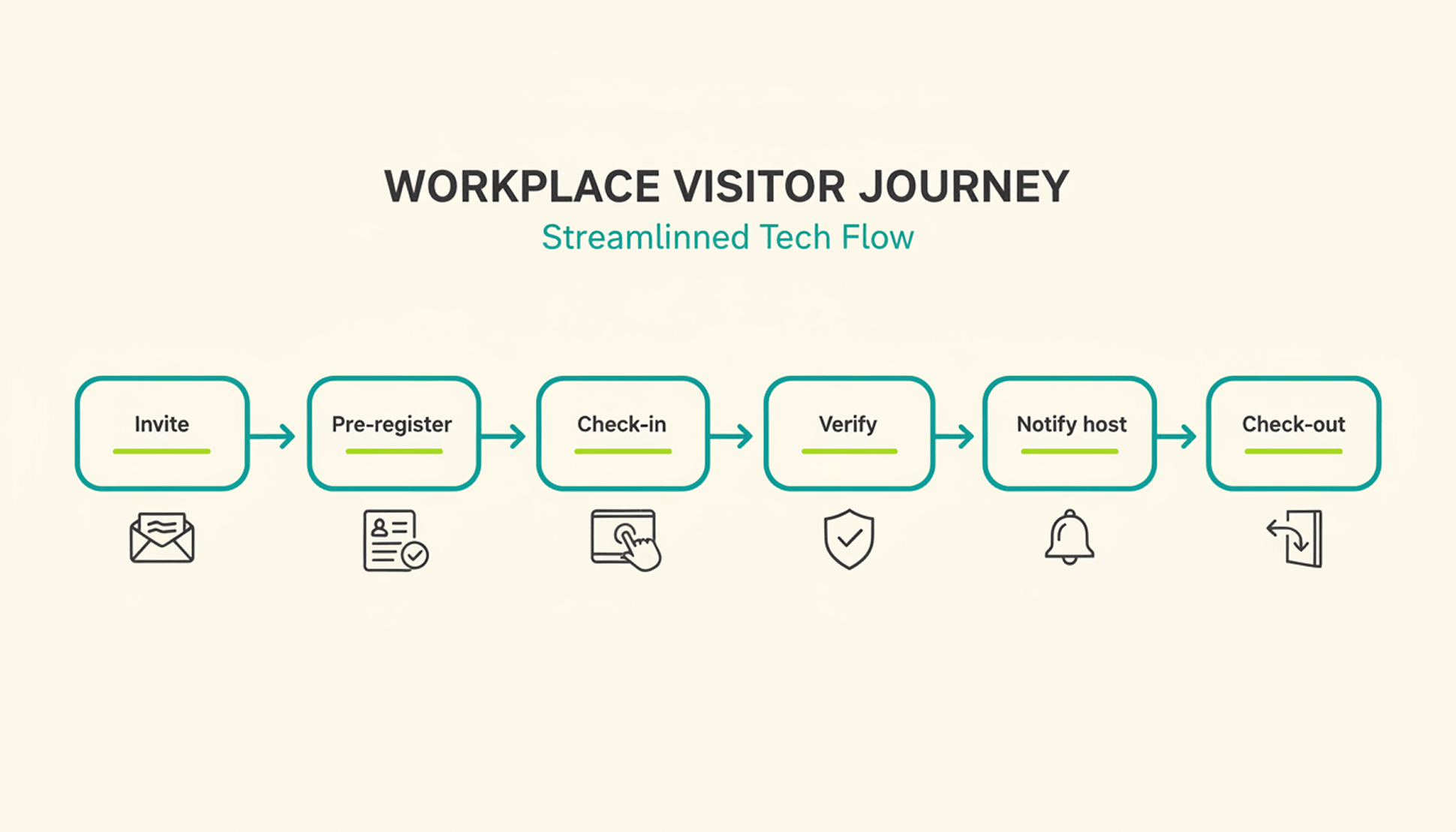
  • Visitor management including check-in and notification of the contact person

PULT is designed so that employees can immediately see which spaces are available and how they can book them. The same applies to booking rooms, zones, and parking spaces.

The management options provide accurate analyses and reveal patterns. This helps you find out why certain locations, offices, or individual spaces are not being used. Managers receive feedback from their employees about their well-being via PULT, enabling them to respond better to the team—even from a distance.

In addition to traditional workplace booking, PULT also covers meeting rooms, parking spaces, events, and visitor management. If desired, automatic seat recognition via Wi-Fi can be activated. WiFi booking can be set up in less than ten minutes. After that, no bookings are necessary for attendance tracking.

PULT pricing model

PULT is available from $1.90 per user per month. Individual users can be set to inactive to save costs. Offers are available on request via the website. There you can also find a free product demonstration and book a live demo.

Who is PULT suitable for?

PULT is a good fit for companies that want more than just desk booking – or want to make it significantly easier. Teams that have to coordinate many meetings or regularly receive external visitors will find PULT to be a very comprehensive software solution. Since PULT can be integrated with numerous other software programs, it should be suitable for most companies.

{{cta}}

#2 Skedda – Workplace booking with interactive floor plans

Skedda is a lean, rule-based solution for companies that need clear structures and booking rules. Rooms and spaces can be reserved via interactive floor plans – including freely definable booking times, access rights, and exceptions.

Features and benefits of Skedda

  • Floor plans: Visualization of office space for booking desks and rooms.
  • Booking rules: Customizable conditions for booking periods, cancellations, and usage rights.
  • Integration with calendar services: Synchronization with Microsoft 365, Google, and many more.
  • Accessibility: Use on smartphones and tablets to enable bookings from anywhere.
  • Analysis and reporting functions: Insights into the use of workstations and rooms to optimize office utilization.

Compared to Flexopus, Skedda focuses more on individual rules rather than visual navigation. Integrations with Google, Outlook, or Microsoft 365 allow bookings directly from the calendar.

Skedda pricing model

You can try Skedda for free. The various pricing plans start at $99 per month for up to 15 rooms, including interactive floor plans and an unlimited number of users. The mid-range package with Insight Dashboard starts at $149, and the largest package starts at $199. Visitor management can be added for $99 per month.

Who is Skedda suitable for?

Skedda does not specify the appropriate company size for its customers. Since the smallest package only maps one office floor plan, smaller companies are also part of the target group. There are no upper limits.

#3 Robin – Team-oriented space planning

Robin combines desk booking with a real-time overview and planning functions for entire teams. In addition to booking desks, rooms, and spaces, the system also shows which colleagues are in the office today (“Who's in”).

Features and benefits of Robin

  • Automated workplace booking based on individual office hours
  • Interactive map view with real-time information on available desks
  • Booking of desks, meeting rooms, and other office spaces
  • Display of which colleagues are also on site (“who's in” feature)
  • Management of multiple locations in a central interface
  • Rules for booking periods and zones
  • Analysis of workstation and room utilization


The focus is on utilization and team coordination. Bookings are made via Outlook, Google, or Slack, and reminders help to free up unused spaces. This distinguishes Robin from Flexopus, which focuses more on visual presentation.

Robin's pricing model

Robin no longer publishes its prices on its website. A free demo can be booked for an initial overview.

Who is Robin suitable for?

For larger companies that coordinate multiple teams or locations and want to work specifically on utilization and planning.

#4 desk.ly – Lean tool with a clear interface

desk.ly is aimed at companies looking for a simple, easy-to-understand desk booking solution. Bookings are made via a weekly overview or mobile app. Compared to Flexopus, desk.ly is less visual but faster to use and requires no training.

Features and benefits of desk.ly

  • Weekly overview for quick booking
  • Outlook and Teams integration
  • Permission management for administrators and teams
  • Mobile use on all devices
  • Flexible rules for each location

Team leaders can coordinate their employees' work locations in desk.ly, which is particularly useful in larger departments. The interface is modern and well thought out, so everyone can find their way around without any training.

Pricing model for desk.ly

desk.ly uses a user-based pricing model, which is available free of charge for up to 15 users. The Corporate package is available from $1.65 per month per user. More features are available in Enterprise from $2.20 per user per month – including a mobile app, rights & roles, custom booking rules, and more.

Who is desk.ly suitable for?

According to the company, desk.ly's customers include businesses of all sizes. The software is suitable for teams looking for an easy-to-use tool for flexible working in the office and at home – without having to rely on extensive card functions.

#5 Nibol – Flexible for hybrid working

Nibol integrates offices and external workplaces, such as coworking spaces. Bookings are made via calendar, app, or QR code. Instead of map views, Nibol uses filters, locations, and role models.

Features and benefits of Nibol

  • Booking of internal and external workplaces
  • QR check-in and calendar integration
  • Visitor management included
  • Role-based administration
  • Overview without map view

The ability to easily manage external guests or mobile teams is particularly interesting – a feature that is not available in Flexopus.

Nibol's pricing model

Nibol has not published its prices. It states that billing is annual based on the number of users. The management of external workstations is billed separately. You can try Nibol free of charge for two weeks.

Who is Nibol suitable for?

For companies that want to enable hybrid working – whether in the office, on the move, or externally. Especially for teams without a fixed office structure.

Flexopus alternative – Why PULT is the right choice

The providers in this comparison of Flexopus alternatives go beyond the basic functions of desk booking. They offer analysis options, meeting room organization – some with catering and visitor management.

Desk booking with PULT starts at just €1.90 per month and comes with over 50 integration options. This means your team doesn't have to leave Slack or Office to book seats or rooms. The idea behind it is simple: if it works easily, people will use it. Thanks to WiFi booking, it even works without a single click.

  • Workplace booking: 1-click desk booking for your hybrid workplace
  • WiFi Desk Booking: 0-click booking via WiFi connection
  • Room Booking: Manage meeting rooms including catering and display them in the calendar
  • Hybrid Work Planner: Plan remote days and team events, including a who's-where function
  • Visitor management: Welcome and guide visitors safely
  • Insights & analytics: Gain deep insights into the usage data of all workstations, rooms, etc.
  • Parking booking: Book parking spaces in advance
  • WiFi Connect: Automatic check-in as soon as colleagues are connected to the WiFi

The fact that PULT is constantly being developed is evident from the features that will be added soon. Incoming parcels and deliveries will then be reported to your team and do not have to be managed individually by reception. There is also a reporting function that allows colleagues to report defects and other problems at their workstations immediately.

{{hint-box}}

Flexopus alternative – Frequently asked questions and answers

Alternatives

5 Powerful desk.ly Alternatives for Desk Booking

Tools like desk.ly help to bring structure to hybrid working. But is it the right tool for your team? Which alternatives will bring organization, flexibility and acceptance to your office?

Desk.ly Alternatives: 5 Great Desk Booking Tools That Suit Your Team

You are using desk.ly or just considering whether it is the right tool for you? In this article, you will find five alternatives to desk.ly. You will learn what features they offer, how they differ in price and for whom they are suitable. This way, you can decide which desk booking software suits you best.

Important selection criteria for a desk booking software as an alternative to desk.ly

If you reach your limits with desk.ly, it's worth taking a close look when switching. Many tools may seem similar at first glance – but they differ significantly in their day-to-day work. These points will help you to select a truly suitable alternative:

  • Intuitive interface – no training required: A common point in user reviews: new employees can't find their way around desk.ly immediately. If you are looking for an alternative, it should be as self-explanatory as possible to use – whether via an app or in a browser. Bookings must work quickly without the need for instructions. Bookings must also remain clear on mobile phones – otherwise acceptance by the team will suffer.
  • Flexible booking rules: It should be possible to customize booking rules. For example: Who can book and when? Which teams have access to which zones? How long are bookings valid for? What happens in the event of a no-show? A good tool allows for differentiated settings – per location, team or resource type.
  • Clearly structured roles and rights: Not everyone in the company needs the same rights. It should be possible to control booking rights in a targeted manner – for example, for admins, team leaders or specific departments. Even with multiple locations, the system should be able to clearly regulate who can book or manage what.
  • Seamless integration into existing tools: A good alternative to desk.ly should integrate easily into existing systems. These include Microsoft 365, Outlook, Google Workspace, Slack and any other tools that may be used in the workplace. Ideally, bookings should be able to be made directly from calendars or chats – without having to switch systems.
  • Meaningful evaluations without additional effort: The utilization of seats, rooms and locations should be visible at a glance. This only works with clear dashboards and directly usable reports – without complicated exports to Excel or external tools.
  • Integrated visitor management: If external guests regularly come to the office, the tool should be prepared for this. This includes features such as digital registration, on-site check-in and automatic notification of the contact person – ideally directly via the same interface.
  • Reliable mobile use: Bookings on the go must be quick and reliable – regardless of the device used. Long loading times, a lack of overview or technical glitches slow down the workflow. A good tool is just as powerful on mobile as it is on desktop.

5 desk.ly alternatives in comparison

#1 PULT – More than just desk booking

PULT is a comprehensive tool for managing workplaces, meeting rooms, events and visitors. It is aimed at companies that want to digitally map their entire office organization.

PULT features and benefits

  • Booking of desks, rooms, zones and parking spaces
  • Real-time overview with display of free places
  • Mobile use in a browser or via an app
  • Event and meeting planning
  • Visitor management with check-in
  • Integrations with, among others, Microsoft Teams, Slack, Google Workspace
  • Feedback and analysis functions for office utilization

The management options offer precise analyses and are able to identify patterns. This way, you can find out why some offices, individual places or locations are not well received. Managers receive feedback from their employees about their well-being via PULT and can thus better respond to the team – even from a distance.

PULT pricing model

From €1.90 per user per month. Inactive users are free. A free demo can be booked via the website. Specific offers are available on request via the website.

Who is PULT for?

For companies that need more than Desk Booking. Ideal for hybrid teams with a need for meetings and visitor operations, who find PULT to be a very comprehensive software. Since PULT can be integrated with numerous other software, it should be suitable for most companies.

{{cta}}

#2 Flexopus – Visual booking with map view

Flexopus offers an interactive map view where workplaces, rooms and parking spaces can be booked. This makes the tool particularly interesting for larger areas and multiple floors.

Features and benefits of Flexopus

  • Booking of workplaces, rooms and parking spaces
  • Interactive map view of office space
  • Visitor management and usage analysis
  • Role and rights management
  • Integrations with Outlook, Teams, Google Calendar and much more

Pricing model from Flexopus

30 days free trial. After that, from €1.59 per resource (space, room, etc.) per month. Premium features from €2.99.

Who is Flexopus suitable for?

Companies with large or complex areas that benefit from the map view. Also useful for multiple locations.

#3 Skedda – floor plans, rules and smart sharing

Skedda manages desks, rooms and resources using interactive floor plans. With a wide range of booking rules and integrations, it is aimed at companies with structured capacity utilization.

Skedda features and benefits

  • Interactive office floor plans for booking
  • Customizable booking rules and periods
  • Integration with Microsoft 365, Google Workspace and others
  • Mobile access on all devices
  • Analytics and reports for office utilization

Skedda pricing

From $99 per month (15 rooms, unlimited users). Larger packages start at $149 and $199. Visitor management costs extra.

Who is Skedda suitable for?

For structured environments with predictable capacities. More suited to medium-sized to large companies, even across multiple locations.

#4 Robin – focus on space planning and utilization

Robin combines desk booking with utilization analysis and team planning. Particularly strong in space management and strategic capacity planning.

Robin features and benefits

  • Real-time overview of available seats
  • Booking of desks, rooms and areas
  • Interactive maps
  • “Who's in” feature shows colleagues present
  • Zone management and booking rules
  • In-depth evaluations and usage trends
  • Integration with Slack, Outlook, Google Workspace

Robin pricing model

No public prices. Demo available on request.

Who is Robin suitable for?

According to the provider, for companies with 500 or more employees, of whom at least 150 regularly come to the office.

#5 Condeco – classic room and workplace management

Condeco is an established tool for larger companies. In addition to desk booking, it offers room planning, visitor management and analysis functions.

Features and benefits of Condeco

  • Workplace and room reservation
  • Visitor and reception management
  • Mobile booking and check-in via app
  • Integration with Microsoft tools
  • Reports on room utilization
  • Kiosk systems and touch panels as add-ons

Pricing model from Condeco

No public prices. Offers are made individually.

Who is Condeco suitable for?

For large companies with clear IT structures and central requirements for room and visitor management.

desk.ly alternative – This is how PULT impresses

All providers in this comparison of desk.ly alternatives go beyond the basic functions of Desk Booking. You can find parking space booking, organization of meeting rooms – even with catering, visitor management and analysis functions. Please note that some of the features are only included in the higher price tiers of the providers.

Desk Booking with PULT starts at just €1.90 per month and comes with over 50 integrations. This means that your team doesn't have to leave Slack or Office to book desks or rooms. The idea behind it: What works simply is also used. PULT is a convincing alternative with:

  • 1-click desk booking
  • Planning of remote days & who's-where overview
  • Meeting room management incl. catering
  • Parking space booking
  • Visitor management with automatic check-in
  • Analysis functions at the workplace level
  • Over 50 integrations (MS Teams, Slack, M365, and many more)

PULT is constantly being developed. Functions for incoming parcels and deliveries will be added soon. These will then be reported to your team and do not have to be managed individually. In addition, there is also the reporting function, which colleagues can use to immediately report defects and other problems at their workplaces.

{{hint-box}}

Desk.ly alternative – frequently asked questions