Desk Hoteling: How to Implement Desk Hoteling Successfully and Legally in Germany

Fixed desks are an unnecessary expense. With desk hoteling, workspaces can be booked on a daily basis, much like a hotel room.

Fixed desks are an unnecessary expense. With desk hoteling, workspaces can be booked on a daily basis, much like a hotel room.

Internationally, this has been standard practice for years, but in Germany it comes with specific requirements. Employee participation, occupational safety, and data protection determine whether the implementation is legally sound or turns into a pitfall later on. This article explains the concept, provides its legal context, and highlights what matters most during implementation.

Desk Hoteling: The Basics

  • Desk hoteling is a workspace model in which employees reserve their desks in advance.
  • In Germany, the works council’s right to co-determination under Section 87 of the Works Constitution Act (BetrVG) applies upon implementation.
  • Even if several people share a desk, the employer is responsible for ensuring that each workstation is ergonomically suitable, provides sufficient space to move around, and does not pose any health risks.
  • Booking software must be used in compliance with the GDPR. Data minimization and the avoidance of performance monitoring are key considerations here.

What is desk hoteling?

Desk hoteling refers to a flexible workspace concept in which employees reserve a desk in advance for a specific day or period. Instead of having a permanently assigned seat, there is a shared pool of workstations from which everyone can choose as needed.

This topic is becoming increasingly relevant. According to the ifo Institute, approximately 24.5% of employees in Germany work from home at least part of the time. At the same time, in its study “Home Office and the Future of Offices” , the ifo Institute forecasts a structural decline in demand for office space of around 12% by 2030. Companies are responding by downsizing their spaces and switching to desk sharing.

Employees can use the Desk Booking Software to see which seats are available in real time, book them with just a few clicks, and know where they’ll be sitting and which colleagues are nearby even before they arrive.

Desk Hoteling, Hot Desking, and Desk Sharing: What's the Difference?

The three terms "desk hoteling," "hot desking," and "desk sharing" are often used interchangeably, but they refer to different models each with its own implications for the company:

  • Hot desking: First-come, first-served. Employees spontaneously choose an available seat on the spot. If you arrive late, you’ll be out of luck.
  • Desk Sharing: A workstation is shared by several people according to a fixed schedule, often in a 3:2 or 2:1 ratio. The specific assignment is sometimes managed with software and sometimes without.
  • Desk Hoteling: Employees reserve their desks in advance using software. This provides the same predictability and structure as a traditional office, while also offering the space efficiency of shared workspaces.

Desk hoteling is therefore the option that is best suited for hybrid teams in larger companies. No one comes to the office only to find themselves without a seat. This eliminates the risk of “desk hunting.”

Implement desk hoteling without the hassle.

  • ✓ Book directly from Slack, MS Teams, or Outlook
  • ✓ GDPR-compliant, hosted in the EU
  • ✓ With interactive floor plan and team overview
Try PULT free for 14 days

What are the benefits of desk hoteling?

It offers concrete benefits on several levels:

  • Space efficiency: Office space is allocated based on actual needs, not on the maximum capacity of full occupancy, which rarely occurs anyway.
  • Transparency: Employees can see if a spot is available and which team members will be on-site.
  • Predictability for Office Teams: Cleaning, catering, and reception services can be tailored to actual occupancy rather than assumptions.
  • Data-driven decision-making: Booking patterns reveal which zones are in demand and where space can be reduced.

Less stress in everyday life: No more searching for a seat in the morning; teams come together in a targeted manner.

Legal Requirements for Desk Hoteling in Germany

In Germany, it is generally permissible to implement desk hoteling. However, there are legal requirements that must be met. By following the rules, you can avoid costly corrections and legal disputes.

Co-determination: Does the works council have a say?

According to the Federal Labor Court and lower courts, the mere decision to introduce desk hoteling is not subject to co-determination. The employer may, within the scope of its managerial authority, decide how workstations are organized. However, several implementation details are subject to co-determination under § 87 of the Works Constitution Act (BetrVG):

  • Workplace Order (Section 87(1)(1) of the Works Constitution Act (BetrVG)): Clean-desk policies, guidelines on personal belongings, and shared use of space (e.g., combining work areas and break areas).
  • Technical monitoring systems (Section 87(1)(6) of the Works Constitution Act (BetrVG)): As soon as accounting software is used that theoretically allows conclusions to be drawn about behavior or performance, the works council must be consulted.
  • Occupational Health and Safety (Section 87(1)(7) of the Works Constitution Act): When different users occupy the same desk on the same day, new questions arise: How often is the desk cleaned? How are noise levels in open-plan offices limited? The works council has the right to participate in decisions regarding such occupational health and safety regulations.
  • Operational Change (Section 111 of the Works Constitution Act): If desk hoteling is combined with the renovation or redesign of entire office areas, this is often considered an operational change. In such cases, the works council has a broader right to information and negotiation that goes beyond the scope of mere co-determination under Section 87 of the Works Constitution Act.

The Baden-Württemberg Regional Labor Court clarified this further in August 2024 (Order of August 6, 2024, Case No. 21 TaBV 7/24): Neither desk sharing nor a clean desk policy as an overall concept requires consent, but specific rules regarding what items employees are allowed to bring in or how spaces are used for dual purposes certainly do.

If your company has a works council, you should involve it from the very beginning. A works council agreement is the most reliable way to ensure that the arrangements are legally sound.

Occupational Safety: What Does the Workplace Ordinance Require?

The provisions of the Workplace Ordinance (Section 3a ArbStättV) and the Occupational Safety and Health Act (Section 5 ArbSchG) apply in full even to shared workstations. In essence, this means:

  • Every workstation must be ergonomically adjustable to suit individual needs. Height-adjustable desks and chairs are required when different people work at the same station.
  • The space requirements specified in ASR A1.2 remain in effect. As a rule, 8–10 m² are allocated per workstation.
  • A risk assessment pursuant to Section 5 of the Occupational Safety and Health Act (ArbSchG) is mandatory and must take into account the specific characteristics of changing usage patterns (hygiene, psychological strain caused by “desk hunting,” noise).
  • Computer workstations (ASR A6) must meet the minimum requirements for the monitor, keyboard, lighting, and space for movement, regardless of who is using them.

As a result, desk hoteling works well only in environments where workstations are standardized and fully equipped. Equipping some workstations with monitors and docking stations while leaving others without creates inequality. And that immediately reduces acceptance.

Privacy: GDPR-compliant booking software

Every desk-hoteling solution processes personal data. Who books which desk and when? Who is in the office and when? This means that the provisions of the GDPR apply, particularly the principle of data minimization.

This means:

  • Only data that is strictly necessary for the purpose of the booking may be collected.
  • Performance or conduct evaluations are not permitted. Attendance data may not be used to evaluate individual employees.
  • Analyses must be anonymized at the team or zone level.
  • Employees must know what data is being collected and for what purpose.
  • With Wi-Fi-based presence detection, such as that used by PULT Presence, it is essential to ensure that no movement profiles are created.

Desk hoteling that even the works council approves of.

  • ✓ GDPR-compliant, hosted in the EU, ISO 27001 certified
  • ✓ Data-minimal presence detection without movement profiles
Book a demo and see PULT in action

Compliance Checklist Before Implementing Desk Hoteling

Before you launch a desk-hoteling project, you should make sure you’ve covered these points. If you handle this properly from the start, you’ll avoid having to make corrections later on.

  • Involve the works council early on: No rollout without prior consultation. Especially when accounting software is involved, there is no way around the right to co-determination.
  • Conduct a risk assessment: In accordance with Section 5 of the Occupational Safety and Health Act (ArbSchG) for the new workstations, including psychological stress resulting from changing usage.
  • Establish ergonomic standards: Height-adjustable desks, adjustable chairs, docking stations, and monitors must be available at every shared workstation.
  • Create a privacy policy: What data does the software collect, how long is it stored, and who has access to it? These questions need to be answered before any contracts are signed.
  • Define hygiene protocols and cleaning schedules: When users change daily, surfaces and work equipment must be cleaned more frequently than when users have assigned seats.
  • Document the rules in writing: Ideally, all rules should be included in a company agreement, but at a minimum they should be set forth in an internal policy that all employees are aware of.

Desk Hoteling: Setting the Course for the Workplace of Tomorrow

The figures from the ifo Institute leave little room for doubt. Hybrid work is here to stay, and office space will continue to shrink. Companies that switch to desk hoteling now are laying the groundwork for an organization that can adapt to the changing world of work without having to constantly make adjustments.

Whether desk hoteling ultimately works depends less on the software and more on how smoothly it was implemented. If you plan ahead from the start, you’ve already cleared the biggest hurdle. PULT takes care of the rest.

Trusted by 1000+ innovative workplaces
FAQ

Have questions?

What does desk hoteling mean?

Desk hoteling refers to a workspace model in which employees use software to reserve a desk, meeting room, or parking space in advance for a specific day or period.

What is the difference between desk hoteling and hot desking?

With hot desking, employees choose an available seat on the spot. If you arrive late, you’re out of luck. With desk hoteling, seats are reserved in advance. This means employees know where they’ll be sitting and which colleagues are nearby even before they arrive.

Is desk hoteling legally permitted in Germany?

Yes. Employees generally have no legal right to a permanently assigned desk, and the employer may organize work arrangements within the scope of its managerial authority. However, the requirements of the Workplace Ordinance (in particular Section 3a), the Occupational Safety and Health Act, and the GDPR must be complied with. The works council’s right to co-determination under Section 87 of the Works Constitution Act (BetrVG) also applies to various organizational details, such as clean-desk policies or the use of booking tools.

What role does the works council play?

The introduction of desk hoteling as such is not subject to co-determination. This was most recently confirmed by the Baden-Württemberg Regional Labor Court in August 2024. However, many detailed regulations are subject to co-determination, such as guidelines on personal belongings, hygiene protocols, clean-desk rules, and, above all, the use of a booking tool that could theoretically track behavior or performance. In practice, therefore, a works agreement is the safest approach.

How is desk hoteling implemented in compliance with the GDPR?

Booking software may only collect data that is necessary for the purpose of making a reservation. Monitoring performance or behavior based on attendance data is not permitted. Analyses must be anonymized at the team or zone level. In addition, EU hosting, ISO 27001 certification, and transparency regarding data processing are among the standards that a reputable solution must meet.

Note: This article provides an overview of the legal framework governing desk hoteling in Germany, but does not constitute individual legal advice. For specific projects, it is recommended that you consult with an attorney specializing in labor law or the company’s data protection officer.

About author

Isolde Van der Knaap

Hybrid Work Enthusiast and Account Executive

At PULT we're designing the future of the hybrid workplace for companies and their employees. Focused on SME and mid market customers in Eruope, I'm working on everything from Customer Discovery to Onboarding. I'm very passionate about new work and moved to Hamburg in 2024 even though I'm originally from France.

Resources

Learn how to run better workplace operations

Office Insights

Open-Concept Office: Pros and cons, design, and modern concepts

An open-concept office is an open workspace where many employees work together without partition walls. Noise, a lack of private spaces, and constant interruptions are considered the biggest drawbacks of open-concept offices. However, you can solve these very problems through zoning, well-designed soundproofing, and skillful space planning.

Open-concept Office: The Most Important Points at a Glance

An open-concept office refers to an open workspace for multiple teams without fixed partitions and is one of the most common office concepts in companies that adopt a hybrid work model.

The biggest drawback of open-concept offices is the noise level: noise and acoustic distractions are among the most commonly cited causes of loss of concentration and declining productivity in open-concept offices.

Zoning, acoustic partitions, and sound-absorbing materials solve the core problems in open-concept offices because they physically separate areas for concentration, communication, and relaxation.

PULT makes it possible to plan open-concept offices: Through Desk Booking and Office Insights, the software shows which zones are actually being used and provides occupancy data for space planning tailored to actual needs.

What is an open-concept office?

An open-concept office (or open-plan office) is a contiguous office area in which more than ten employees work in an open space without floor-to-ceiling walls. It differs from a cubicle office in its open structure and from purely open-space areas in that it has clearly defined functional zones.

How does an open-concept office differ from a traditional office?

Office types can be classified based on how the space is divided. From cubicle offices with individual rooms to combination offices and open-concept offices, the openness of the space increases gradually.

A modern open-concept office combines open workspaces with activity zones—areas each designed for a specific task. It is precisely this zoning that distinguishes this well-thought-out concept from a simple desk arrangement.

For hybrid teams, an open floor plan makes particular sense. When part of your workforce is working from home, shared workspaces allow for much more efficient use of space than permanently assigned individual offices.

What are the pros and cons of open-concept offices?

Open-concept offices offer short lines of communication and high space efficiency, but their main drawbacks are noise and a lack of private spaces. The balance between these two factors determines whether the space is productive or stressful.

What are the advantages of an open-concept office?

The advantages of an open-concept office lie in collaboration and cost savings. Teams can easily coordinate with one another; these discussions take place without the need to schedule appointments, and new employees are able to integrate more quickly.

Added to this is the financial benefit. An open-concept office with shared workstations significantly reduces per-capita office costs, especially in companies where a high percentage of employees work from home.

Short lines of communication: Teams coordinate with one another without organizational hurdles.

Greater space efficiency: Shared workstations reduce costs per employee.

Greater transparency and visibility: You can immediately see who is present and what people are working on.

Faster onboarding: New colleagues learn the processes by working closely with the team.

What are the disadvantages of an open-concept office?

The biggest drawback of open-concept offices is the noise level. Conversations, phone calls, and keyboard clicks all blend together, and it is precisely this acoustic distraction that is one of the most common reasons why concentration suffers in an open-concept office.

In a controlled laboratory experiment, a research team at Bond University demonstrated that typical open-concept office noise increases negative mood by 25% and the physical stress response by 34%—as measured by heart rate and skin conductance—after just eight minutes of noise exposure. In real-world office settings, where employees are exposed to these noise levels for hours on end, these effects are correspondingly more pronounced. (Sander et al., Journal of Management & Organization, 2021)

Open-concept office layouts also significantly reduce face-to-face communication. In two field studies conducted with Fortune 500 companies, the volume of face-to-face interaction dropped by about 70% after the transition to an open-concept layout, while email and instant messaging traffic increased sharply. People who are constantly visible to everyone tend to withdraw inwardly and turn to digital channels. (Bernstein & Turban, Philosophical Transactions of the Royal Society B, Harvard Business School, 2018). The availability of private spaces is therefore an important factor in well-being.

How do I design a modern open-concept office?

A productive and employee-friendly open-concept office is created through spatial zoning based on activity, effective soundproofing, and space planning based on actual usage data. However, furniture and rules alone are not enough if the basic layout of the space does not suit the way people work.

How does zoning work in an open-concept office?

Zoning divides the open space into areas for different activities. This principle stems from the activity-based working concept, in which each type of work is assigned its own appropriate space:

Quiet areas for concentration and quiet, independent work.

Opportunities for collaboration.

Customizable project areas for teamwork and time-bound projects.

Quiet, secluded areas for breaks and relaxation.

This allows employees to choose a workspace that suits their current task and ensures they have the best possible conditions there.

What type of soundproofing is suitable for an open-concept office?

Effective soundproofing in an open-concept office is achieved through sound-absorbing materials and physical barriers. The combination of elements on the ceiling, on the floor, as well as room dividers and large plants reduces the noise level.

Acoustic partitions between workstations block sound directly at the source.

Large plants with lush foliage also act as natural sound barriers.

Upholstered furniture and upholstered room dividers absorb sound.

Floor-to-ceiling partitions in an open-concept office separate zones from one another both acoustically and visually.

Acoustic panels on the ceiling and walls, sound-absorbing carpeting and rugs, and enclosed phone booths for video calls significantly reduce noise levels.

In cases where noise levels remain high despite these measures, the cause usually lies in the use of the space itself.

How does Desk Booking help optimize space in an open-concept office?

Desk Booking provides the data needed to plan an open-concept office according to actual needs. Rather than relying on assumptions, booking and occupancy data show which areas are regularly in use and which, by contrast, remain empty.

This leads to specific ways to adapt the space that allow for the redistribution and management of its use. For example, if the area designated for quiet work is consistently overbooked while spaces for collaboration remain empty, this is a measurable indicator that the layout needs to be redesigned.

PULT provides the necessary occupancy data: This allows you to analyze the use of your office space, and employees can reserve their seats in the appropriate zone.

How to Turn Your Open-Concept Office Into a Productive Workplace

An open-concept office becomes productive through zoning based on activity, effective soundproofing, and space planning based on actual usage data. The open space is preserved, and its weaknesses are eliminated through the right structure.

With PULT Office Insights, you can see which areas of your space are actually being used and plan renovations based on real data.

Your employees can reserve a workspace in the appropriate zone and see where their colleagues are already seated.

You manage capacity and attendance all in one place.

{{onpage-cta}}

Office Insights

Workplace Automation: What does it really mean for your office?

Workplace automation refers to the automation of daily, recurring office tasks, from desk reservations to visitor registration. For companies with a hybrid work model, the question arises as to which processes can be automated and how this can be done in compliance with the GDPR.

Workplace Automation: The Basics

Workplace Automation automates recurring office processes—such as room and desk reservations, attendance tracking, and visitor management—based on rules, without requiring employees to manually initiate each step.

You can identify office processes that are ready for automation by three characteristics: clearly definable rules, a high frequency of repetition, and a measurable susceptibility to errors when processed manually.

SMEs must ensure compliance with three requirements before launching: GDPR-compliant data storage, involvement of the works council (Section 87 of the Works Constitution Act), and adherence to EU hosting standards to avoid issues related to the Cloud Act.

PULT is an all-in-one office management platform that automates desk booking, room reservations, office analytics, and visitor management, and integrates fully with MS Teams, Personio, and Slack so your office runs without any manual intervention.

What is workplace automation

Workplace automation encompasses all software-driven office processes in which a defined rule or algorithm determines the next step.

This ranges from automatic booking confirmations to rescheduling meeting rooms when the number of participants does not match the room size. In this way, workplace automation goes beyond mere digitization measures. Digitization converts paper forms into machine-readable data. Automation handles the resulting tasks on its own.

Which office processes can be automated?

Processes that occur daily and always follow the same or a similar pattern are ready for automation.

Area Manual Process Automated version
Space & Workplace Booking meeting rooms, spaces, and workstations by arrangement, via a list, or by email. Self-booking with automatic confirmation
Space & Workplace Identifying and Resolving Duplicate Bookings Automatic detection and rebooking in the event of capacity conflicts
Space & Workplace Send a reminder for your own desk reservation Automatic push notification to the user
Space & Workplace Coordinate Parking Assignments Using a Spreadsheet Automatic assignment of parking spaces based on predefined booking rules
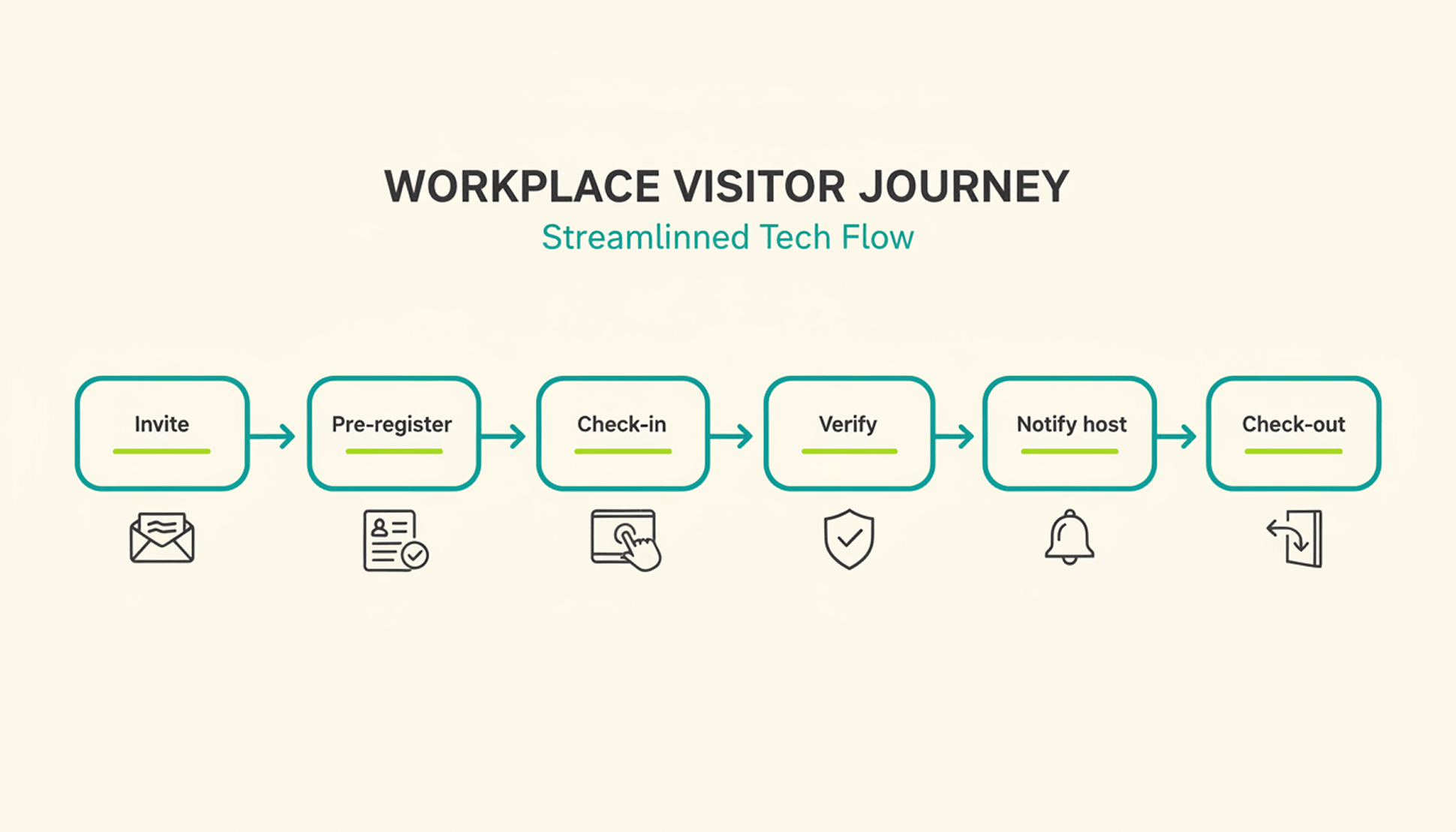
Visitor Management Visitor Registration at the Front Desk Paperless Self-Registration with GDPR-Compliant Data Collection
Visitor Management Notify the host by phone when visitors are arriving Automatic notifications via MS Teams or Slack
Office Evaluation Track Office Utilization Using Handouts Real-Time Analysis of Office Usage
Office Evaluation Compile capacity utilization reports yourself Automatically generated reports based on occupancy data
Human Resources Management Manage Leave Requests via Email Automated approval process with status notifications
Human Resources Management Create and Send Onboarding Checklists Automated task assignment and access granting upon admission
Attendance & Planning Who is in the office and when? Check with them to find out. Real-Time Automatic Attendance Overview
Attendance & Planning Coordinate office days with the team via chat Rule-Based Scheduling with Attendance Thresholds
IT & Access Manually Set Up Access for New Employees Automatic Assignment of Permissions via SSO and HR Integration
IT & Access Access Control by Reception Staff Automated access control via app or badge
Buildings & Facilities Cleaning schedules based on a fixed weekly plan Cleaning Based on Actual Room Usage
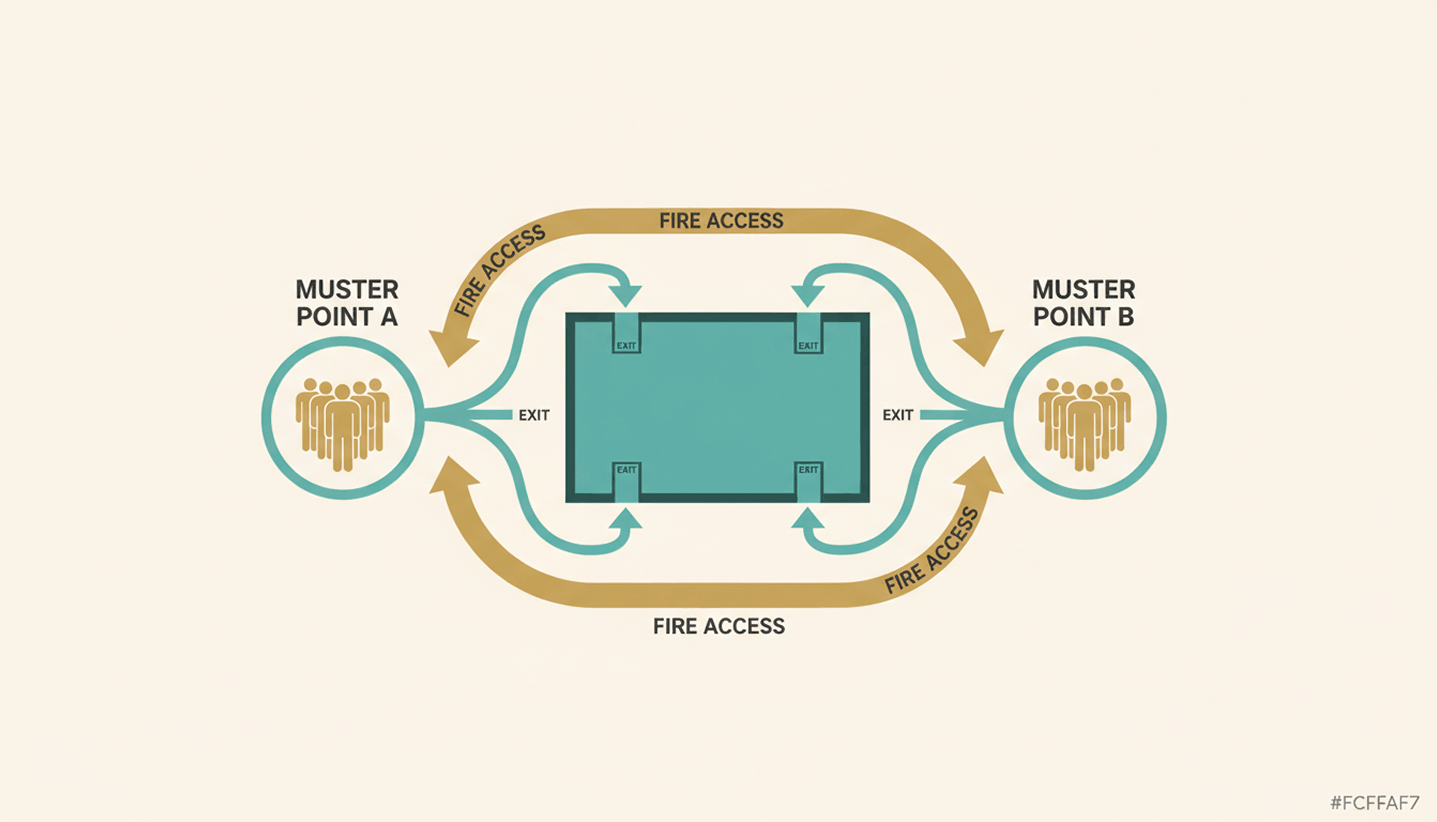
Compliance & Security Manually Maintain Attendance Lists for Fire Safety Real-time occupancy data as the basis for evacuation plans

How does automated room and desk booking work?

For example, an automated meeting room management system detects when two people book a conference room that is actually designed to accommodate 20 people. The system identifies the discrepancy and automatically rebooks the reservation into a smaller, suitable room.

This reduces the number of conflicts over available spaces and frees up time for office managers that was previously spent on manual adjustments. Workplace automation via Wi-Fi check-in takes this a step further: As soon as you log in to the office with your device, the system automatically reserves your desk without a single click.

What compliance considerations must a company keep in mind when implementing workplace automation?

Automating office processes always involves processing data. Therefore, three points must be clarified:

GDPR Compliance: What data does the tool collect, how long is it stored, and who has access to it? Booking data and attendance records are considered personal data.

Employee Participation: As soon as a tool tracks attendance or workload, Section 87(1)(6) of the Works Constitution Act (BetrVG) applies. You must consult with the works council before implementing it.

Hosting: EU hosting with a German or European data center circumvents the Cloud Act issues that arise with U.S. providers without an EU branch.

How do I get started with Workplace Automation?

To automate your workplace, start by identifying all the processes that, although they follow a very consistent pattern, are repeatedly carried out manually by employees. Review these processes and provide your team with software to automate them. The more processes a single software solution can handle, the fewer new tools you'll need to burden your team with.

1

Identify processes: Which processes take more than 30 minutes each day or regularly produce errors? These are the first candidates.

2

Examine the process: Is the current process already the best option? Or could it be streamlined?

3

Select a tool based on its integration capabilities: EU hosting and integration with existing systems are important selection criteria.

4

Roll out the changes gradually: Start with one feature—such as automatic room booking—and then expand to other areas after receiving positive feedback.

5

Review KPIs after 4 weeks: How many booking conflicts remained? How much administrative time was saved? How has office utilization changed?

Here's how PULT puts your office management on autopilot

Your workplace automations work best when they're bundled into a single software solution rather than spread across multiple tools. You can bundle workstation and room reservations, presence detection, occupancy analysis, visitor management, and parking management into PULT:

Desk booking, room booking, and office analytics are all handled in a single tool, without any integration issues between individual systems.

Automatic presence detection via your existing Wi-Fi system.

Office Insights provide data and analyses on office utilization.

Full integration with MS Teams, Slack, Personio, and HiBob.

{{onpage-cta}}

Office Insights

Huddle Meetings: How to make daily team check-ins truly productive

A huddle meeting is a daily or regular team check-in that takes no more than 15 minutes to align priorities and identify roadblocks. The difference from a traditional status meeting lies in its structure and in what you consistently leave out afterward.

Huddle Meeting: The Basics

A huddle meeting is a regular team check-in limited to 10 to 15 minutes, with three set questions: What was completed yesterday? What's on the agenda for today? What's currently holding the team back?

The Daily Huddle meeting format works whether held in person or virtually, without an agenda document and with a rotating spokesperson. Anything that goes beyond the three core questions should be addressed in follow-up discussions afterward.

For hybrid teams, team huddle meetings require some ground rules: cameras on, a fixed time zone, a breakout channel for follow-up discussions, and GDPR-compliant policies for recording.

PULT, the all-in-one software for hybrid office management, shows moderators in real time every day who is in the office and who is working remotely. This provides a reliable information basis for every huddle meeting before it begins.

What is a huddle meeting?

A huddle meeting is a short, structured team discussion of a fixed duration (10 to 15 minutes) that takes place daily. The goal is to coordinate efforts. Discussions should be held in separate follow-up meetings. Each team member answers the same three questions:

1

What did I finish yesterday?

2

What do I have to do today?

3

What's holding me back right now?

The concept originates from Scrum, where the daily huddle is known as the daily standup. It is now also used by HR, operations, and sales teams, as well as cross-functional teams that coordinate across locations.

What is the proper format for a huddle meeting?

The huddle meeting format requires three key conditions to be effective: strict adherence to the schedule, the assignment of a facilitator, and a fixed list of participants.

1

Duration and Timing. The Daily Huddle Meeting takes place at the same time every day. Exceptions weaken the routine. The maximum duration is 15 minutes. If you regularly go over that time, you should consider whether parts of the content belong in a separate format.

2

Participants. Only individuals who are directly dependent on one another. Larger departments are divided into smaller subgroups.

3

Facilitator's Role. A facilitator keeps track of time and consistently directs discussions toward follow-up conversations. Rotating facilitation fosters a sense of personal responsibility within the team.

Element Standard Remote/Hybrid
Duration 10 to 15 min. 10 to 15 min.
Format While standing Camera on
Moderation Rotating Specified
Follow-up meetings Right after that Breakout Channel
Minutes Optional Note Short Chat Log

What changes in the team huddle meeting in a hybrid office?

In teams where some members are in the office and others are working remotely, three issues arise that could undermine the format: remote participants become passive listeners, discussions in the plenary session get out of hand, or technical problems delay or prolong the meeting.

Checklist for Hybrid Team Huddle Meetings:

Cameras are required for all participants, including office groups sharing a screen.

Real-time chat in the team chat during the meeting.

Breakout session or a fixed time slot on the calendar for follow-up meetings immediately afterward.

A fixed meeting link and time zone in everyone's calendar.

Facilitating from a remote setting to ensure that remote participants are on an equal footing in terms of structure.

Clear hybrid work policies are essential for this model to work for everyone involved.

What legal considerations must companies keep in mind during their daily huddle meetings?

Daily huddle meetings count as work time and must be documented as part of time tracking. This also applies to brief 10-minute check-ins.

If you record video huddles, you need a GDPR-compliant legal basis and must inform participants in advance. If the huddle format is used for regular performance monitoring, a company agreement may also be required.

How to Make Huddle Meetings a Permanent Part of Your Hybrid Team

A huddle meeting is only effective when time management, structure, and the facilitator's role work together seamlessly. In a hybrid work environment, a fourth factor comes into play: transparency about who is working, when, and from where. Daily check-ins help to improve the employee experience because coordination routines become reliable and transparent for everyone.

Use PULT to see where your colleagues are working

PULT shows you at any time who is in the office and who is working remotely. You can also see your colleagues' scheduled attendance and receive reports on your teams' attendance. Desk booking, room booking, visitor management, and office insights are all integrated into a single platform.

{{onpage-cta}}