
Automated office evaluation with PULT
Evaluate office usage based on actual occupancy data instead of relying on unreliable booking data.

















Helping scale better workplaces for growing organizations




Get ROI the minute it's set up
Our customers unlock valuable insights for compliance, workplace and safety. All in one solution.
50x
22%
97%
Automated evaluation based on real occupancy data
PULT tracks your employees' comings and goings based on their devices' Wi-Fi connection. Bookings, on the other hand, are only a declaration of intent and too often deviate from actual behavior.

Presence detection via Wi-Fi
Check-in is done via Wi-Fi connection from a smartphone, laptop, or tablet. Manual check-in is still possible.

Get data per office resource
The use of each meeting room, workstation, floor, and building is recorded individually.

Automated office evaluation in PULT
Get high-resolution usage analyses based on real occupancy data.
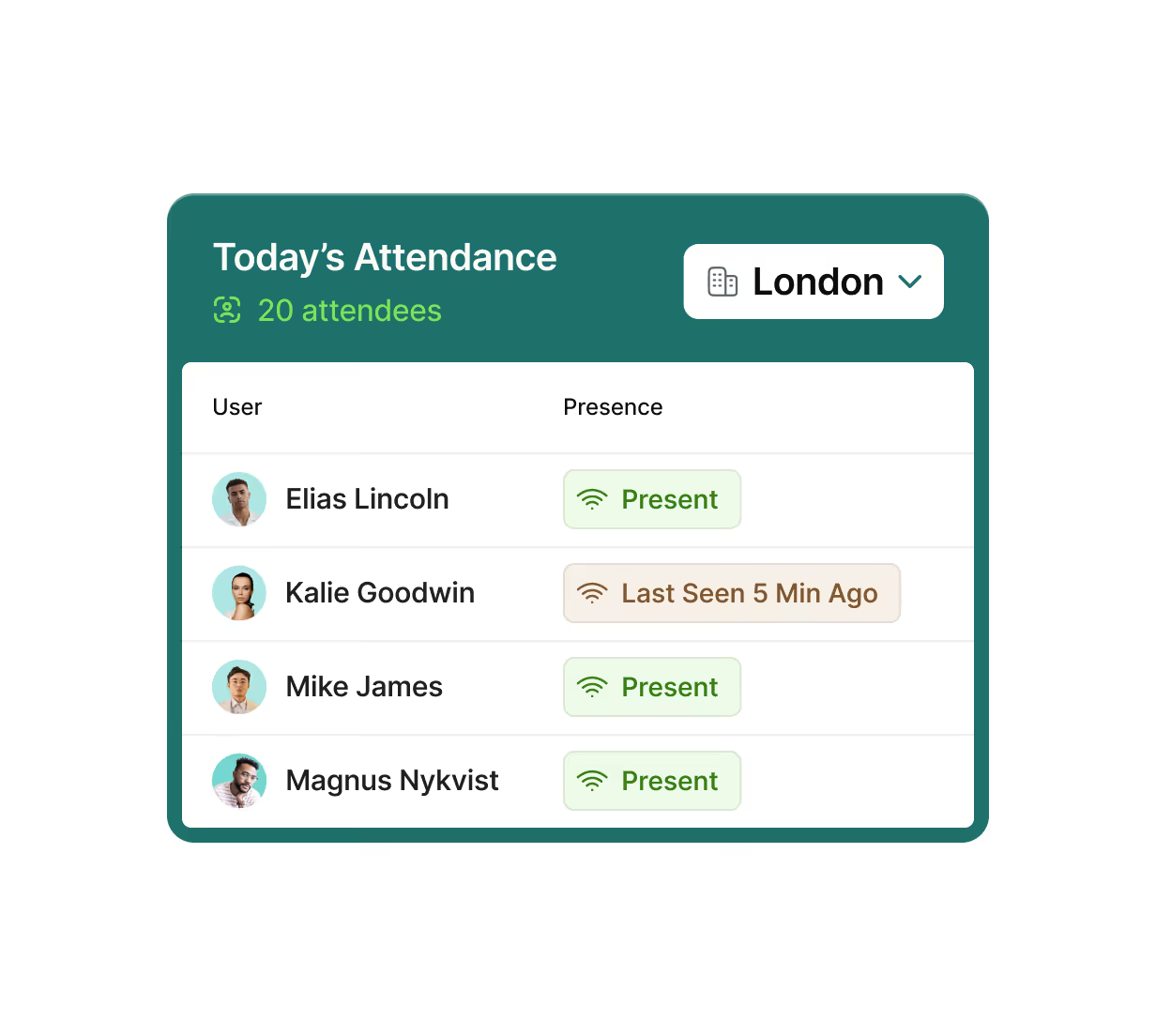
PULT records your attendance via Wi-Fi
On the path to automated office evaluation, you need reliable data on how your office space is actually being used.
Since booking data is distorted by no-shows and prone to errors overall, PULT takes a different approach:

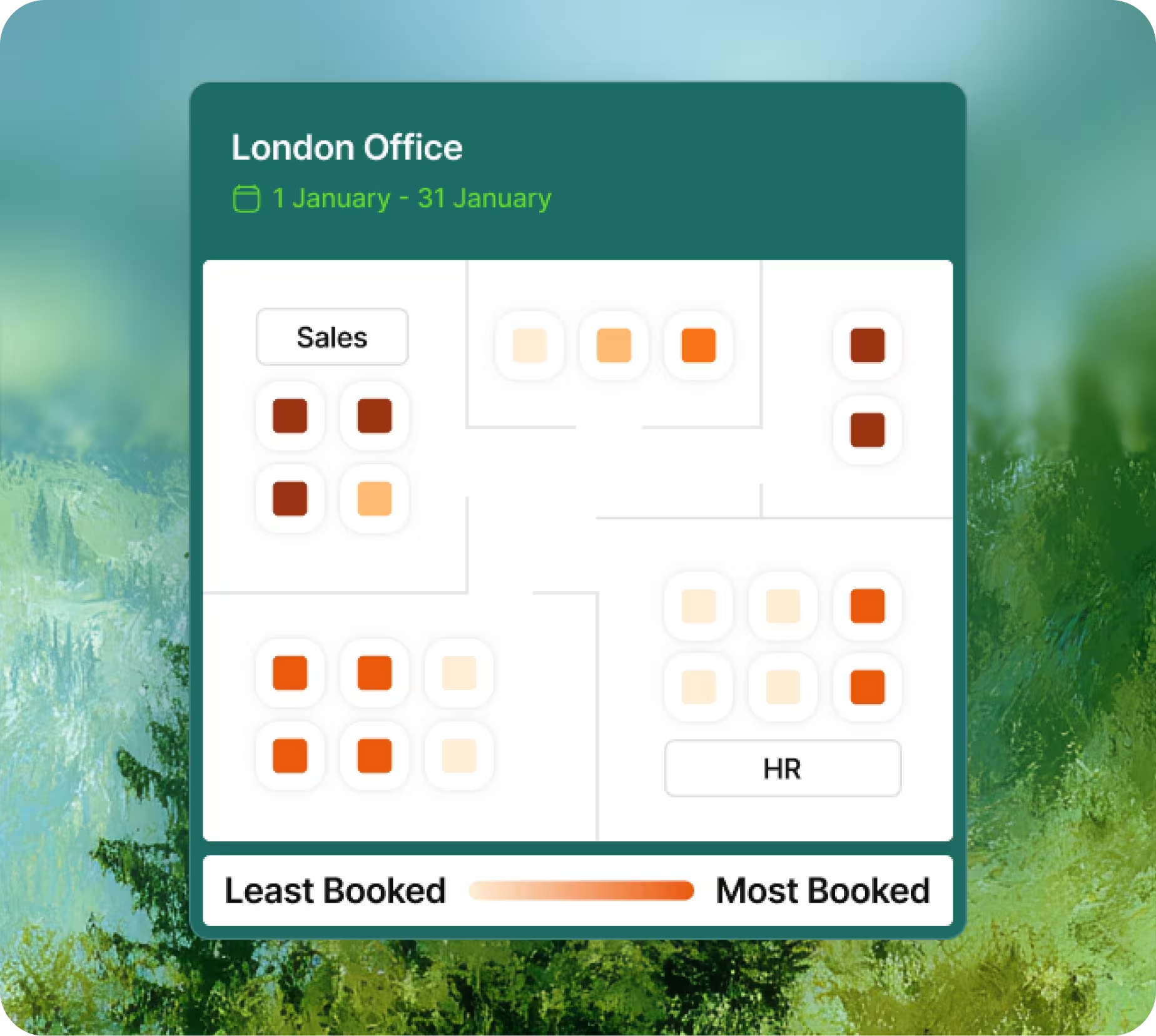
Detailed data collection on all office resources
In PULT, you can create all of your office's offerings: individual workstations, meeting rooms, zones, and parking spaces.
Your staff books these resources as needed. Together with attendance tracking, this generates usage data for each resource.
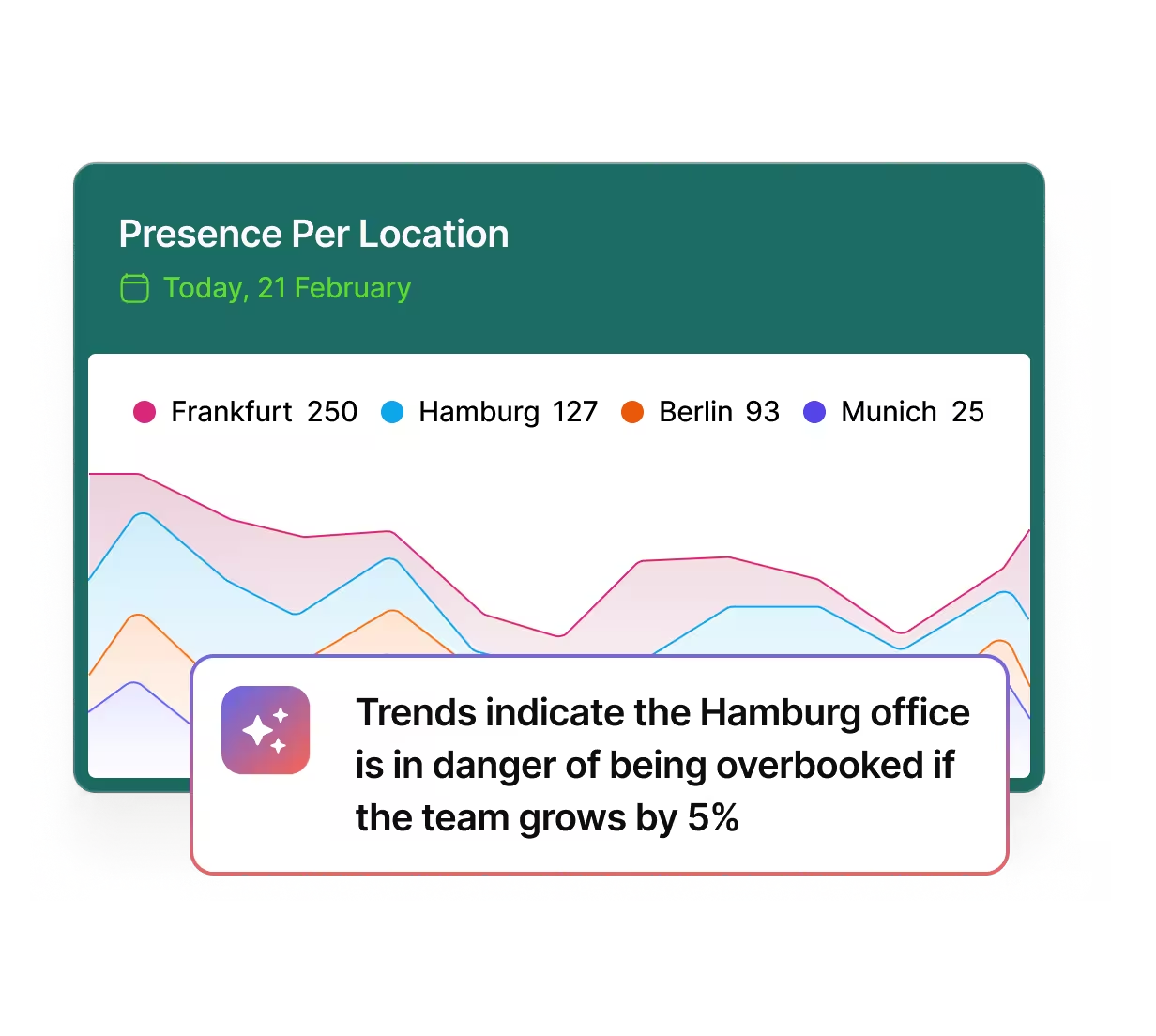
Automated office evaluation in PULT
Based on real usage data, PULT automatically generates high-resolution analyses for your office.
The analyses in PULT enable you to make far-reaching decisions about space utilization and office development, as they are based on the actual behavior of your workforce.
.avif)
Include your team's feedback in your evaluations.
With PULT's Personnel Insights, you can easily distribute surveys and receive direct feedback from your workforce.
Direct feedback from your employees complements data collection and analysis, giving you a coherent overall picture.
Real usage data, verifiable analytics, informed decisions. Get started with PULT today.

Your software for automated office evaluation
Automated office evaluation in PULT – Frequently asked questions and answers
What are the benefits of automated office evaluation?
You can see how workstations, meeting rooms, zones, and entire areas are actually being used. Your office planning decisions are then no longer based on assumptions or pure bookings, but on real attendance and usage data.
Why is pure booking data unreliable?
Bookings only indicate intent. No-shows, spontaneous changes, or rebookings distort the picture. PULT solves this problem by detecting actual attendance via Wi-Fi and automatically assigning it.
How does PULT detect presence in the office?
PULT uses the Wi-Fi connection of a smartphone, laptop, or tablet. As soon as a person enters the office, the system automatically detects their presence without any manual input. An optional manual check-in remains possible.
What data does PULT collect exactly?
PULT records the use of each office resource individually: workstations, meeting rooms, zones, parking spaces, floors, and buildings. This provides a detailed picture of actual space utilization.
Is GDPR-compliant data processing possible with PULT?
Yes, because automated office analysis does not allow conclusions to be drawn about the behavior of individuals. Instead, cumulative data is used and broken down very precisely into individual office offerings such as individual workstations, rooms, or zones.
How do usage analyses work in PULT?
The data is automatically evaluated and displayed in dashboards. You can filter it by location, building, floor, or even down to individual workstations. Trends, stress points, and unused resources become immediately visible.
How does PULT help optimize office space?
You can see whether workstations, meeting rooms, or certain areas are lacking or overrepresented. The data shows which facilities are popular—and which are hardly used. This helps you avoid planning mistakes and design the space to suit your team's behavior.