The 20 best apps for the office for businesses, home offices, and hybrid work
20 office apps for communication, task and project management, office work, visual collaboration, file management, PDF editing, scheduling, personal time management, design, passwords, and expense management.
PULT is an app for workplace and room booking. Employees can use a digital office plan to select available workstations, rooms, and zones and make binding reservations for themselves. In addition, it is possible to see who is working in the office on which day, which facilitates coordination within the team.
Bookings can be made via browser, smartphone, tablet, laptop, or integrations such as Slack or Microsoft Teams.
In addition to booking, the software also offers functions for office and space management, such as evaluations of the use of individual rooms and zones or of general office utilization.
Workplace booking in open-plan offices and desk sharing models
Overview of attendance in the office
Planning and optimization of land use
Category: Communication & Meetings
Slack
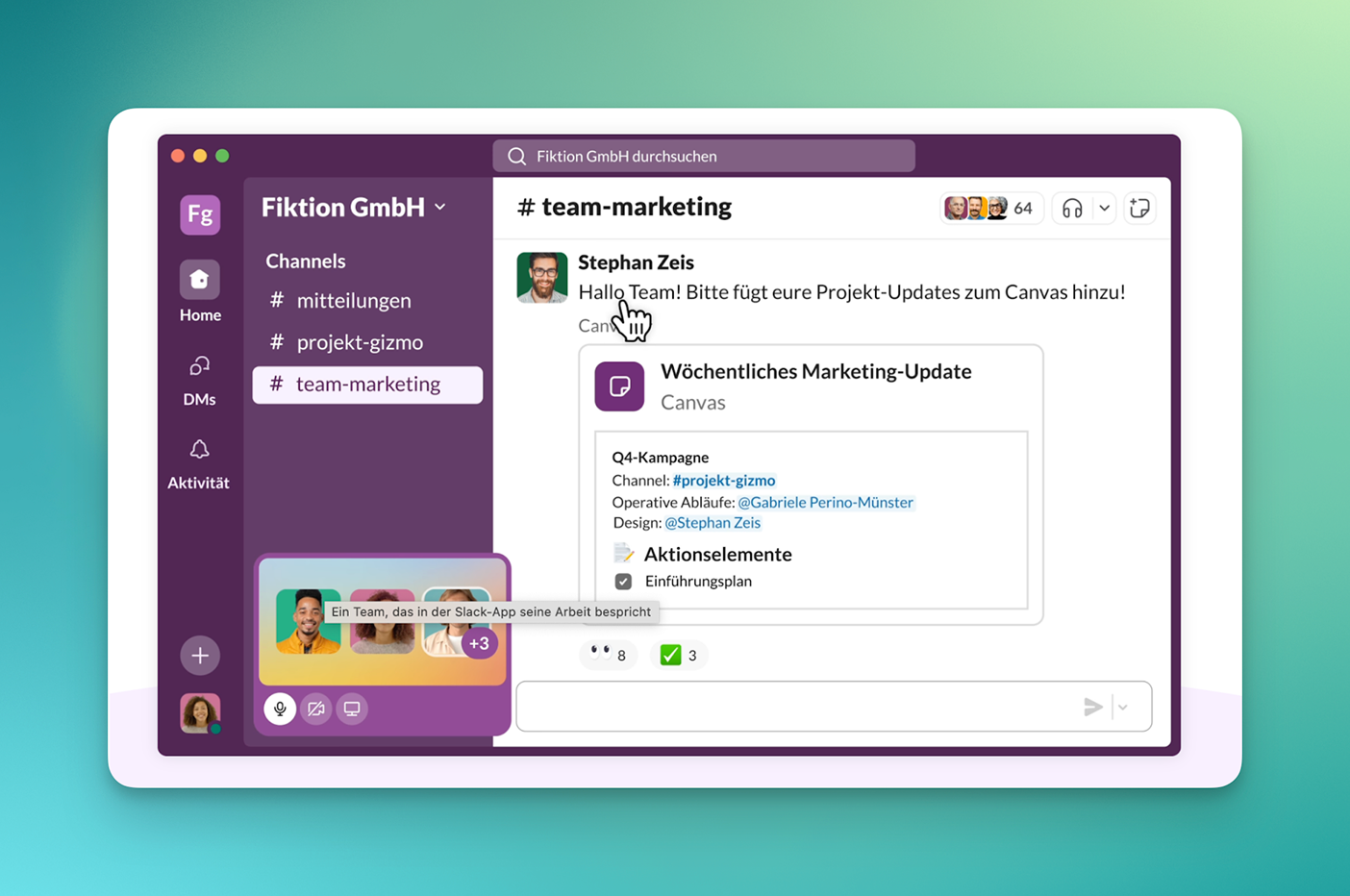
Slack is an app for team communication and is used in many companies as an alternative or supplement to email. The tool organizes communication in channels that can be created based on topics, projects, or departments. In addition, direct messages, group chats, and integrated audio and video huddles are available.
One important advantage of Slack is the large number of integrations. Services such as Google Workspace, Microsoft 365, project management tools, and CRMs can be connected directly, allowing information and notifications to converge in one place. Files can be shared and commented on within channels, keeping discussions and context transparent.
Microsoft Teams
Microsoft Teams is a platform for internal communication and collaboration that can be installed as an app. It offers chat, video and audio conferencing, file sharing, and collaborative document editing within Microsoft 365.
Channels and team rooms allow conversations, files, and workflows to be organized by topic. Meetings can be held using features such as screen sharing, recording, and integrated Microsoft whiteboards. Close integration with Outlook, SharePoint, and OneDrive allows appointments, emails, and files to be accessed directly from Teams.
Category: Task & Project Management
Asana
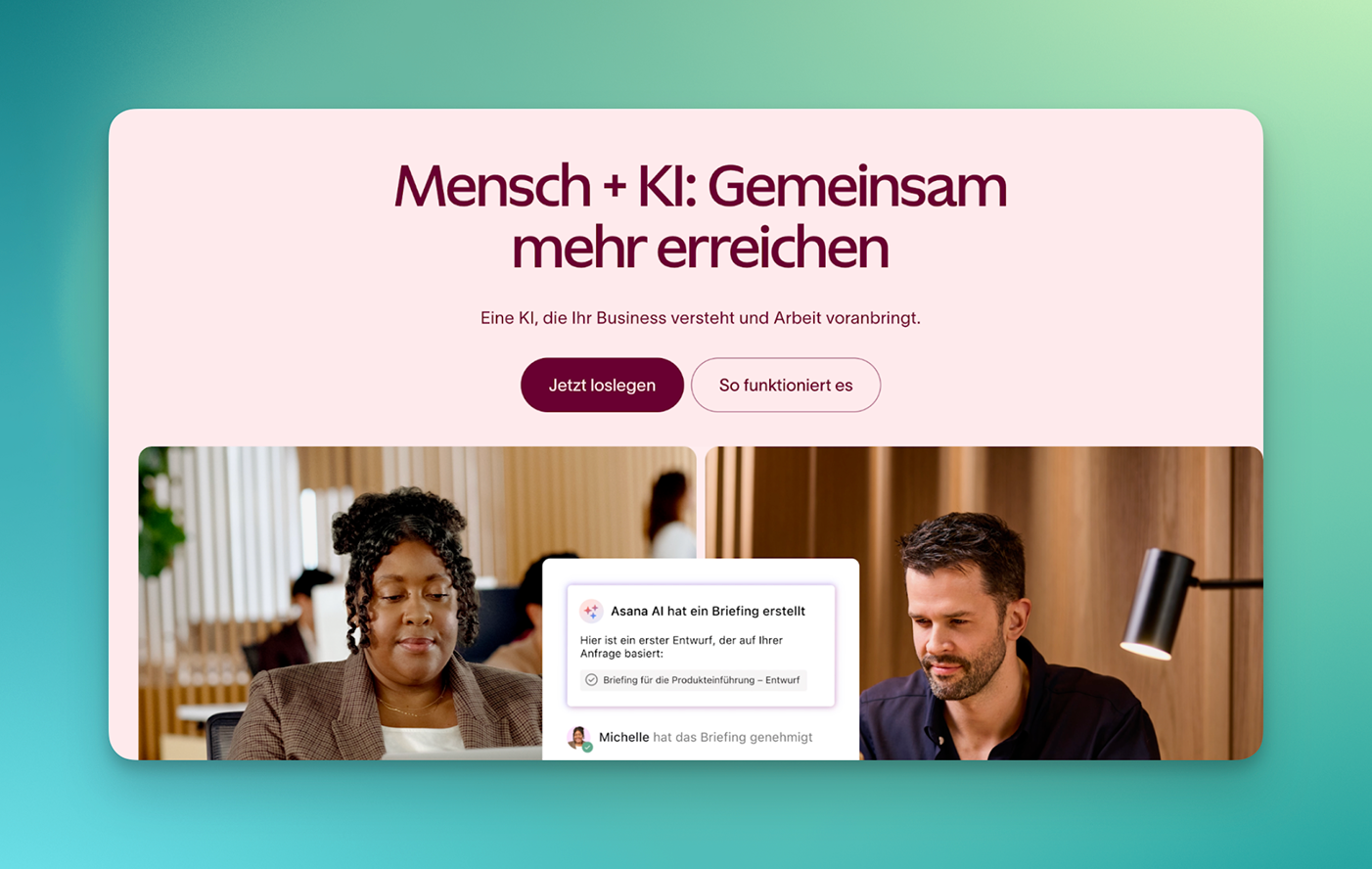
Asana is a work and project management platform in the form of an app that can be used to plan and track tasks, projects, and workflows. Teams create projects, describe tasks, assign responsibilities, and set deadlines. The work can be displayed in different views, such as a list, board (Kanban), timeline, or calendar.
Asana positions itself as a central hub for status overviews and goal tracking. The service also offers automation and reporting features and, in newer versions, AI-supported assistance with workflows and evaluations.
ClickUp
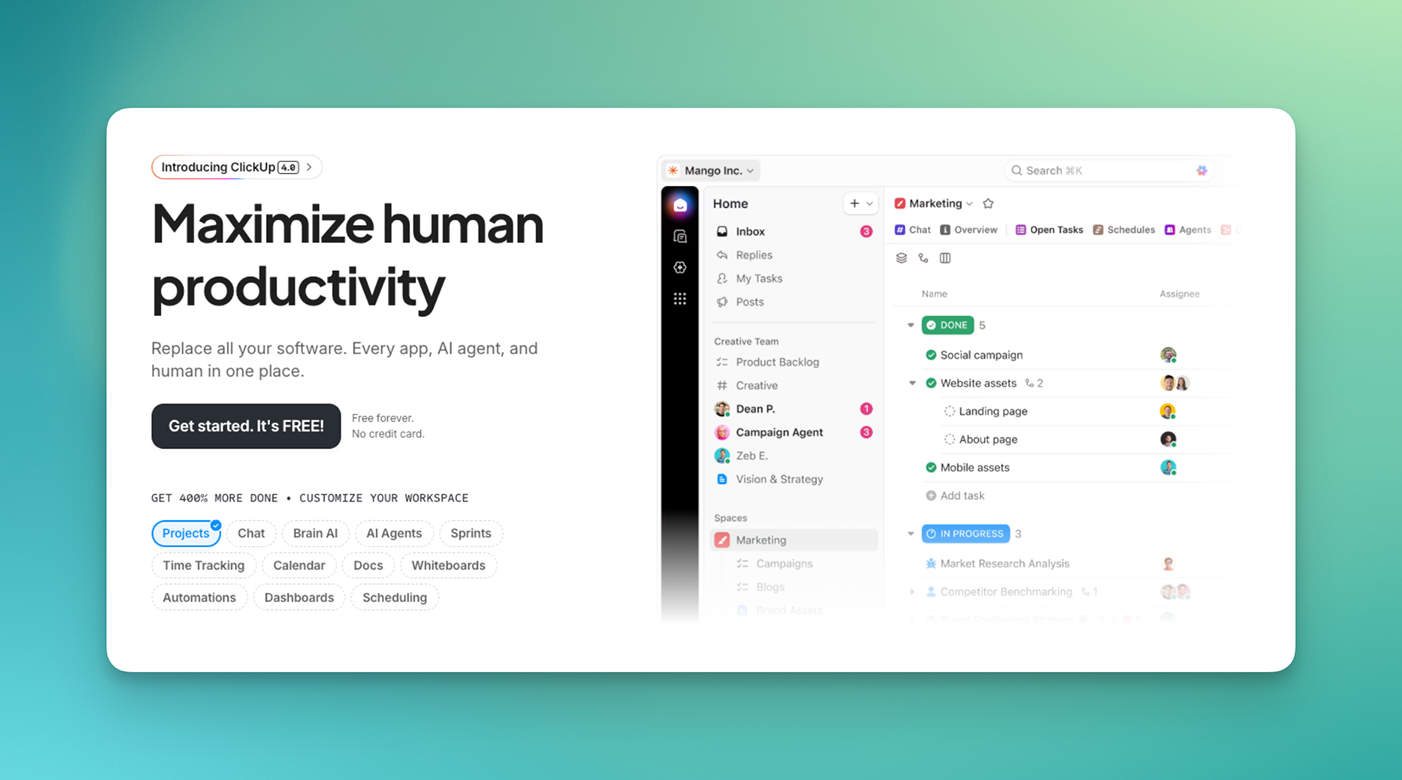
ClickUp is a work management platform that organizes tasks, projects, and processes in a single interface. The app combines task lists, Kanban boards, Gantt views, calendars, simple documents, and (depending on the plan) time and goal tracking. Tasks can be assigned to responsible parties, due dates, priorities, and custom fields.
ClickUp is typically used for planning and managing projects in teams, mapping recurring business processes in boards and lists, and providing a comprehensive overview of tasks, statuses, and responsibilities.
monday.com
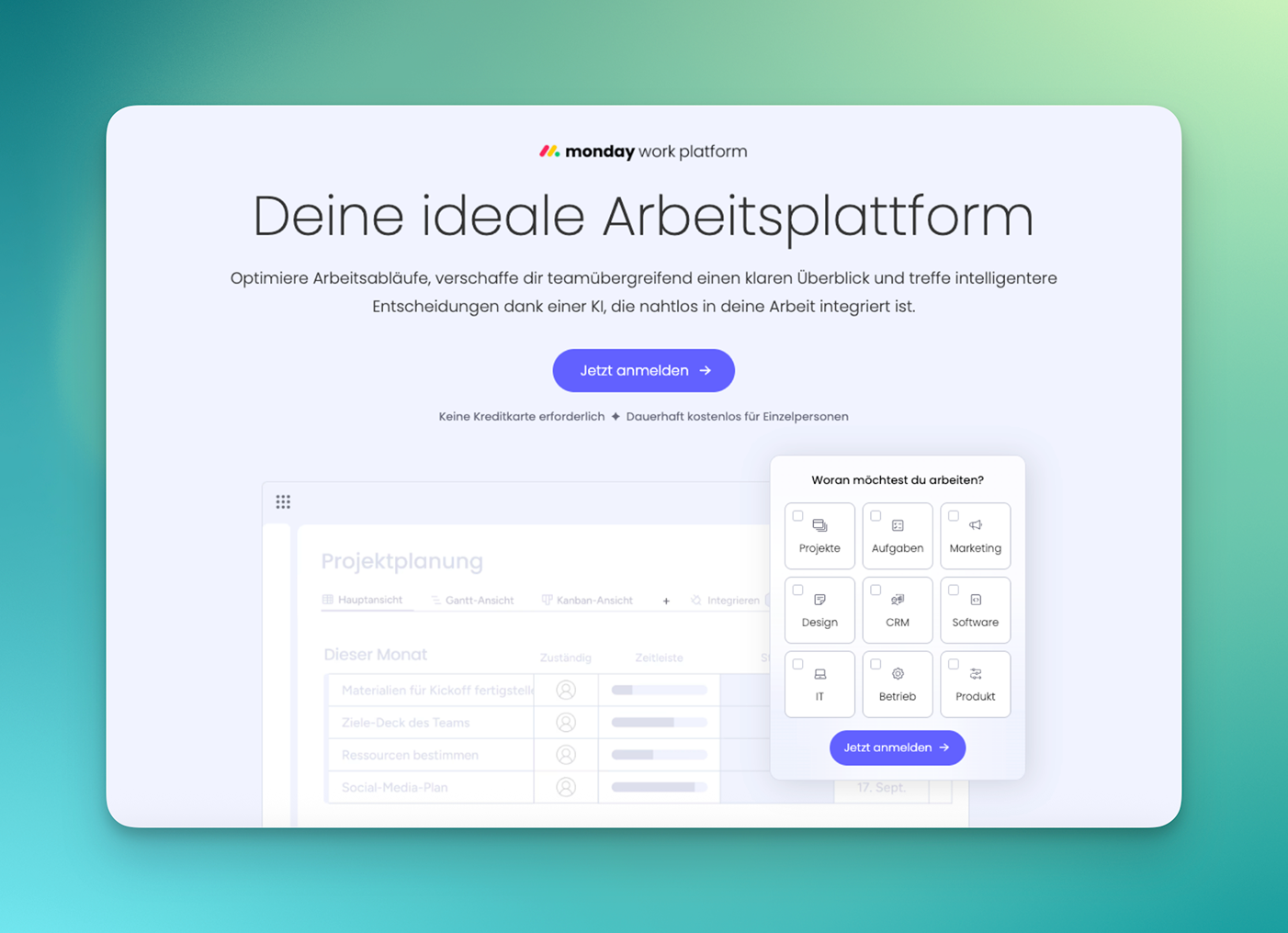
monday.com is an app that teams can use to organize tasks, projects, and workflows in table and board views. Data points are maintained in rows and columns and can be transferred to different views (timeline, calendar, Kanban, charts). Automations and integrations help standardize notifications, status changes, or transfers between systems.
monday.com is used for project, campaign, and task planning in teams, for building pipelines in sales, recruiting, and content, and for workflows with simple automations.
Todoist
Todoist is a task list app for personal and team organization. Tasks can be grouped into projects and assigned due dates, recurring dates, priorities, and labels. Filter and search functions help you sort tasks by context, date, or importance.
With Todoist, you can organize your personal tasks in the office and on the go, create simple to-do lists for small teams or projects, and map out recurring tasks and routines.
Air table
Airtable combines the operating concept of a spreadsheet with a database function. Users manage information in tables that can be linked to each other via relationships. Different views such as grid, Kanban, calendar, Gantt, or forms can be created for the data; simple automations and integrations connect Airtable to other tools.
In Airtable funktioniert die Verwaltung von Projekten, Content-Plänen, Assets oder Kontakten, der Aufbau individueller kleiner Datenbanken ohne eigene Entwicklung sowie Reporting und Übersichten über Prozesse auf Basis einheitlicher Daten.
Notion is a work environment that combines notes, documents, wikis, databases, and task management in one app. The tool is used to document knowledge, build internal wikis, and manage projects with related information in one place.
In Notion, content is organized on pages that can be freely structured (text, tables, checklists, relationships, database views). This allows teams to map project plans, meeting notes, knowledge bases, and dashboards in a single interface.
Category: Productivity Suites & Office
Google Workspace
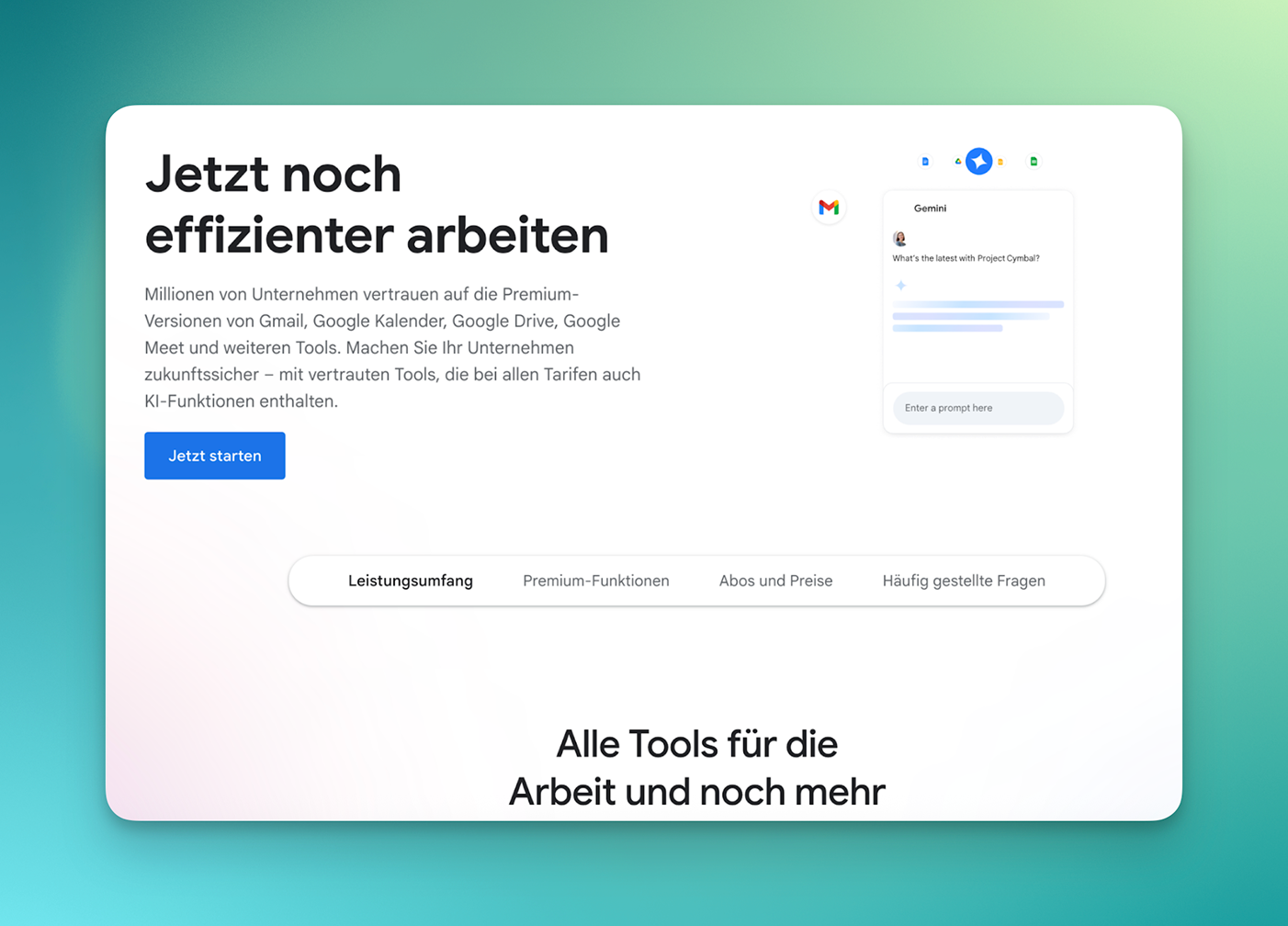
Google Workspace is a suite of cloud-based productivity and collaboration tools. It includes Gmail, Google Calendar, Drive, Docs, Sheets, Slides, Meet, and Chat, which can be installed as apps. The goal is to bring email, files, communication, and collaboration entirely into the browser.
Documents are stored in Google Drive and can be edited by multiple users simultaneously. Video and audio conferences are possible via Google Meet, Google Calendar is used for scheduling appointments, and Gmail serves as an email tool.
Miro is an online whiteboard for visual collaboration in the form of an app. Users can place and organize sticky notes, text, shapes, lines, and other elements on a digital board that can be zoomed in and out freely. The tool is suitable for brainstorming, workshops, process visualization, and planning in distributed teams.
Miro provides many templates, such as for flowcharts, customer journey maps, retrospectives, and roadmaps. Content can be edited collaboratively in real time, including comments and presentation mode.
Figma
Figma is a design and prototyping app that is mainly used in a browser (web app). Teams create user interfaces, layouts, and prototypes and can collaborate on files in real time. Comments, version histories, and component libraries enable consistent design and coordination between design, product management, and development.
With Figma, you can design user interfaces for web and mobile applications, create clickable prototypes for testing and approval, and maintain designs with reusable components.
Canva
Canva is an app that can be used to create graphics, presentations, social media posts, and simple documents based on templates. Content is compiled using drag-and-drop in an editor that provides fonts, shapes, stock photos, videos, and other elements. The app is designed for non-designers and enables quick results and exports.
With Canva, you can create presentations, flyers, and simple marketing materials, as well as content for social media, internal communications, or training materials. You can customize all designs to match your own corporate design (logo, colors, fonts).
Category: Files, Storage & Documents
Dropbox
Dropbox is a cloud storage service that stores, synchronizes, and shares files online. Users store files in a local Dropbox folder, which is synchronized with the cloud so that content is available on different devices and via a web interface. Additional management features are available for teams, such as assigning permissions and structuring team folders.
One focus is on file sharing: files and folders can be shared via links. Depending on the plan, password protection, expiration dates, and restrictions on download options for shared links can be used, among other things.
Adobe Acrobat
Adobe Acrobat includes applications and services for viewing, editing, and managing PDF documents. Users can create PDFs, add comments, edit content, convert documents to other formats (e.g., Word, Excel, PowerPoint), and fill out forms. In conjunction with the mobile scanning app, paper documents can be captured with a smartphone and processed directly as PDFs.
Adobe Acrobat enables you to process and annotate contracts, quotes, and documents, merge, split, and convert PDF documents, and digitize paper documents and forms.
Category: Scheduling & Time Tracking
Calendly
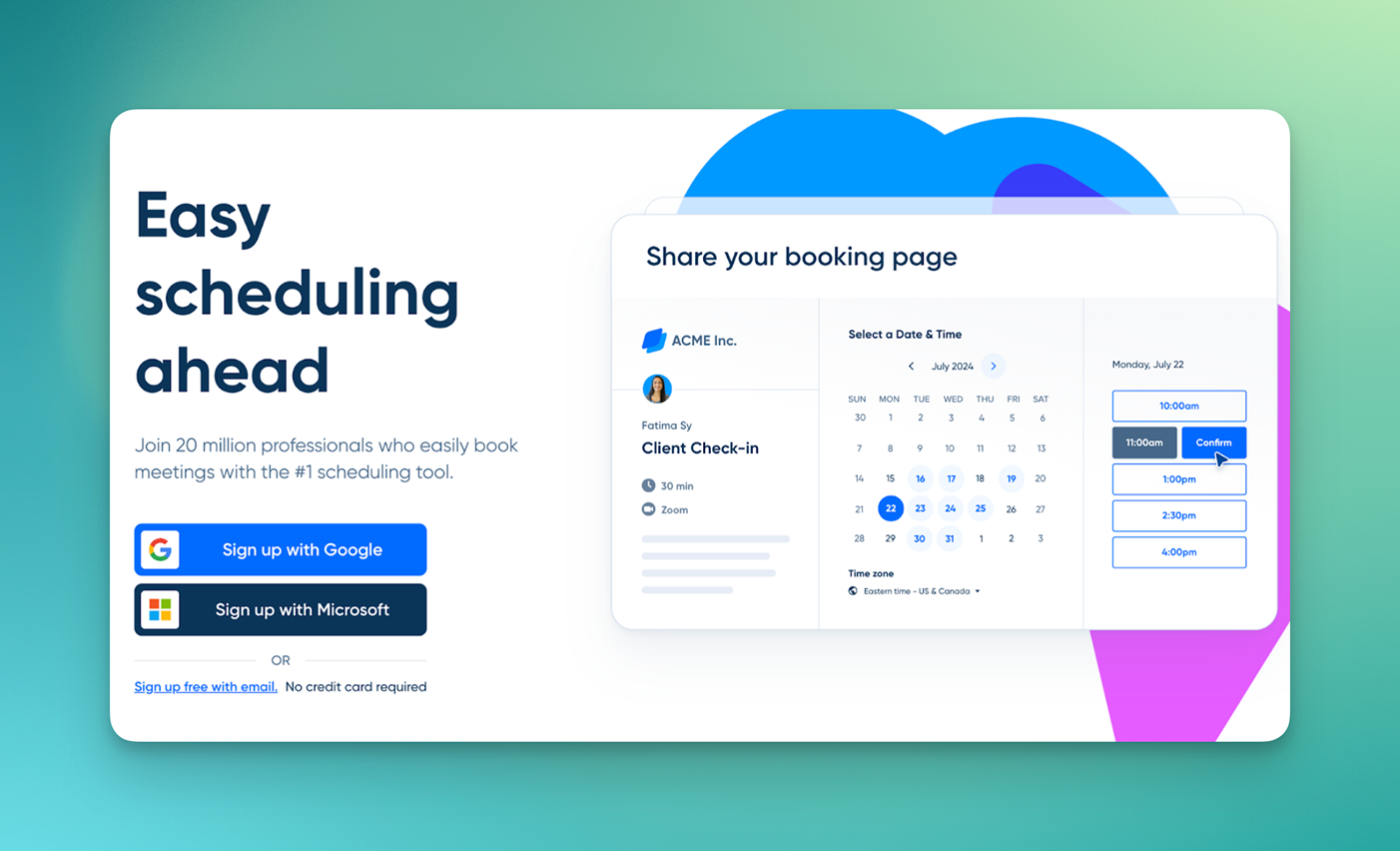
Calendly is a web app for automated scheduling. Instead of coordinating appointments via email, users create a personal booking link that others can use to select an available slot in their calendar. Calendly checks availability against connected calendars (e.g., Google Calendar, Outlook) to avoid double bookings.
The user specifies when they are generally available (e.g., weekdays, times, buffer times) and defines different event types, such as a 30-minute initial consultation or a 60-minute internal meeting. Calendar entries are automatically created for confirmed appointments; common video conferencing solutions such as Zoom, Google Meet, or Microsoft Teams can be integrated directly, so that a separate conference link is generated for each meeting.
Toggl Track
Toggl Track is a time tracking app that focuses on projects, clients, and activities. Users start and stop timers or record times manually; entries are assigned to projects, clients, tags, or tasks. This allows working hours to be evaluated in detail, for example for billing, budget control, or internal analyses.
Typical features include daily, weekly, and project overviews, reports by customer/project/activity, and export options (e.g., as CSV or PDF).
Category: Security & Passwords
Bitwarden
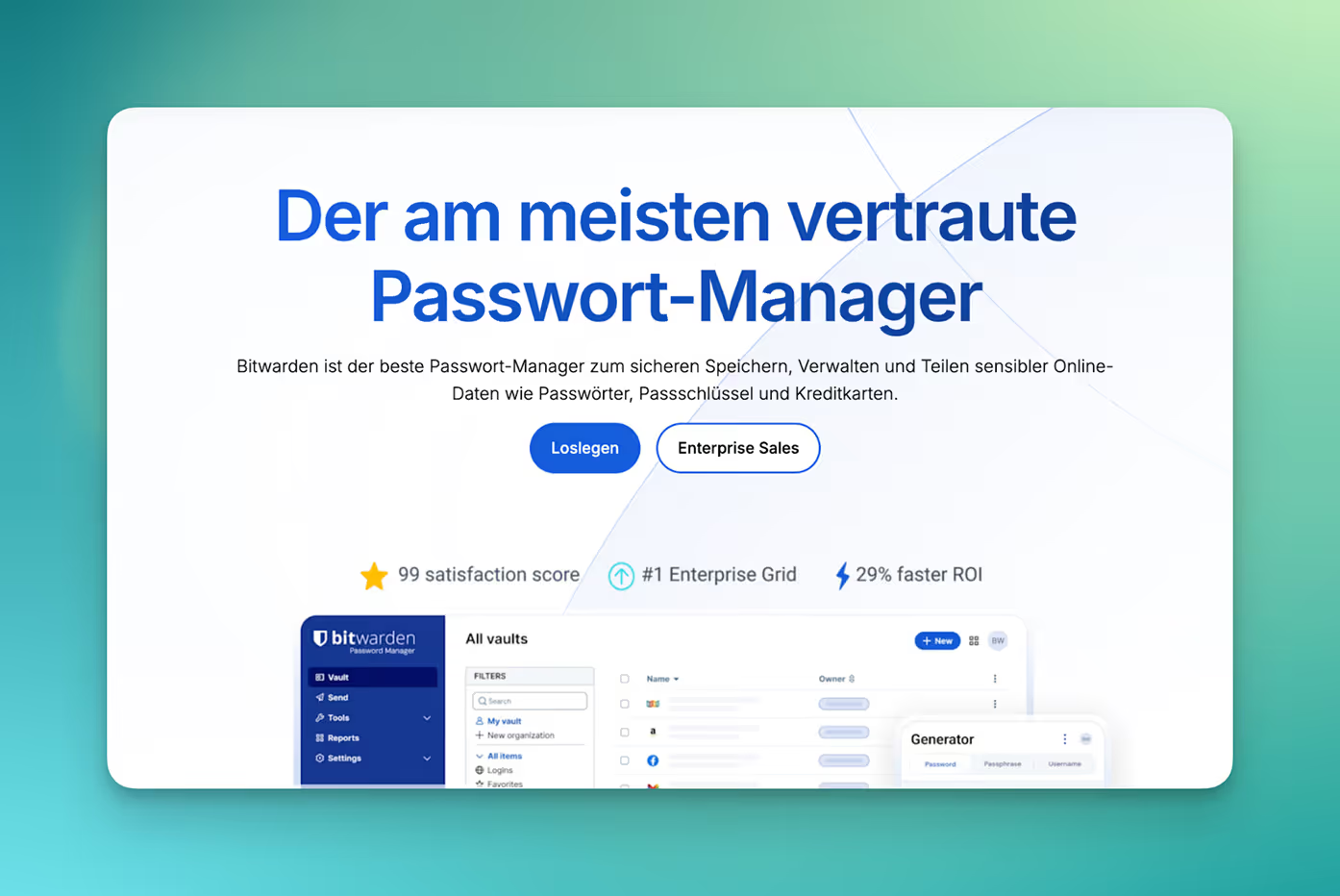
Bitwarden is a password manager app that stores login details, secure notes, and other confidential information in encrypted form. Users create entries (login, password, URL, note) and can organize them into collections. Browser extensions and apps support the automatic filling in of login details on websites and in applications.
Bitwarden uses a zero-knowledge model: data is encrypted on the client side; due to the architecture, the provider has no access to the decrypted content. The service is available as a cloud solution, but can also be self-hosted in certain plans. For teams and companies, there are organizational functions for sharing vaults, managing access rights, and policies.
Category: Asynchronous communication (video)
Loom
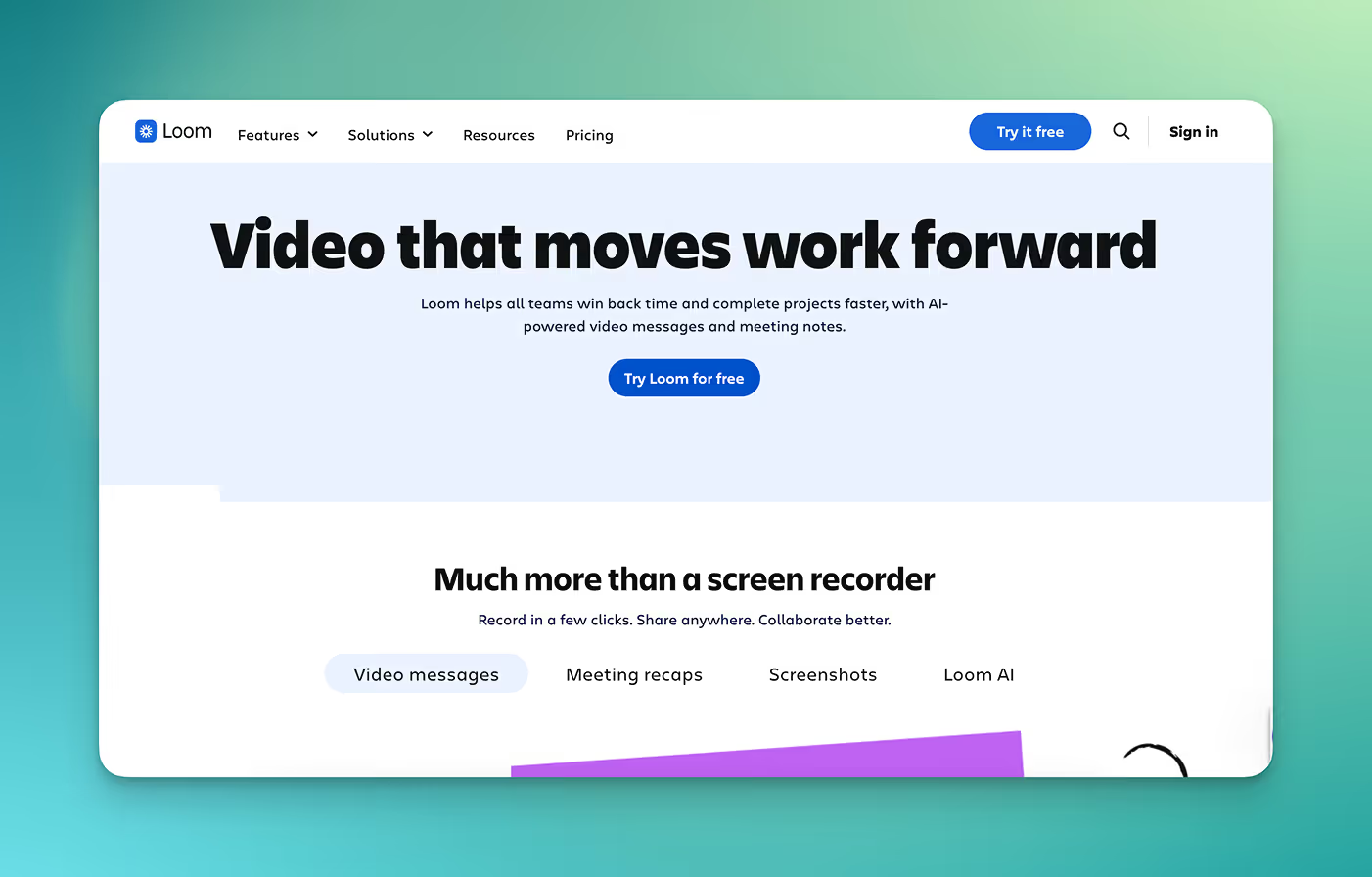
Loom is an app for asynchronous video communication. Users can record their screen, camera, and microphone and share the resulting video via a link. This allows them to provide status updates, explanatory videos, or feedback without having to schedule a live meeting.
Recordings can be annotated with comments and reactions; viewers can watch the video in their browser without having to download any files. Loom is particularly suitable for product demos, walkthroughs of documents or processes, and for explaining complex topics that would be difficult to understand in text form alone.
Category: Expense & expense management
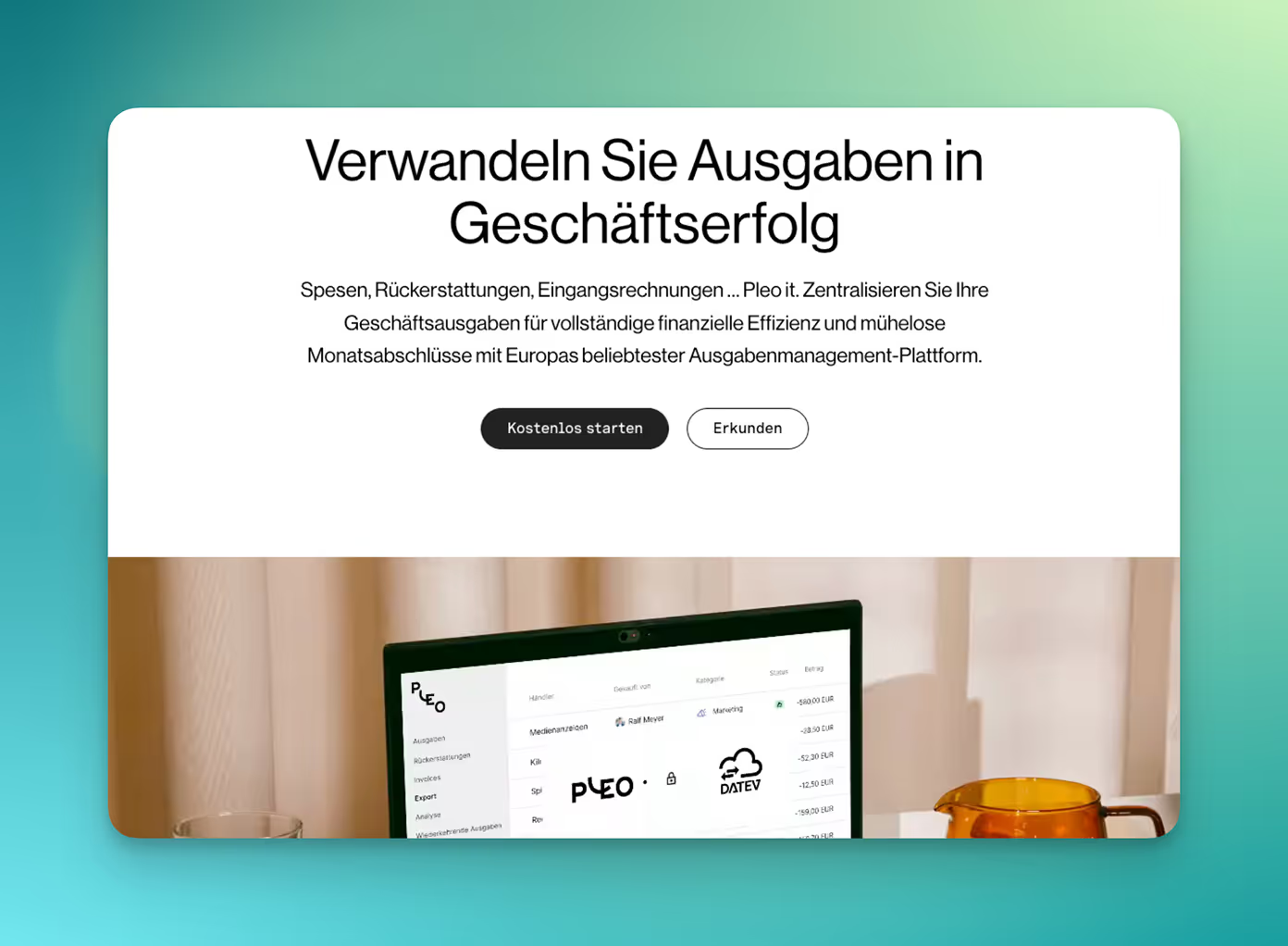
Pleo
Pleo is a corporate expense app that combines physical and virtual corporate cards with expense and receipt tracking via a smartphone app. Employees pay with Pleo cards and then take a photo of the receipt; the transaction is assigned to the expense and can be categorized, assigned to projects, or annotated with notes. Overviews, exports, and interfaces to common accounting software are available for bookkeeping purposes.
Pleo offers management of employee expenses and ongoing expenditures, simplification of receipt collection and accounting preparation, and an overview of costs by cost center, project, or team.
{{onpage-cta}}
Trusted by 1000+ innovative workplaces
Book workspaces and meeting rooms in PULT with a binding agreement. Get started with PULT now.
FAQ
Have questions?
Which apps are particularly suitable for the office?
Apps that simplify daily recurring processes, offer good synchronization between devices, and can be connected to existing apps are suitable. These include communication, project management, cloud storage, and office apps.
Which apps are particularly helpful when working from home?
When working from home, apps for video conferencing, chatting, document sharing, and task organization are particularly helpful. They enable teams to work together even without a shared workplace.
What should you look for when choosing office apps?
Data protection, user-friendliness, range of functions, and stability are important. In addition, you should check whether the app can be reliably connected to other tools you use.
Which apps are good for small businesses?
Small businesses often use compact solutions for tasks, documents, communication, and billing. Clearly designed apps that are easy to set up are particularly advantageous here.
At PULT we're designing the future of the hybrid workplace for companies and their employees. Focused on SME and mid market customers in Eruope, I'm working on everything from Customer Discovery to Onboarding. I'm very passionate about new work and moved to Hamburg in 2024 even though I'm originally from France.
Resources
Learn how to run better workplace operations
Visitor Management
Visitor Management System: What It Is and How It Works
A visitor management system replaces the paper sign-in sheet with a digital process that screens, logs, and tracks every guest who enters your office. It captures who's on-site, notifies the host, and creates a searchable record for security and compliance reviews. For growing offices, this single change closes a security gap most reception desks still carry today.
A visitor management system digitizes guest check-in, replacing paper logs with pre-registration, badge printing, host notifications, and a searchable visitor record.
✓
Visitor management software reduces front-desk workload while creating the audit trail organizations need for security screening and regulatory compliance.
✓
A standalone visitor tracking system solves check-in but leaves desk booking, room booking, and office data in separate tools, creating gaps in a company's overall presence picture.
✓
PULT combines visitor management with real-time presence, desk and room booking, and emergency response in one platform, so security teams see who's on-site, employees and visitors alike, from a single source of data.
What Is a Visitor Management System?
A visitor management system is software that replaces the manual guest sign-in process with a digital, trackable one. It records a visitor's details, their arrival and departure, and notifies the employee they're there to see, all without a paper logbook at the front desk.
Companies adopt one for three reasons: security, compliance with regulations like GDPR, and a faster, more professional check-in experience for guests.
Standalone check-in tools handle the front desk in isolation. Platform-based visitor management, like PULT's, feeds that same data into a company's broader presence and office management system, so security teams see visitors and employees in one place.
What Does a Visitor Management System Do?
A visitor management system replaces manual sign-in with a digital workflow that handles the entire guest experience, from pre-registration to check-out. It records a visitor's details, notifies the right host, can issue a badge, and stores visits in a searchable log. Visitor management software runs this process on a tablet, kiosk, or mobile phone instead of a clipboard.
Core Features of a Modern Visitor Management System
✓
Pre-registration and invites: hosts send a visitor a link before arrival, with the visit details and parking or building information included.
✓
Self-service check-in: guests confirm their name, host, and purpose at a kiosk or tablet in under a minute.
✓
Optional ID and watchlist screening: depending on the platform, the system can check visitor IDs or flag names against a security or denied-entry list before a badge is issued.
✓
Badge printing and QR codes: guests can receive a visible, time-stamped credential that identifies them for that day's visit.
✓
Host notifications: the employee being visited gets an instant alert by email, Slack, or Teams, with the guest's details and, if enabled, a photo.
✓
NDA and agreement signing: legal documents are signed digitally during check-in, with a copy stored automatically for compliance records.
✓
Visitor logs and reporting: every visit is timestamped, searchable, and exportable, so front-desk trends are easy to review monthly.
✓
Emergency roll-call export: the current visitor list can be pulled during an evacuation, showing who is recorded as still in the building.
Visitor Management Software vs. a Paper Logbook
Criterion
Paper Logbook
Visitor Management Software
Data accuracy
Illegible entries, missing fields
Structured, mandatory fields
Security screening
None
Watchlist and ID checks
Emergency roll call
Manual count from paper
Instant, exportable list
Compliance records
Hard to search or retire
Searchable, with retention rules
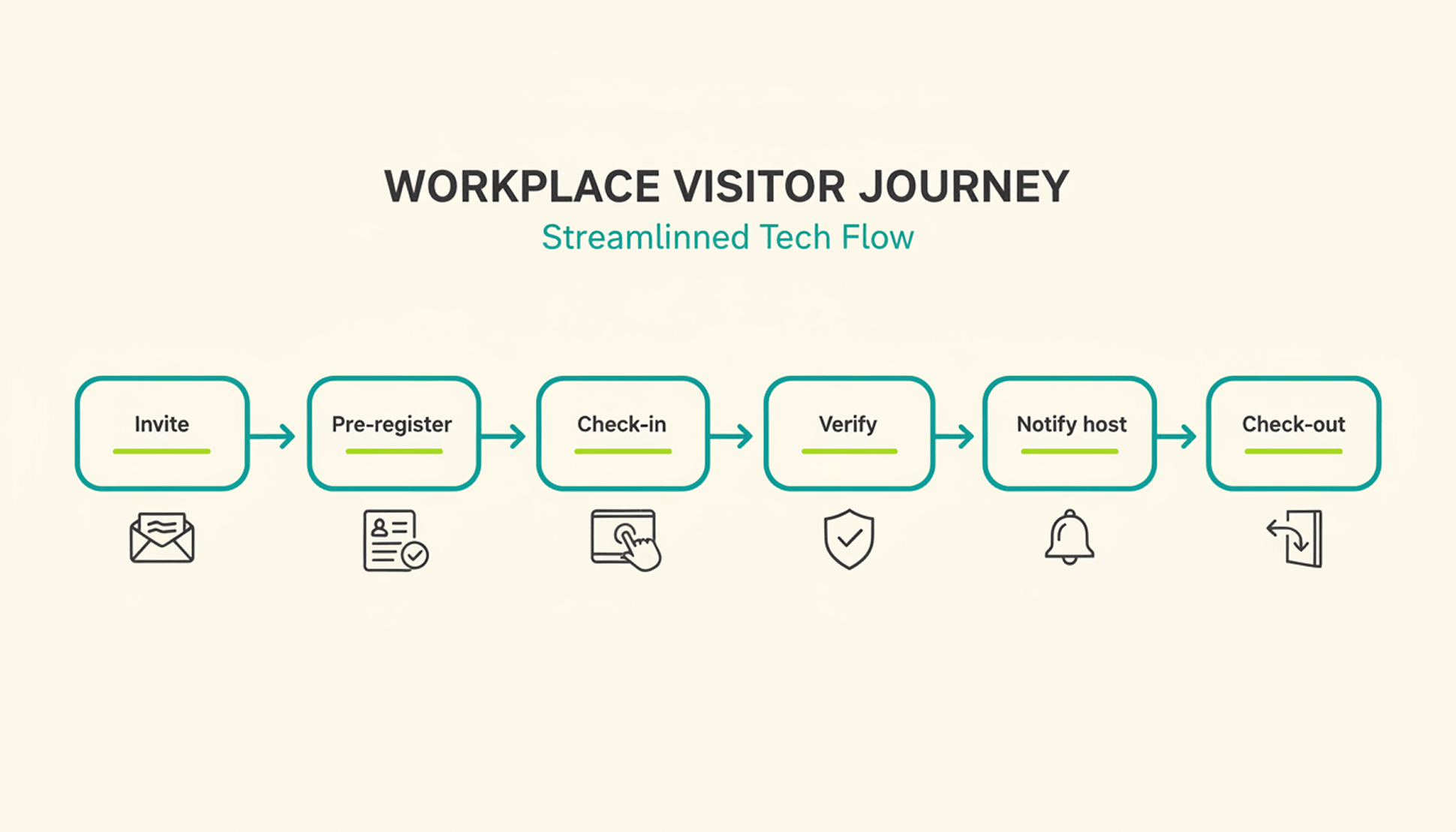
How Does the Visitor Journey Work, From Invite to Check-Out?
A typical visit runs through six steps. The host sends an invite, the visitor pre-registers, the visitor confirms their details on arrival, a badge can be issued, the host gets notified, and the system records check-out when the visitor leaves or at a configured time.
1
Pre-registration: the host schedules the visit and sends a link with arrival details, parking instructions, and building access notes.
2
Arrival and check-in: the visitor confirms their details at a kiosk or on a tablet or their own phone, usually in under a minute.
3
Optional identity and watchlist verification: depending on the platform and configuration, additional ID or security-list checks can be performed before building access is granted.
4
Badge issuance: a printed or digital badge identifies the visitor for the building and can be limited to that day's visit.
5
Host notification: the employee being visited receives an instant alert to come to reception, with the visitor's name and, if enabled, photo.
6
Check-out and logging: the visitor checks out on departure, or the system can close the visit automatically at a configured time, keeping the record administratively up to date.
What Are the Benefits of a Visitor Management System for the Office?
The clearest benefit is a complete, searchable record of who was on-site and when, something a paper log or verbal check-in can't provide.
Security and Compliance Benefits
A visitor management system can screen guests against a watchlist before they reach the office floor, depending on the platform and configuration. It can keep a timestamped log of visits for security and compliance reviews. Under GDPR, visitor data counts as personal data, so it needs a lawful basis for collection, an appropriate retention period or criteria for determining it, and safeguards against unauthorized access. A digital system can support these controls directly in the check-in process, reducing reliance on manual steps.
Visitor accountability also matters during an emergency. OSHA guidance notes that visitors need to be accounted for after an evacuation, and many employers use the sign-in list to run that headcount. A missing name on that list can delay an all-clear by several minutes, minutes that matter during a real evacuation.
Because PULT Presence tracks employees and visitors in one live view, a facilities team can pull an accurate roll call the moment an alarm sounds, not after searching through a paper binder.
Front-Desk Efficiency and Visitor Experience Benefits
Automated check-in cuts the time your team spends on manual sign-in, badge writing, and phone calls to announce a guest. A receptionist freed from clipboard duty can focus on greeting visitors and other front-desk work. Visitors move through reception faster, often in under a minute, and the first impression of your office improves the moment someone walks in the door. For client meetings or investor visits, that faster, more polished check-in becomes part of how your company presents itself.
How Do You Choose the Right Visitor Management Solution?
The right visitor management solution depends less on feature count and more on how well it fits your existing security setup, office size, and tool stack. A system built for a five-person startup office looks very different from one built for a 500-person campus with multiple buildings and a dedicated security team.
Calendar, HR, and communication tools your team already uses
Security and compliance
Data retention controls, audit logs, GDPR-aligned handling
Scalability
Pricing and setup across multiple locations
Price
Per-location vs. per-user pricing models
Ease of use
Kiosk setup time and how quickly staff can learn the system
Is a Standalone Visitor Management Platform Enough for a Modern Office?
A standalone visitor management platform solves the front-desk problem, but most offices also run desk booking, room booking, and parking through separate tools. Connecting these systems into one platform gives security and facilities teams a single, live view of who is on-site, employees and visitors together.
That connection matters most during a security incident or an office move, when facilities teams need one current view of occupancy rather than four separate logins to check. PULT pairs visitor management with desk booking software, room booking, and presence data, so a single dashboard shows recorded on-site employees and visitors. Office managers evaluating a broader workplace management software setup typically start here, since visitor data becomes far more useful once it's connected to the rest of the office.
{{onpage-cta}}
Turn Visitor Check-In Into a Security Advantage
A visitor management system turns a vulnerable front desk into a controlled entry point, giving you a searchable record of who checked in and when. The real payoff comes when it connects to the rest of your office, from desk booking to real-time presence data, giving you one live picture of recorded on-site users. For growing offices, that visibility is worth seeing in action.
✓
Visitor check-in, desk booking, room booking, and presence data live in one platform, so you manage all of it from a single login.
✓
A real-time view shows who is on-site, employees and visitors together, for faster emergency roll calls.
✓
Every visit is recorded in a searchable log, with records available for security and compliance reviews.
✓
Microsoft Teams and Slack support visitor notifications, while Personio and HiBob connect employee data through built-in integrations.
Envoy alternatives worth a closer look share one trait: they cover more of daily office management than a single visitor kiosk. If Envoy's per-location pricing or iPad-based visitor kiosk has you looking elsewhere, this comparison walks through seven platforms, including PULT, across visitor management, desk and room booking, parking, and office insights.
Envoy is a workplace platform originally built around visitor management and reception. Over time, the company expanded into desk booking, room booking, and parking under the Envoy Workplace product line, alongside its original visitor and delivery management tools.
Envoy's Core Features
Envoy's visitor check-in runs on iPad kiosks paired with a supported Brother printer for badges. The platform handles ID scanning, digital NDAs, health screenings, and delivery tracking, and it integrates with Slack, Microsoft Teams, Okta, and several badge-entry systems.
Envoy Pricing
Envoy recently moved away from per-active-user billing for new contracts and now prices in tiers by location and by workplace module, with Visitors, Response, Reservations, Screens, and Deliveries licensed and billed separately. For the Visitors product:
✓
Basic: free, with limited features (100 entries per month).
✓
Premium: $362 per location per month, billed annually.
✓
Enterprise: custom pricing for organizations with more complex security and compliance needs.
What Makes a Good Envoy Alternative?
Core Selection Criteria
A genuine Envoy alternative covers more than one office function. Look for desk booking, room booking, and visitor management under a single login, transparent pricing that doesn't require a sales call for a ballpark number, and integrations with the calendar and chat tools your team already uses. Multi-location support matters once you operate more than one office, since per-location fees add up fast.
Quick Checklist: What to Look For
✓
Visitor management available, with pricing clearly disclosed.
✓
Published pricing (per user, per space, or per resource).
✓
Native Microsoft Teams, Slack, or Google Workspace integration.
✓
Office insights and occupancy analytics on standard plans.
✓
Support for parking and multi-location rollouts.
7 Envoy Alternatives for Desk Booking, Visitor Management & More in 2026
Note: The features, prices, and capabilities shown in the following comparison are based on publicly available information from each provider (as of August 2026) and are intended solely for neutral orientation. Providers may change these details at any time, and no guarantee is given for their accuracy or completeness. All brand names belong to their respective owners and are used for comparison purposes only. PULT has no business relationship with the other brands listed. The order below does not represent a ranking.
#1 PULT
Origin & Concept: PULT is an all-in-one office management platform built for hybrid teams, combining desk, room, visitor, and parking management in a single system.
Technology: PULT runs as a cloud-based platform with native integrations into calendar, chat, and HR tools, and includes WiFi-based desk booking that detects desk usage automatically over the existing office network.
Target Audience: The platform is aimed at SMEs and enterprise companies with roughly 50 to 2,000 employees running a hybrid work model, often across more than one office location.
Strengths
✓
Platform breadth: Desk, room, visitor, and parking management run in one system instead of separate tools for each function.
✓
WiFi Desk Booking: Desk usage is detected automatically over the existing office WiFi without requiring employees to check in manually.
✓
Integration depth: Native connections to Microsoft Teams, Slack, Personio, and HiBob.
Plans & Pricing
(as of August 2026, source: PULT):
PULT Workplace (desk booking, meeting rooms, parking, and analytics):
✓
Starter: free, for up to 20 users and 1 location.
✓
Growth: from $3.40 per user/month.
✓
Business: from $4.60 per user/month.
✓
Enterprise: custom pricing, with white labeling and API access.
Visitor Management is priced as a separate product:
✓
Business: from $114 per location/month.
✓
Enterprise: custom pricing.
Additional costs may apply, for example:
✓
Presence AI: WiFi-based automatic attendance and desk-occupancy tracking is a separate product, starting at $119/month on the Business plan.
Origin & Concept: Deskbird is a workplace app built around hybrid work scheduling, letting employees plan office days and book desks, rooms, and parking from one interface.
Technology: SaaS platform with web, mobile, Slack, and Microsoft Teams apps. Business, Professional, and Enterprise include unlimited desks, users, admins, locations, and parking spots; pricing is based on active users.
Target Audience: According to the provider, deskbird is used by hybrid companies of various sizes, from small teams to global enterprises.
Strengths
✓
Published entry pricing: The Business tier price is listed publicly, unlike several competitors on this list that require a sales quote.
✓
Unlimited scope on every tier: Users, admins, locations, desks, and parking spots are unlimited even on the entry plan.
✓
Chat-tool integration: Desks, rooms, and parking can be booked directly from Microsoft Teams or Slack.
Plans & Pricing (as of August 2026, source: deskbird):
✓
Business: €2.75 per active user/month; covers desk, room, and parking booking, native mobile apps, and MS Teams integration.
✓
Professional: custom pricing; adds advanced booking rules, AI-powered floor plan design, automated check-in, workplace ticketing, and public API access.
✓
Enterprise: custom pricing; adds workplace surveys, custom analytics and reporting, advanced SLAs, and a dedicated Senior CSM.
Additional costs may apply, for example:
✓
Add-ons: Visitors Plus (reception kiosk and pre-visit registration), Rooms Plus (meeting-room signage and catering requests), and User & Data Management Plus (SAML, SCIM, HRIS sync) are priced separately from the core plan.
#3 Robin (Robin Powered)
Origin & Concept: Robin is a workplace management platform covering desk, room, parking, and locker booking, space management, meeting management, and visitor management, positioned as a single unified platform for larger organizations.
Technology: The platform syncs natively with Microsoft Outlook, Google Calendar, Microsoft Teams, Slack, Microsoft Entra, and Okta. According to the provider, point solutions such as standalone room-display software are a better fit for smaller, single-purpose needs.
Target Audience: According to the provider, Robin fits organizations with more than 150 hybrid employees using an office, and works best for companies managing multiple floors, offices, or buildings.
Strengths
✓
Platform breadth: Resource booking, space management, meeting management, workplace analytics, visitor management, and employee experience tools sit under one platform.
✓
Calendar depth: Native sync with Microsoft Outlook, Google Calendar, Teams, and Slack.
✓
Multi-site design: Built for organizations coordinating several offices or buildings at once.
Plans & Pricing (as of August 2026, source: Robin): Robin does not publish per-user or per-resource pricing. According to the provider, pricing is tailored per organization and requires a call with the sales team, with all subscriptions billed annually. Room displays and other hardware may come at an extra cost.
#4 Skedda
Origin & Concept: Skedda is a space-booking platform for desks, rooms, and other bookable areas, built around a configurable rules engine and an Organization Hub for managing multiple offices from one dashboard.
Technology: The platform is priced per space rather than per user, includes native Microsoft Teams and Slack apps, mobile apps for iOS and Android, and supports SSO via SAML 2.0.
Target Audience: According to the provider, Skedda serves organizations of all sizes, including universities, coworking spaces, and corporations with strict compliance needs.
Strengths
✓
Unlimited users and bookings: Every plan includes unlimited users and bookings because pricing scales with spaces, not headcount.
✓
Visitor management available: Visitor management is available alongside the existing space-booking tools as a separate add-on.
✓
Multi-office dashboard: The Organization Hub lets admins manage several offices from one place.
Plans & Pricing (as of August 2026, source: Skedda):
✓
Starter: from $99/month, priced per space, includes 15 spaces, a basic rules and roles engine, and a limited insights dashboard.
✓
Plus: from $149/month, priced per space, includes 20 spaces, a limited rules and roles engine, and a full insights dashboard.
✓
Premier: from $199/month, priced per space, includes 25 spaces, a full rules and roles engine, and a full insights dashboard.
✓
AllBooked (for sports, studios, coworking, and community booking): custom pricing.
An Administrators add-on is available on every plan for $99/month.
#5 Archie
Origin & Concept: Archie is a modular workspace platform covering desk booking, room scheduling, visitor management, and coworking software as separately priced products.
Technology: The platform requires no proprietary hardware and works with existing tablets and screens, with native integrations into Microsoft 365, Slack, and access-control systems such as Kisi and Brivo.
Target Audience: According to the provider, Archie is used by more than 1,000 organizations, spanning small and mid-sized businesses on the Starter plan to large, multi-location companies on Pro and Enterprise.
Strengths
✓
No proprietary hardware: Existing tablets and screens can be used instead of a fixed device.
✓
Transparent, published pricing: Rates per desk, room, and visitor product are listed publicly rather than hidden behind a sales call.
✓
Free trial after demo: According to the provider, a 14-day test environment is available following a product demo.
Plans & Pricing (as of August 2026, source: Archie):
✓
Desk Booking Starter: $2.80 per desk/month, minimum $159/month, covers 1 location with floor plans, QR check-ins, and occupancy analytics.
✓
Desk Booking Pro: $3.50 per desk/month, minimum $249/month, adds multiple locations, booking from Teams and Outlook, Slack integration, SSO, and SCIM.
✓
Desk Booking Enterprise: custom pricing, adds security and compliance support, custom data residency, and white-glove onboarding.
✓
Room Booking: from approximately $8 to $12 per room/month.
✓
Visitor Management: from approximately $109 per location/month, priced as a separate module.
Room displays and other add-on hardware may come at an extra cost.
#6 YAROOMS
Origin & Concept: YAROOMS is a workplace management platform combining hybrid work scheduling, desk and room booking, and visitor management under one system, with a dedicated Enterprise tier for large organizations.
Technology: The platform includes interactive office maps, an AI assistant called Yarvis, Microsoft Teams integration, and Single Sign-On on the Business tier, with API access and custom cloud deployment (Azure, AWS, or on-prem) available on Enterprise.
Target Audience: According to the provider, YAROOMS fits small offices on the Starter plan, growing businesses on the Business plan, and large, multi-location teams of up to 1,000+ users on Enterprise.
Strengths
✓
Published tiered pricing: Plans and per-year rates are listed publicly rather than hidden behind a sales call.
✓
AI assistant included: Yarvis is included from the Business plan rather than sold as a separate add-on.
✓
Multi-location scaling: Higher tiers add more locations and unlimited workplace analytics.
Plans & Pricing (as of August 2026, source: YAROOMS):
✓
Starter: from $99/month for 10 users, covers 1 location, 2 floors with an interactive office map, hybrid work scheduling, and desk and room booking.
✓
Business: from $399/month for 50 users, covers 2 locations, 90 days of workplace analytics, the Microsoft Teams app, Yarvis AI, and Single Sign-On.
✓
Enterprise: from $899/month for 300 users, covers 5 locations plus add-ons, unlimited analytics, API access, and custom integrations.
#7 Joan
Origin & Concept: Joan is an all-inclusive workplace platform covering meeting room booking, visitor management, desk and parking booking, digital signage, and analytics, with pricing based on active usage rather than which features are turned on.
Technology: The platform combines a base subscription with per-user and per-device add-on pricing, covering both the Joan app and registered screens or tablets.
Target Audience: According to the provider, Joan is used by organizations across tech, education, and hospitality, from small offices to global enterprises.
Strengths
✓
Pay-for-what-you-use model: Solutions you don't activate don't add to the cost.
✓
Free tier to start: A free plan is available before moving to a paid subscription.
✓
Full feature access on every plan: According to the provider, all solutions are available from the start rather than gated behind higher tiers.
Plans & Pricing (as of August 2026, source: Joan): Plans start at €49 per month as a base subscription with included users and devices.
✓
Additional users: €0.99 per user/month.
✓
Additional device licenses: €9.99 per device/month.
Custom quotes are available for larger setups.
How to Choose Your Envoy Alternative
Once you've narrowed the list by features and price, three factors can help assess how well a platform holds up as your office grows.
Scalability & Multi-Location Support
If you operate more than one office, check whether pricing adds a flat fee per location or scales with total users or spaces across all sites. That difference determines whether a second or third office meaningfully changes your bill.
Flexibility & Integrations
Your team already works inside Microsoft Teams, Slack, or Google Workspace. A platform that books directly inside those tools sees far higher adoption than one that requires a separate app nobody opens.
Security & Data Privacy
Visitor and badge data may qualify as personal data when it relates to an identified or identifiable person. Confirm how long visitor logs are retained, whether data stays in your required region, and whether the vendor supports SSO for admin access.
{{onpage-cta}}
Office Insights
Muster Point: Definition & Setup
A muster point is the designated spot where employees, visitors, and contractors gather after evacuating a building, so someone can confirm everyone made it out safely. Under OSHA 29 CFR 1910.38, covered emergency action plans need a procedure to account for employees after an evacuation, and a designated assembly area is one common way to do that in practice.
A muster point is a designated, safe location outside a building where employees, visitors, and contractors gather and get counted after an emergency evacuation.
✓
Under OSHA regulation 29 CFR 1910.38, employers subject to the standard must include procedures for accounting for all employees after an evacuation.
✓
A safe muster point stays clear of the building's hazard zone and emergency vehicle access routes, and remains visible to evacuees in smoke, rain, or darkness.
✓
PULT is an office management platform whose Presence feature detects who is on-site through a company's existing WiFi network, giving office and security teams a live, automatic headcount during an emergency.
What Is a Muster Point?
A muster point is a fixed, pre-identified location outside a building where everyone gathers after an evacuation alarm. Its purpose goes beyond simply getting people outside: it gives a warden or safety officer a single place to run a headcount, confirm who made it out, and flag anyone still unaccounted for.
Muster Point vs. Assembly Point vs. Muster Station
Muster point and assembly point generally describe the same function, while muster station is a related term commonly used in maritime and offshore settings. Onshore offices and warehouses in the US typically say muster point or assembly point.
Maritime operations commonly use muster station, including in contexts covered by SOLAS muster and drill requirements. For offices and other onshore workplaces, the location and headcount process generally work the same way regardless of whether you use muster point or assembly point.
Where Should You Place a Muster Point?
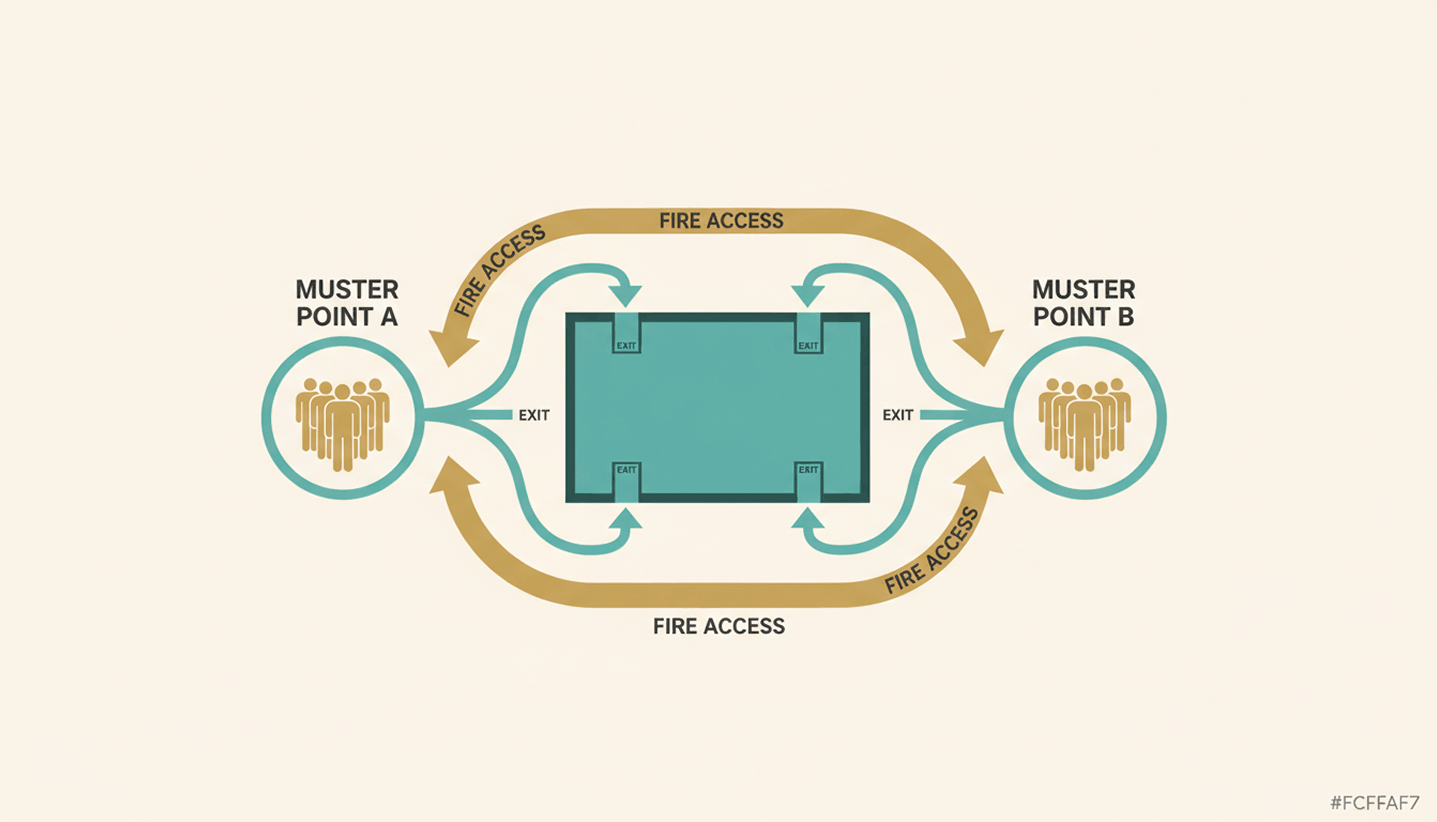
A good muster point sits far enough from the building to stay clear of smoke, debris, and structural risk, but close enough that people reach it within minutes. Beyond distance, a handful of practical criteria decide whether a location actually works during a real emergency.
✓
Distance from hazards: Keep the point away from the building itself, parking structures, and anything storing flammable material.
✓
Clear of emergency access: Don't block the routes fire trucks and ambulances need to reach the building.
✓
Reachable from every exit: Every evacuation route on the floor plan should lead to a muster point without crossing back through the building.
✓
Visible in poor conditions: Choose a spot that stays identifiable in smoke, rain, or after dark, and mark it with high-visibility signage.
If your evacuation plan needs a broader refresh beyond the muster point itself, our guide to office fire safety covers alarm systems and drill schedules in more detail.
How Do You Set Up and Mark an Emergency Muster Point at the Office?
Setting up an emergency muster point takes three things: clear signage, a person responsible for the headcount, and enough capacity for everyone who might be on site. Multi-floor or multi-tenant offices may need more than one muster point where building size, occupancy, or evacuation routes would otherwise create a bottleneck.
✓
Mark it clearly: Use clear, high-visibility signage so the location remains easy to identify by day and in poor visibility.
✓
Assign responsibility: Designate trained personnel to manage the headcount and report the result to the incident commander.
✓
Plan for scale: Add a second or third muster point for large floors, multiple buildings, or shared office space, and split the roster accordingly.
✓
Put it on the map: Add every muster point to your floor plan and walk new hires through it as part of onboarding.
How Do You Take a Headcount at the Muster Point?
Once people reach the muster point, the warden runs a headcount, sometimes called a fire roll call, and checks names against a roster before reporting the result to the incident commander. The harder part is making sure that roster actually reflects who was in the building, including people who don't show up on a payroll list.
Accounting for Visitors and Contractors
Employees usually appear on a standard roster, but visitors and contractors often don't. A guest who checked in an hour earlier or a contractor working on the third floor still needs a headcount at the muster point. A visitor log that isn't tied into the emergency plan leaves wardens guessing how many people are actually missing.
Manual Fire Roll Call vs. Real-Time Presence Data
A paper roll call at a mid-size office can take valuable time, and it only counts people already written down. PULT Presence uses office network data to show which employees are on site, while visitor and contractor records can supplement the on-site roster during an emergency.
{{onpage-cta}}
Give Every Muster Point a Fast, Accurate Headcount
A muster point only works if people know where it is and someone can confirm who made it there. Distance, signage, and a designated warden solve the location half of the problem. The headcount half comes down to whether your roster actually reflects everyone on site that day, employees, visitors, and contractors included. That's the gap most manual processes leave open.
✓
You see live on-site presence data to support the muster point headcount instead of relying only on a manual roster.
✓
Digitally checked-in visitors and contractors can be included without relying on a separate paper log.
✓
Presence tracking runs through your existing WiFi network and takes under 30 minutes to set up.
✓
Emergency Response activity can provide timestamped records of key actions for your safety files.

.jpeg)






















.png)
.png)
.png)
.png)
.png)