Best Space Management Software (Comparison 2026)

With the increase in working from home, many office spaces remain unused. Companies are therefore paying more attention to the ratio of space used to running costs. Office evaluation software provides detailed data on this, enabling better planning and adaptation of space utilization.

How do I choose the best coworking space management software?

The best office evaluation software can consolidate and visualize many data sources. The criteria you use depend on your goals. For example, pay attention to:

  • Integrations & data sources: Important if you want to include booking and calendar data (e.g., Outlook, Google).
  • Display of space: Helpful if you want digital floor plans to give you transparency about occupancy and available spaces.
  • Mechanisms against unused bookings: Relevant if you want to avoid vacancies: e.g., through check-in functions or automatic releases.
  • Key figures & evaluations: Interesting if you want to use trends, utilization rates, or no-show rates for your planning.
The following information on features, prices, and services is based on publicly available sources from the providers (as of September 2025). It is for guidance only. Providers may make changes at any time; no guarantee can be given for the accuracy or completeness of this information. 

This article contains a presentation of PULT as part of a market overview. It is based on careful research, but is not an objective test report, rather an editorially prepared comparison with some promotional elements.

All brands mentioned are the property of their respective rights holders and are listed for comparison purposes only. PULT has no business relationship with the providers mentioned. 

The 7 best office space management softwares

#1 PULT

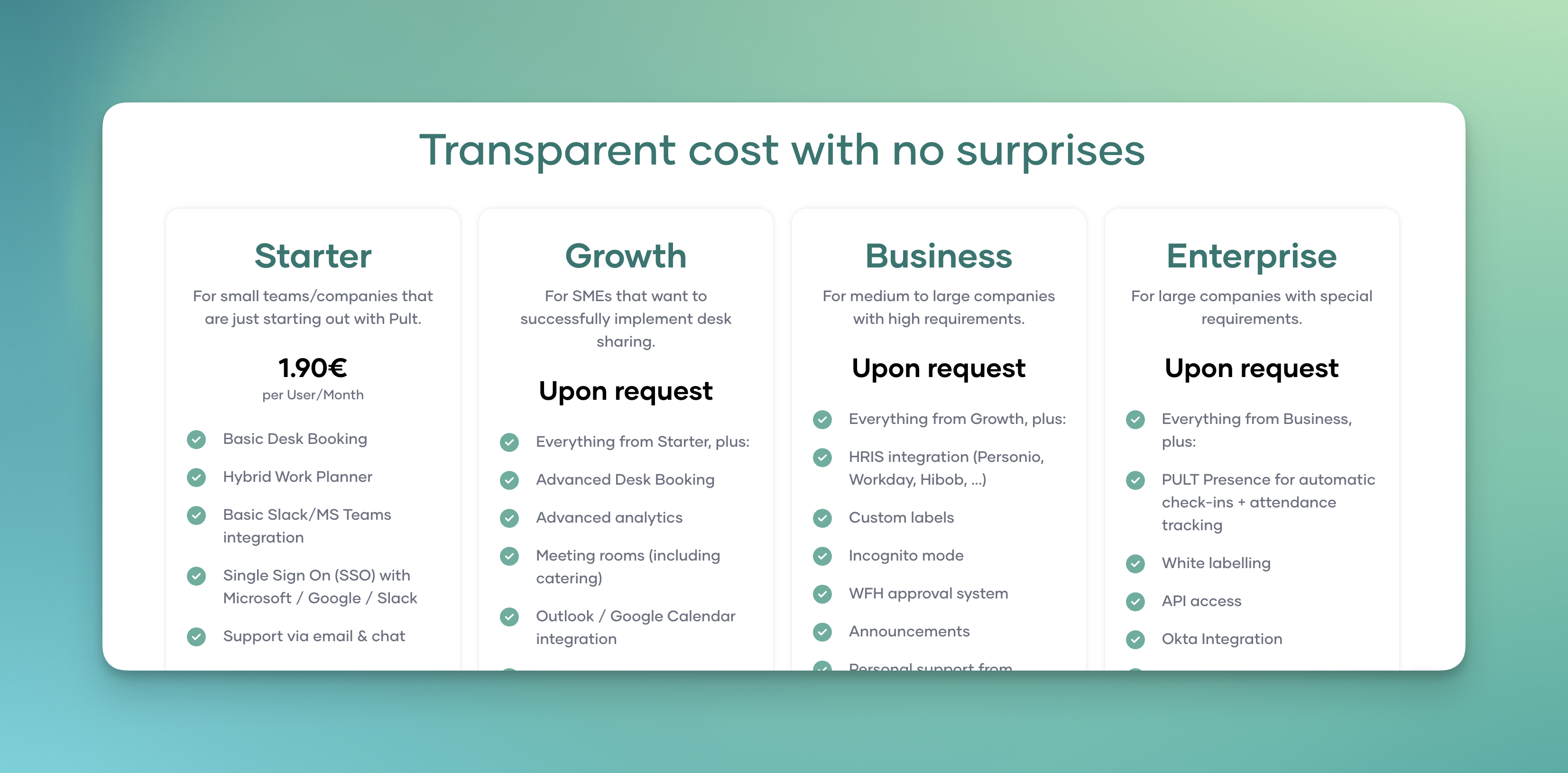
PULT is office analytics software from Germany that combines office analytics, room booking, and desk sharing in one platform. In addition to managing workstations, rooms, and zones, PULT provides detailed analytics of these resources based on both booking and actual attendance data.

  • Utilization reports for rooms, workstations, zones, and entire floors
  • No-show rates and automatic release of unused bookings
  • Trend analysis by day of the week, time of day, and team
  • Visualization in floor plans for quick identification of free or overloaded areas
  • Exports and API for connection to BI systems
  • Role-based access to provide management and HR with appropriate reports

Data is stored and processed in encrypted form. The software does not allow any conclusions to be drawn about the behavior of individual employees, which makes it compliant with data protection laws.

PULT pricing:

PULT pricing starts at €1.90 per user per month. Additional plans offer advanced features such as API access, single sign-on, and white label options. A free demo and product demonstration are available.


Office Insights with PULT

#2 Robin

Robin is a US office space management software that offers workplace analytics in addition to room booking and desk sharing. It focuses on evaluating space utilization and occupancy rates for rooms and desks across multiple locations.

  • Dashboards for room and workspace usage with trend analyses
  • No-show detection and automatic release of booked but unoccupied rooms
  • Portfolio comparisons between buildings and locations
  • Sensor integration for real-time occupancy data
  • Reports on average and maximum utilization, occupancy patterns, and room size ratios

Robin provides a Data Processing Addendum (DPA) for customers from the EU and refers to the requirements of the General Data Protection Regulation (GDPR) in its privacy policy. Processing takes place in data centers in the US, operated by AWS.

Robin pricing:

Prices are not publicly displayed on the website.

Tip: If you don't want to install sensors in your company, you can still obtain accurate attendance data: PULT Presence detects the presence of your employees as soon as their smartphone or laptop connects to the company Wi-Fi. This also works with your existing Wi-Fi network.

#3 Eptura Engage

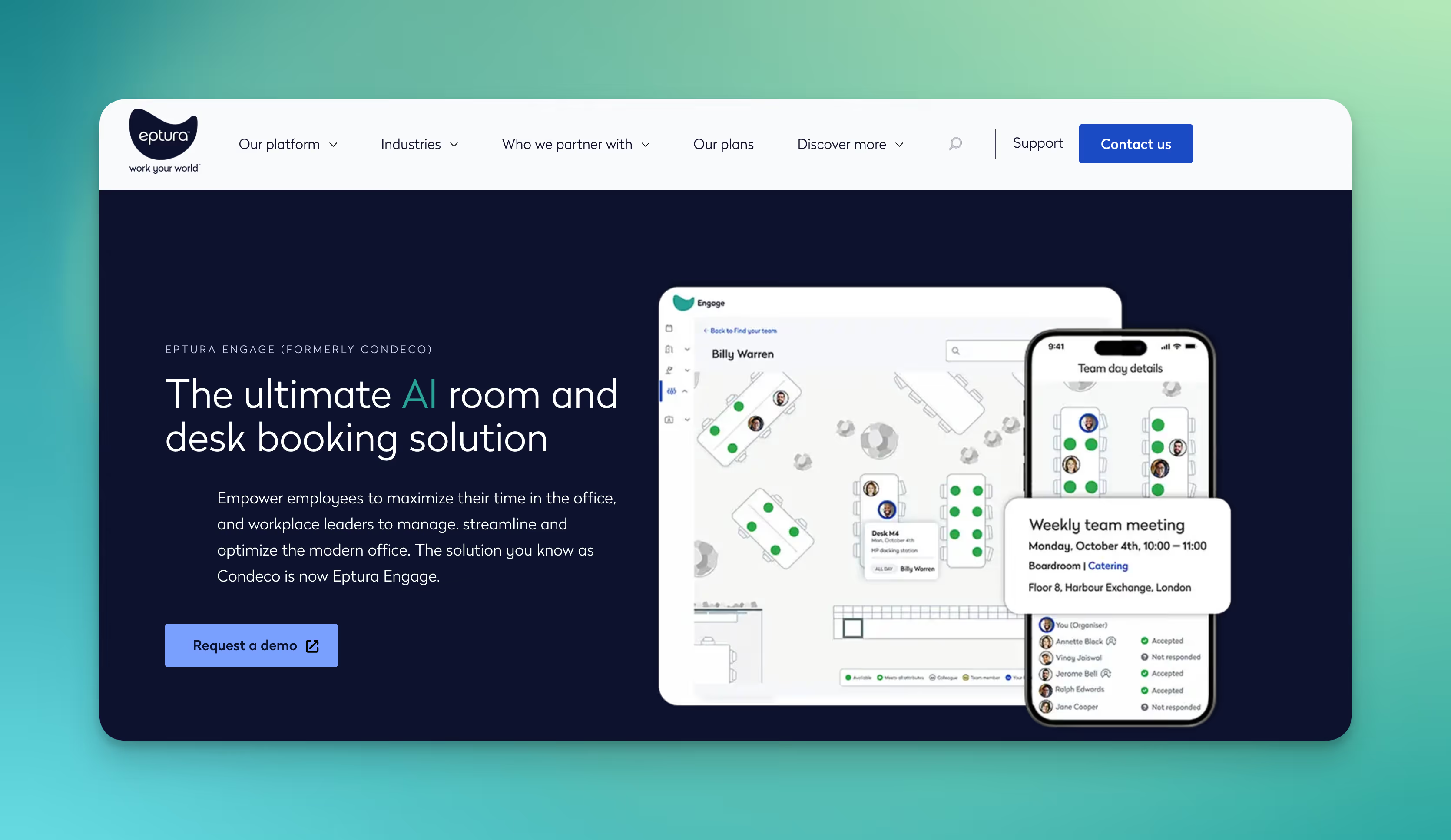
Eptura bundles several software offerings for workplace and space management, including Condeco for room booking and Archibus for office evaluation. The platform is designed for large companies and public authorities.

  • Reports and dashboards on the use of rooms, desks, parking spaces, and other areas
  • Sensor connection for real-time data on occupancy and utilization
  • Workflows and approvals for usage rights and reservations
  • Comparisons between buildings and locations
  • Integration with Office 365 for reporting and planning processes

Eptura offers a Data Processing Addendum (DPA) that explicitly refers to the General Data Protection Regulation (GDPR). Standard contractual clauses (SCC) apply to data transfers outside the European Economic Area. The provider does not publicly disclose specific cloud regions or server locations.

Prices for Eptura Engage:

Eptura Engage does not disclose prices on its website. The website also does not offer a free trial or product demo.

#4 Spacewell

Spacewell is a Belgian provider of smart building and workplace software. The platform combines room booking, IoT sensors, and office analytics and is aimed at companies that want to manage space utilization, work environments, and building operations in a unified manner.

  • Utilization reports for workstations, rooms, zones, and entire locations
  • Real-time data through sensor connectivity (occupancy, air quality, climate)
  • Dashboards for space planning, cost per workspace, and occupancy trends
  • Automated workflows for adjusting capacities or services
  • Portfolio comparisons of multiple buildings or branches

Spacewell pricing

Spacewell does not provide publicly available pricing information for its software.

#5 Metrikus

Metrikus is a British provider specializing in connecting IoT sensors, sustainability data, and office analytics. The platform collects data from various sources and displays it in dashboards and reports.

  • Utilization analyses for rooms, workstations, and zones
  • Sensor integration for occupancy, temperature, CO₂, and air quality
  • Dashboards with KPIs on space utilization, productivity, and ESG indicators
  • Reports on costs per workstation, peak loads, and trends
  • Integration of sustainability metrics (e.g., energy consumption, CO₂ footprint)

Metrikus publishes a GDPR policy and is committed to complying with it. According to the privacy policy, data may also be processed outside the EEA, in which case safeguards such as standard contractual clauses are used. The provider does not publicly disclose specific data center regions.

Metrikus prices:

Prices are offered individually through sales and are not available on the website.

#6 XY Sense

XY Sense is an Australian space and workplace management software specializing in real-time occupancy analysis using sensor technology. The system is primarily used in large offices to record the actual use of workstations and rooms.

  • Real-time utilization of workstations, rooms, and zones
  • Sensors with privacy-by-design that only record movement patterns as X/Y coordinates
  • Dashboards with heat maps, utilization trends, and capacity analyses
  • Notifications in case of over- or under-occupancy
  • Exports and API for business intelligence systems

The sensors process data directly on the device; raw images or personal information never leave the sensor. Only anonymized occupancy data is transferred to the cloud. XY Sense is GDPR and CCPA compliant and ISO 27001 certified.

Prices from XY Sense:

XY Sense also requires a quote to determine pricing, as costs vary greatly depending on the application scenario (size of the area, number of sensors, desired functions).

#7 Locatee

Locatee is a Swiss space utilization software specializing in workplace analytics. The platform uses existing IT infrastructure data, supplemented by sensors, to generate evaluations of office space usage.

  • Dashboards with key figures on utilization, peak loads, and space efficiency
  • Portfolio comparisons across locations, buildings, and floors
  • Analysis of teams and departments with role-based access
  • Trend analysis for work patterns and hybrid use
  • Integration of existing systems (e.g., Wi-Fi, access control, desk booking)
  • API and exports for BI and FM systems

Locatee is GDPR-compliant. Personal data is already anonymized on the customer side, so that only anonymized usage data is transferred to the cloud. Data centers are ISO 27001 certified.

Locatee pricing:

Locatee is offered as an annual subscription, with costs based on floor space (square meters or square feet). Specific details are not provided. 

What makes PULT a popular workplace management software?

PULT office evaluation provides you with booking data and values for the actual occupancy of workstations, rooms, zones, and parking spaces.

PULT Presence records the actual presence of your employees as soon as their laptop or smartphone connects to the company Wi-Fi. Check-in is automatic and completely independent of sensors. All you need is your Wi-Fi.

{{logos}}

{{onpage-cta}}

Trusted by 1000+ innovative workplaces

Evaluate booking data and actual attendance! Get started with PULT now.

FAQ

Have questions?

What data does office evaluation software use?

The evaluation is typically based on booking data, attendance information from access systems or Wi-Fi, and sensor data.

What are the most important key figures in office analytics?

Relevant key figures include utilization rate, no-show rate, peak load, space efficiency (square meters per workstation), and cost per seat.

Do I always need additional sensors for office analytics?

Many systems use data from workstation and room bookings for office analytics. However, these measurements are inaccurate because they cannot indicate whether the booking was actually followed by use or whether there was a no-show. PULT Presence, on the other hand, works with real attendance data, without the need for sensors.

About author

Isolde Van der Knaap

Hybrid Work Enthusiast and Account Executive

At PULT we're designing the future of the hybrid workplace for companies and their employees. Focused on SME and mid market customers in Eruope, I'm working on everything from Customer Discovery to Onboarding. I'm very passionate about new work and moved to Hamburg in 2024 even though I'm originally from France.

Resources

Learn how to run better workplace operations

Office Insights

Workplace Safety in the Office: Legal Obligations, Ergonomics and Prevention

Workplace safety in the office serves to maintain employee health and provide legal protection for employers. In modern hybrid offices, safety places new demands on the organization of desk sharing and mobile work.

Workplace Safety in the Office: Key Takeaways

  • Legal framework for workplace safety in the office: The foundation consists of the Occupational Safety Act (ArbSchG), the Workplace Ordinance (ArbStättV) and DGUV Information 215-410.
  • Risk assessment in the office: The employer must identify and document the risks (physical and psychological) for each workplace.
  • Ergonomics: Desks, chairs and monitors must be adjustable to prevent musculoskeletal disorders.
  • Personnel: Depending on company size, safety officers, first aiders and fire safety assistants must be appointed in the required numbers.
  • Safety briefings: At least once a year, all employees must be instructed on the hazards and protective measures in the workplace.

What legal regulations apply to workplace safety in the office?

Workplace safety in the office is primarily governed by the Occupational Safety Act (ArbSchG) and the Workplace Ordinance (ArbStättV), which are further specified by DGUV Information 215-410.

These regulations require employers to systematically assess hazards, comply with technical standards for computer workstations and ensure employee safety through regular briefings and the provision of first aiders.

  • Occupational Safety Act (ArbSchG): It forms the foundation and obliges the employer under § 5 to conduct a risk assessment. The goal is to design work in such a way that hazards to life and physical and mental health are avoided.
  • Workplace Ordinance (ArbStättV): It defines minimum requirements for the operation of workplaces. This includes aspects such as room temperature, ventilation, lighting and the design of computer workstations.
  • DGUV Information 215-410 (formerly BGI 650): This guideline from the German Social Accident Insurance is the most important practical standard for offices. It contains detailed requirements for ergonomics, floor space and the safety-related design of work equipment.
  • Display Screen Equipment Regulation (now part of ArbStättV): It sets specific requirements for the quality of monitors, keyboards and software ergonomics to prevent strain on the eyes and musculoskeletal system.

Responsibility and Implementation of Workplace Safety in the Office

The employer is solely responsible for compliance with and implementation of all measures. For support, from the very first employee, the employer is required to provide proof of safety engineering and occupational health care (according to ASIG and DGUV Regulation 2).

Occupational safety specialists (Sifa) and company physicians provide advisory services, but keeping escape routes clear or correctly adjusting office furniture falls under the responsibility of the respective managers or office management.

How is a risk assessment created for office workplaces?

The risk assessment is the required tool for identifying risks to employee health and initiating countermeasures. According to § 5 of the Occupational Safety Act, every employer is obliged to conduct this assessment for all workplaces, document it and update it regularly.

  1. Define work areas: Divide the office into meaningful units, for example individual offices, open spaces, meeting rooms.
  2. Identify hazards: Record all physical and psychological stresses.
  3. Assess hazards: Evaluate the risk (probability of occurrence and severity of potential damage).
  4. Define protective measures: Select appropriate measures according to the TOP principle (Technical before Organizational before Personal).
  5. Implement measures: Carry out the planned improvements.
  6. Check effectiveness: Verify whether the measures have actually reduced the risk.
  7. Document and update: Legally compliant documentation of results and adaptation when changes occur (e.g. new office furniture or software).

Consideration of Psychological Stress in the Office

Since 2013, the Occupational Safety Act has explicitly required that the psychological risk assessment must also be part of the process. In the office, the focus is on factors such as work intensification, constant availability, lack of recovery periods or inadequate work organization. The goal is the prevention of stress-related illnesses and burnout.

Special Case: Risk Assessment for Hybrid Work (Office/Home Office)

Due to the alternation between office and home office, the assessment must extend beyond time spent in the office. The employer must also consider hazards for working from home and on the go. Since the employer has no direct right of inspection in the private space of employees, this is done through self-assessment questionnaires and instructions for the ergonomic design of the home workplace.

What ergonomic requirements must office workplaces meet?

Workplace ergonomics aims to adapt working conditions to the physical characteristics of people. The overarching goal is to prevent improper strain and chronic musculoskeletal disorders .

DGUV Information 215-410 and the standards DIN EN 527-1 (desks) and DIN EN 1335 (office chairs) define exact minimum requirements for this purpose.

The Ergonomic Office Chair

A suitable chair must allow dynamic sitting and be individually adjustable:

  • Seat height: The thighs should slope slightly downward, with feet flat on the floor (knee angle approx. 90° or slightly more).
  • Backrest: It must have lumbar support that supports the natural curvature of the spine in the lower back area.
  • Dynamics: The backrest should be movable (synchronous mechanism) to encourage alternating between leaning forward and backward.

The Office Desk

The desk must provide sufficient space for work equipment and the correct working height:

  • Dimensions: The standard surface area is 160 x 80 cm. A depth of at least 80 cm is necessary to maintain the viewing distance to the monitor.
  • Height: For fixed desks, the standard measurement is 74 cm (± 2 cm). However, height-adjustable sit-stand desks (switching between 65 cm and 125 cm) are ideal for reducing cardiovascular strain.
  • Surface: It must be low-reflection and matte to avoid glare from light sources.

Monitor and Input Devices for the Office

The placement of technology affects the strain on neck and eyes:

  • Viewing distance: Depending on monitor size, this should be between 50 cm and 70 cm.
  • Viewing angle: The top line on the screen should be well below eye level, so that the gaze is slightly tilted downward.
  • Arrangement: The monitor must be positioned directly in front of the user (no twisted posture). Keyboard and mouse should be placed so that the forearms can rest relaxed on the desk.

Light, Noise and Climate in the Office

  • Lighting: For office work, an illuminance of at least 500 lux is required. Natural daylight is preferred, while glare must be prevented using blinds.
  • Noise: The sound pressure level should not exceed 55 dB(A) for predominantly mental tasks.
  • Indoor climate: The recommended room temperature is between 20°C and 22°C. The relative humidity should be between 40% and 60%.

How many first aiders and safety officers do I need for the office?

The number of persons to be appointed for occupational safety is legally defined and depends on the number of insured persons present in the workplace according to DGUV Regulation 1.

  • First aiders: In offices with up to 20 employees present, one first aider must be appointed. From 21 employees onwards, at least 5% of the workforce must be trained as first aiders.
  • Safety officers (SiBe): From a company size of 20 employees, the appointment of at least one safety officer is mandatory. They support the employer on a voluntary basis in accident prevention.
  • Fire safety assistants: Here too, a quota of typically 5% of employees applies. Find all details about training and equipment for fire safety in the office.

Important for planning: The employer must ensure through vacation and sick leave periods as well as hybrid work models that the required number of helpers are physically present in the office at all times.

How is workplace safety implemented in the office with desk sharing and hybrid work?

The introduction of work models such as desk sharing and hybrid work fundamentally changes the requirements for occupational safety. Companies must ensure that the protection goals of the Workplace Ordinance (ArbStättV) are also achieved with daily user changes and in the home office.

  • Ergonomics: Since every employee has different physical requirements, shared workplaces (shared desks) must be versatile and easily adjustable.
  • Space utilization and capacities: In open-space concepts, there is a risk of overcrowding, which increases noise levels and can undermine escape route concepts.
  • Psychological stress: The uncertainty of not finding an adequate workplace in the morning ("desk hunting") creates additional stress and reduces concentration.
  • Hygiene: Frequent user changes require hygiene rules and adapted cleaning cycles.

How does booking software help with workplace safety and health in the office?

PULT is our software for workplace and room booking as well as automated presence detection. It serves many employers as a platform to fulfill their duty of care. The software includes features for ergonomics, emergency management and health protection:

  • Equipment filter: Employees can specifically search for workplaces with height-adjustable desks (sit-stand desks), ergonomic chairs or special monitors.
  • Fixed assignments when needed: For employees with special medical or physical requirements, PULT enables permanent reservation of fixed workplaces as an exception to desk sharing.
  • Emergency Export: At the push of a button, administrators generate a list of all persons actually present. Thanks to WiFi detection (PULT Presence), "no-shows" or spontaneous visitors are also precisely recorded.
  • Capacity control: The software automatically prevents overcrowding of zones. This way, fire safety regulations and escape route capacities are technically accounted for.
  • AI Health & Safety Agent: Our AI agent helps convert occupational safety regulations into tasks and pre-fill compliance documents for audits with real presence data.
  • Noise and acoustic management: Through clear zoning into quiet and team zones as well as the bookability of phone booths, acoustic stress is reduced.
  • Psychological relief: The guarantee of a firmly reserved workplace eliminates the stress of morning searching and ensures a calm start to the workday.
Tip: Learn more about automatic presence detection via WiFi at PULT Presence.

{{onpage-cta}}

Fire safety in the office
Office Insights

Fire Safety in the Office – Regulations, Equipment, Checklist

Fire safety in the office is a legal obligation for employers. Compliance with workplace rule ASR A2.2, regular team briefings and the training of fire safety assistants are essential for responding quickly in an emergency.

Fire safety in the office: Key facts at a glance

  • Fire safety in the office is primarily governed by the Occupational Health and Safety Act (ArbSchG) and the technical rule ASR A2.2.
  • Fire safety equipment: The number and type of fire extinguishers depends on the floor area and fire risk (usually "normal risk" in offices).
  • Fire safety assistants: At least 5% of employees must be designated and trained as fire safety assistants.
  • Fire safety briefing: All employees must be instructed at least once a year on how to behave in the event of a fire and on escape routes.
  • Maintenance: Fire extinguishers must be inspected by a qualified person every two years; fire doors and alarm systems are subject to shorter intervals.

What regulations apply to fire safety in the office?

Fire safety in the office in Germany is primarily regulated by the Occupational Health and Safety Act (ArbSchG), the Workplace Ordinance (ArbStättV) and, in more specific terms, by the Technical Rule for Workplaces ASR A2.2. These regulations oblige you as an employer to ensure adequate firefighting measures, establish evacuation procedures and train a sufficient number of employees as fire safety assistants.

  • Occupational Health and Safety Act (ArbSchG): According to § 10, the employer is obliged to take the measures necessary for first aid, firefighting and the evacuation of employees. They must designate the persons who will assume these tasks in an emergency.
  • Workplace Ordinance (ArbStättV): The annex (section 2.2) stipulates that workplaces must be equipped with fire extinguishing devices and that these, along with fire alarm systems, must be regularly tested for functionality.
  • ASR A2.2: This technical rule specifies the ArbStättV in detail. It provides exact requirements for the number of fire extinguishers needed (extinguishing agent units), the marking of escape routes and the training of fire safety assistants (usually 5% of the workforce).
  • DGUV Regulation 1: This accident prevention regulation of the employers' liability insurance associations requires regular instruction of all insured persons on the hazards present in the workplace and the measures to avert these hazards.

The overall responsibility for fire safety always lies with the employer. The landlord of a property is responsible for structural fire protection (e.g. fire doors, stairwells), while operational fire safety (e.g. fire extinguishers, briefings, assistant training) is the responsibility of the tenant company.

How is fire safety ensured in the office and workplace?

Fire safety in the office comprises structural, technical and organisational fire protection. Structural measures should be implemented by the building owner, but the responsibility for technical equipment and organisational procedures lies directly with the employer in the office.

Structural fire protection

This part of fire protection encompasses all measures permanently built into the building that prevent the spread of fire and secure rescue routes.

  • Fire compartments: Division of the building by fire walls.
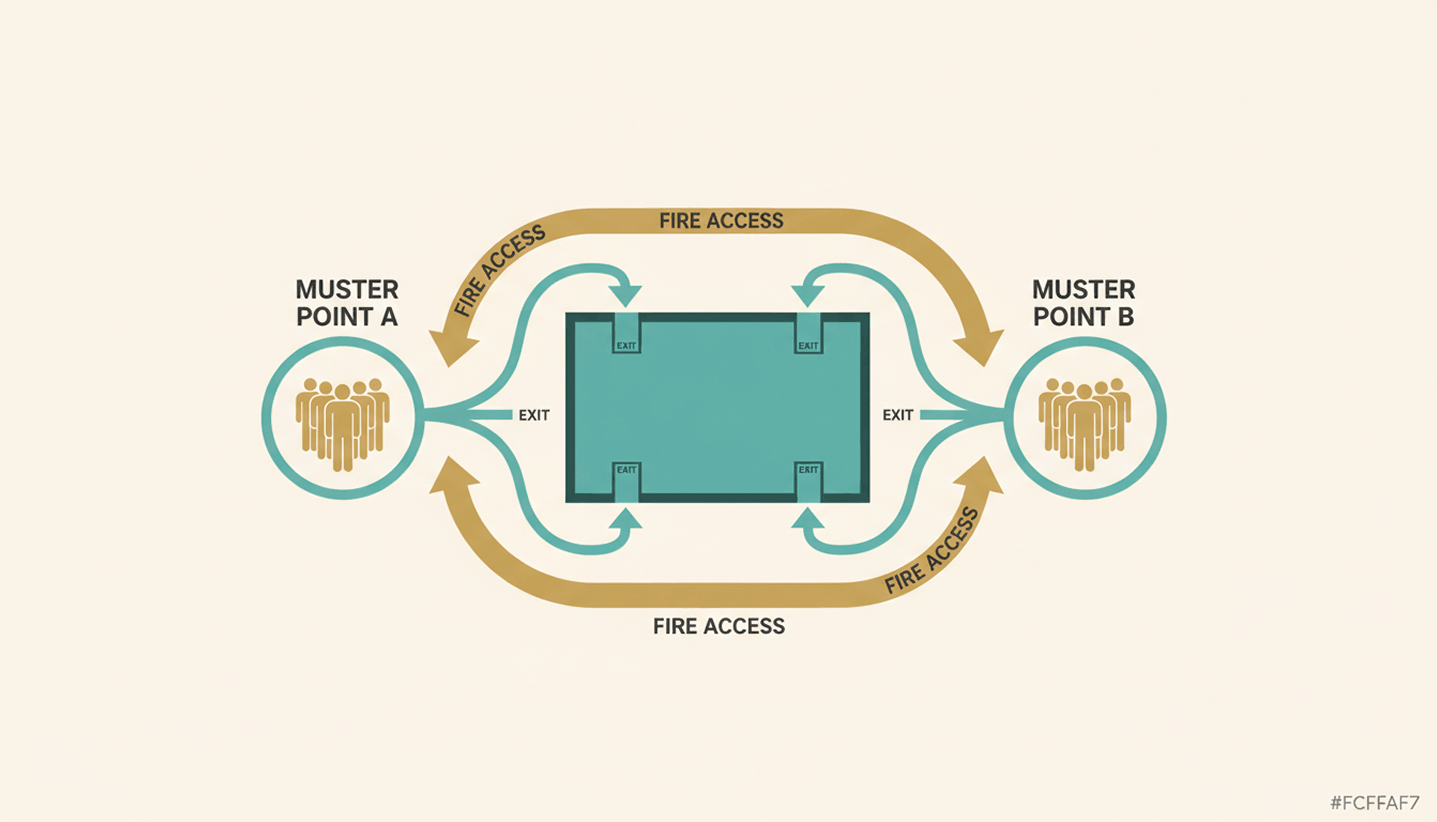
  • Escape and rescue routes: Designation of stairwells and emergency exits that must remain smoke-free in the event of a fire.
  • Fire resistance classes: Use of materials that withstand fire for a defined period (e.g. F90).

Technical fire protection systems

This includes all technical installations that detect a fire early or support firefighting efforts.

  • Fire alarm systems (BMA): Automatic detection of smoke or heat and direct alerting of the fire brigade.
  • Smoke extraction systems (RWA): Extract smoke gases from the building to protect people and improve visibility for evacuation.
  • Emergency lighting: Ensures escape routes can be found in the event of a power failure or smoke.

Organisational fire protection

This is the area with the greatest need for action by office management, as it governs human behaviour and ongoing maintenance.

  • Fire safety regulations: Preparation of parts A, B and C to govern behaviour and responsibilities.
  • Fire safety assistants: Designation and training of employees for initial firefighting and evacuation.
  • Maintenance & inspection: Ensuring inspection deadlines for fire extinguishers, wall hydrants and alarm systems.
  • Briefings: Regular training of all employees on the specific hazards and escape routes in the office.

How many fire extinguishers does my office need?

The number of fire extinguishers required in an office depends on the floor area and fire risk, with normal risk generally assumed for standard administrative buildings. The extinguishing agent unit (LE) system according to workplace rule ASR A2.2 is used to determine the requirement, making the different performance levels of various extinguishing agents comparable.

Step 1: Determining the fire risk

Before calculating the number, the risk class must be determined:

  • Normal risk: Standard offices without high fire loads (e.g. ordinary computer workstations, files in usual quantities).
  • Elevated risk: Rooms with flammable liquids, large storage areas or workshops. Additional measures are required here.

Step 2: Calculating extinguishing agent units (LE)

For offices with normal risk, the following table from the technical rule for workplaces ASR A2.2 (section 5.2, table 3) applies for determining the required extinguishing agent units:

Floor area (up to m²) Required extinguishing agent units (LE)
50 6
100 9
200 12
300 15
400 18
each additional 250 +6

Step 3: Selecting the fire extinguishers

A standard 6-litre foam extinguisher usually corresponds to 6 to 9 LE (depending on performance). The choice of extinguishing agent is important in offices. Get advice from a fire safety company:

  • Foam extinguishers: They extinguish effectively and cause significantly less contamination than powder extinguishers.
  • CO2 extinguishers (carbon dioxide): Mandatory for server rooms or areas with extensive IT hardware, as they extinguish without residue and do not cause short circuits from extinguishing agent residues.
  • Powder extinguishers: Unsuitable for offices, as the fine salt powder permanently damages all electronics and furnishings (corrosion).

Important placement rules for fire extinguishers

  • Accessibility: Fire extinguishers must be clearly visible and easily accessible (maximum distance from any point: 20 metres).
  • Mounting height: The grip height should be approximately 80 cm to 120 cm.
  • Marking: Each location must be marked with the square, red fire safety sign (F001) above the extinguisher.

How many fire safety assistants must be designated for my office?

According to ASR A2.2 section 7.3, the employer is obliged to familiarise a sufficient number of employees with fire extinguishing equipment through instruction and practice and to designate them as fire safety assistants. These persons support initial firefighting and the evacuation of colleagues in an emergency.

  • The 5 percent rule: As a rule, 5% of employees as fire safety assistants is sufficient, provided there is a normal fire risk (which applies to most offices).
  • Attendance: Shift work, holidays, sick leave and mobile working (hybrid work) must be taken into account in the calculation. A sufficient number of assistants must be present on site at all times.
  • Special risk: In cases of elevated fire risk or a large number of persons with limited mobility (e.g. public traffic), the quota must be individually adjusted upwards.
  • Additional roles: It often makes sense to deploy fire safety assistants simultaneously as evacuation assistants to coordinate the building evacuation in a structured manner.

Fire safety assistant training and refresher courses

An employee only becomes a fire safety assistant through expert instruction. This includes:

  • Theoretical foundations: Fundamentals of preventive fire protection, behaviour in the event of fire and the operational fire safety organisation.
  • Practical exercise: Real-world handling of fire extinguishing equipment (extinguishing agent training).
  • Interval: Training should generally be refreshed every 3 to 5 years. In the event of significant operational changes (e.g. relocation or new procedures), immediate retraining is required.

What challenges does modern work pose for fire safety in the office?

The greatest challenge for fire safety in modern office concepts is the lack of overview of the actual number of people in the building, caused by hybrid work and desk sharing. Traditional, static attendance lists are ineffective in such a work environment, as employees appear irregularly, spontaneously switch workstations or leave the office without signing out.

  • In the event of an evacuation, rescue services need to know how many people are in which fire compartments. Paper lists or pure booking data (which often contain "no-shows") lead to life-threatening inaccuracies.
  • With free seating, there is a risk that too many people are in one area at the same time. This can overload escape routes or exceed the maximum permitted occupancy according to the fire safety concept.
  • As teams rotate, permanently assigned fire safety assistants per floor are often not present. It must be ensured that despite hybrid working, a sufficient proportion of trained personnel is always on site.

How do booking software and presence detection help with fire safety in the office?

PULT is our software for workspace and room booking as well as automated presence detection. Smartphones, tablets or laptops are detected via the company Wi-Fi and the associated person is automatically listed as present. This also creates a reliable attendance list for emergency situations.

Unlike pure booking systems, PULT detects the actual presence of employees, enabling precise coordination of evacuations and compliance with legal safety requirements.

  • Emergency report at the push of a button (Emergency Export): Administrators can instantly generate a list of all persons currently present in the office via a button. Since the system automatically detects presence via the Wi-Fi connection of devices, employees who forgot to book a desk are also captured.
  • Automated capacity limits: Maximum occupancy numbers per zone can be set in PULT's booking logic. This prevents overcrowding and ensures that fire safety concepts and escape route capacities are maintained at all times.
  • Vermeidung von Fehlern bei Evakuierungen: Die automatisierte Erfassung beendet das „Ratespiel“ am Sammelplatz. Rettungskräfte erhalten sofortige Klarheit darüber, ob das Gebäude vollständig geräumt ist oder ob sich noch Personen im Gefahrenbereich befinden könnten.
Tip: Learn more about automatic presence detection via Wi-Fi at PULT Presence.

{{onpage-cta}}

Office Insights

Toxic workplace: examples, test, and first steps for those affected

A toxic workplace causes lasting stress and has a negative impact on work performance and personal health. A toxic environment can be recognized, and there are ways out.

Toxic workplace: The most important facts in brief

  • A workplace is considered toxic when negative behavior patterns persist and do not improve despite warnings.
  • Typical characteristics of a toxic workplace include micromanagement, derogatory communication, withholding of information, overload, unequal treatment, and fear of repercussions.
  • The consequences of a toxic workplace include declining performance, ongoing stress, and long-term health risks.
  • Important countermeasures include documenting toxic situations in writing, setting boundaries, documentation, communication within the team, and, if necessary, involving the human resources department or works council.
  • Termination is appropriate when boundaries are consistently crossed and change is not achievable.
  • For a fresh start, platforms such as LinkedIn, Indeed, and local job portals offer a good overview of suitable positions.
  • Objective reviews on kununu or Glassdoor can warn others without incurring legal risks.

What is a toxic workplace? 

In a toxic workplace, recurring situations or behaviors noticeably impair the quality of work, personal well-being, or performance. 

A typical characteristic of a toxic workplace is that problems occur regularly, become entrenched, and are almost impossible to avoid in everyday working life. It becomes toxic when negative patterns persist and are difficult to improve. This does not refer to individual conflicts or high levels of stress.

Toxic work environment vs. stressful job

A stressful job is caused by a heavy workload or tight deadlines. Despite the pressure, cooperation usually remains predictable: agreements work, information is available, and criticism is possible. A toxic environment, on the other hand, is characterized by:

  • Constant uncertainty. You never know how the day will turn out.
  • Unreliable or contradictory communication.
  • Behavior that undermines respect or trust.
  • Problems that recur repeatedly, even after warnings or discussions.

Real examples of toxic workplaces from Reddit

Reddit is a major internet forum that functions as a social network for sharing text posts, images, and videos. Users generally engage in very open and honest discussions there, so you can also find authentic descriptions of toxic workplaces.

*Quotes translated from german originals

„ People gossip about everything and everyone, but face to face we're a team and we all laugh together. Yeah, suuuuure" 

An apprentice describes a culture in which colleagues are constantly talked about behind their backs, while harmony is maintained in public. Toxic patterns: double standards, mistrust, toxic team dynamics. Source
"...a person who complains to the boss about every little thing, which has already led to people being threatened with dismissal."

A training cohort experiences internal complaints being escalated immediately and threats of dismissal hanging in the air. Toxic patterns: climate of fear, denunciation, lack of conflict resolution. Source
"One missing smile... one wrong look and I'm afraid I'll be fired." 

One employee describes constant fear of being fired during the probationary period for minor reasons. Toxic patterns: insecurity, psychological pressure, unclear expectations. Source
"You need help from colleagues and you're not getting it." 

One user describes an environment in which support is systematically lacking, even though it is necessary for the work. Toxic patterns: passive resistance, isolation, "every man for himself." Source
"Be nice and polite to those who are subservient... and put down the rest..." 

Here, toxic boss behavior is described as a pattern: flattery toward followers, belittling others. Toxic patterns: favoritism, power games, humiliation. Source

12 characteristics and warning signs: How can I recognize a toxic workplace?

A toxic workplace is characterized by negative behavior patterns occurring regularly and permanently impairing cooperation. Typical signs include a lack of trust, derogatory communication, withholding of information, unfair treatment, constant overload, and unresolved conflicts. If several of these points exist at the same time and nothing improves despite warnings, it is usually a toxic workplace.

  • Micromanagement and lack of trust: The supervisor controls every step, constantly intervenes in details, and rarely allows independent decisions. Tasks take longer because approvals or queries are constantly required.
  • Unclear or conflicting expectations: Goals change at short notice, targets are vague or contradict previous statements.
  • Derogatory communication: Criticism is phrased in a personal manner, there is a lack of appreciation, and conversations are tense or conducted in a commanding tone. Suggestions or ideas are regularly dismissed or ignored.
  • Blame instead of problem solving: Mistakes are attributed to individuals, even if the causes lie in the process or the team. A constructive approach to problems does not develop.
  • Withholding information: Important information is deliberately delayed or not passed on. This makes it harder for those affected to do their jobs or makes them seem unprepared.
  • Clique formation and exclusion: Some members of the team receive benefits, access to supervisors, or informal information. Others are excluded, overlooked, or systematically isolated.
  • Frequent conflicts without lasting solutions: Points of contention regularly resurface because the underlying causes are not discussed. Conflicts tend to lead to distance or hostility rather than clear agreements.
  • Overwork as the norm: Workload, pace, or expectations are consistently higher than realistic. Breaks, relaxation, or adequate planning are rare. Overtime becomes the norm.
  • No recognition or appreciation: Successes are taken for granted. Feedback is rare or one-sidedly negative. Achievements are not acknowledged or are publicly belittled.
  • Unequal treatment: Rules do not apply equally to everyone. Some individuals receive special privileges, while others are judged more harshly. Decisions appear unfair or arbitrary.
  • Fear of reactions: Colleagues avoid addressing problems because they expect negative consequences. Criticism leads to sanctions, poorer treatment, or exclusion from decisions.
  • High turnover or frequent sick leave: Many leave within a short period of time or take sick leave.

How can I test whether my workplace is toxic?

The more of the following questions you answer Yes, the more likely it is that you have a toxic work environment:

• Am I heavily monitored in my work or frequently restricted in details?
• Do I often not know exactly what is expected of me or what the priorities are?
• Do I encounter derogatory comments, disrespectful language, or unnecessary harshness?
• Do I find that mistakes tend to lead to blame rather than solutions?
• Do I therefore tend to hide mistakes?
• Is important information being withheld or passed on late?
• Are there distinct cliques within the team; are individual people excluded?
• Do conflicts keep recurring without being resolved?
• Am I constantly overworked or regularly working beyond my limits?
• Do I rarely or never receive recognition for good work?
• Do I find it difficult to address problems openly because I expect negative consequences?

Classification:

These points will help you classify your initial assumption:

  • Do things improve if I address problems openly?
  • Do colleagues experience similar situations or stresses?
  • Do the patterns persist for weeks or months?

What are the consequences of a toxic work environment?

A toxic work environment affects team morale and impairs performance, health, and long-term development. The effects impact both individuals and the company.

Short-term consequences of a toxic work environment for individuals

  • decreased concentration and reduced performance
  • increased tension, nervousness, or sleep problems
  • Constant inner restlessness and vigilance when dealing with superiors or colleagues
  • lower motivation and less commitment

Long-term consequences of a toxic work environment for individuals

  • Increased and constant exhaustion, increased risk of burnout
  • persistent emotional stress, e.g. due to anxiety or frustration
  • Withdrawal from cooperation, projects, or responsibility
  • reduced self-esteem and doubts about one's own competence

Consequences of a toxic work environment for the company

  • increasing staff turnover and loss of expertise
  • more frequent absences and sick leave
  • declining productivity and lower quality of work
  • difficulties in recruiting personnel due to negative employer image

What can I do if my workplace is toxic?

In a toxic workplace, it helps to identify stressful situations, set clear boundaries, document incidents in writing, talk to colleagues, involve official bodies, and prepare possible alternatives.

  1. Describe situations: Describe stressful events: What happened? Who was involved? What impact did it have? 
  2. Set your own boundaries: Determine what behavior is acceptable to you and what is not. Keep these boundaries short and specific, for example: "I need clear instructions" or "I want to work without derogatory comments."
  3. Document events: Keep a factual record with dates, people involved, and situations.
  4. Seek allies: Talk to colleagues you trust. If similar observations are made repeatedly, this confirms the pattern and strengthens your position in discussions with supervisors or the human resources department.
  5. Involve official bodies: If discussions within the team are ineffective, seek advice from the human resources department, the works council, or another official body within the company. They will be able to assess what options and steps are available.
  6. Reduce your own stress: Ensure you get sufficient rest and relaxation, stick strictly to your working hours, and seek medical help if you experience symptoms such as sleep problems or constant exhaustion.
  7. Prepare an exit option: If no improvements are foreseeable, it makes sense to consider other options for your future career path. Update your resume, activate your network, and look into job opportunities. Being in a position to leave also strengthens your negotiating position internally.

Should I quit or stay in a toxic workplace?

Whether it makes sense to quit or stay depends on whether the stressful patterns can be changed or at least whether there is any sign of improvement. Quitting is advisable if your boundaries are constantly being crossed and internal attempts to find a solution have had no effect.

Criteria that speak in favor of a temporary stay:

  • There are specific areas for improvement.
  • Discussions with supervisors or the human resources department are proving effective.
  • The team offers you support and assists with necessary changes.
  • Stressful situations can be limited and become less frequent.
  • Your personal stability and resilience are still sufficient to wait out the coming changes.

Criteria that speak in favor of termination:

  • Despite discussions, your boundaries continue to be crossed.
  • Criticism leads to negative reactions or discrimination.
  • The leadership shows no interest in change.
  • The strain on your health is increasing, you are not getting any better in the long term, or you are even getting worse.
  • The toxic behavior is structurally embedded and affects many areas.

What happens next when a toxic workplace has no future?

If a workplace is permanently toxic and no realistic improvement is to be expected, then look ahead. On job portals, you can quickly find offers that broaden your horizons and show you that there are indeed other opportunities out there for you.

On LinkedIn, you can filter by company, industry, and working model. Indeed, StepStone, and similar platforms display a wide range of current job openings. It is also worth taking a regional look, for example via job portals of local newspapers, municipal career platforms, or company websites in your area.

Leaving a toxic employer often triggers strong emotions. Honestly examine whether you feel any desire for revenge. Openly disparaging, spreading rumors, or making negative statements about individuals or companies can have legal consequences, such as defamation. It is wise not to give in to these impulses and instead invest your energy in your own new beginning.

Nevertheless, you can protect others from problematic structures. An objective and accurate review on platforms such as kununu or Glassdoor is an effective way to expose abuses without attacking anyone personally. Stick to verifiable facts, describe working conditions, and avoid personal accusations. This will help other applicants while protecting your own position.

Tip: Never speak badly about former employers during job interviews, as this never goes down well. However, you can certainly mention that you had different ideas about what constitutes a healthy workplace and that this is why you are changing jobs. Your interviewer will appreciate statements of this kind.