The best desk sharing software for your company

Desk sharing software enables the shared use of workspaces and ensures simple and convenient office organization. The systems offer functions for booking desks, rooms, and parking spaces, display occupancy in real time, and comply with data protection guidelines.

How do I choose the best desk sharing software?

The best desk sharing software offers you a wide range of features and also covers requirements that may arise in your company in the future. Which features are important to you depends on your specific project. The following criteria can help you make your selection:

  • Booking workspaces and rooms: Enables binding reservations for desks, meeting rooms, or zones directly via app or browser.
  • Floor plans and overview: Visually display available workspaces and make it easier to find your way around the office.
  • Automation and check-in: Useful for automatically releasing previously booked but then unused spaces and recording staff attendance.
  • Calendar synchronization: Links bookings to Outlook or Google Calendar so that team members can also see in the calendar which colleagues are on site at what time and where.
  • Integrations: Integrates Microsoft 365 including MS Teams, Slack, or HR systems such as Personio.
  • Team overview: Shows which colleagues are in the office and makes it easier to plan attendance days together.
  • Analytics and utilization: Helpful for measuring the actual use of workspaces, identifying heavily and rarely used resources, and further developing space planning accordingly.
The following information on features, prices, and services is based on publicly available sources from the providers (as of October 2025). It is for guidance only. Providers may make changes at any time; no guarantee can be given for the accuracy or completeness of this information. 

This article contains a presentation of PULT as part of a market overview. It is based on careful research, but is not an objective test report, rather an editorially prepared comparison with some promotional elements.

All brands mentioned are the property of their respective rights holders and are listed for comparison purposes only. PULT has no business relationship with the providers mentioned.

The 6 best desk sharing software programs

#1 PULT

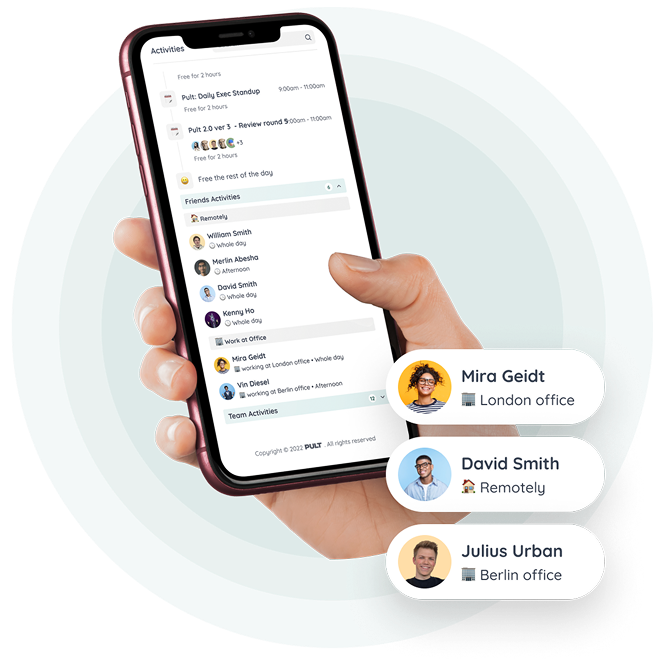
PULT is a platform from Germany that enables workplace booking as well as the booking of meeting rooms, zones, and parking spaces in a single desk sharing software. In addition, it offers visitor management, office evaluation with statistics, and special features such as automatic check-in via Wi-Fi connection in PULT Presence.

The software can be integrated into Microsoft Outlook, Microsoft 365, Google Calendar, MS Teams, and Slack. Booked but unused rooms and spaces are automatically released again. In addition, PULT offers evaluations of actual usage and booking behavior, which makes it easier to plan rooms, spaces, and workstations.

  • Desk booking system and room booking: Book desks, meeting rooms, and zones with calendar or floor plan view.
  • Digital office floor plans: Interactive views show occupied and free spaces in real time.
  • Integrations: Connection with Microsoft Teams, Outlook, Google Workspace, Slack, Personio, and common SSO systems (Microsoft, Google, Okta).
  • PULT Presence: Automatic check-in via Wi-Fi to record actual presence in the office.
  • Team overview: Shows who is in the office on which days and makes it easier to plan joint presence days.
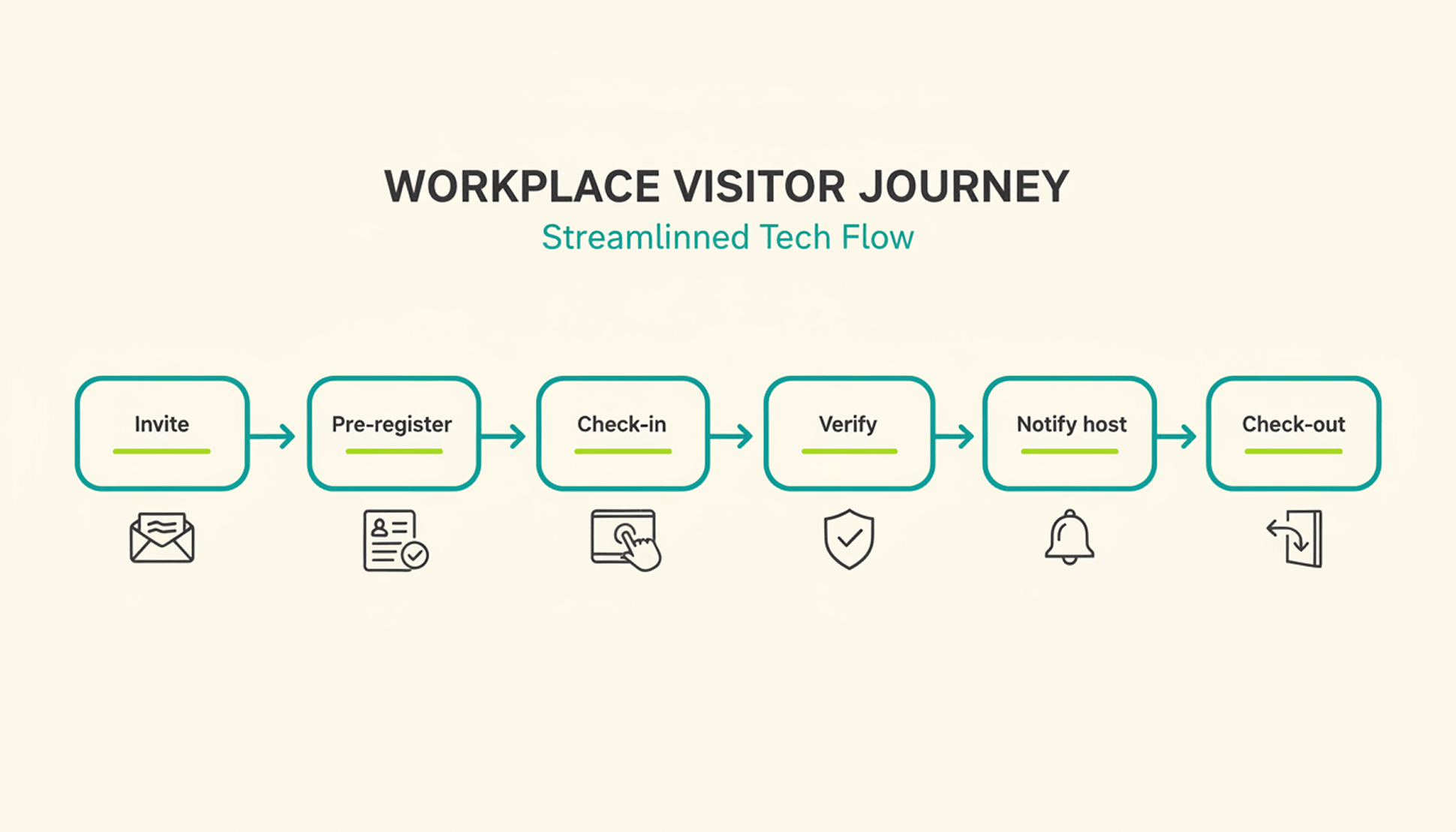
  • Visitor management: Manage guests and external appointments, including digital check-in and automatic notification of the host.
  • Office Insights: Evaluations of space utilization, capacity utilization, and booking frequency as a basis for further office planning.
  • Security & hosting: Development and hosting in Germany, GDPR-compliant data processing, and ISO 27001-certified infrastructure.

PULT prices:

PULT prices start at €1.90 per user per month. Additional plans offer advanced features such as API access, single sign-on, or white label options. A free demo and product demonstration are available.

To the desk sharing software PULT

#2 deskbird

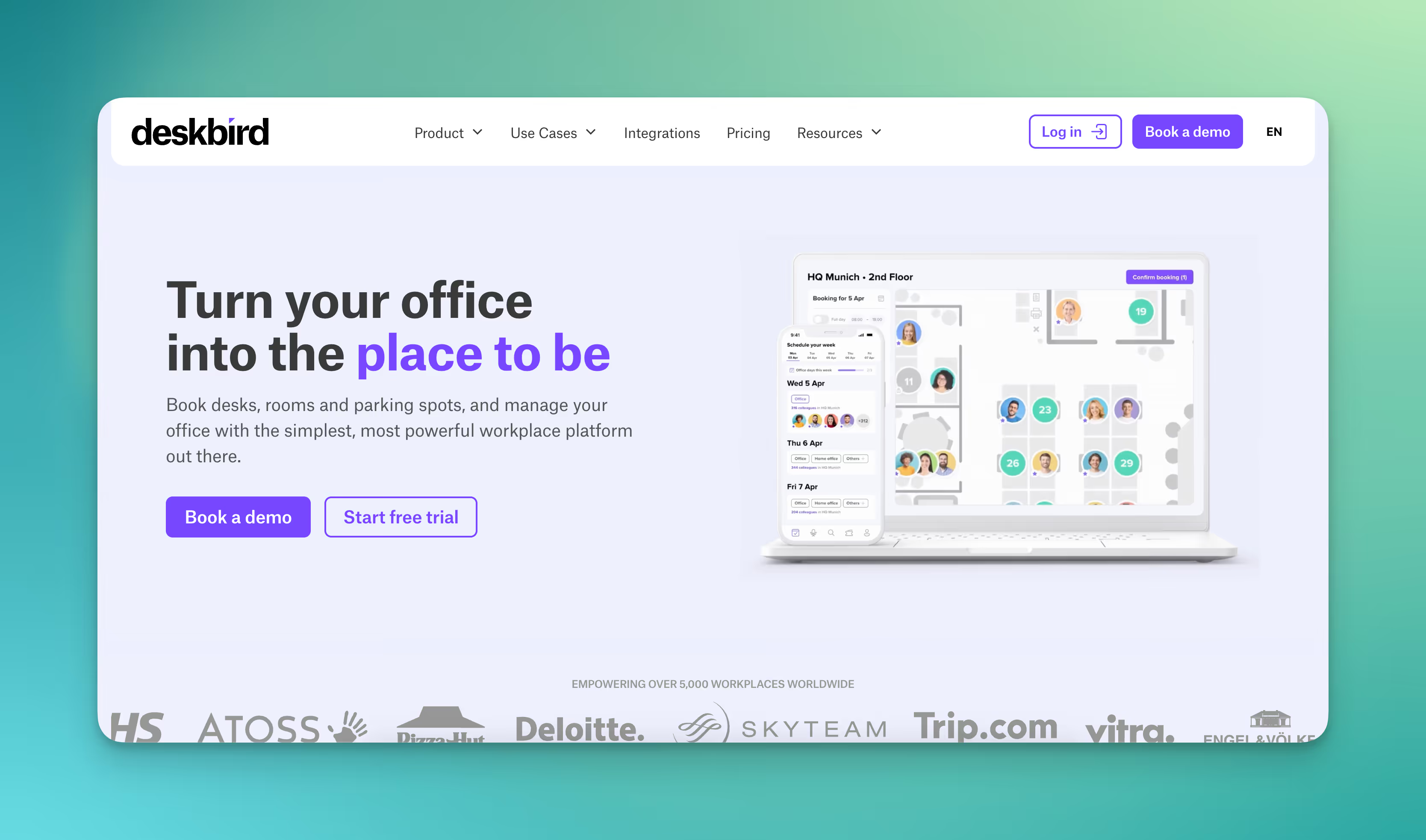
deskbird is a Swiss provider that offers a desk booking tool for hybrid workplaces, among other things. In addition to booking individual workstations, the platform also includes room booking, parking space reservations, and team planning.

  • Workstation and room booking: Book desks, meeting rooms, and parking spaces via the web, app, or MS Teams.
  • Weekly planning: Teams plan office attendance together, see who is on site on which days, and coordinate office days.
  • Release in case of no-shows: Unused bookings are automatically canceled after a defined period of time to make workspaces available again.
  • Visitor management: Guests can be registered in advance and managed via digital check-ins upon arrival.
  • Evaluations & reports: Overview of occupancy rates, frequency of use, and workspace availability.
  • Integrations: Link to Microsoft Teams, Outlook, Slack, and Google Calendar. The platform offers API, SCIM, and SAML interfaces for larger organizations.
  • Data protection and hosting: GDPR-compliant and ISO 27001-certified. Personal booking data can be automatically anonymized (by default after six months).

Prices from deskbird:

deskbird offers per-user licensing. The Starter package starts at $2.80 per user per month, the Business package at $3.80 per user per month, with prices decreasing as the number of users increases. Individual enterprise plans are available for larger companies.

#3 desk.ly

desk.ly is a German desk sharing tool. The platform makes it easy to organize workstations, rooms, and parking spaces and also offers evaluation and administration functions.

  • Booking individual workstations, meeting rooms, and parking spaces: Users reserve spaces and rooms via digital floor plans or calendar views. Bookings can be made in a browser or via an app.
  • Digital office floor plans: Interactive maps show available spaces.
  • Calendar integration: Synchronization with Outlook, Google Calendar, and MS Teams.
  • Team overview: Overview of who is working in the office on which day.
  • Kiosk and attendance mode: Employees can use a terminal or tablets, laptops, and smartphones to record their attendance in the office or spontaneously book available spaces.
  • Parking space management: Book and manage parking spaces and charging points.
  • Analytics and utilization: Dashboards show how often workspaces and rooms are booked. The evaluations help to plan office space more efficiently and avoid bottlenecks.

Prices for desk.ly:

Corporate plan from $1.65 per user per month, Enterprise plan from $2.20 per user per month. A free version for small teams of up to 15 users is also available.

#4 Flexopus

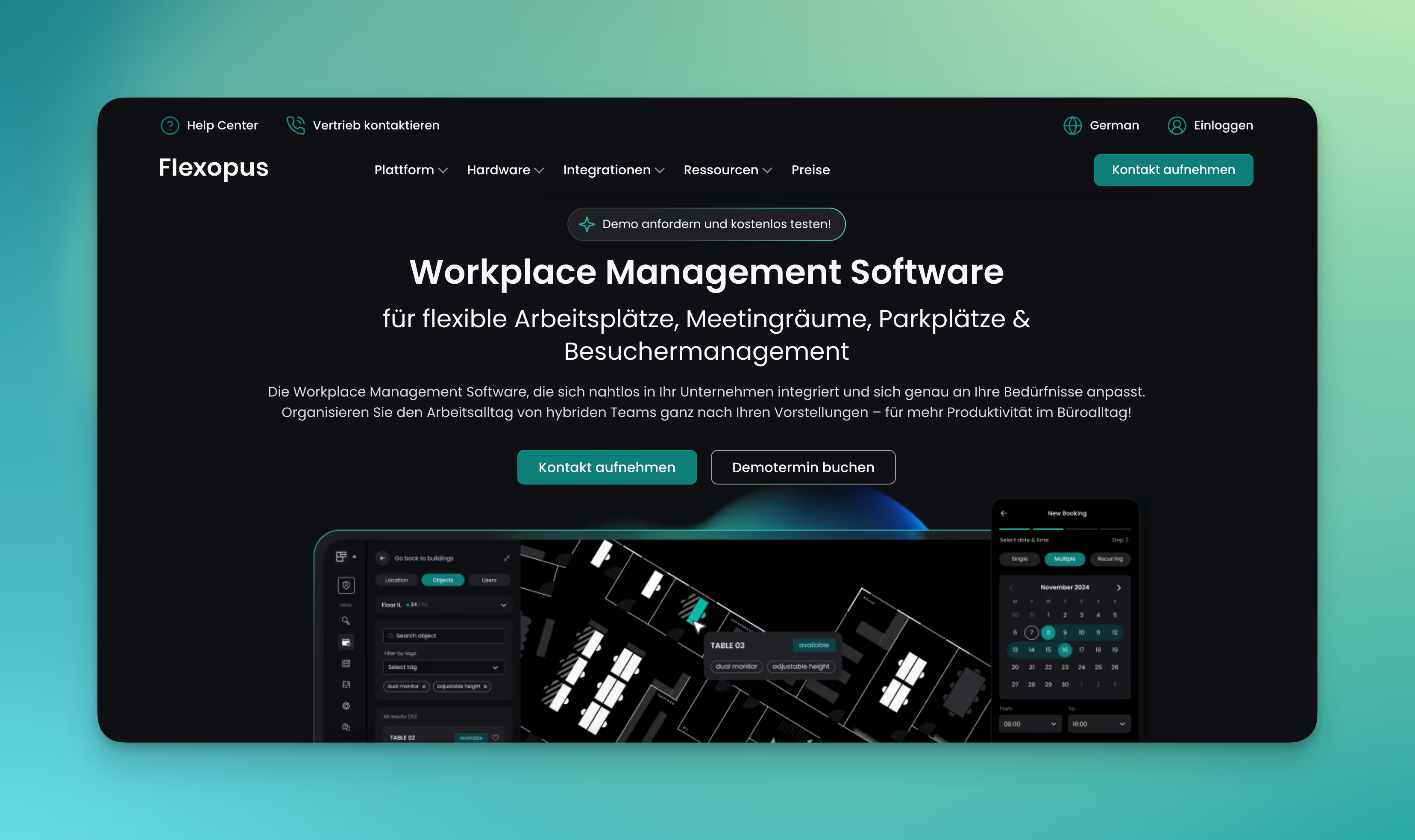
Flexopus is a desk booking app for workplace and room booking that combines the core functions of desk booking in one platform. The system is developed and hosted in Germany and meets data protection and security requirements.

  • Workplace and room booking: Reserve desks, rooms, and zones via the web or app.
  • Digital floor plans: Display of occupied and free spaces on interactive office plans.
  • Check-in & check-out: Registration via QR code or via the workplace monitor, with automatic release when not in use.
  • Room and workplace displays: Flexopus offers its own hardware solutions for displaying booking status and check-ins directly on site.
  • Visitor management: Guests can be registered in advance, including email invitation and QR code check-in at reception.
  • Analytics & reports: Overview of workstation and room utilization.
  • Integrations: Connection with Microsoft Teams, Outlook, Google Calendar, and a REST API for individual connections.

Flexopus pricing:

Flexopus calculates prices based on resources, i.e., the number of workstations, rooms, etc. The software can be tested free of charge for 30 days. In the Starter plan, each resource costs from €1.59 per month, and in the Business plan with more features, from €2.99 per month.

#5 Flexwhere

Flexwhere is a hot desking software developed by the Dutch company Dutchview. The application is used in several European countries and offers functions for booking and managing workstations, meeting rooms, and parking spaces.

  • Workstation and room booking: Reserve desks, meeting rooms, and parking spaces via browser or app.
  • Digital floor plans: Visualization of office space with display of occupied and available workspaces.
  • Colleague search: Display of which employees are present and where they are seated.
  • Analytics & utilization: Evaluations of space utilization, occupancy rates, and temporal trends.
  • Integrations: Connection to Microsoft 365, Outlook, and Google Workspace.
  • Mobile app: Access to booking functions via smartphone or tablet.
  • Multiple locations: Management of buildings, floors, and departments in one interface.
  • Check-in: Registration via QR code or workplace sensors.

Flexwhere prices:

Flexwhere is free for teams of up to 25 users at one location. Advanced features are available in Standard for $1.99 per user per month. The full range of features, as well as vehicle and parking space management, are available for $3.68 per user per month.

#6 Yoffix

Yoffix is desk sharing software based in Berlin. Among other things, the software offers booking of individual workstations, rooms, and parking spaces, as well as integration options with popular calendar software.

  • Booking of individual workstations, rooms, and parking spaces: Reserve desks and meeting rooms via browser or app.
  • Check-in & QR code: Sign in at your workstation using a code or NFC technology.
  • Calendar synchronization: Connect to Microsoft Outlook, Google Calendar, and MS Teams.
  • Team overview: Display of employees present and planning of joint attendance days.
  • Parking space management: Booking of parking spaces and charging points.
  • Visitor management: Management of guests with digital check-in.
  • Analytics and utilization: Dashboards provide key figures on booking frequency, occupancy, and room usage. Companies can use this information to optimize their space planning.

Yoffix prices:

From €1.50 per user per month for workplace booking, €10 per room per month for room management, €80 per month for visitor management. Additional functions available at an extra charge per month and/or resource.

What makes PULT a popular desk sharing software?

PULT provides you with booking data and values for the actual occupancy of workstations, rooms, zones, and parking spaces.

PULT Presence records the actual presence of your employees as soon as their laptop or smartphone connects to the company Wi-Fi. Check-in is automatic and completely independent of sensors. All you need is your Wi-Fi.

{{logos}}

{{onpage-cta}}

Trusted by 1000+ innovative workplaces

Book all workstations, rooms, and zones in one software program! Get started with PULT now.

FAQ

Have questions?

How does a desk booking software work?

Bookings are made via a digital floor plan or a list view. Once you have selected your desired workspace, it is reserved for the selected period. Some systems offer check-in functions via QR code, Wi-Fi, or time recognition to automatically confirm or release bookings.

Can I also book rooms and parking spaces in desk sharing software?

In addition to workspaces, many platforms also cover the booking of meeting rooms, parking spaces, or visitor spaces. This allows all office resources to be managed in one software program.

What are the technical requirements for desk sharing software?

All you need to use it is a current browser or to install an app. In larger companies, the software is often integrated into the existing IT infrastructure via single sign-on (SSO). QR codes or Wi-Fi signals can be used for automatic check-in.

Can visitors also be integrated into the desk sharing software?

Many desk sharing software programs offer integrated visitor management. Guests can be pre-registered via an invitation link and checked in digitally upon arrival. The information is available in the administration interface.

About author

Isolde Van der Knaap

Hybrid Work Enthusiast and Account Executive

At PULT we're designing the future of the hybrid workplace for companies and their employees. Focused on SME and mid market customers in Eruope, I'm working on everything from Customer Discovery to Onboarding. I'm very passionate about new work and moved to Hamburg in 2024 even though I'm originally from France.

Resources

Learn how to run better workplace operations

Office Insights

The Paperless Office: A step-by-step guide from piles of paper to a digital workflow

The paperless office describes an ideal state in which documents, approvals, and internal processes are handled without a parallel analog system. However, many attempts at digitization result in duplicate records, a situation that can be avoided.

The Paperless Office: The Basics

A paperless office can only be achieved when processes and documents are transformed together. However, parallel structures undermine both the concept and the benefits.

For legally compliant archiving in accordance with GoBD, retention periods of 6 and 10 years apply. Digitally archived documents must be stored in a manner that ensures they are complete, unalterable, and can be reconstructed at any time for audit purposes.

Implementing a paperless office: Assess the current situation, prioritize appropriate processes, select software, involve the team, and evaluate the results after 90 days.

PULT digitizes room reservations, desk bookings, and visitor management in a completely paperless manner and integrates directly with MS Teams, Slack, Personio, and HiBob—as part of a paperless office management system.

What distinguishes a truly paperless office from a digital filing system?

Going paperless starts with ensuring that a process—such as approving a vacation request or processing an incoming invoice—runs from start to finish without any physical documents. If, on the other hand, you simply scan a document and forward the PDF via email, you’ve eliminated the paper, but not the process.

Document vs. Process: What's the Difference?

Document digitization converts a paper document into a file. Process digitization redesigns the workflow behind it: Who submits the request, and where? Who approves it, and how? Where is the result stored in an audit-proof manner and immediately retrievable? Only when both are combined can a paperless office without parallel structures be achieved.

What aspects of office work can be made paperless?

As a general rule, almost all processes that have been handled on paper up to now can be digitized:

Inbox: digital inbox with automated forwarding.

Invoice Processing: Digital Incoming Invoices with Accounting Integration.

Contracts and Documents: DMS with full-text search and access rights.

HR documents: digital personnel file, electronic time tracking.

Visitor Management: Digital check-in processes instead of paper lists, as with visitor management using PULT.

Room and desk reservations: Reservation systems instead of notice boards and in-person reservation arrangements.

Digital booking of rooms and seats in PULT, with automatic check-in and AI-powered meeting room management.

What legal considerations do I need to keep in mind when setting up a paperless office?

The key legal pillars of the paperless office in Germany are the GoBD, document retention periods, and the e-invoicing requirement.

GoBD and Audit-Compliant Archiving

A digitally archived document is considered GoBD-compliant if it meets three principles:

Completeness: No document may be missing or deleted without verification.

Immutability: Subsequent changes must be prevented or fully logged.

Traceability: Every access can be reconstructed by auditors.

Retention periods apply regardless of format: 10 years for accounting documents, balance sheets, and tax-related business correspondence; 6 years for other business correspondence. A GoBD-certified document management system (DMS) then technically implements these requirements.

E-Invoicing and Other Digitalization Requirements

Starting in January 2025, all B2B companies in Germany must be able to receive e-invoices. The requirement to send e-invoices will take effect in 2027 for companies with annual revenue exceeding 800,000 euros, and in 2028 for all companies.

Beforehand, the general processing of invoices should already be fully digitized so that the transition to e-invoicing can then be made with comparable ease.

What software do I need for a paperless office?

Setting up the right software infrastructure for a paperless office means making a decision for each category and finding the best tools for hybrid work for the company. Four categories cover the majority of paper-related processes:

Category Tools (Examples) What is it for?
Document Capture & DMS DocuWare, ELO, M-Files Audit-compliant archiving, full-text search, access rights
Digital Signature Skribble, DocuSign Legally valid signature without a printout
Invoice Processing DATEV, Lexware, Candis Incoming invoices, accounting integration
Office Management PULT Room booking, desk booking, visitor management, and parking management, integrated with Microsoft Teams, Slack, and HR systems

{{onpage-cta}}

How do I implement a paperless office step by step?

To move toward a paperless office, first map out the processes taking place in your office, review and streamline the most important ones, select the appropriate software, and then work with your team to implement the now-digital process.

1

Assess the current situation. Document all paper-based processes, including the steps involved: who does what, when, and using what medium?

2

Prioritize processes. Start with the area that offers the greatest time savings. This typically involves incoming invoices or HR processes, as they are time-consuming and prone to errors.

3

Consolidate your tool stack. A few comprehensive platforms are better than a multitude of individual tools, because data interfaces remain the most common source of errors. Choose tools that communicate with each other.

4

Involve the team before rolling out the tool. Employees won't use tools they know nothing about and don't see as benefiting them personally.

5

Evaluate after 90 days. What usage rates have the tools achieved? Where are there still media breaks? What needs to be revised?

How to Keep Your Office Paperless for the Long Term

Your employees will follow the digital processes as long as there is no reason to deviate from them. Therefore, the processes—and especially the software—in the paperless office must offer them everything that was previously possible on paper and even go beyond that.

With PULT, you can manage all aspects of your office operations: room reservations and automated meeting room management, presence detection, office usage analytics, visitor reception, and more:

{{onpage-cta}}

Visitor Management

Organizing an Event: Checklist, Permits & Legalities 2026

If you organize an event, you now bear more legal responsibility than you did just a few years ago. New requirements for safety documentation, GDPR obligations regarding participant data, and changes to liability rules mean that event planning has become a task where relying on an outdated checklist can quickly become costly.

Organizing an Event: The Basics

  • Public events involving a large number of people are subject to a require a permit in Germany: Depending on the state and the type of event, applications must be submitted to the relevant authority at least 12 weeks in advance
  • Since the stricter requirements took effect in 2025/2026, event organizers must actively maintain their safety documentation: In the event of a claim, anyone who cannot provide complete documentation bears the burden of proof, regardless of whether there was any fault
  • The GDPR applies to participant data when organizing an event, and specifically to event photos and video recordings as well: Without explicit consent or a documented exception, substantial fines may be imposed.
  • Event management feature: With PULT, companies can coordinate corporate events, room scheduling, and attendee management all within a single system, directly integrated with Personio, HiBob, MS Teams, and Slack.

What permits do I need before organizing an event?

As soon as you start planning an event in Germany, you’ll encounter a complex web of regulations that vary depending on the state, the type of event, and the number of attendees. The key regulations include the Public Gathering Venues Ordinance, GEMA, and guidelines from the public order office.

  • Your city or town’s Public Order Office: The first point of contact for public events. The Public Order Office generally approves the event and coordinates with other authorities as needed. Private corporate events with a fixed guest list held at an approved venue do not require a separate permit from this office
  • Department of Streets and Green Spaces (also known as the Department of Civil Engineering or the Department of Urban Planning, depending on the city): You can apply here for a special use permit for events on streets, squares, or in parks. The exact name of the agency varies by municipality. The quickest way to find the right contact is to search for “special use permit for events” on your municipality’s city portal. Many municipalities now bundle this application in the Servicekonto Deutschland
  • Business Licensing Office: If you sell food or beverages, you need a temporary permit under the restaurant regulations of the respective state. This is a separate application, independent of the event permit.

Three additional points that often come up too late in the planning process:

  • GEMA: You must register music that includes GEMA-licensed tracks in advance at gema.de, whether performed live or played from a recording. The fees depend on the size of the event and the venue area.
  • Regulation on Public Gathering Places (VStättVO): For events with 200 or more people, the relevant building authority will verify whether the venue is licensed as a public gathering place. Clarify this in advance with the venue’s landlord, because as the organizer, you are jointly liable if the operating permit is missing or has expired
  • Fire Department and Public Health Department: For events featuring stage setups or food service, the Public Order Office often requires a fire safety plan and a hygiene plan. Make sure to get written confirmation that this applies to your event.

For all applications for which your municipality offers an online portal, the following applies: The Servicekonto Deutschland consolidates many of these forms. Start the application process at least 12 weeks before the event.

What has changed for events as a result of new safety regulations and the reversal of the burden of proof?

DGUV 115-002 sets forth safety requirements for event and production technology and applies to all events where technical equipment such as stages, lighting, or sound systems is set up. Starting in 2025/2026, authorities and courts expect event organizers to actively maintain their safety documentation rather than compiling it only upon request.

This means that risk assessments, evacuation plans, protocols for briefing service providers, and participant lists must be fully documented. If you cannot present complete documentation in the event of a claim, the burden of proof falls on you. A structured documentation system in place before the event should therefore be considered a requirement that you must comply with.

How do I comply with the GDPR when organizing an event?

As soon as you register participants, you are processing personal data and therefore need a legal basis under Article 6 of the GDPR. For corporate events, this basis is generally derived from legitimate interest. In this case, the data may not be used for purposes beyond the event and must be deleted after 90 days at the latest. The only exception to the deletion period is tax-related retention requirements.

Things get more complicated when it comes to event photos and video recordings:

  • Portraits and identifiable individuals: Publication is prohibited without express consent, even in the case of seemingly harmless group photos
  • Panoramic photos of large crowds: In such cases, a legitimate interest may apply, provided that individuals are not recognizable.
  • Online events and recordings: If you record events or meetings , you must inform participants in advance and obtain their consent. Starting a recording without prior notice is a violation of the GDPR.

When registering, provide a consent form that explicitly asks for permission to take photos and record videos. The same rules apply to hybrid events—that is, formats in which some participants join remotely—with the addition of recording requirements under data protection law.

Organizing an Event Step by Step: The Checklist

What tools can help with organizing events?

When it comes to organizing your event, three categories of tools cover the most important planning areas: tools for checklists and risk analysis, online portals for submitting official applications, and office management platforms for room scheduling and attendee management.

  • Checklists, AI: Use our event checklist and consult an LLM (Claude, Gemini, ChatGPT, etc.) to research the local and municipal requirements or guidelines specific to your state, as these cannot be summarized in a single, universal list.
  • Online permit portals: The Servicekonto Deutschland and municipal application portals allow users to submit permit applications via browser-based forms. However, availability varies by state.
  • Office management platforms with event features: A direct link between event planning, room management, and attendee management saves you the hassle of back-and-forth coordination.

PULT combines room booking, guest management, and catering into a single platform. You can book rooms, filter by capacity and amenities such as projectors or whiteboards, reserve areas on the interactive office map for your event, and add catering directly during the booking process. 

  • Rooms, catering, parking, and guest workstations—all in one booking.
  • Guests check in at the kiosk, and the host immediately receives a notification in Slack or Microsoft Teams.
  • At the reception desk, guests sign NDAs, photo release forms and receive a visitor badge and privacy notices.
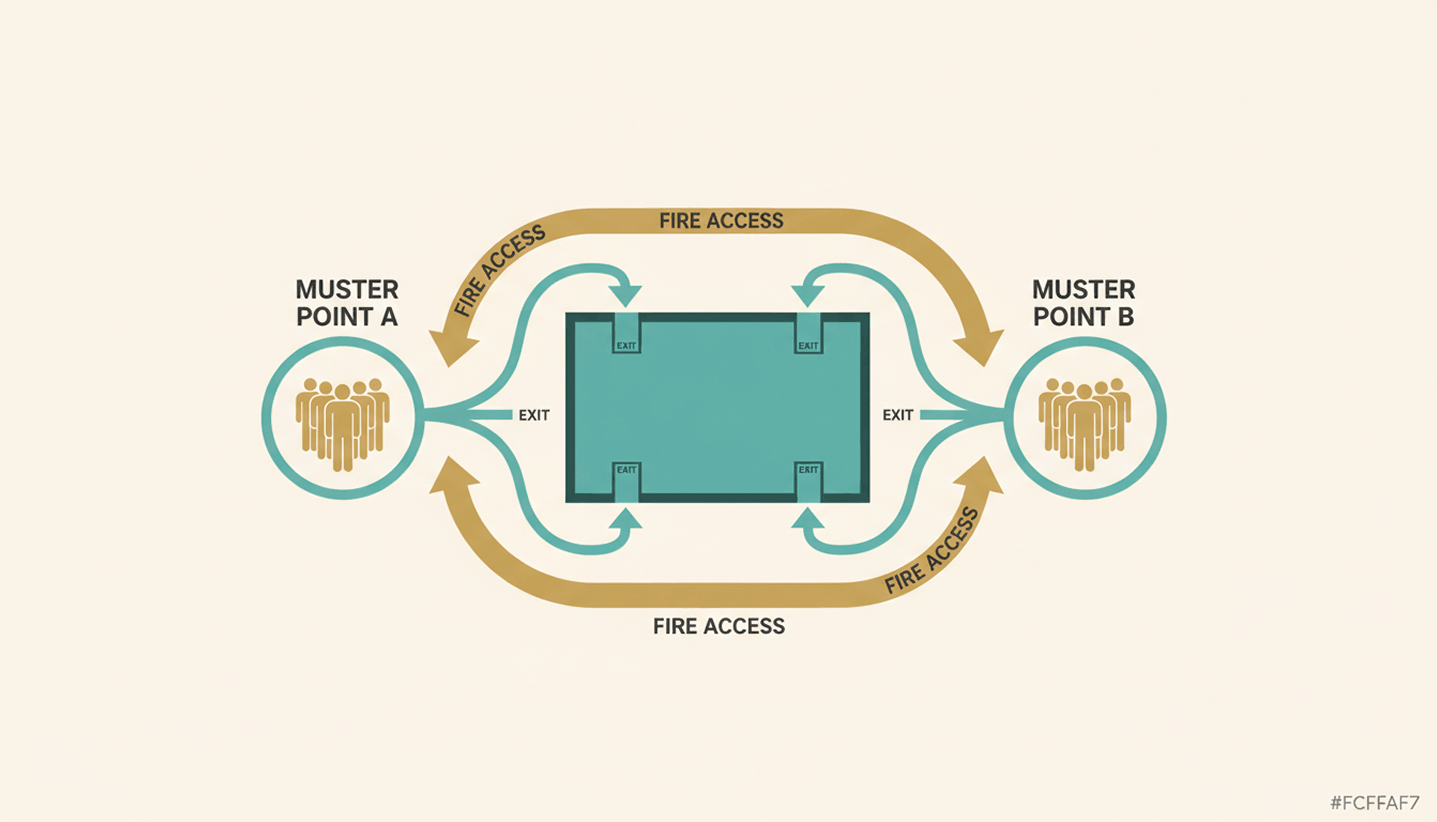
  • In an emergency, PULT generates an Emergency Export of all currently present individuals at the push of a button.
  • The weekly planner shows in advance how many employees will be in the office on the day of the event, so that room planning and space utilization can be coordinated.

{{onpage-cta}}

Office Insights

Workforce Analytics: Definition, Key Metrics, and EU-Compliant Implementation by 2026

Workforce analytics refers to the analysis of personnel data to manage headcount, productivity, and workforce planning. HR teams use this method to support personnel decisions with data. Starting in August 2026, the EU AI Regulation will tighten requirements for AI-powered HR analytics and mandate specific structures.

Workforce Analytics: The Basics

  • Workforce analytics is the quantitative analysis of HR data—such as turnover, absenteeism, headcount, and office utilization—to derive actionable recommendations for workforce planning.
  • Key metrics for workforce planning analytics include turnover rate, time-to-hire, absenteeism rate, office attendance, and team-level productivity metrics.
  • The EU AI Regulation classifies many HR analytics systems as high-risk AI starting in August 2026, imposing obligations regarding disclosure, human oversight, and data protection impact assessments.
  • PULT provides the data foundation for workforce analytics in hybrid teams—including attendance, desk utilization, and room bookings—and thus complements traditional HRIS systems such as Personio or HiBob.

What is workforce analytics, and how does it differ from people analytics?

Workforce Analytics focuses on the quantitative aspects of the workforce. It centers on headcount, productivity, turnover, and workforce structure in medium-term planning. People Analytics takes this a step further and also examines behavior, engagement, and collaboration based on qualitative data. HR Reporting, on the other hand, provides only retrospective reports without a forecasting component.

workforce analytics

In day-to-day work, these two areas are closely intertwined. When you implement your own workforce analytics, you create the data foundation for people analytics and the overarching workplace management.

Which metrics are suitable for workforce analytics?

Workforce Analytics uses metrics such as turnover rate, time-to-hire, absenteeism rate, office utilization, headcount trends, and others, which are regularly collected and analyzed. Together, these metrics provide an overview of how the workforce is evolving and which areas of the company are over- or under-staffed.

What tools are suitable for workforce analytics?

Workforce analytics tools can be divided into three layers. An HRIS layer as the data core (Personio, HiBob, Workday), an analytics layer for evaluation (Visier, Tableau, supplementary HRIS modules), and an office layer for attendance and space data in hybrid setups. The right combination depends on company size, data architecture, and EU compliance status.

When making your selection, consider the following five points:

  • Hosting region: EU hosting with a data center in Germany or elsewhere in Europe.
  • API Capability: Interfaces with HRIS, time tracking, and office management systems to eliminate data silos
  • EU AI Act Status: The provider documents whether and how its tool falls under the category of high-risk AI
  • Level of detail: Customizable KPIs and freely configurable dashboards
  • Office database: Attendance data, room and workstation reservations as well as visitor management
Tip: PULT Workplace Analytics includes this office layer and feeds attendance data, desk utilization, and room bookings into your workforce analytics pipeline, which can be combined with Personio or HiBob.

What does the EU AI Regulation 2026 require of HR analytics systems?

According to Annex III of the EU AI Regulation, an HR analytics system is considered high-risk AI as soon as it automatically supports personnel decisions. These include recruitment, promotion, termination, and performance evaluation. As a result, many workforce analytics functions are subject to strict requirements as soon as algorithms independently generate recommendations for or against individuals.

What requirements will apply to HR analytics systems as of August 2, 2026?

The high-risk classification gives rise to four key obligations for new systems:

  • Risk Management and Technical Documentation in accordance with Articles 9 through 11 of the EU AI Regulation
  • Human oversight for every decision involving personal data, not just at a later stage
  • Data Protection Impact Assessment pursuant to Article 35 of the GDPR, plus a Fundamental Rights Impact Assessment pursuant to Article 27 of the EU AI Act
  • Co-determination by the works council pursuant to § 87(1)(6) of the Works Constitution Act (BetrVG) in connection with any introduction or adjustment

How can I ensure that my workforce analytics setup remains compliant?

You can ensure compliance by clarifying your data architecture and processes before purchasing a tool. This involves five key points:

  • EU Hosting: Servers located in the EU, documented data processing.
  • Purpose limitation: You must document in writing which data you are analyzing and for what purpose.
  • Human final decision: No algorithm makes the final decision regarding hiring, termination, or promotion.
  • Disclosure: You proactively inform employees about what data is collected and how it is analyzed.
  • Involve the works council: A works council agreement fulfills the requirement for employee participation.

How to Build a Future-Proof Workforce Analytics System

Workforce Analytics provides you with a quantitative overview of your workforce, from headcount forecasts and turnover to office utilization.

Starting in the fall of 2026, the EU AI Regulation will require specific frameworks for high-risk AI, documentation, and human oversight. With PULT, you can meet these requirements while still gaining reliable data for your workforce planning and site strategy.

  • PULT Workplace Analytics provides real-time attendance, desk, and room data as a data source for workforce analytics.
  • Native integrations with Personio, HiBob, Microsoft Teams, and Slack, so all your HR data is centralized in one place.
  • EU hosting and ISO 27001 certification as the basis for your GDPR and EU AI Act documentation.

{{onpage-cta}}